Any Mac users seen this before
-
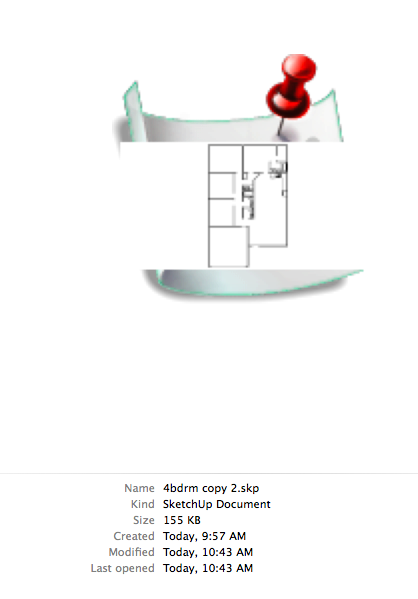
I have a Mac Pro and a Macbook Pro that I share docs and such between the two. I was away from my network today working on a floor plan and saved the file and it came up with a message that I don't remember now what it said but remember it asked to Save anyway ? So now the icon related to the skp. file looks like this.
-
Nope, I haven't seen that sort of icon!
-
It has told you that another program has accessed the document since you last saved and would you like to save anyway. Does it with me sometimes. Mainly when I edit a texture in photoshop and then save back into the sketchup file.
It gives a preview of the SKP file if you click "custom icon" when saving.
All my icons look like that because I always click custom icon....makes it easier to see what you are opening.

-
Ya that was it. I wondered what app it was since I was only SU
-
Yeah confused me too. Sometimes it does it after I've imported collada files. Only every happens in models where I've imported something.
I just click save anyway and then save another copy in case something has screwed up.
If you don't want the custom icon save a copy and uncheck "Custom Icon" box. I do, however, find the custom icon very useful.
-


Hello! It looks like you're interested in this conversation, but you don't have an account yet.
Getting fed up of having to scroll through the same posts each visit? When you register for an account, you'll always come back to exactly where you were before, and choose to be notified of new replies (either via email, or push notification). You'll also be able to save bookmarks and upvote posts to show your appreciation to other community members.
With your input, this post could be even better 💗
Register Login


Advertisement