[Plugin] RichSection V0.5.8 UPDATED march 2015
-
@fionmacool said:
Awesome plugin pgarmin. It is exactly what i've been looking for as an automated approach to the methodology in my book "Construction Documents Using SketchUp Pro & LayOut". There are one or two small refinements I would like to see ..... interested in co-authoring a publication. Thanks.
I'm still working on the 'refinements' but i don't have much time.
Co-authoring... : As you may have noticed, English is not my native language. Making a good tutoral is not evident. A small video can be very efficient .... .
I must say that there are some very good tutolals on this forum.Good luck with your book.

-
@takesh h
+200 plugins : could you find your way ?
Let me know if - after installing the other plugins - you have again problems.....In 'procesRS' I have only twice 'layer='
It can't be the first:
%(#0000FF)[grp_section.name="Section_Grp"
grp_section.**layer=**section_layer]because if grp_section doesn't exist, the error should be in the line 'grp_section.name='
It must be in these lines :
%(#0000FF)[grp_sectionplan = grp_section.entities.add_group
f = grp_sectionplan.entities.add_face sectionplanepoints
f.hidden=true
grp_sectionplan.hidden=true
grp_sectionplan.entities.each{|ent| ent.layer= section_layer}]The freshly created group (grp_sectionplan) contains only 4 edges and a face; but one of them (ent) doesn't exist any more, 5 lines after the creation:
Error: #<TypeError: reference to deleted DrawingElement .
I can't see why. Mystery
I will put a some errorhandling these lines...
Thanks
-
To all,
Having some problems installing this extension & getting it to work for some reason, any assistance would be greatly appreciated.
Question, as I'm using SU Pro 2013, I see the Plugin rbz file seems to be a non zipped file. Is it a case of just downloading this file to your PC to a folder of choice & then use the SU pull down menu "window" then "preferences" then install extension..??
I also see the zipped SU file 2008 version has another folder inside called recourses & two other files, .rbs & .rb. I assume these are the hatch pattern fills..?? So are there any fills for the SU Pro 2013 .rbz file..??
Over & out,
Clayton -
@clayton49 said:
To all,
.............Having some problems installing this extension & getting it to work for some reason, any assistance would be greatly appreciated..............
Panic over, all now installed & working o.k.

Most of the first set of settings on the menu with regards to hatch/fill types can be figured out. However the fill names won't mean anything until a few experiments & perhaps re-name to ones own personal library, although all can be seen in the materials SU menu & edited/renamed from this location.
I'll have to have another look a the vid's for other menu settings....I'll have to also look out for a help file, I'm sure there's one somewhere..!!!
In conclusion, this extension is great & will help me ton's with building plans & sections.
Another obvious missing tool that SU HQ should have in the box. 
Over & out,
Clayton -
@clayton49 said:
...
Panic over, all now installed & working o.k.
...... the fill names won't mean anything until a few experiments & perhaps re-name ..... own personal library, although all can be seen in the materials SU menu & edited/renamed from this location. I'll have to have another look a the vid's for other menu settings....I'll have to also look out for a help file, I'm sure there's one somewhere..!!! In conclusion, this extension is great & will help me ton'..... Over & out,
ClaytonThe most practical way to install and update plugins is the Sketchucation pluginstore (also called 'Sketchucation Tools') from Rich O Brien. Just one click to install or update any plugin ( for SU-2013 and the last versions of SU-8)
About all the options: i will make more videos. All the existing videos are in this post. You can alse read the posts above (27 nov 2013 ...).
I'm glad my plugin is usefull. I'm still working on it. So keep an eye on this post. -
@mladen90 said:
This is unbelivable! Thank you soo much pgarmyn for sharing this.
It is just what i have been searching for for years. Now sketchup could be finally used as a proper drawing tool, without worrying are cetions up to date, visible to other scenes etc.I downloaded it yesterday via sketchucation plugin manager and it says it's expired back in march 2014?.
https://dl.dropboxusercontent.com/u/35033714/expired.jpgI thought i should report this.
Thank you again pgarmyn!I am having the same problem - "This plug in has expired"
I am using Sketchup Pro 2013 on Mac OSX, I haven't changed the date or any settingsany help would great,
this is a great plugin - should be a paid pluginthanks,
Gary -
@garyion
There have been 2 updates since mladen90 reported that bug?
Are you using the latest version : V0.0.3. ?
It will mark “Version: V00.03-2013.12.04-20:00 DEMO” in menu>Plugins>RichSection>About RichSection.
I suggest to install with PluginStore.with PluginStore.
http://sketchucation.com/pluginstore?pln=SketchUcationTools
Before installing plugins, you will need full access to the plugins folder.
Select 'pgarmyn' for 'Authors' in the pluginstore and you will find the latest update.
Let me know if this lost your problem
-
@pgarmyn said:
@fionmacool said:
Awesome plugin pgarmin. It is exactly what i've been looking for as an automated approach to the methodology in my book "Construction Documents Using SketchUp Pro & LayOut". There are one or two small refinements I would like to see ..... interested in co-authoring a publication. Thanks.
I'm still working on the 'refinements' but i don't have much time.
Co-authoring... : As you may have noticed, English is not my native language. Making a good tutoral is not evident. A small video can be very efficient .... .
I must say that there are some very good tutolals on this forum.Good luck with your book.
Hey sorry for the long delay and thanks for the response- I would be delighted to show off your plugin in a free video here as well as including it in the book.
One big wish I would have for the plugin is to enable the 2D information to "float" above the model. This requires the section cut to be grouped with the building while the 2D info is outside this group. Please see the examples attached where the section info is floating one inch above the model.
Note also:
The line colours are set to "by material" so all groups that require definition are coloured black or dark while their internal surfaces are textured individually.
The colour of the section cut is set to a light hue and a thickness of 1 unit.


-
Hi fionmacool.
I guess you want to hide section-lines between different elements?
There is a beter way to controle that. I will make (soon) some "how to" videos. I will post them with the next update.
I want to keep the nesting & layer structure of the section-group identical to the model. To syncronize visibility and invisibility if certain layers are switched off.
It can become an option if you can really convince me of the advantage in a standard workflow to produce several sections of one model. -
@solo said:
@rich o brien said:
Indigo respect Section Cuts
Rich, can you confirm that Indigo works with this plugin?
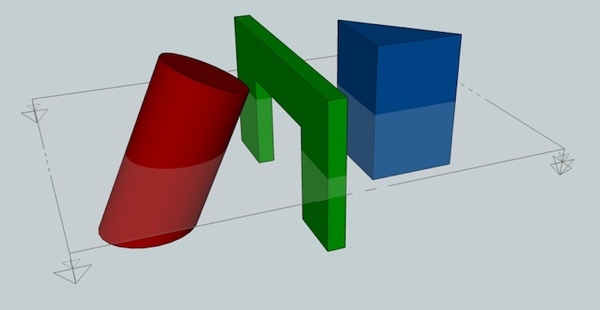
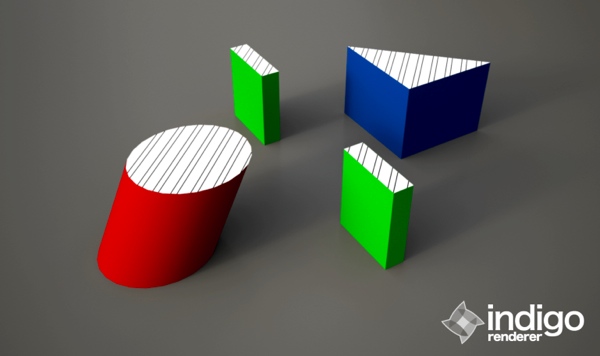
not sure if there's a way to make the cut color the same as the object? haven't really messed around with the settings too much in richSection.
@unknownuser said:
Then I guess I'd like to know how Indigo can do it and other cannot.
maybe because whaat wrote skindigo?

-
@jeff hammond said:
not sure if there's a way to make the cut color the same as the object? haven't really messed around with the settings too much in richSection.
YES
Parameters for "cut color the same as the object" :- Set 'RichSection material name' to "prefix+materialname, default"
- Set 'RichSection materials, prefix' to "" (empty)
-
@pgarmyn said:
@fionmacool
I guess you want to hide section-lines between different elements?
There is a beter way to controle that. I will make (soon) some "how to" videos. I will post them with the next update.
I want to keep the nesting & layer structure of the section-group identical to the model. To syncronize visibility and invisibility if certain layers are switched off.
It can become an option if you can really convince me of the advantage in a standard workflow to produce several sections of one model.Thanks for your reply. OK so I'm not sure I understand you entirely... but to answer your last point- definitely multiple sections are desirable for each model- all technical drawings require one plan and one vertical section at least. The problem at the moment is that the 2D section info is "behind" the section cut so that it interferes with visibility. Does that make sense?
-
@fionmacool said:
.....that it interferes with visibility. Does that make sense?
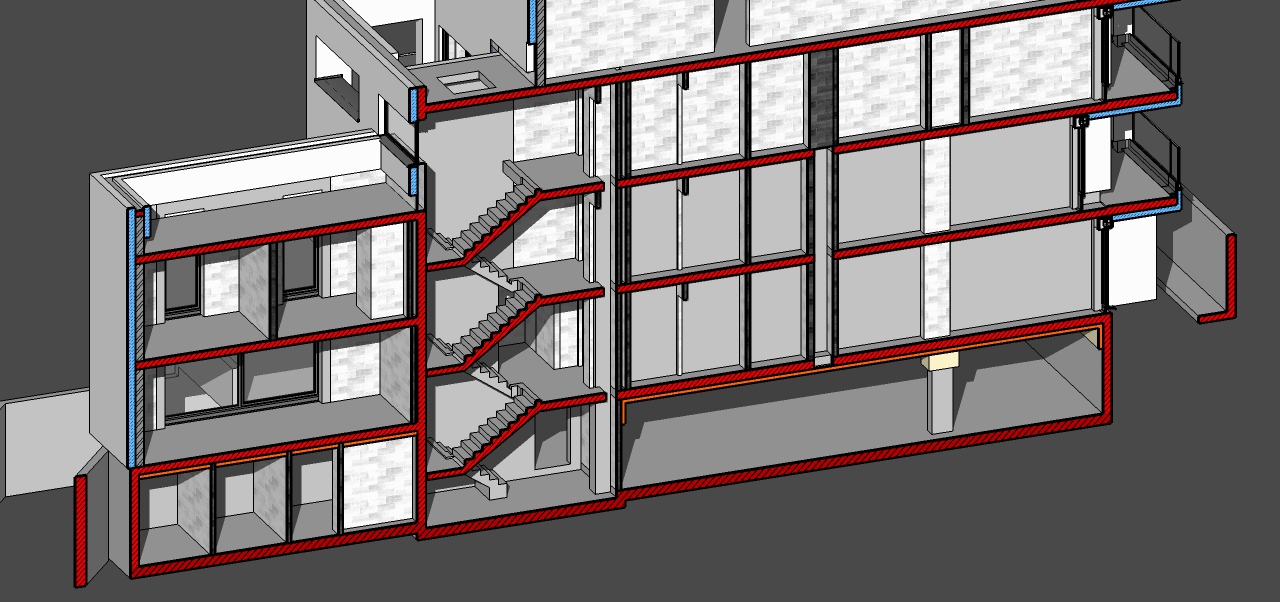
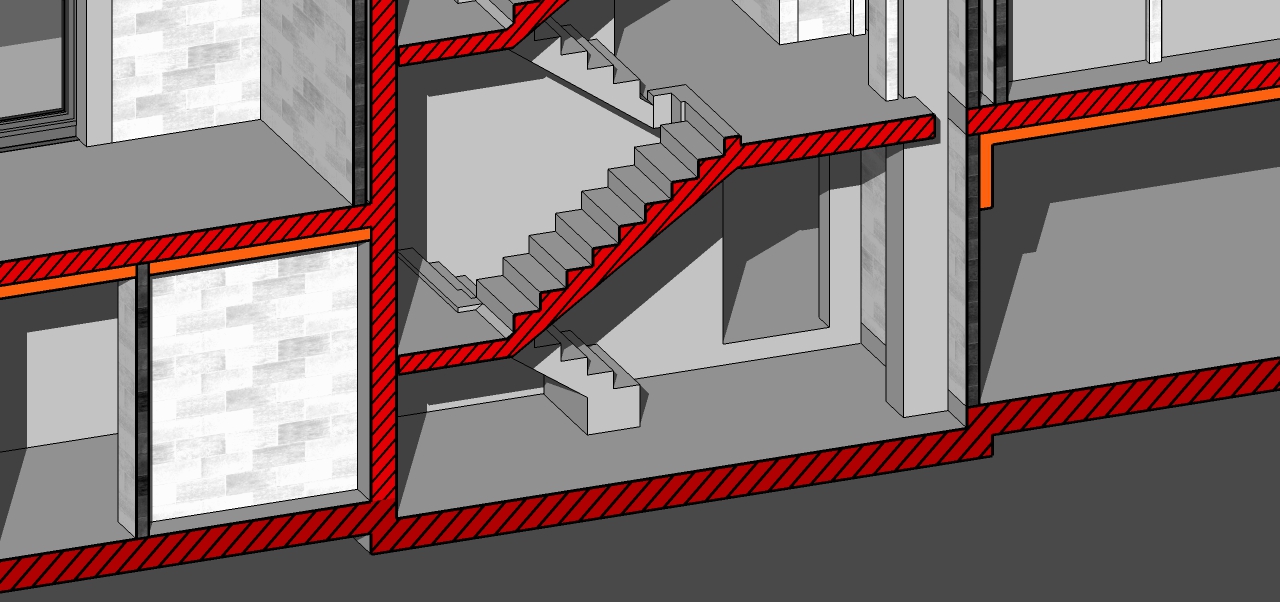
What do you mean by interfere...
In this model floorslabs, stairs, walls etc. are separated groups. But i can control visibility of the faces separating those elements.... Zere are still some .... ?
-
@pgarmyn said:
YES
Parameters for "cut color the same as the object" :- Set 'RichSection material name' to "prefix+materialname, default"
- Set 'RichSection materials, prefix' to "" (empty)
neat.
i tried a quick one in indigo with glass, metal, and wood..
i didn't let it render as long as it would need but it shows that it would work in an actual render..
glass- one solid sphere (rendered as a solid piece of glass)
metal- sphere inside a sphere (rendered as if it were a bowl)
wood- i resized the texture on the facing side.. the cut shows the original size.. probably not good to use this technique on renders requiring high quality texturing/mapping (as in- that block would require end grain etc.) -
-
I think it's perfect already. The last puzzle to this plugin, as suggestion would be :
- How could the section manage not only material per group, but also the section line thickness for each group ?
- And suppose we would like to create a furniture layout plan, how could we let furniture layer not afected by the section plane while at the same time letting the wall layer, column layer, windows and door cut by section plane in easy way? A different hierarchy in grouping works well, leaving the furniture group outside the parrent group of wall, door, window, floor, structure, but that would mean a special group just for the sake of displaying unsliced furniture on the floor plan.
-
- The sectionlines are produced by Sketchup. There is no way to control thickness. An option could be to ad sectionlines with TIG's linestyle (2D Tool). I plan to add dxf export with that capability: Sectionline by layer.
- A special group is the only solution. The Sketchup Ruby API (programmer interface) doesn't let you controle what to cut.
Thanks for your interest.
-
RichSection plugin [highlight=#ffff00:2tqcoasz]UPDATED[/highlight:2tqcoasz] : download from the Plugin Store

SketchUp Plugins | PluginStore | SketchUcation
SketchUp Plugin and Extension Store by SketchUcation provides free downloads of hundreds of SketchUp extensions and plugins
(sketchucation.com)
-
I've just intsalled your updated plug-in
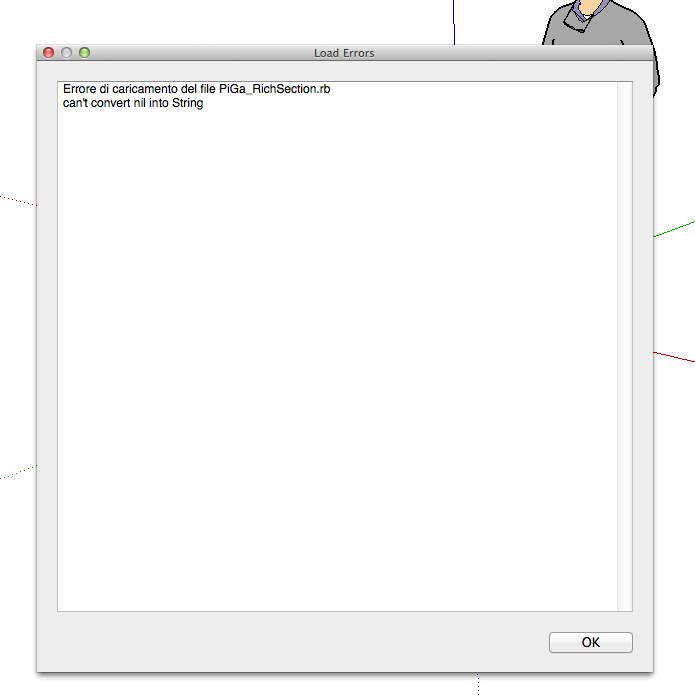
but apparently is not workingonce Sketchup is started, a window is telling me that:
Error loading files PiGa_Richsection.rb
can not convert nil into Stringca you please help me?
-
hello,
after install via skechucation plugin store on mac sketchup- when starting skp. i'm geting this rubby error messge
"Error Loading File PiGa_RichSection.rb
can't convert nil into String"can you advice?






Advertisement