UK Ordnance Survey Imports
-
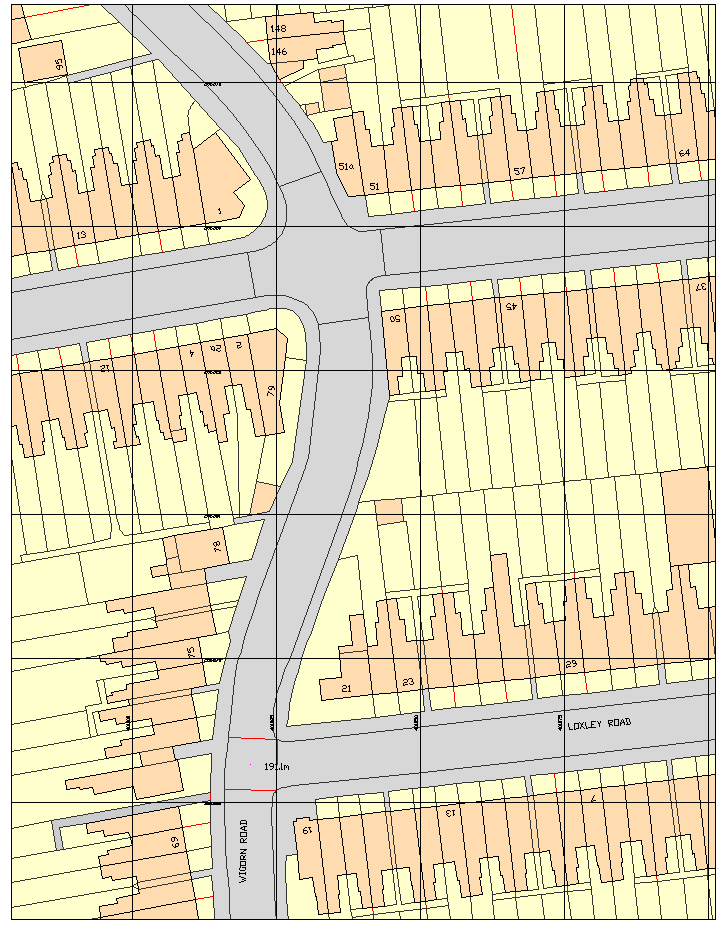
Does anyone know why the UK Ordnance Survey Mastermap displays coloured faces in CAD software but not in Sketchup? Attached is a JPEG file showing an example of the colour faces in DoubleCAD (any CAD software will display it like this). I've also attached a DWG file of the same.
If you open the DWG in Sketchup there are no faces displayed only lines, as well as all the text being lost.
Is there a plug in available, or could one be written, which displays Ordnance Survey maps in the way they would in CAD software i.e. with faces and text?
At the moment I have to use the create faces plug in and then painstakingly colour all the resultant faces the correct colour. Text isn't quite so bad as I can explode the text in DoubleCAD and then import into Sketchup which then displays the text. I could really do with a solution for the faces in particular as large maps can take several hours to recolour, something I'm about to face yet again this evening!
Thanks
-
I didn't know the dwg's were available in colour, but there again I usually just end up marking ownership and development (blue/red) as an overlay in LO for planning. If you want the colour and it isn't coming through in the dwg file then why not download the png or tiff versions which would also display the original text?
-
Thanks for the reply however the png/TIFF file is not editable. I need the ability to amend the linework and colours.
-
Maybe a hybrid solution would work? A png image with an edited superimposed (section) image showing your requirements!
-
I expect the issue is that the CAD import is only edges, no faces. That's normal for a 2D CAD import.


Hello! It looks like you're interested in this conversation, but you don't have an account yet.
Getting fed up of having to scroll through the same posts each visit? When you register for an account, you'll always come back to exactly where you were before, and choose to be notified of new replies (either via email, or push notification). You'll also be able to save bookmarks and upvote posts to show your appreciation to other community members.
With your input, this post could be even better 💗
Register Login


Advertisement