Orbiting problem
-
Sometimes the models disappears when I orbiting.
What I am doing wrong?
-
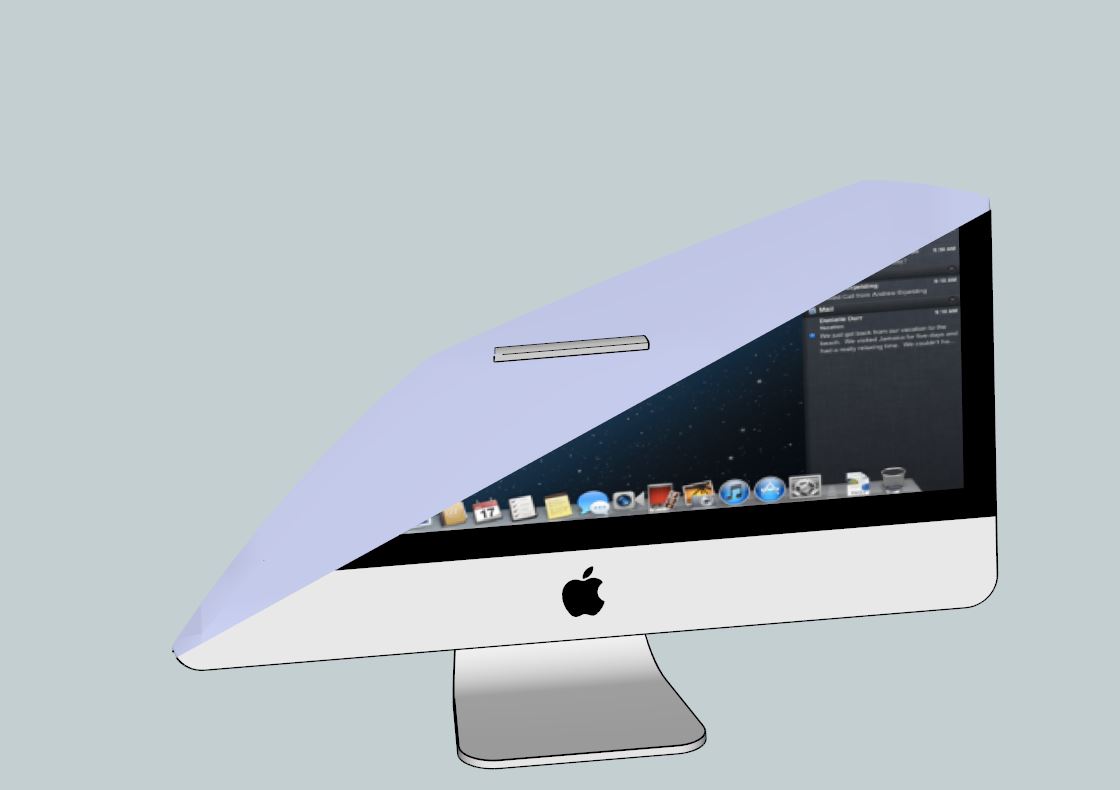
It's called Clipping, if you do a search for clipping it will give you a bunch of threads full of reasons and ways to fix or avoid it.
-
It's the well known clipping thing.
There are a few different causes.
You're in Parallel Projection--switch to Perspective view, hit Zoom Extents and then go back to Parallel Projection if you wish.
You're model is a long distance from the origin or there is some geometry at a long distance from the origin. Keep you model close to the origin.
Hit Zoom Extents. Does your model get smaller with a bunch of empty space? That empty space contains some stray geometry that needs to be deleted.


Hello! It looks like you're interested in this conversation, but you don't have an account yet.
Getting fed up of having to scroll through the same posts each visit? When you register for an account, you'll always come back to exactly where you were before, and choose to be notified of new replies (either via email, or push notification). You'll also be able to save bookmarks and upvote posts to show your appreciation to other community members.
With your input, this post could be even better 💗
Register Login


Advertisement