Curved Staircases
-
@Garry
it's working in 'feet' Template now...
the cache reset took a couple of goes...added some info so you can see what I get my end...
Ruby version is _____________ 1.8.5 Sketchup version is __________ 13.0.4811 Sketchup version path is __________ /Applications/SketchUp 2013/SketchUp.app Sketchup process pid is __________ 86823 @modPath is __________ unsaved stair time 0.922734 stair time 0.922350<html><head> <meta http-equiv="MSThemeCompatible" content="Yes"> <style type="text/css"> * { padding; 0; margin; 0; } body { background-color; #F9EBD1} fieldset { float; left; background-color; #F9EBD1; border-color; black; margin; 3px;} fieldset p {display; table-row; font-family; Arial, Helvetica, sans-serif; font-size; 90%; color; black; height; 27px;} fieldset input, fieldset select, fieldset label {display; table-cell; margin; 2px; width; 120px;} fieldset label {text-align; right;} fieldset input, fieldset select {margin-left; 10px; background-color; wheat;} </style> </head> <body> <form> <fieldset> <p><label>Inside Stringer;</label><select id="inside_stringer"><option>Housed</option><option>Sawtooth</option><option>None</option></select></p> <p><label>Options;</label><select id="inside_option"><option>Has Heel</option><option>Has Foot</option><option>Both</option><option>None</option></select></p> <p><label>Thickness;</label><input type="text" id="inside_thickness"></p> <p><label>Width;</label><input type="text" id="inside_width"></p> <p><label>Rail Options;</label><select id="inside_rail"><option>Guard Rail</option><option>Wall Rail</option><option>None</option></select></p> </fieldset> <fieldset> <p><label title="Set to none for a spiral where spindles are used to tie the treads togethers">Outside Stringer;</label><select id="outside_stringer"><option>Housed</option><option>Sawtooth</option><option>None</option></select></p> <p><label>Options;</label><select id="outside_option"><option>Has Heel</option><option>Has Foot</option><option>Both</option><option>None</option></select></p> <p><label>Thickness;</label><input type="text" id="outside_thickness"></p> <p><label>Width;</label><input type="text" id="outside_width"></p> <p><label>Rail Options;</label><select id="outside_rail"><option>Guard Rail</option><option>Wall Rail</option><option>None</option></select></p> </fieldset> <fieldset> <p><label>Stair Direction;</label><select id="direction"><option>Clockwise</option><option>Anti Clockwise</option></select></p> <p><label>Stair Width;</label><input type="text" id="stair_width"></p> <p><label title="Set to 0 and StairMaker will calculate based on degrees and Average Run">Radius;</label><input type="text" id="radius"></p> <p><label title="Set to 0 and StairMaker will calculate based on radius and Average Run">Degrees;</label><input type="text" id="degrees"></p> <p><label>Rail Style;</label><select id="rail_style"><option>Classic</option><option>Modern</option><option>Round</option><option>Square</option><option>Standard</option><option>Traditional</option></select></p> <p><label>Open Risers;</label><input type="checkbox" id="open_riser"></p> <p><label>Total Rise;</label><input type="text" id="total_rise"></p> <p><label>Risers;</label><input type="text" id="risers"></p> <p><label>Riser Thickness;</label><input type="text" id="riser_thickness"></p> </fieldset> <fieldset> <p><label>Tread Thickness;</label><input type="text" id="tread_thickness"></p> <p><label title="Average Run is ignored if both Radius and Degrees are set">Average Run;</label><input type="text" id="average_run"></p> <p><label>Tread Bullnose;</label><input type="text" id="tread_bullnose"></p> <p><label>Nosing;</label><input type="text" id="nosing"></p> <p><label>Flare Amount;</label><input type="text" id="flare_amount"></p> <p><label>Progressive Flare;</label><input type="text" id="progressive_flare"></p> <p><label>Flare Count;</label><input type="text" id="flare_count"></p> <p><label>Floor Thickness;</label><input type="text" id="floor_thickness"></p> <p><label>Create Stair;</label><input type="button" onclick="do_click()" style="background; silver" value="OK"></p> </fieldset> </form> <script type="text/javascript"> if ( document.addEventListener ) document.addEventListener( "DOMContentLoaded", ready, false ); else if ( document.attachEvent ) document.attachEvent( "onreadystatechange", check_ready ); function do_click() { var items = document.getElementsByTagName( '*' ); var count = items.length; var text = ""; for ( var i = 0; i < count; i++ ) { if ( items[i].type == "select-one" ) value = items[i].options[items[i].selectedIndex].value; else if ( items[i].type == "text" ) value = items[i].value.replace(/'/g, '`'); else if ( items[i].type == "checkbox" ) value = items[i].checked.toString(); else value = ""; if ( value.length > 0 ) { if ( text.length > 0 ) text += "&"; text += ( items[i].id + "=" + value ); } } ruby_call( text ); } function from_ruby( data ) { var element; var pair; var pairs = data.split( '&' ); var count = pairs.length; for ( var i = 0; i < count; i++ ) { pair = pairs[i].split( '=' ); element = document.getElementById( pair[0] ); if ( element.type == "select-one" ) { if ( pair[1].indexOf('|') == -1 ) element.selectedIndex = pair[1]; else populate_drop_down( element, pair[1] ); } else if ( element.type == "text" ) element.value = pair[1].replace(/`/g, "'"); else if ( element.type == "checkbox" ) element.checked = pair[1] == '1'; } } function populate_drop_down( element, data ) { var options = data.split( '|' ); var count = options.length; var option; element.innerText = ""; for ( var i = 0; i < count; i++ ) { option = document.createElement( "option" ); option.text = options[i]; element.add( option, null ); } } function ruby_call( text ) { query = 'skp;ruby_callback@' + text; window.location.href = query; } function check_ready() { if ( document.readyState === "complete" ) ready(); } function ready() { ruby_call( 'loaded' ); } </script> </body></html> -
Jeff - Good catch. You are correct - the message is worded wrong. I have changed it for the next version.
-
Walt - that is wierd - you normally don't see that screen. The web hosting site has been experiencing hack attacks. Please tell me if you see this screen again.
-
Walt - put this rb into your plugins folder and see what you get.
There will be a menu item under plugins called "Web Dialog Test"
-
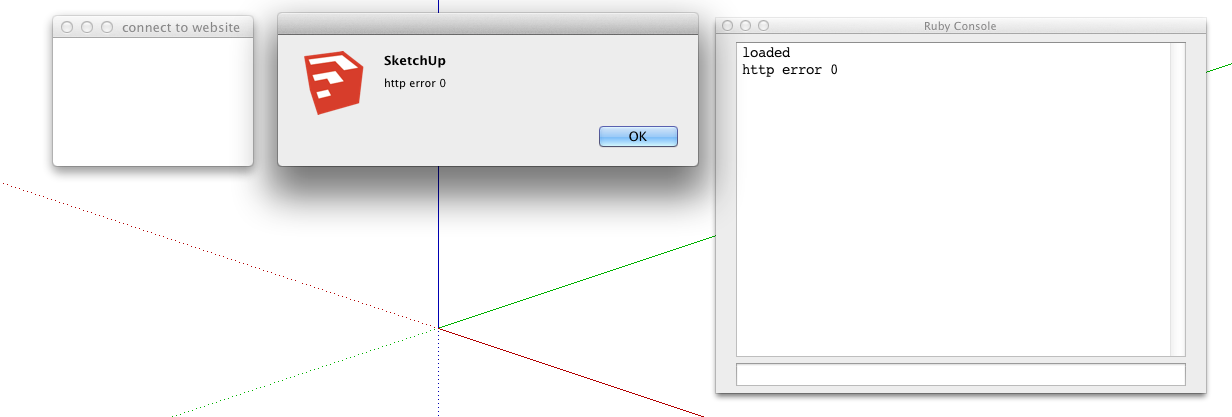
Here's my results.
-
Walt - I'm sorry but I can't answer that question. I haven't heard anyone else having that problem. It may have something to do with http configurations on your specific machine.
Maybe someone else can answer it. Perhaps start a new thread on this. Maybe the developer forum will catch some attention.
As you can see - the code isn't doing a whole lot.
-
@ Garry you're right I installed 1.0.8 rbz on Mac Book Pro and works great with no hitches. Mac Pro (desktop) running SU 8 and Lion and Mac Book Pro (laptop) running SU 8 and Mavericks.

-
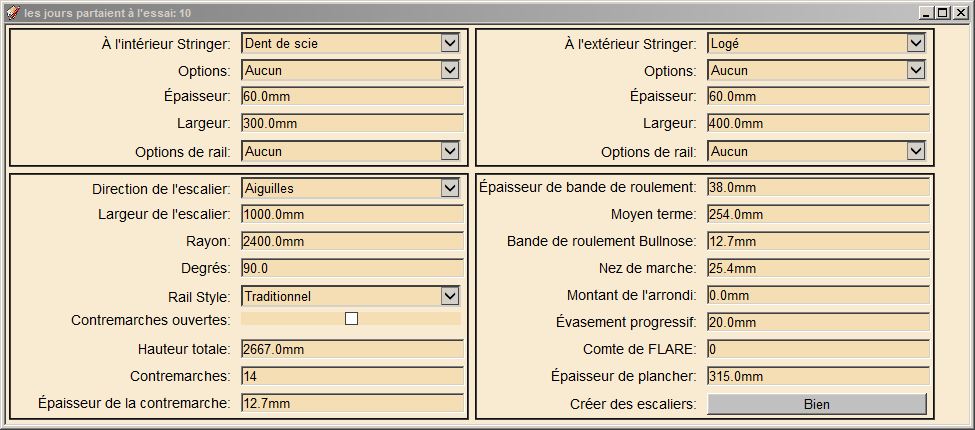
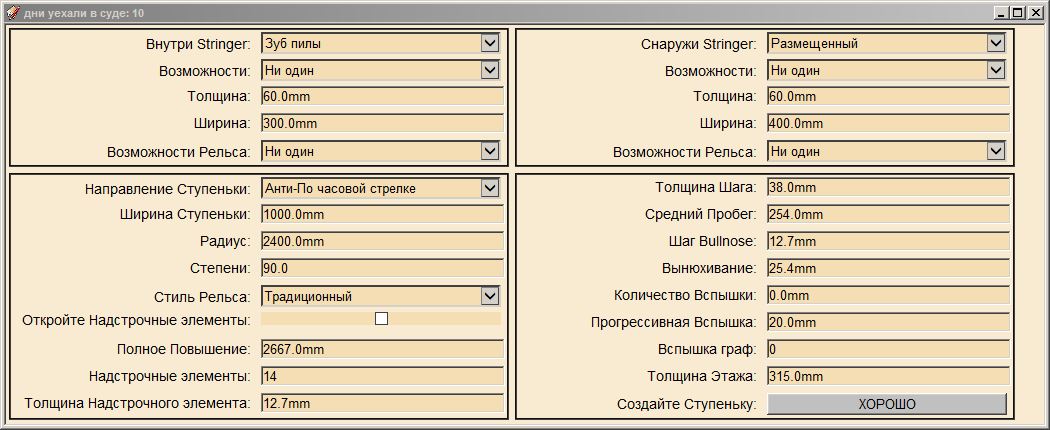
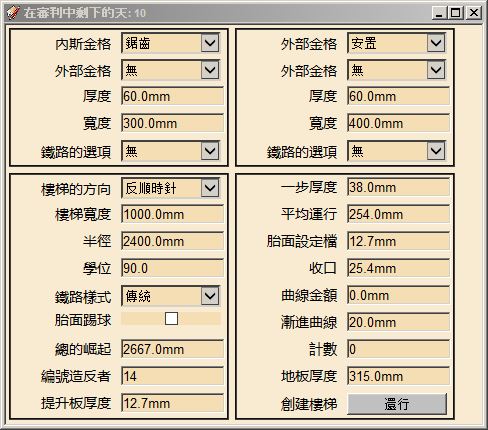
I now have language translation working. There is a folder called translations and currently there are 4 files in it.
en.lang - English
fr.lang - French
ru.lang - Russian
zh.lang - Chineses ( traditional )Near the top of the defaults.txt file there is a language= section where you can enter the 2 character language code. If you leave the language= blank the system will try to figure out the locale code.
These language files are straight translations and as a result there might be some funny and or inappropriate translations.
Anyone interested in helping out with any language translation can get a hold of me.
-
A user with a windows 8 machine running SU 2013 has reported an error that I can't duplicate ( I don't have a windows 8 machine )
puts "starting: dialog.execute_script( js_command )"
dialog.execute_script( js_command )this code doesn't run
puts "finished: dialog.execute_script( js_command )"
it errors out with this
type: mismatch
code: 0
url: file:///C:/Users/Admin/AppData/Local/Temp/skp8C34.tmpIs there anyone else with a Windows 8 machine running 2013 who would be willing to try this code.
` require 'sketchup.rb'
#---------------------------------------
show_dialog
#---------------------------------------
def show_dialog()
dlg = UI::WebDialog.new( "Stair Measurements", false, "DialogTest", 200, 150, 150, 150, true );
dlg.add_action_callback( "ruby_callback" ) { |dialog, params|
text = params.to_sif( text == 'loaded' ) args = 'inside_stringer=Housed|Sawtooth|None' + '&inside_stringer=1' + '&inside_option=Has Heel|Has Foot|Both|None' + '&inside_option=3' + '&inside_thickness=60' + '&inside_width=300' + '&inside_rail=Guard Rail|Wall Rail|None' + '&inside_rail=2' + '&outside_stringer=Housed|Sawtooth|None' + '&outside_stringer=0' + '&outside_option=Has Heel|Has Foot|Both|None' + '&outside_option=3' + '&outside_thickness=60' + '&outside_width=400' + '&outside_rail=Guard Rail|Wall Rail|None' + '&outside_rail=2' + '&total_rise=2667' + '&risers=15' + '&riser_thickness=12.7' + '&direction=Clockwise|Anti Clockwise' + '&direction=1' + '&stair_width=1000' + '&radius=2400' + '°rees=90' + '&floor_thickness=60' + '&rail_style=Classic|Modern|Round|Square|Standard|Traditional' + '&rail_style=4' + '&tread_thickness=38' + '&average_run=254' + '&tread_bullnose=12.7' + '&nosing=25.4' + '&flare_amount=0' + '&progressive_flare=20' + '&flare_count=0' js_command = "from_ruby( '" + args + "' )" puts( js_command ) puts "starting: dialog.execute_script( js_command )" dialog.execute_script( js_command ) puts "finished: dialog.execute_script( js_command )" else UI.messagebox( text ) puts( text ) enddialog.close();
  }
  html = <<-HTML
<!DOCTYPE html>
<html><style type="text/css">
body { background-color: #F9EBD1}
fieldset { float: left; background-color: #F9EBD1; border-color: black; margin: 3px;}fieldset p {display: table-row;
font-family: Arial, Helvetica, sans-serif;
font-size: 90%;
color: black;
height: 27px}fieldset input,
fieldset select,
fieldset label {display: table-cell; margin: 2px; width: 120px }fieldset label {text-align: right;}
fieldset input,
fieldset select {margin-left: 10px; background-color: wheat;}
}</style>
<head>
<meta http-equiv="MSThemeCompatible" content="Yes">
<script>
function do_click()
{
var items = document.getElementsByTagName( '*' );
var count = items.length;
var text = "";for ( var i = 0; i < count; i++ )
{
if ( items[i].type == "select-one" )
value = items[i].options[items[i].selectedIndex].value;
else if ( items[i].type == "text" )
value = items[i].value;
else if ( items[i].type == "checkbox" )
value = items[i].checked.toString();
else
value = "";if ( value.length > 0 ) { if ( text.length > 0 ) text += "&"; text += ( items[i].id + "=" + value ); }}
ruby_call( text );
}
function from_ruby( data )
{
var element;
var pair;
var pairs = data.split( '&' );
var count = pairs.length;for ( var i = 0; i < count; i++ ) { pair = pairs[i].split( '=' ); element = document.getElementById( pair[0] ) if ( element.type == "select-one" ) { if ( pair[1].indexOf('|') == -1 ) element.selectedIndex = pair[1]; else populate_drop_down( element, pair[1] ); } else if ( element.type == "text" ) element.value = pair[1]; else if ( element.type == "checkbox" ) element.checked = pair[1] == '1'; }}
function populate_drop_down( element, data )
{
var options = data.split( '|' );
var count = options.length;
var option;element.innerHTML = ""; for ( var i = 0; i < count; i++ ) { option = document.createElement( "option" ); option.text = options[i]; element.add( option, null ); }}
function ruby_call( text )
{
query = 'skp:ruby_callback@' + text;
window.location.href = query;
}
function on_load()
{
ruby_call( 'loaded' );
}
</script>
</head><body onload="on_load()">
<form><fieldset>
<p><label>Inside Stringer:</label><select id="inside_stringer"></select></p>
<p><label>Options:</label><select id="inside_option"></select></p>
<p><label>Thickness:</label><input type="text" id="inside_thickness"</p>
<p><label>Width:</label><input type="text" id="inside_width"</p>
<p><label>Rail Options:</label><select id="inside_rail"></select></p>
</fieldset><fieldset>
<p><label>Outside Stringer:</label><select id="outside_stringer"></select></p>
<p><label>Options:</label><select id="outside_option"></select></p>
<p><label>Thickness:</label><input type="text" id="outside_thickness"</p>
<p><label>Width:</label><input type="text" id="outside_width"</p>
<p><label>Rail Options:</label><select id="outside_rail"></select></p>
</fieldset><fieldset>
<p><label>Stair Direction:</label><select id="direction"></select></p>
<p><label>Stair Width:</label><input type="text" id="stair_width"</p>
<p><label>Radius:</label><input type="text" id="radius"</p>
<p><label>Degrees:</label><input type="text" id="degrees"</p>
<p><label>Rail Style:</label><select id="rail_style"></select></p>
<p><label>Open Risers:</label><input type="checkbox" id="open_riser"</p>
<p><label>Total Rise:</label><input type="text" id="total_rise"</p>
<p><label>Risers:</label><input type="text" id="risers"</p>
<p><label>Riser Thickness:</label><input type="text" id="riser_thickness"</p>
</fieldset><fieldset>
<p><label>Tread Thickness:</label><input type="text" id="tread_thickness"</p>
<p><label>Average Run:</label><input type="text" id="average_run"</p>
<p><label>Tread Bullnose:</label><input type="text" id="tread_bullnose"</p>
<p><label>Nosing:</label><input type="text" id="nosing"</p>
<p><label>Flare Amount:</label><input type="text" id="flare_amount"</p>
<p><label>Progressive Flare:</label><input type="text" id="progressive_flare"</p>
<p><label>Flare Count:</label><input type="text" id="flare_count"</p>
<p><label>Floor Thickness:</label><input type="text" id= "floor_thickness"</p>
<p><label>Create Stair:</label><input type="button" onclick="do_click()" style="background: silver" value="Ok"></p>
</fieldset></form>
</body>
</html>HTML dlg.set_html html dlg.show endif ( not file_loaded?( "dialog_test.rb" ) )
UI.menu( "Plugins" ).add_item( "Web Dialog Test" ) { show_dialog() }
file_loaded( "dialog_test.rb" )
end------------------------------------------------`
-
Version 1.0.11 06-Mar-2014
- Now SU 2014 compatible
- Added missing line to gkware_stairmaker_loader.rb. Utils.rbs was only loading if door maker was installed.
- Added Config folder to hold user configuration and temp files
- Make button images for add Handrail profile and glue edges
- Fixed bug in handrail scaling
- Auto Sizing of Web Dialog. For some reason – need to add room for scroll – even if it shouldn’t be needed
- Fixed bug where trial string keeps growing
- Handrail was not going into “Handrail” layer. Fixed
- Changed Stringer “Width” to “Depth” in web dialog, language files and in defaults.txt
- Made changes to defaults.txt for “imperial_stair_width”
-
@garry k said:
Version 1.0.11 06-Mar-2014
- Now SU 2014 compatible
- Added missing line to gkware_stairmaker_loader.rb. Utils.rbs was only loading if door maker was installed.
- Added Config folder to hold user configuration and temp files
- Make button images for add Handrail profile and glue edges
- Fixed bug in handrail scaling
- Auto Sizing of Web Dialog. For some reason – need to add room for scroll – even if it shouldn’t be needed
- Fixed bug where trial string keeps growing
- Handrail was not going into “Handrail” layer. Fixed
- Changed Stringer “Width” to “Depth” in web dialog, language files and in defaults.txt
- Made changes to defaults.txt for “imperial_stair_width”
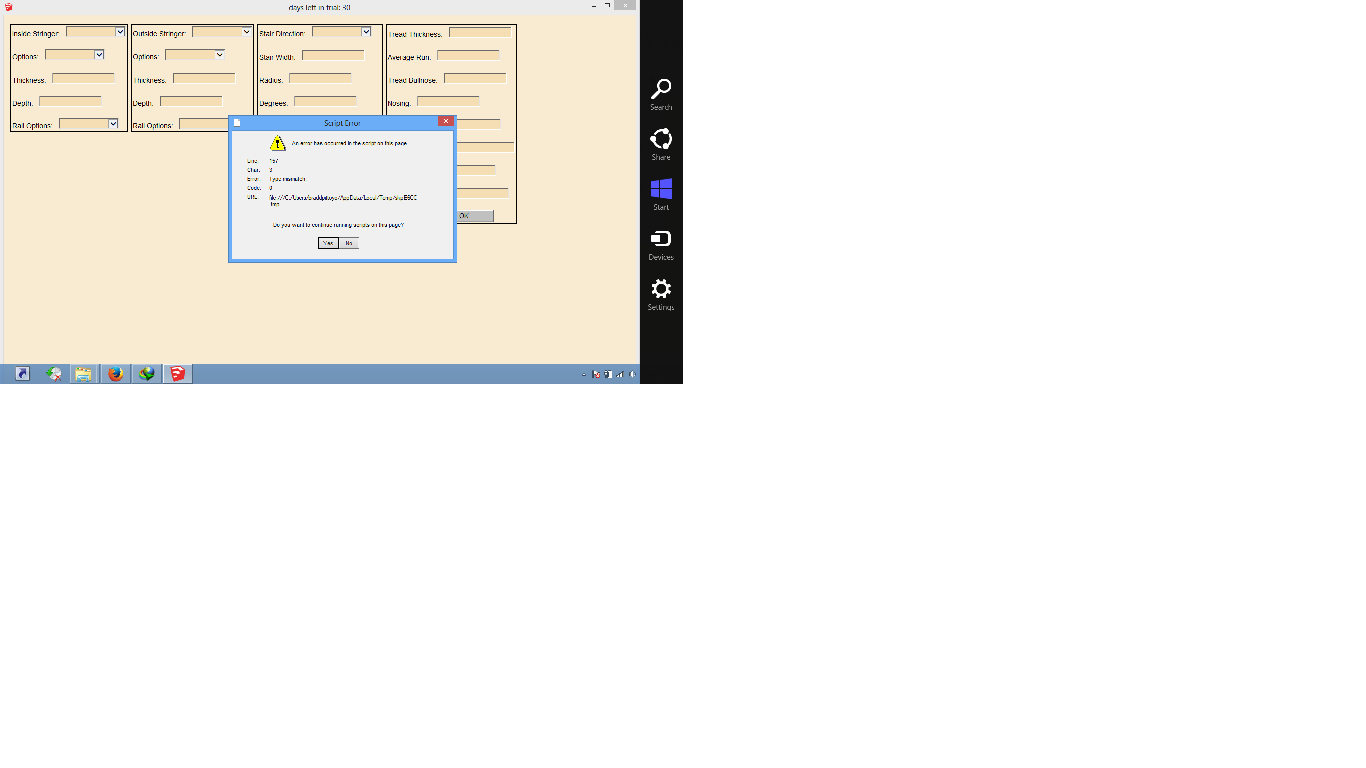
error in windows 8 64bit
-
You might want to add .rbz to post or transfer this to plugins forum it's hard to find the file embedded in the middle of topic I can't find maybe I missed it somewhere.
-
I've been busy learning about JQuery, Ajax, JSONP etc.
Here are 2 ruby scripts that I would like someone to try on OSX Lion, OSX Maverick and Windows 8.
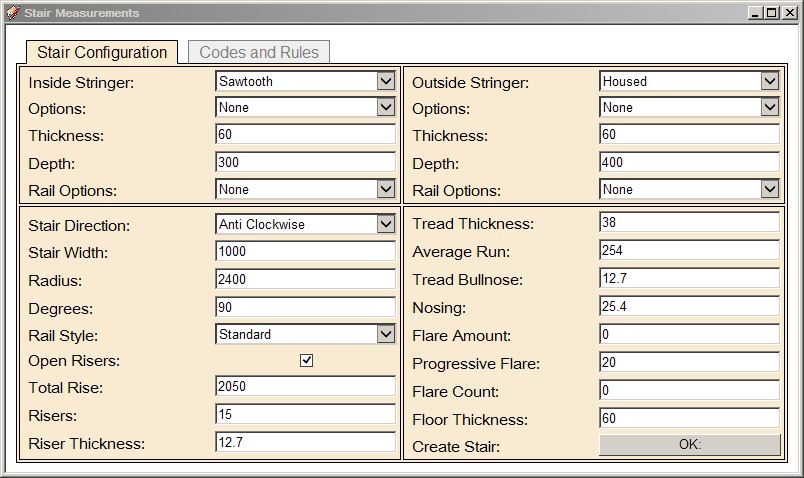
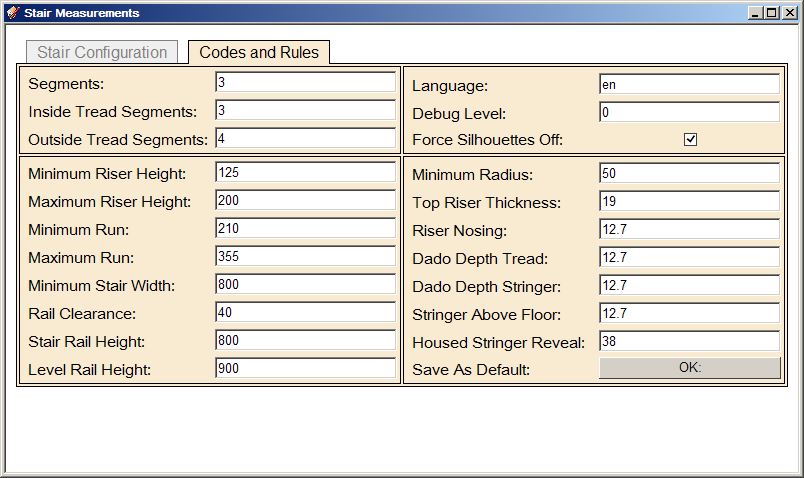
The first script is called 'dialog_test_tabs.rb' and is set up with tabs. The tabs code came from user NewOne
http://sketchucation.com/forums/viewtopic.php?f=180%26amp;t=22662This works nicely on my machine which is a Windows 7 machine. I have Internet Explorer 11 installed.
The second script is call dialog_test_5.rb and connects to a test web service on my web site. It just passes a very simple JSONP record {"firstname":"Jeff"} and is suppose to respond with 'Your name is Jeff Hansen'
-
Well i'm on SU2014 and yosemite
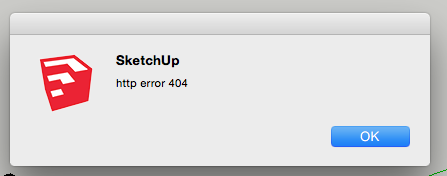
First of all I still get the "HTTP error"
That is very well the reason I get these outputs of your test files.
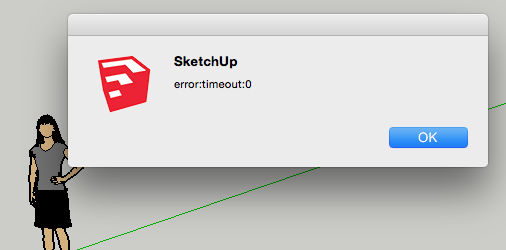
-
Installed via the sketchucation plugin and all is good.. Just wonder what to do if stringers have different curvatures ?
-
Do you have an example of what you mean by different curvatures?
My understanding so far is this.
Curved stringers do have different curvatures (radius), but they both have the same pivot point. The best I can do right now for irregular stairs is the 2D to 3D portion of the stair maker suite. -
Ahh.. ok thanks. Would I mean is that the stringers is curved but not in parallel. On stringer has a sharper curve than the other. Btw. the 2D to 3D feature sounds promising but the documentation in the help file is leaving me a little puzzled. Should I make 2 stringers as pollens and the select them an push the 2Do3D button or do I have to make a face? sorry this is totally obvious to other than stupid old me. Other than that it is a pretty solid piece of coding sir!
-
I have a few videos on the 2D to 3D stairs.
-
NICE.. thanks a lot!


Advertisement