Shortcut for component edit
-
Hi, I'm looking for a shortcut or plugin to switch component edit. (image shown below). I have a file with a "bug" that always turns On (checked) the boxes.. no matter how many times I unchecked it.. and save the file, it reverts automatically to being checked. This happened only on one specific file, so I assume it's a bug. Anyway, right now, the easiest way for me to get through this is to find the shortcut / ruby that is capable of switching the tick box.
I appreciate your help, thanks!

-
Can you share this file?
As for assigning shortcuts for the checkboxes in your screenshot:
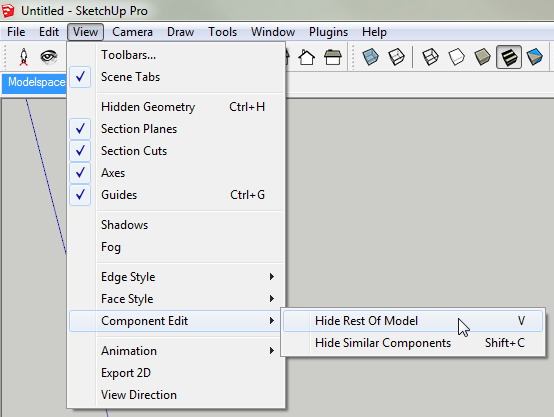
But you say "shortcut for Component Edit" - that implies a shortcut to open a component for editing - that is not what you want?
-
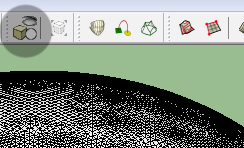
Incredible, this is what I was looking for !! Except I thought it was a plugin because I had it placed in the Custom Toolbars .
-
Where did you find that button?
-
I don't know I have it in my Sketchup 8 in the Toolbars plugin .
I attached the Toolbars plugins(this is the name I have it on my computer).It works with Sketchup 8 and it worked with Sketchup 2013 until RC 4, I believe, then it didn't worked anymore(the toolbars are there but are not visible).
-
@thomthom said:
Can you share this file?
As for assigning shortcuts for the checkboxes in your screenshot:
[attachment=0:3kiovv5i]<!-- ia0 -->2013-05-22_12h28_20.png<!-- ia0 -->[/attachment:3kiovv5i]
But you say "shortcut for Component Edit" - that implies a shortcut to open a component for editing - that is not what you want?Thanks thomthom, I will try this first. I didn't see this one even on shortcuts menu.. if this has same function as the tick box toggle I mentioned above, then this solves my problem. Thanks a bunch.
 PS: as for attaching the file, sorry I can't due to it's file size (more than 180MB).
 -
Although that button wasn't visible but it was there in the plugins menu, I was able to place it in a toolbar with the toolbar editor plugin, now I have it back !
-
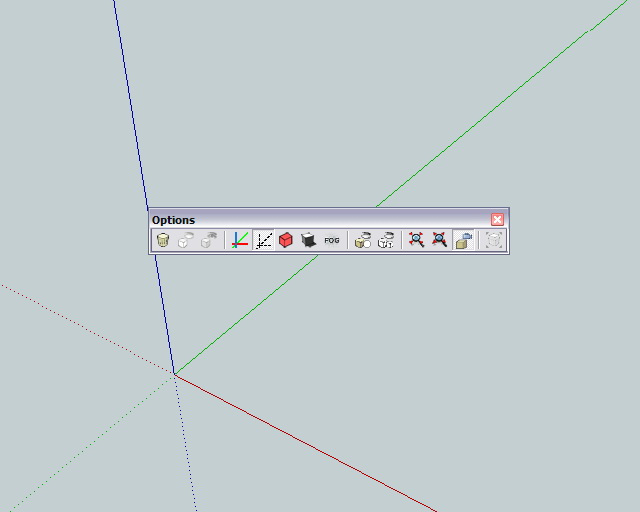
Thomas, I have that button in the toolbar you see in the image.
-
That's a plugin, right? I thought for a moment it was a native button...
-
It's not native .I don't know if it is a plugin or just a button that triggers a native action. If you take a look at the plugin I uploaded earlier you will see there how it is triggered, I don't know how these things works though !




Hello! It looks like you're interested in this conversation, but you don't have an account yet.
Getting fed up of having to scroll through the same posts each visit? When you register for an account, you'll always come back to exactly where you were before, and choose to be notified of new replies (either via email, or push notification). You'll also be able to save bookmarks and upvote posts to show your appreciation to other community members.
With your input, this post could be even better 💗
Register Login


Advertisement