How do I open an SKM file on a Mac?
-
Hello,
I want to open Rich O'Brien's transparent leaves sample on my Mac, it says to unzip it and add the folder as a collection but all I seem to get are exec files. Any suggestions please ? Thanks, Sally -
@sally said:
...all I seem to get are exec files...
Exec files? If I download it, it is a single zip file and if I unpack it, there are skm files in there. You should copy those skm files under your materials folder (wherever it is on a Mac). They are actually the materials.
If you want to see what's in an skm file, rename the extension to zip and open it.
-
Hi Gai,
When I open the downloaded folder (suc-leaf-free) , I get 4 files with .skm, but they have black exec icons. )I think, having looked at a few topics that this is a Mac thing?)
Anyway, I changed the .skm to zip on one of them and it opened to give me a folder, and then put that folder into into the Materials folder in HD/library/app support/SU8/SU/materials, but when I use the paint bucket, the leaf I loaded shows as a material (suc-whiteash-1) but it is plain white in the display bar and paints as white. -
No, you should simply put the skm file (archive) into the material library. This is what SketchUp uses. I do not know why Mac gives it a weird icon - maybe it does not recognize it - but don't worry about it.
-
Sally the icon you see is a unix icon, Mac uses this for anything it can't read otherwise. The .zip file should have 28 .skm files with unix icon. You need to make a new folder in Materials and call it transparent leaves and unzip to that folder.You have to Quit SU and restart for it to see them.
Walt
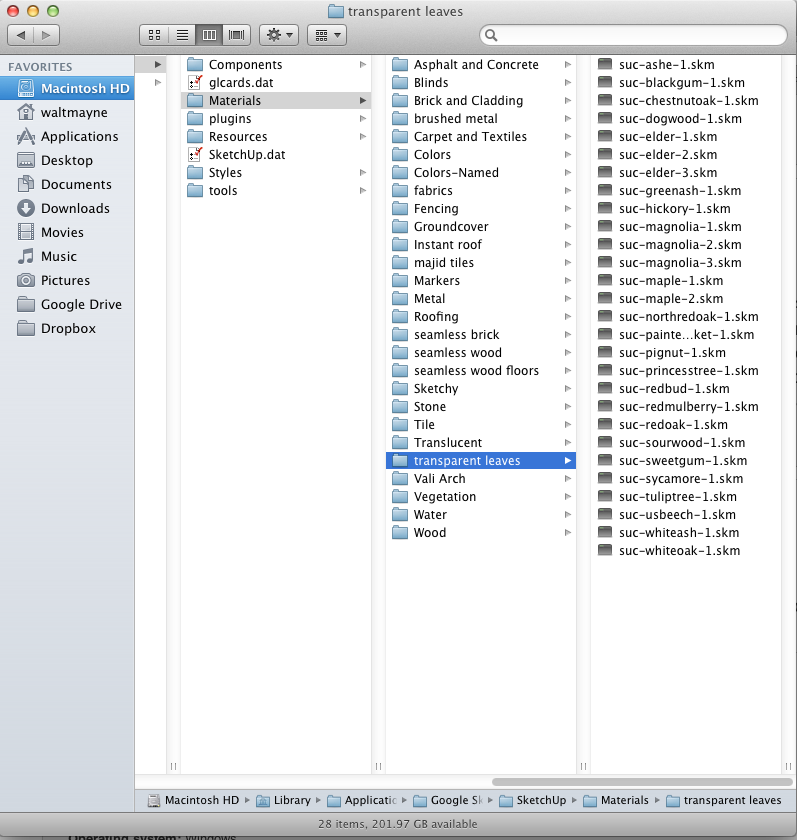
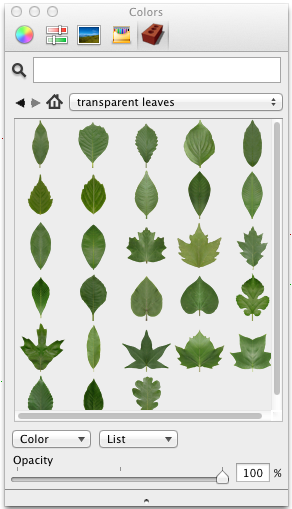
-
Hi Walt,
brilliant, that did it, thanks

-
Also... Can't .SKM files just be changed to .ZIP files by changing the extension to .zip and then opening them? If you actually wanted inside the file that is.
-
To recap...
A SKM file is a Sketchup Material definition file.
A SKM file is a ZIP archive that just has a different file-extension.
Changing its extension to ZIP allows you to see what it contains - but the only thing you might be interested in is the res/Image file, which is there if the Material has a Texture; the rest of the contents are things like the Material's thumbnail used in the Browser and XML files that contain the Material's data - like Image/Size [if any], RGB, Opacity etc...
Placing a SKM file [unchanged] into a subfolder that is within the Materials folder [or any other folder that is in the Material Browser's search paths...] allows the Material that it defines to be displayed in the Materials Browser when that subfolder is chosen [like any other Material]; when applied to objects in the model that Material is added to the Model's internal Materials collection.
If you modify or newly create some Materials in a Model, then the Material Browser's pop-out/context menu options allow you to Save the Material[s] to external SKM files [as a 'collection' etc]: this allows you to 'make' a custom Material in a Model, then make a SKM version of it that is reusable in any other Model later on...
You do not need to 'open' a SKM file, just put it in a subfolder that the Materials Browser can see and it's automatically displayed - like any other Material...




Hello! It looks like you're interested in this conversation, but you don't have an account yet.
Getting fed up of having to scroll through the same posts each visit? When you register for an account, you'll always come back to exactly where you were before, and choose to be notified of new replies (either via email, or push notification). You'll also be able to save bookmarks and upvote posts to show your appreciation to other community members.
With your input, this post could be even better 💗
Register Login


Advertisement