Transparency problem
-
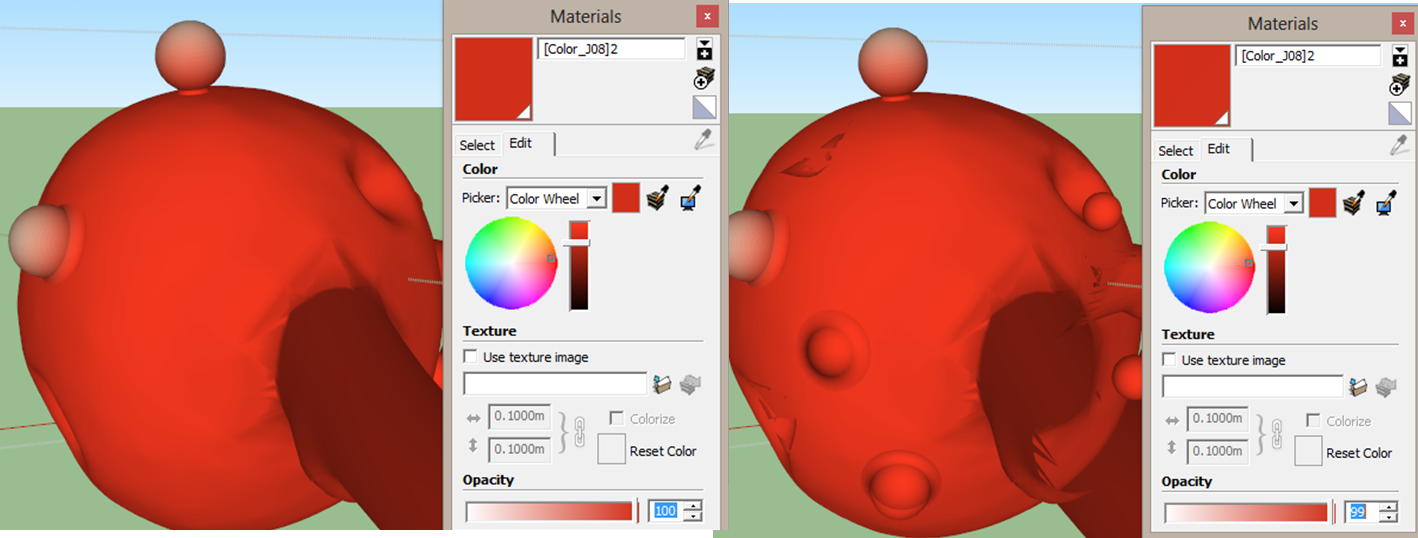
The picture attached is an organic model i am currently working on. I intend to make the model a little bit transparent (just a bit), however it becomes too transparent even when the opacity is set to 99%. As you can see in the picture, the difference between the two settings (left picture: opacity 100%, right picture: opacity 99%)is way too large (You can see the backside of the model very clearly)
I tried to reduce the opacity to 85% and found that the effect of 85% opacity is almost the same as 99% opacity.
Any ideas to introduce only little transparency to the model?
-
It looks like a graphics thing. In the Styles Face settings what do you have Transparency set to? What graphics card? Are you using hardware acceleration? What other OpenGL settings do you have?
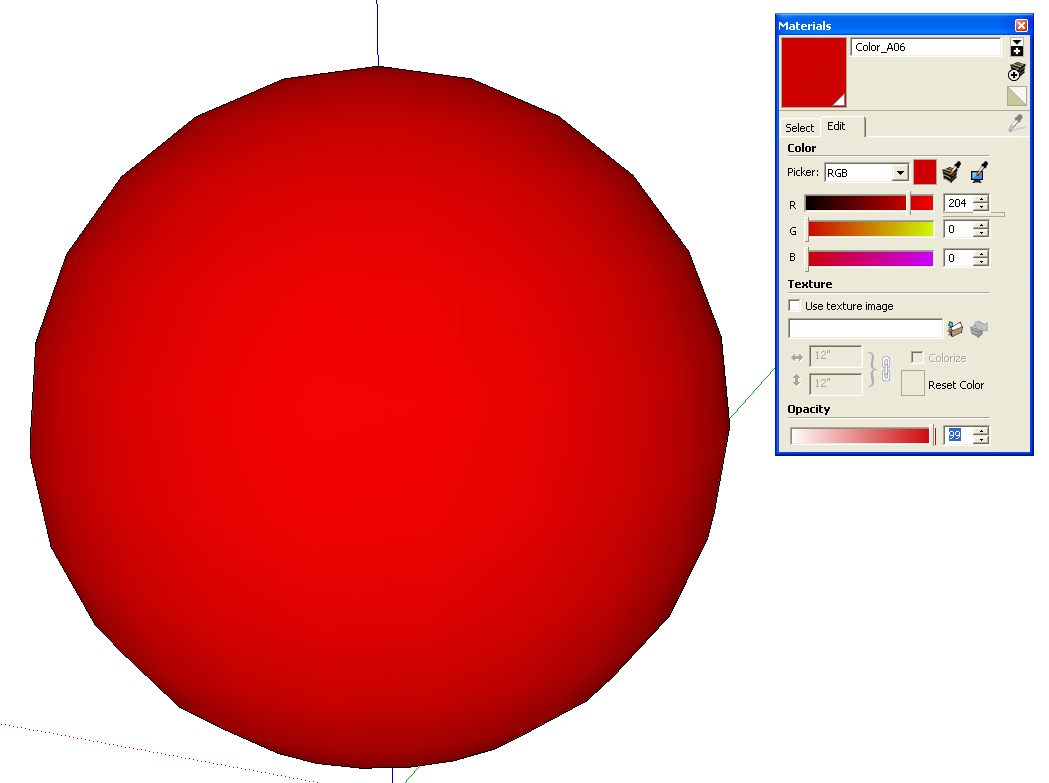
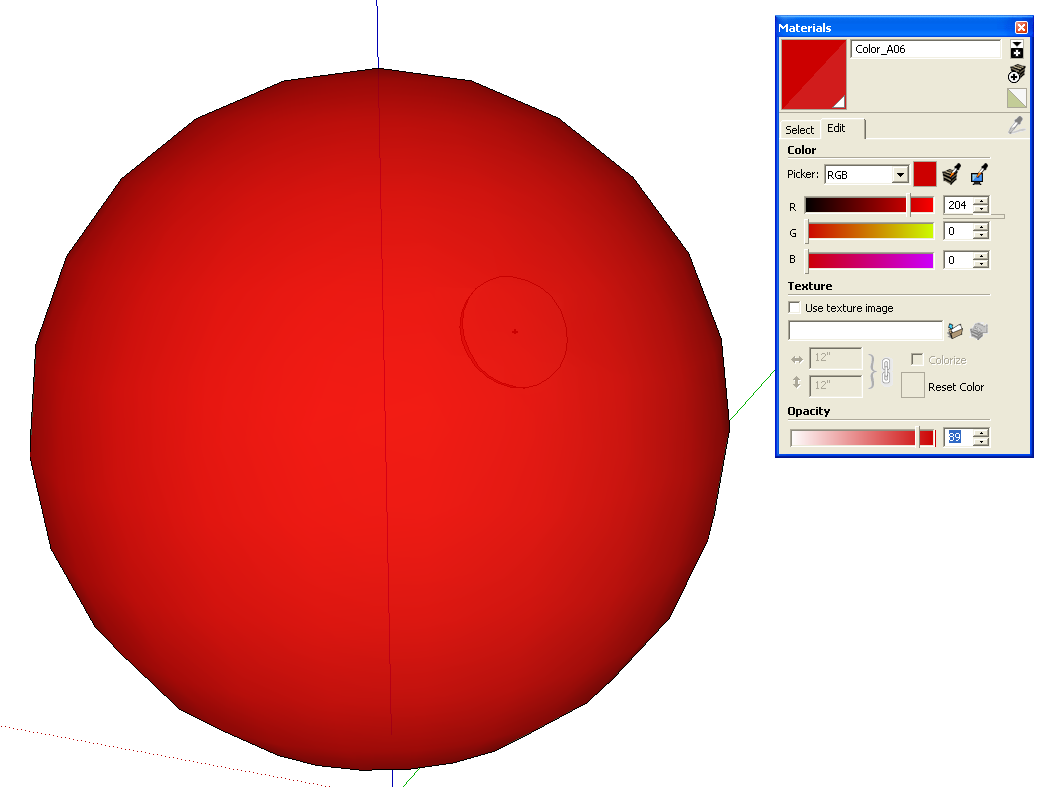
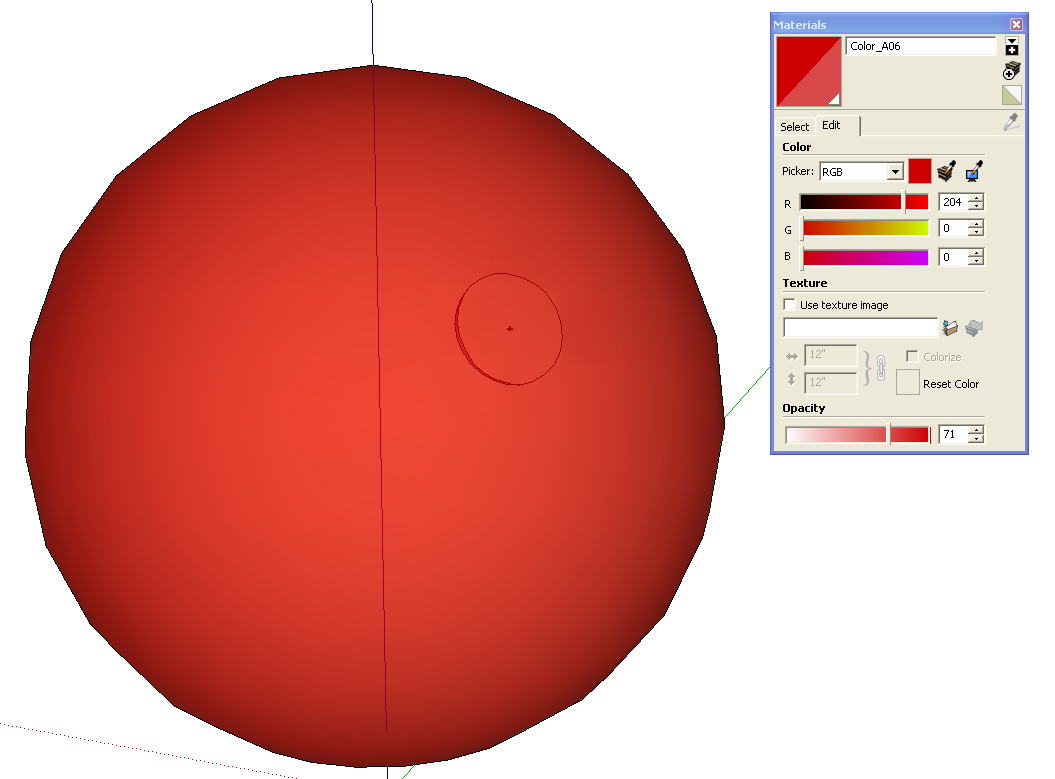
Here's what I see.
-
Thanks Dave, you reminded me of the Transparency setting. I had my Transparency quality set to "nicer" instead of 'faster' and I've got the effect i want.
Thanks for your help!!

Hello! It looks like you're interested in this conversation, but you don't have an account yet.
Getting fed up of having to scroll through the same posts each visit? When you register for an account, you'll always come back to exactly where you were before, and choose to be notified of new replies (either via email, or push notification). You'll also be able to save bookmarks and upvote posts to show your appreciation to other community members.
With your input, this post could be even better 💗
Register Login


Advertisement