Curved Surface from Circle to Rounded Square
-
Newbie here. Been playing with Sketchup for a day or two now, and slowly starting to get the hang of it.
Have a small issue that I can't seem to 'figure out' (as if my subject line wasn't confusing enough. So I've attached a few images to give you an idea.
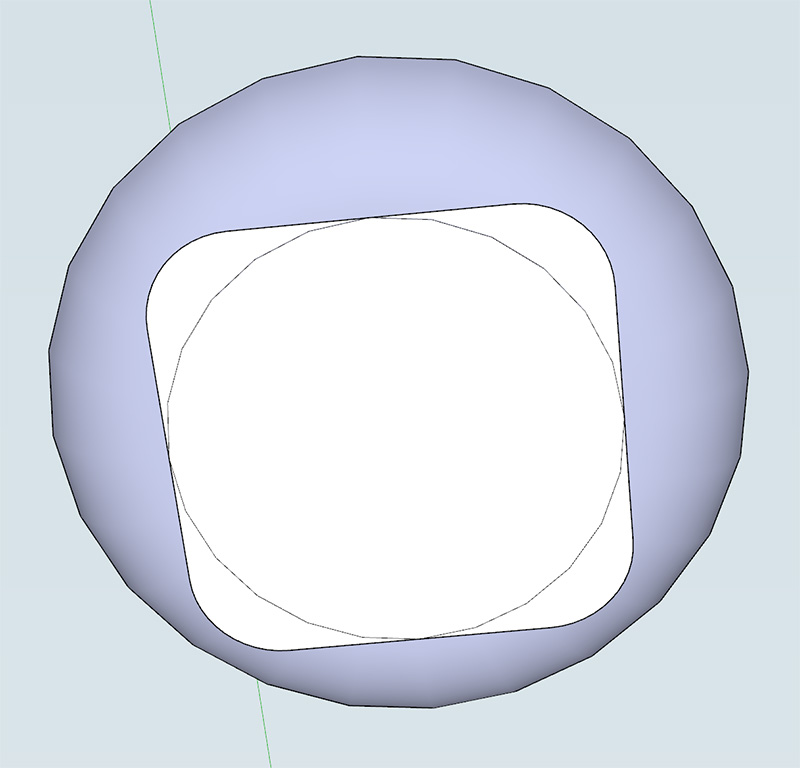
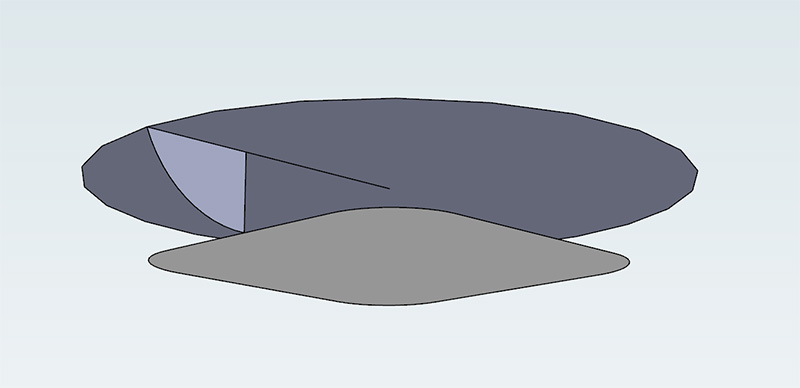
Basically I have the two surfaces (the circle and the rectangle with rounded corners below.
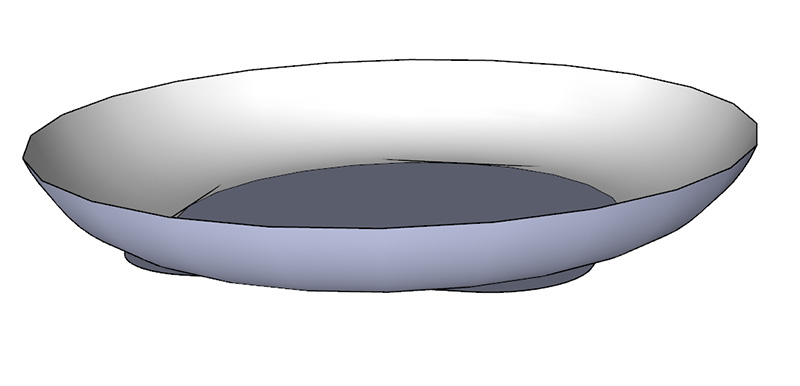
I'm trying to create a arc surface that follows the edge of both those surfaces.These first two images show the two surfaces, and the one arc that I would like to create:


And these two images show what happens after follow me. You can see they end up following the circle surface:


This causes a issue with the overhang. I've tried picking both surfaces and running follow me, but it ends up using circle and causes that overhang.
Any idea?
-
followme isn't a 2 rail sweep tool.. it can only have one profile follow along a single rail..
you might want to look into a plugin such as CurviLoft to do this..
http://sketchucation.com/forums/viewtopic.php?t=28586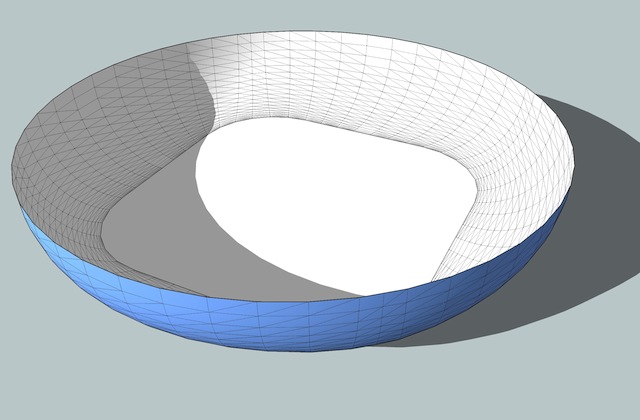
-
gah! Awesome! Thank you so much! Will look into it right now.
-
And have a look at TIGs Extrude Edge by (EEbxxx) ... tools too.
-
Here square to circle




Hello! It looks like you're interested in this conversation, but you don't have an account yet.
Getting fed up of having to scroll through the same posts each visit? When you register for an account, you'll always come back to exactly where you were before, and choose to be notified of new replies (either via email, or push notification). You'll also be able to save bookmarks and upvote posts to show your appreciation to other community members.
With your input, this post could be even better 💗
Register Login


Advertisement