sketchucation logo sketchucation
    • Login
    Oops, your profile's looking a bit empty! To help us tailor your experience, please fill in key details like your SketchUp version, skill level, operating system, and more. Update and save your info on your profile page today!
    Mac User? | Join the Rayscaper Beta for Mac Learn More

    Honeycomb lamp

    Scheduled Pinned Locked Moved WIP
    113 Posts 18 Posters 42.7k Views 18 Watching
    Loading More Posts
    • Oldest to Newest
    • Newest to Oldest
    • Most Votes
    Reply
    • Reply as topic
    Log in to reply
    This topic has been deleted. Only users with topic management privileges can see it.
    • olisheaO
      olishea
      last edited by

      Yes that's what I did....works now.

      I was expecting it to morph, or animate.....I dunno, it's a cool model viewer though!

      oli

      1 Reply Last reply
      Reply Quote 0
      • olisheaO
        olishea
        last edited by

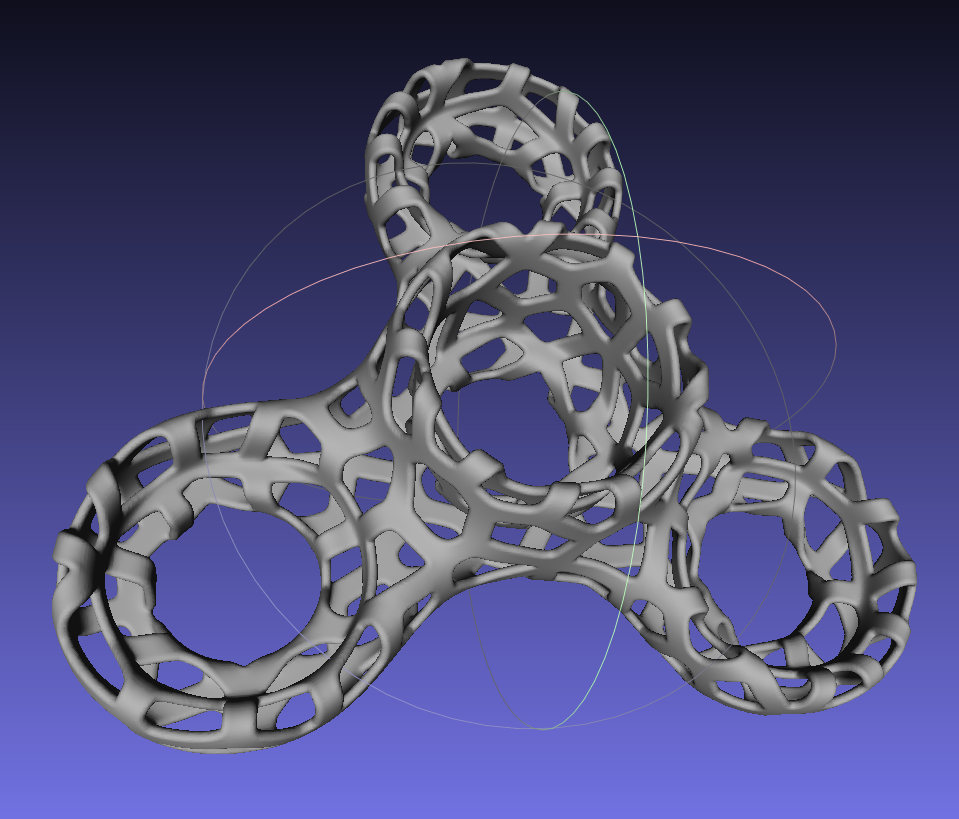
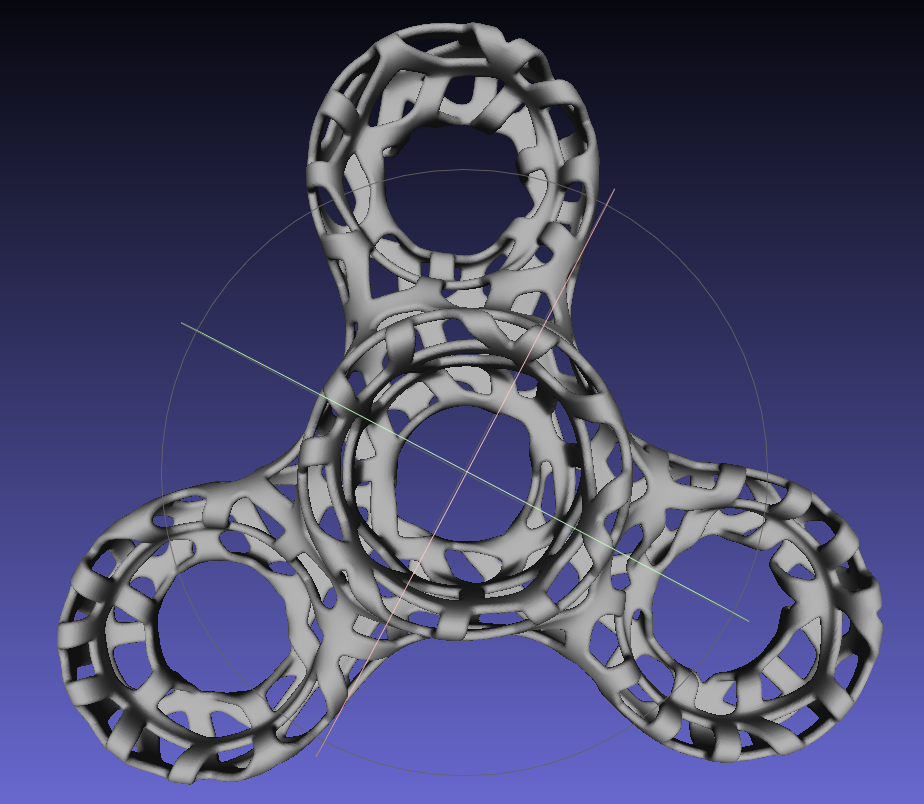
        is there a poly limit for that model viewer? would something like this work?

        1.png


        2.png

        oli

        1 Reply Last reply
        Reply Quote 0
        • Rich O BrienR
          Rich O Brien Moderator
          last edited by

          Send it to me and I'll test

          Download the free D'oh Book for SketchUp πŸ“–

          1 Reply Last reply
          Reply Quote 0
          • olisheaO
            olishea
            last edited by

            Ok...just need to find the model as I have about 10 iterations of it saved in different file formats! πŸ˜†

            oli

            1 Reply Last reply
            Reply Quote 0
            • john2J
              john2
              last edited by

              @rich o brien said:

              na-na-nana-na

              So, can you post a tutorial that explains making of these amazing stuff for organic novices like me ❓ Same goes for you oli. A step by step tutorial.

              Sketchup Make 2017 (64-bit), Vray 4.0 , Windows 10 – 64 bit, corei7-8750H, 16GB RAM, Nvidia GeForce GTX 1050Ti 4GB

              1 Reply Last reply
              Reply Quote 0
              • GarethG
                Gareth
                last edited by

                @john2 said:

                @rich o brien said:

                na-na-nana-na

                So, can you post a tutorial that explains making of these amazing stuff for organic novices like me ❓ Same goes for you oli. A step by step tutorial.

                in 5 languages plus Esperanto please....that'll cover most bases..!! πŸ˜†

                1 Reply Last reply
                Reply Quote 0
                • Rich O BrienR
                  Rich O Brien Moderator
                  last edited by

                  @john2 said:

                  So, can you post a tutorial that explains making of these amazing stuff for organic novices like me ❓ Same goes for you oli. A step by step tutorial.

                  John, that would take some time to compile and probably for a very narrow audience.

                  Maybe I'll get some time in the new year to put something out there but not this side of the new year.

                  Until then my best advice is practice, practice, practice.

                  Download the free D'oh Book for SketchUp πŸ“–

                  1 Reply Last reply
                  Reply Quote 0
                  • olisheaO
                    olishea
                    last edited by

                    Start here:

                    404 Not Found

                    favicon

                    (sketchucation.com)

                    oli

                    1 Reply Last reply
                    Reply Quote 0
                    • john2J
                      john2
                      last edited by

                      @olishea said:

                      Start here:

                      404 Not Found

                      favicon

                      (sketchucation.com)

                      Thanks a lot Rich Sir! I'll surely look forward to your tutorials. πŸ‘ . I don't know but I guess there are your tutorials on youtube with Red light sketchup on a brown background for various plugins. πŸ‘ πŸ‘

                      And Oliver, you've just banged a laser beam sort of thing on a narrow audience. That doesn't mean Rich sir that I don't need your tutorials.

                      *Disclaimer - I am posting this in all good spirits. πŸ‘ This does not contain any sarcasm. I am writing disclaimer for the first time because my message looks sarcastic if interpreted in the wrong way. ➑

                      Sketchup Make 2017 (64-bit), Vray 4.0 , Windows 10 – 64 bit, corei7-8750H, 16GB RAM, Nvidia GeForce GTX 1050Ti 4GB

                      1 Reply Last reply
                      Reply Quote 0
                      • john2J
                        john2
                        last edited by

                        @olishea said:

                        Has my computer been hacked or something? When I went to the app store it had someone else's email address! πŸ˜†

                        Allow WebGL is enabled but still nothing. I don't get the error messages any more, the animation thing just wont start although I can see the buttons.

                        Try viewing this page in Chrome, Firefox or other browsers.

                        Sketchup Make 2017 (64-bit), Vray 4.0 , Windows 10 – 64 bit, corei7-8750H, 16GB RAM, Nvidia GeForce GTX 1050Ti 4GB

                        1 Reply Last reply
                        Reply Quote 0
                        • olisheaO
                          olishea
                          last edited by

                          It's OK I sorted the problem by updating my browser and OS to Yosemite. But now my Sketchup keeps crashing as soon as I open it. Swapped one problem for another. Why don't they just allow you to keep using the same bloody OS, nothing was wrong with the last one!!

                          Anyone else seen Yosemite conflicts with SketchUp 8?

                          oli

                          1 Reply Last reply
                          Reply Quote 0
                          • john2J
                            john2
                            last edited by

                            Use Windows eh.. Hehehe! But I know mac is for people who are very very inclined towards design, sleekness and aesthetics. Like me.. πŸ˜„. When I'll earn enough money, I'm gonna buy a mac

                            Sent from my IQ 446 using Tapatalk

                            Sketchup Make 2017 (64-bit), Vray 4.0 , Windows 10 – 64 bit, corei7-8750H, 16GB RAM, Nvidia GeForce GTX 1050Ti 4GB

                            1 Reply Last reply
                            Reply Quote 0
                            • D
                              driven
                              last edited by

                              @olishea said:

                              Anyone else seen Yosemite conflicts with SketchUp 8?

                              everyone that uses it...

                              there are a couple of 'fixes' if you can live without 'fonts' and 'Outliner'

                              I've got a script if you want...

                              v15 works very well...
                              john

                              learn from the mistakes of others, you may not live long enough to make them all yourself...

                              1 Reply Last reply
                              Reply Quote 0
                              • olisheaO
                                olishea
                                last edited by

                                @driven said:

                                @olishea said:

                                Anyone else seen Yosemite conflicts with SketchUp 8?

                                everyone that uses it...

                                there are a couple of 'fixes' if you can live without 'fonts' and 'Outliner'

                                I've got a script if you want...

                                v15 works very well...
                                john

                                Yes, please share the fix. I've got a job I need to finish on SU and I just can't open it.

                                This is why I don't like updating things! πŸ˜†

                                oli

                                1 Reply Last reply
                                Reply Quote 0
                                • D
                                  driven
                                  last edited by

                                  @olishea said:

                                  Yes, please share the fix. I've got a job I need to finish on SU and I just can't open it.

                                  you need to be alble to open it to apply any fix...
                                  so open Terminal.app
                                  and paste in

                                  open -F /Applications/Google\ SketchUp\ 8/Sketchup.app
                                  

                                  that should open a new model...
                                  close Outliner and never open again...
                                  don't use fonts for anything...

                                  close and try to open from a skp file...

                                  The script I have will rename those, so they can't ever open, but try this first and get back asap...

                                  if you want to PM your phone number I can talk you thru it...

                                  john

                                  learn from the mistakes of others, you may not live long enough to make them all yourself...

                                  1 Reply Last reply
                                  Reply Quote 0
                                  • olisheaO
                                    olishea
                                    last edited by

                                    When I paste that into terminal, it opens SU but then it closes straight away. It loads some plugins and then quits before I can do anything.

                                    Could it be a plugin causing this problem?

                                    Thanks for your support πŸ‘

                                    oli

                                    1 Reply Last reply
                                    Reply Quote 0
                                    • D
                                      driven
                                      last edited by

                                      most likely a renderer...
                                      try this one

                                      cd /
                                      Applications/Google\ SketchUp\ 8/SketchUp.app/Contents/MacOS/SketchUp -DisableRubyAPI YES
                                      

                                      if it runs, it's likely to be a plugin...
                                      john

                                      learn from the mistakes of others, you may not live long enough to make them all yourself...

                                      1 Reply Last reply
                                      Reply Quote 0
                                      • olisheaO
                                        olishea
                                        last edited by

                                        sketchup quit unexpectedly

                                        aagaghghhh!!!

                                        oli

                                        1 Reply Last reply
                                        Reply Quote 0
                                        • olisheaO
                                          olishea
                                          last edited by

                                          I deleted the old Twilight Render plugin and now SU opens....but obviously without any plugins.

                                          But......I tried the original code you gave me and SU still crashes? 😞

                                          oli

                                          1 Reply Last reply
                                          Reply Quote 0
                                          • D
                                            driven
                                            last edited by

                                            @olishea said:

                                            ....but obviously without any plugins.

                                            once you restart SU you should have your Plugins back...

                                            @unknownuser said:

                                            But......I tried the original code you gave me and SU still crashes? 😞

                                            that should be reusable, the -F just means start fresh...
                                            normally if something fails from Terminal, you close the window, and open a new one...
                                            otherwise your not sure if the first has finished...
                                            EDIT:
                                            you can try -n as well, I use both in some of my plugins...

                                            @unknownuser said:

                                            -F  Opens the application "fresh," that is, without restoring windows.
                                                 Saved persistent state is lost, except for Untitled documents.
                                             -n  Open a new instance of the application(s) even if one is already run-
                                                 ning.

                                            

                                            learn from the mistakes of others, you may not live long enough to make them all yourself...

                                            1 Reply Last reply
                                            Reply Quote 0

                                            Hello! It looks like you're interested in this conversation, but you don't have an account yet.

                                            Getting fed up of having to scroll through the same posts each visit? When you register for an account, you'll always come back to exactly where you were before, and choose to be notified of new replies (either via email, or push notification). You'll also be able to save bookmarks and upvote posts to show your appreciation to other community members.

                                            With your input, this post could be even better πŸ’—

                                            Register Login
                                            • 1
                                            • 2
                                            • 3
                                            • 4
                                            • 5
                                            • 6
                                            • 5 / 6
                                            • First post
                                              Last post
                                            Buy SketchPlus
                                            Buy SUbD
                                            Buy WrapR
                                            Buy eBook
                                            Buy Modelur
                                            Buy Vertex Tools
                                            Buy SketchCuisine
                                            Buy FormFonts

                                            Advertisement