Styles and Transparent PNGs
-
Hmmm, I am trying something new with my next movie: I'm using styles (brushstroke lines) for the SU setting. Looks great in theory, but something is very wrong.
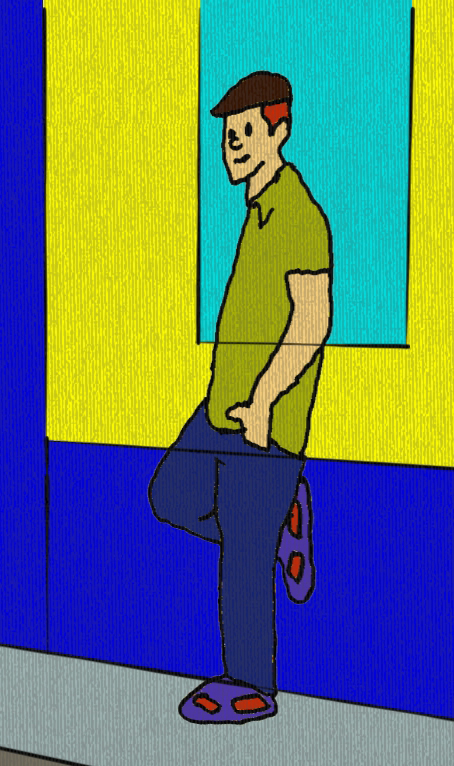
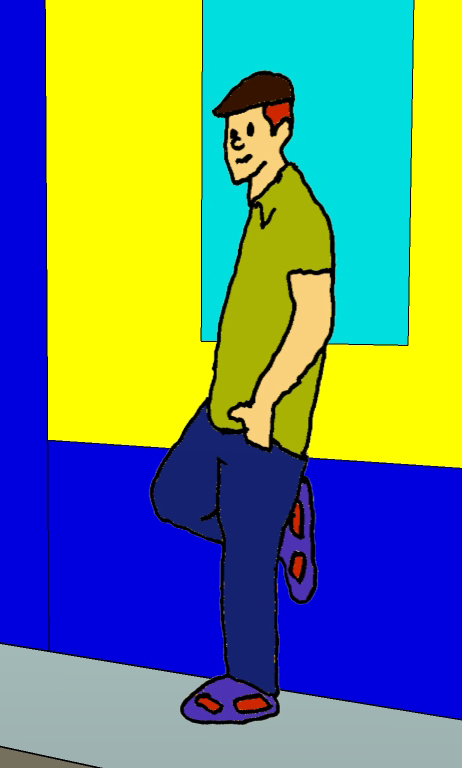
I insert PNG images of people (transparent backgrounds). Big problem! The PNG images are transparent and the styled lines show through. Take a look at the two images and you'll see what I mean.
Is there a way to prevent lines from showing through the png images? Translucent people looks pretty weird!
Joel
-
Is your 2D person applied to the face of the wall? If so, try moving it out away from the wall.
-
No, it's a png image, already a short distance from the wall.
-
Move it farther from the wall.
-
If it's the same issue I think of then it's a known bug: these graphic styles, when a png with transparency is applied in them, always show this behaviour.
Tomsdesk has had many issues with his trees that display the same problem
-
Ah yes, now I remember. I came across the same problem a couple years ago. Still not fixed? Well, it's on to Plan B...



Hello! It looks like you're interested in this conversation, but you don't have an account yet.
Getting fed up of having to scroll through the same posts each visit? When you register for an account, you'll always come back to exactly where you were before, and choose to be notified of new replies (either via email, or push notification). You'll also be able to save bookmarks and upvote posts to show your appreciation to other community members.
With your input, this post could be even better 💗
Register Login


Advertisement