Sketchup style changes by print preview
-
Also, see if this will help:
Top Line Menu>View>EdgeStyle> uncheck all but DisplayEdges -
To get the background color, use File>Export>2D... Set the file type to JPG or PNG and make the export. Then print that image.
-
hi,
thanks to all of you guys.
i checked the setting and find this / see bottom.
i´d like to manage once for all to print whatever i see in front of me on the screen
dave is right too, but my desktop is full of icons,files,and folders, hard to find anything new added
 ( a bit messy )
not mine, but almost the same when i unload fences icon organizer


-
Why are you saving files to your desktop? That's just crazy!
Well, it is. You need to get organized. Isn't there a reality show that could help you? 
Save the files into some directory or other on your computer. I have folders for specific models. I have different folders for different clients and in those folders, more folders for specific projects.
As to you background thing, that's what sky and ground do. If you want a flat background color, use Background but not Sky or Ground.
-
@dave r said:
As to you background thing, that's what sky and ground do. If you want a flat background color, use Background but not Sky or Ground.
So the question is: how to print the view including the background color...
-
@cotty said:
So the question is: how to print the view including the background color...
Indeed - and there does not seem to be any setting for this. (Certainly it could be done in LayOut but I understand that not everyone have SU Pro)
-
hi guys,
Gaieus mentioned "layout" of SU.
is there any chance to manage

my current style with LO, to change everything into dark grey (see bottom), or it´s faster to use File>Export>2D... Set the file type to JPG or PNG and make the export as mentioned Dave R ?
i´d like to get best quality of model.
Thanks
-
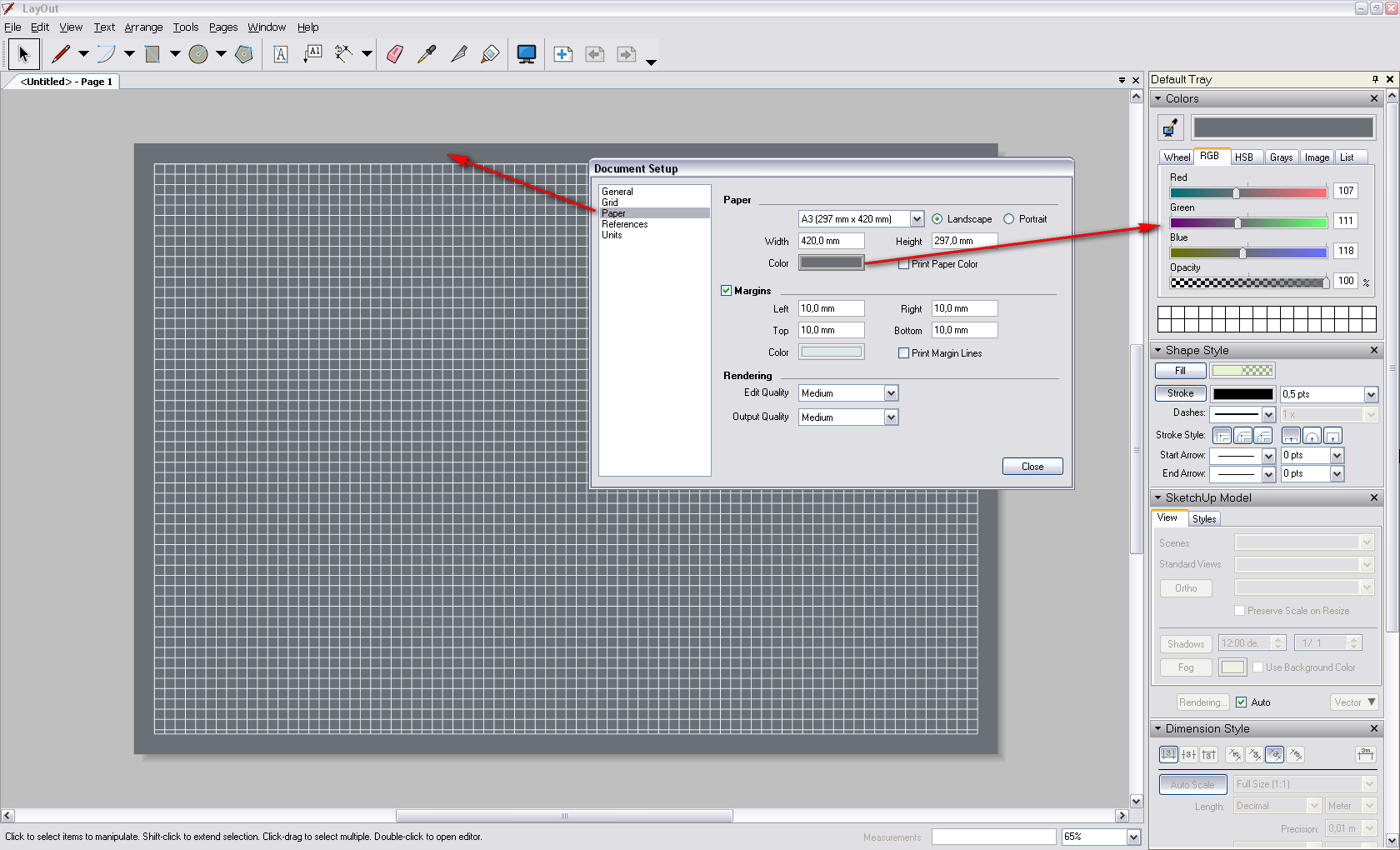
You can set the paper colour in LO and define if you do or do not want to print it.
There's a grid visible in the screenshot but you can either turn that off or select to print or not to print again.
Models inserted with ground and sky turned off will display with a transparent background so exactly what you are after.
And of course, there's always the possibility to export to pdf (at any size) and get it printed later at vector quality. But then dimensioning is best to be done in LO as well. If you have no used up your trial period with SU Pro, I'd suggest to try it out. If you do a lot of printed stuff like this, I'd even consider buying Pro. Dave can tell how useful it can be.
-
@cotty said:
So the question is: how to print the view including the background color...
Why wouldn't you do as I already said and export an image file and print that. Background color prints without problem, you have options to determine resolution and you can crop the image to get rid of unneeded stuff.
As to using LayOut, I find it very useful although I don't use it the way Csaba shows. You can, of course, set the paper color for the background or you can choose to have the background color displayed in the viewport. Then you can export an image. Mostly I use the PDF export from LO and work though. For images I intend for printing, I always export PNGs from SU and work from there. I think it is faster.

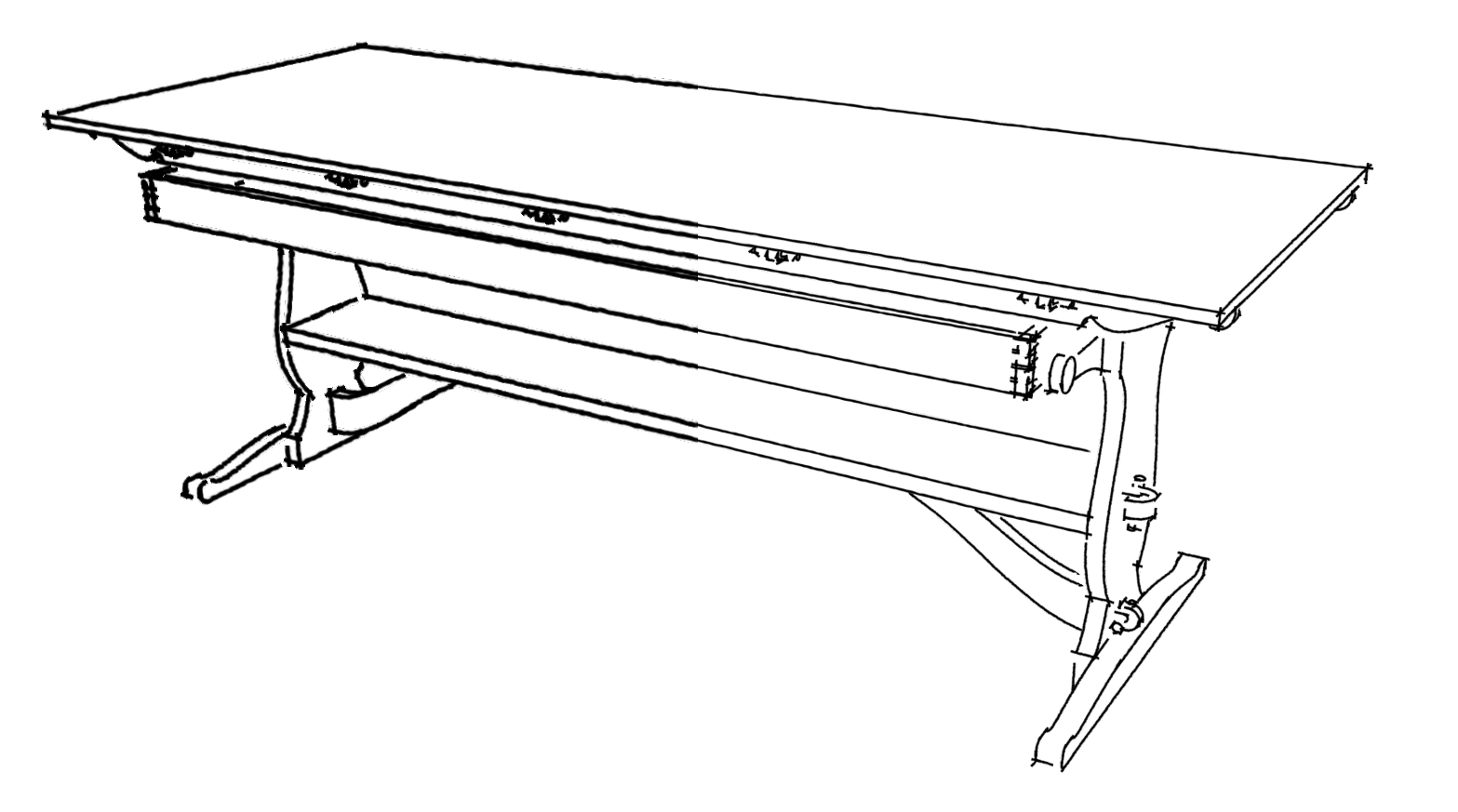
Dead simple.In my work, the project rarely fits the drawing window completely so I almost always want to crop away a bit of the unneeded stuff. And by changing the resolution with sketchy line styles, you have more control of the appearance of the lines.
Here's an example of changing line weights. Same line style, two different appearances due to export size differences.
-
hi,
nice tips, thanks you !
i like to listen everyone - orthodox and unorthodox sketchup users
each one has a unique way to express his/her geniality
i´m glad you like to share your valuable experiences from many different cultural backgrounds from over the world
by the way,
Dave,could you please tell me more about "line weights" you mentioned above? you just change the value in style settings, right?
would you mind to post more of your wooden furniture? i like it , thanks! -
George, my apologies for not replying to your request.
As far as changing line weight in the image above, this is done simply be changing the export size when exporting the 2D image (JPG or PNG), The larger the export, the thinner the lines appear when the image is viewed at the same size. So here are more examples.
These two images are done using the same line style but exported at two different sizes.

Exported at view size.

Exported at 3000 pixels wide.As you can see, when the images are viewed at the same size, the line weight on larger appears smaller.
Two more examples:

Screen size.

3000 pixels wide.Often I want lighter lines in the final image so I'll export the edges separately at a larger size and resize the image in post processing before combining it with the textured image. In fact for image exports when I use my sketchy line styles I very often want thinner lines so I make separate image exports.
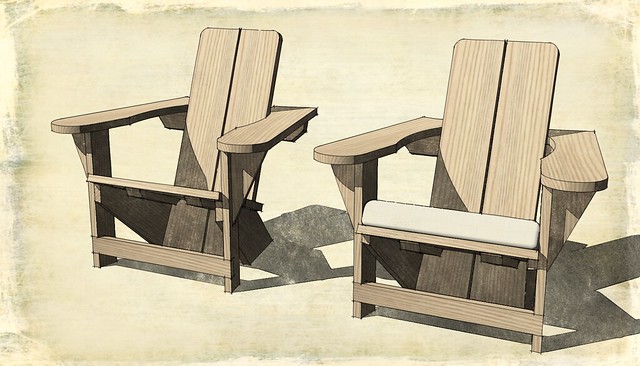
In this image the lines were exported at 3000 pixels wide while the faces and background image as well as the shadow image were exported at 1564 pixels wide (the view size on my PC). The lines were resized in the image editor to 1564 and then combined with the other two images. The process is very fast and almost automatic for me, now.





Hello! It looks like you're interested in this conversation, but you don't have an account yet.
Getting fed up of having to scroll through the same posts each visit? When you register for an account, you'll always come back to exactly where you were before, and choose to be notified of new replies (either via email, or push notification). You'll also be able to save bookmarks and upvote posts to show your appreciation to other community members.
With your input, this post could be even better 💗
Register Login


Advertisement