sketchucation logo sketchucation
    • Login
    Oops, your profile's looking a bit empty! To help us tailor your experience, please fill in key details like your SketchUp version, skill level, operating system, and more. Update and save your info on your profile page today!
    Mac User? | Join the Rayscaper Beta for Mac Learn More

    [Plugin] FullScreen v5.1.3 (25 April 2024)

    Scheduled Pinned Locked Moved Plugins
    285 Posts 79 Posters 463.1k Views 80 Watching
    Loading More Posts
    • Oldest to Newest
    • Newest to Oldest
    • Most Votes
    Reply
    • Reply as topic
    Log in to reply
    This topic has been deleted. Only users with topic management privileges can see it.
    • CadFatherC
      CadFather
      last edited by

      ok, so that's strange, it happens on all my versions (8, 2014, 2015-x64).

      i guess you may want to wait if anyone else has the same problem while i investigate further for conflicts etc. win7 64bit.

      Thanks Anton

      1 Reply Last reply
      Reply Quote 0
      • A
        Anton_S
        last edited by

        @cadfather said:

        ok, so that's strange, it happens on all my versions (8, 2014, 2015-x64).

        i guess you may want to wait if anyone else has the same problem while i investigate further for conflicts etc. win7 64bit.

        Thanks Anton

        Hmm...
        I think swo_on_quit observer from the new AMS library doesn't work properly. I will look into it. Just to ensure that other observers work, I would like you to do a simple test:

        1. Open Window Settings dialog, and use the menu bar option (Menu)Window > Settings > Full Screen to switch SU full screen. See if the dialog updates its radio-button mode.
        2. Another test, maximize and restore your SketchUp window using the maximize button on the upper right corner of the window. See if the dialog updates its radio-button mode.

        If the dialog doesn't updates, then there is a problem with the whole observing system in my new library; otherwise, it's just this swo_on_quit observer not working for some...

        I would appreciate your tests,
        Thanks

        1 Reply Last reply
        Reply Quote 0
        • CadFatherC
          CadFather
          last edited by

          ok, on all tests the radio buttons update properly. this with 2015x64

          1 Reply Last reply
          Reply Quote 0
          • A
            Anton_S
            last edited by

            Phew! It's just the swo_on_quit observer method that doesn't work on all systems. I will investigate.

            1 Reply Last reply
            Reply Quote 0
            • CadFatherC
              CadFather
              last edited by

              phew! πŸ˜†

              1 Reply Last reply
              Reply Quote 0
              • A
                Anton_S
                last edited by

                I think I know why it isn't working. Basically, when you close the dialog, by default the dialog unregisters the observer, which prevents the swo_on_quit observer method from being triggered. But, just to ensure the swo_on_quit is working, paste and submit this code into ruby console and quit SketchUp. This should show the 'Works!' message box.

                class AMSObserverTest; def swo_on_quit; UI.messagebox('Works!'); end; end; AMS;;Sketchup.add_observer(AMSObserverTest.new)
                
                1 Reply Last reply
                Reply Quote 0
                • CadFatherC
                  CadFather
                  last edited by

                  exactly as you described it - i got a 'works!' button as i quit SU.

                  (on reopening i still got the green bar)

                  1 Reply Last reply
                  Reply Quote 0
                  • A
                    Anton_S
                    last edited by

                    Ghurait! Try the new version!

                    (The test you did was meant to check AMS Library observer, which had nothing to do with changing how AMS Window Settings 4.0.0 worked.)

                    1 Reply Last reply
                    Reply Quote 0
                    • CadFatherC
                      CadFather
                      last edited by

                      yeeeeaaa! fantastic Master Anton, works ghurait now! πŸ˜„ πŸ‘

                      1 Reply Last reply
                      Reply Quote 0
                      • D
                        dtrarch
                        last edited by

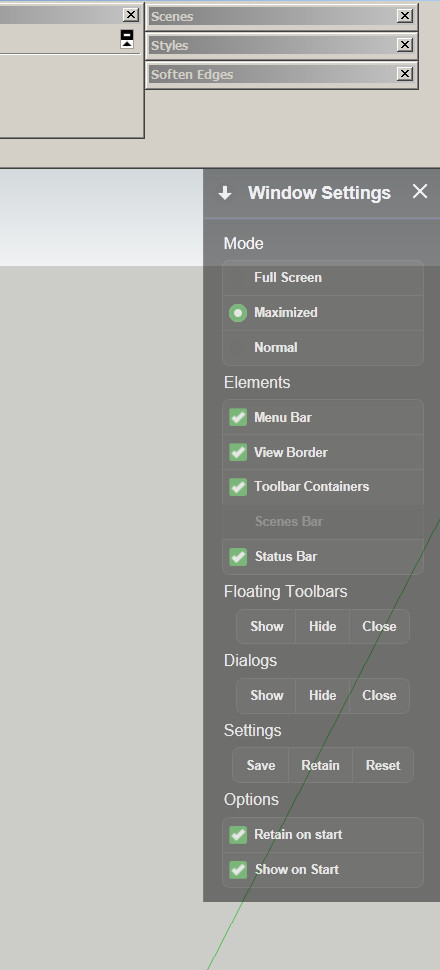
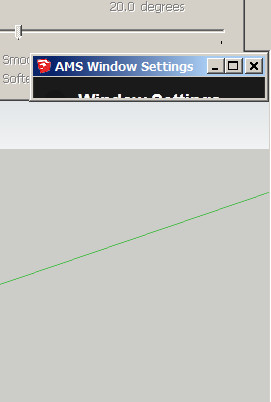
                        ams window dialog stuck.jpgHi Anton
                        The settings dialog icon from your plugin tries to open the SU program dialog for an instant but closes and just opens your settings.
                        No way to move to another monitor or make floating.
                        just a fixed location per my screen clip.
                        (Your settings is grayed out by screen capture software)
                        ??
                        Win 7 pro
                        SU 2015 pro
                        Firfox

                        This is a must have script and thanks thanks thanks.
                        A fix would sure be appreciated

                        Dave


                        ams window dialog open.jpg

                        1 Reply Last reply
                        Reply Quote 0
                        • A
                          Anton_S
                          last edited by

                          I removed the pick and drag feature, just cause I thought upper-right corner of the view was the best location for the dialog. I might re-add it in the next release.

                          It looks like my plugin tries create a new dialog, but in fact, that's the same dialog with border and caption removed. I will make it do such procedure faster, so it's done before the dialog is set visible.

                          1 Reply Last reply
                          Reply Quote 0
                          • D
                            dtrarch
                            last edited by

                            Anton
                            The pick-and-drag gang will beg
                            Thanks

                            dtr

                            1 Reply Last reply
                            Reply Quote 0
                            • D
                              dtrarch
                              last edited by

                              Hi Anton
                              The border and caption (SU)will be needed to drag the plugin.
                              Also to locate the plugin on another screen.
                              Thanks

                              Dave

                              1 Reply Last reply
                              Reply Quote 0
                              • A
                                Anton_S
                                last edited by

                                @dtrarch said:

                                Hi Anton
                                The border and caption (SU)will be needed to drag the plugin.
                                Also to locate the plugin on another screen.
                                Thanks

                                Dave

                                I won't add the border and caption, cause I think the widows frame doesn't look so good, but I will make the green heading draggable and clippable...

                                1 Reply Last reply
                                Reply Quote 0
                                • D
                                  dtrarch
                                  last edited by

                                  Hi Anton
                                  Good news to be able to drag.
                                  Will it lock to other SU captions ?
                                  Very handy to set a typ screen org for templates.
                                  Here is how I use them in any case.
                                  (in line here)
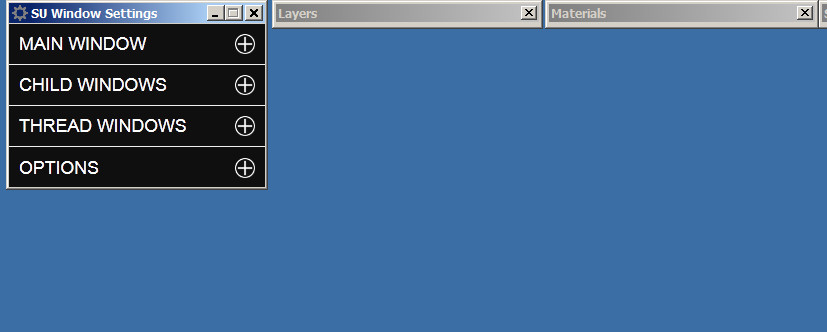
                                  SU Window Settings is on screen #2
                                  Your plugin should have been part of SU from the very beginning.
                                  Thanks for getting back too.

                                  Dave


                                  CAPTIONS LOCK TOGETHER HERE.jpg


                                  CAPTION +SU WINDOW.jpg

                                  1 Reply Last reply
                                  Reply Quote 0
                                  • A
                                    Anton_S
                                    last edited by

                                    4.1.0 has been released!

                                    • Added pick, drag and clip feature to the new dialog.
                                    • Made borders hide faster.
                                    • Added localization to dialog.

                                    Click on green caption to drag the dialog, easy as that...

                                    1 Reply Last reply
                                    Reply Quote 0
                                    • D
                                      dtrarch
                                      last edited by

                                      Anton

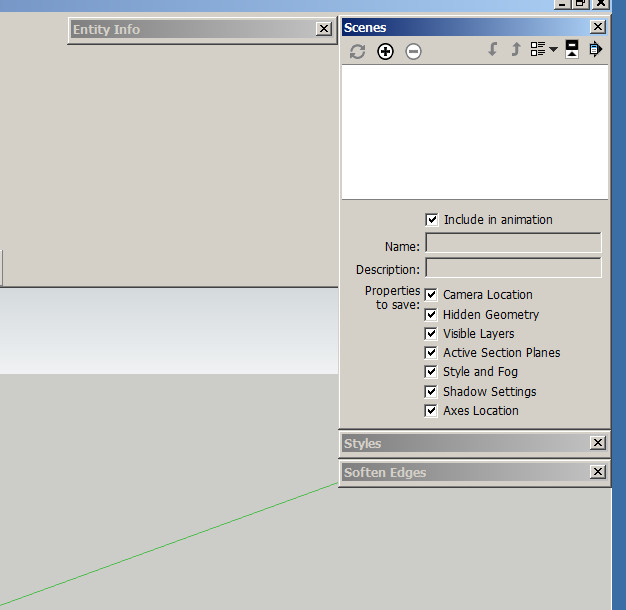
                                      V4.1.0 did not drag (or move) green title and would not close menu when arrow was clicked.
                                      SU title hide was still slow.
                                      Show/Hide toolbars and dialogs killed all my on screen settings for both when invoked.
                                      Sorry

                                      Dave

                                      1 Reply Last reply
                                      Reply Quote 0
                                      • A
                                        Anton_S
                                        last edited by

                                        @dtrarch said:

                                        Anton

                                        V4.1.0 did not drag (or move) green title and would not close menu when arrow was clicked.
                                        SU title hide was still slow.
                                        Show/Hide toolbars and dialogs killed all my on screen settings for both when invoked.
                                        Sorry

                                        Dave

                                        It works well on my windows 7. What operating system are you using and what internet explorer version?

                                        Edit: I tested on my Windows XP (with IE9) and it doesn't work just like you described. There is not much I can do about compatibility other than retrieving the original version. So, if you use IE9, use the old version which is compatible in SU2014 and below. You need AMS Library 1.0.9 for the old version too. Here are the links:
                                        ams_lib_1.0.9.zip
                                        ams_WindowSetttings_3.8.1.zip

                                        1 Reply Last reply
                                        Reply Quote 0
                                        • D
                                          dtrarch
                                          last edited by

                                          Hi Anton

                                          I have Win 7 pro
                                          SU 2015 pro
                                          (this is the problem SU version)
                                          (Not much else installed)
                                          Tig extrude lines.rb
                                          Wiki tools
                                          Works fine on SU 2014 Pro
                                          Firefox browser most updated
                                          Win Explorer 11 installed
                                          ??? ❓
                                          Dave

                                          1 Reply Last reply
                                          Reply Quote 0
                                          • A
                                            Anton_S
                                            last edited by

                                            Ok, I will look into it

                                            1 Reply Last reply
                                            Reply Quote 0

                                            Hello! It looks like you're interested in this conversation, but you don't have an account yet.

                                            Getting fed up of having to scroll through the same posts each visit? When you register for an account, you'll always come back to exactly where you were before, and choose to be notified of new replies (either via email, or push notification). You'll also be able to save bookmarks and upvote posts to show your appreciation to other community members.

                                            With your input, this post could be even better πŸ’—

                                            Register Login
                                            • 1
                                            • 2
                                            • 11
                                            • 12
                                            • 13
                                            • 14
                                            • 15
                                            • 13 / 15
                                            • First post
                                              Last post
                                            Buy SketchPlus
                                            Buy SUbD
                                            Buy WrapR
                                            Buy eBook
                                            Buy Modelur
                                            Buy Vertex Tools
                                            Buy SketchCuisine
                                            Buy FormFonts

                                            Advertisement