Component's Axis, Gluing and Cut Opening
-
hi there,
i've made an attempt to model a small simple house.
and also attempt to make some components that i hope would be useful later.
the problem is the component create setting that i don't understand.these components wont stick or placed into the wall as it should be as i planed.
it gives me that yellow notification saying something like "you cannot place component here"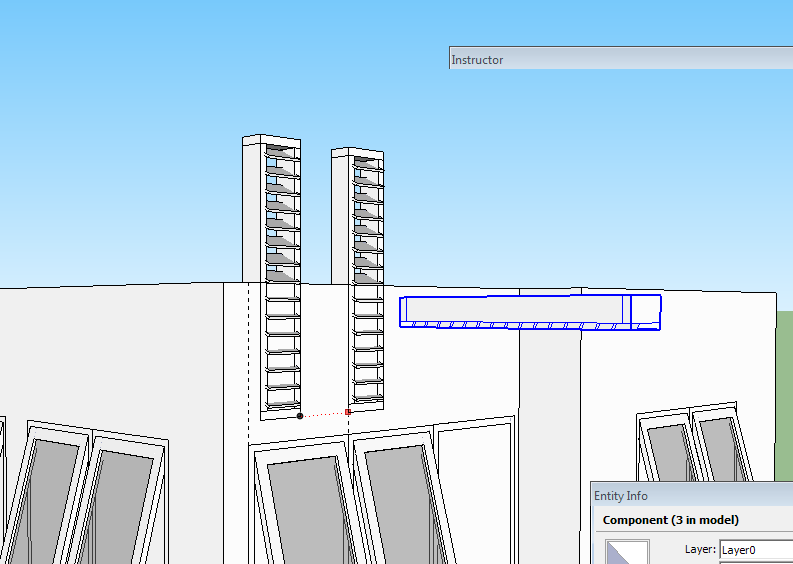
this another component i made for the vent on the window. i hide the wall to put it in place.
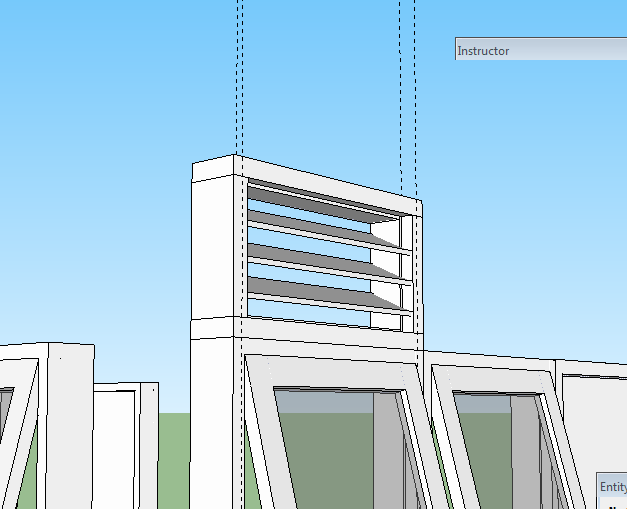
that vent can be placed into the wall then. but only the wall facing towards the front/x/green axes.
it wont do that to wall that facing the side/y/red axes.
how to set the "component create" so they will stick or can be placed into the wall with the right alignment with other component?thank you for your time in advance
-
Hi,
One thing: other faces or edges (like those in components) will interfere with gluing on a face. In your case you may have to place the upper units on the wall face in a clear area, then move them into position above the lower units. If you have enough of these windows, why not make components with both window and vent units already in them? I don't have an idea on the other problems. You might post the file with the components for others to see the issue.
@unknownuser said:
it gives me that yellow notification saying something like "you cannot place component here"
Could it be that the component gluing is not set to "vertical". Check in the component window under "edit"
-
You could do three components:
window
vent
window + vent. -
It seems that the axes (gluing plane) of that vertical vent is set wrong. Could you share that piece only?
-
hi everyone,
here are skp files of those components attached.
-
hi pbacot,
thank you for replying. i have another image here to show you why they make vent and window in separate entities.
the vent may be placed in the wall without window sometimes. if the wall might be also be the wall of the neighboring house.
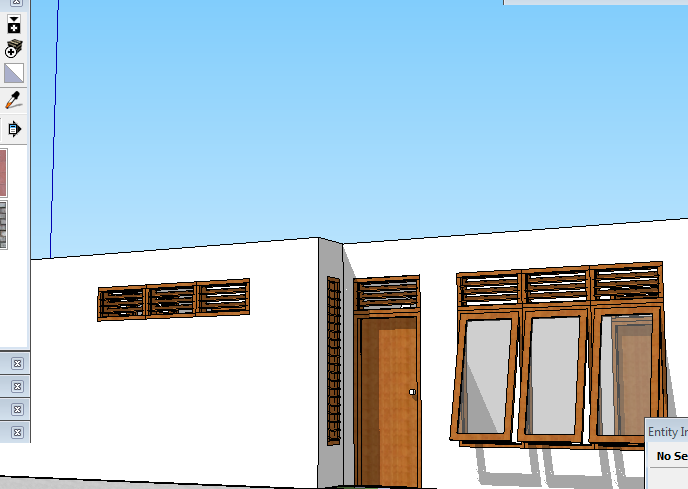
the wall on the rear part of the house might probably become the other house wall next door.
i'll check the setting soon. thank you very much, pbacot.
-
hi everyone,
here's another attempt to make a component that would cut opening on a "wall".
though it wasn't a successful one.
the gluing part works quite well. after i read what Dave R said in window components cut opening. i got the idea of the axes placement with the skp Dave R provided there. but, the cut opening cut everything on it's way on the other wall side.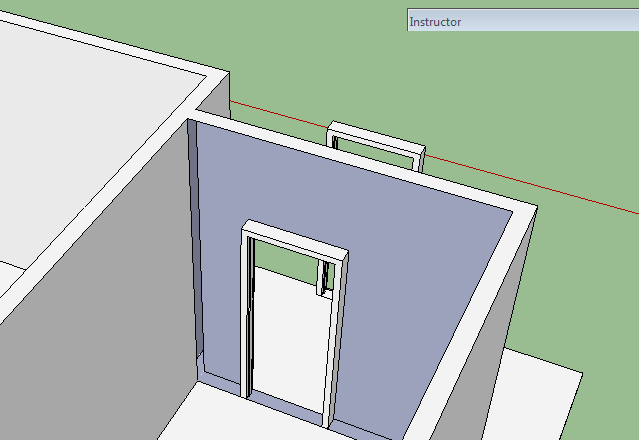
i gave it another try but with different thickness. and it still gives the same result on the other side of the wall. -
@gilles said:
You could do three components:
window
vent
window + vent.ah yes i can see what you meant now

 thank you pbacot.
PS: the door and window were from a tutorial blog, SketchUp Tutor
downloadable from Quicky Components Part One
they were made or designed according to local common rules of measurement or scale. -
Well, this is an "oldie" but I see you are in the topic right now:
http://forums.sketchucation.com/viewtopic.php?f=18&t=744&p=4261Also always be careful where you place a gluing component. It behaves differently on back faces and front faces.
-
thank you Gaieus
for time being, i am using push-pull on a rectangle (bound to the window size) to cut the wall.
-
I had the same issue when I started using SU, now I just cut the holes then make the windows/doors to fit. It saves a lot of grief
-
@tspco said:
I had the same issue when I started using SU, now I just cut the holes then make the windows/doors to fit. It saves a lot of grief
well, yes. i agree.
Gaieus once told me to "always learn to walk before you run"
so, the first thing came up in my mind was trying to get the conventional way using native tools available in SketchUp.
after the component was made with the right setting of axes and gluing, i put the component on the wall. and when it did work just fine i draw rectangle (in this case is a window).
then i push pull the area bound to the rectangle on the wall surface. push-pull it through the other side of the wall. voila, a perfect shaped wall through for the window.
actually, that is what i've been doing since SU 6 though
-
Many times it is sufficient and often, with too complex window components, I do the same. There is one drawback: you cannot easily move these windows once you decide they should be elsewhere. You can - just not as easily as if everything (including the opening) were part of the component.
Then there are also advantages: you can seamlessly position the texture in the opening according to the texture around the opening for instance.
-
hi Gaieus,
i've just found your tutorial skp in the warehouse few minutes ago.
here Thick Wall Windowsi had gave it a thought yesterday, but didn't go for it. cause i thought it would be a "put-explode-erase" steps for the component. since we still cannot move them in one, but in two entities of components. i'll give it another thought anyway.
thank you Gaieus and everyone.
-
before i forgot,
i'd like to post and note these links provided by Dave R.
about Axis and Gluing mostly, at least for my own note.
or, if by any chance someone else got this post by accident.Component Insertion
Exchanging Components(i might find it easier to search in my own post later. Cut Opening on the other hand would probably just a matter of clicking on the checkbox)




Hello! It looks like you're interested in this conversation, but you don't have an account yet.
Getting fed up of having to scroll through the same posts each visit? When you register for an account, you'll always come back to exactly where you were before, and choose to be notified of new replies (either via email, or push notification). You'll also be able to save bookmarks and upvote posts to show your appreciation to other community members.
With your input, this post could be even better 💗
Register Login


Advertisement