Native SU UV-mapping (maybe suitable for DUH thread?)
-
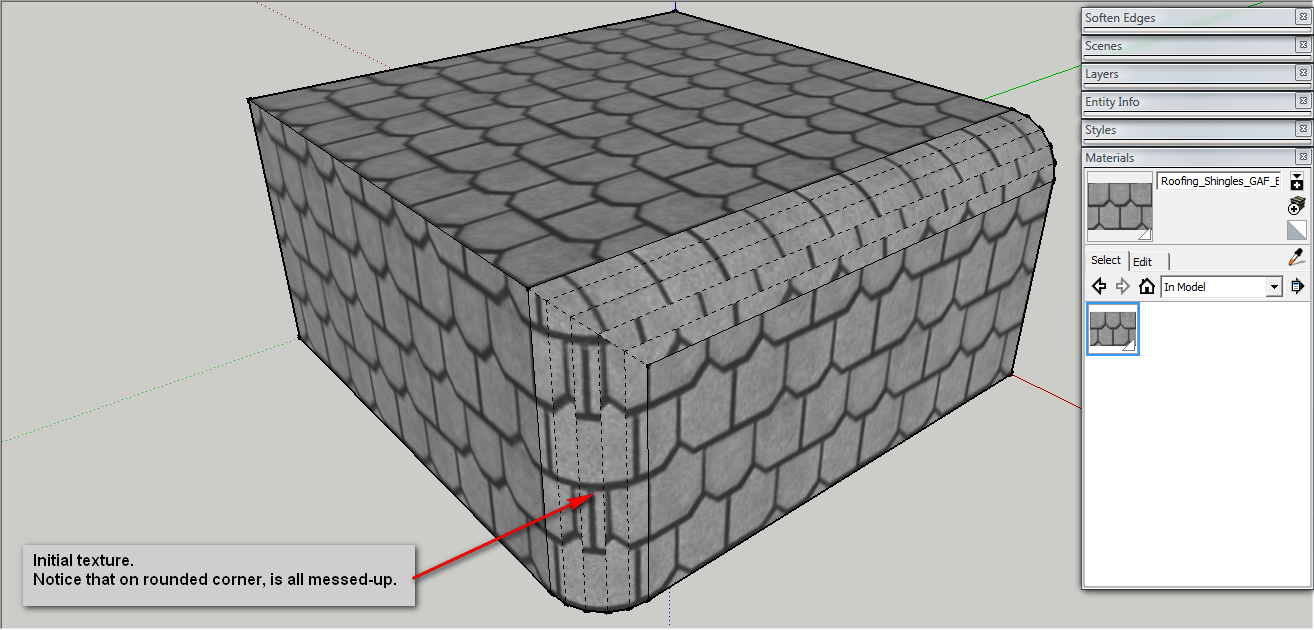
I am often frustrated by lack of UV-mapping in SU. One interesting situation is when you import a image and "use it as texture", then all faces will respect the uv-mapping of the first one.
But what if you don't import that image? how to fold it on a curved surface, without Projecting it (because of distortion implied).
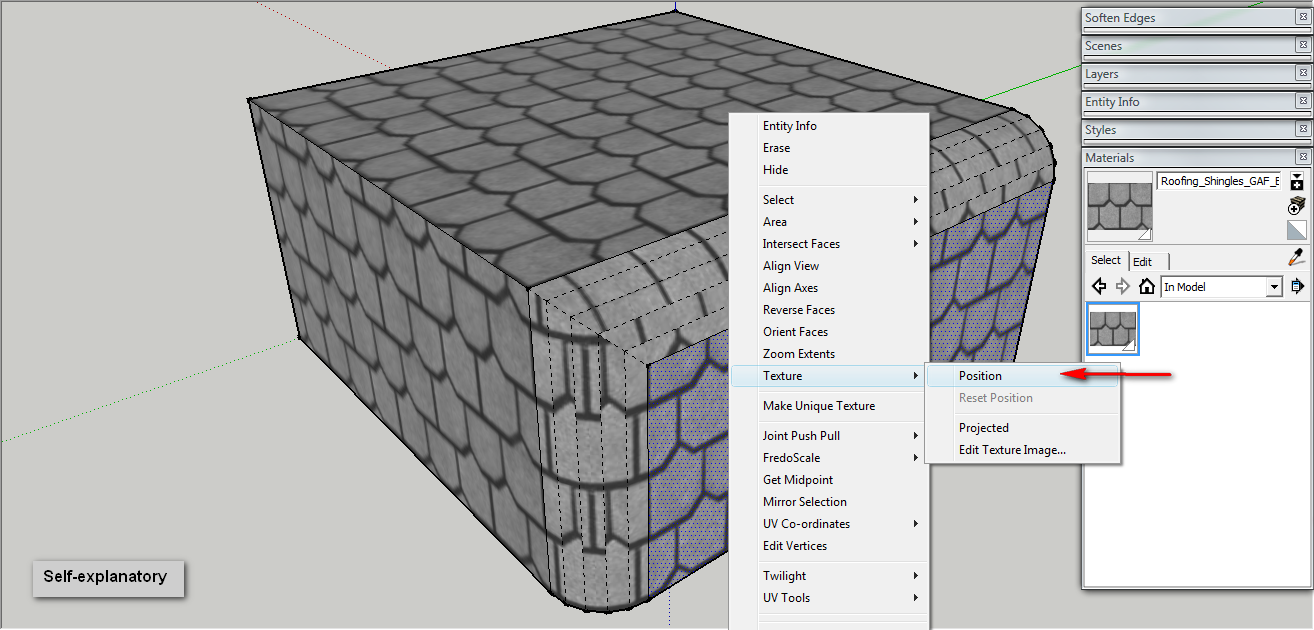
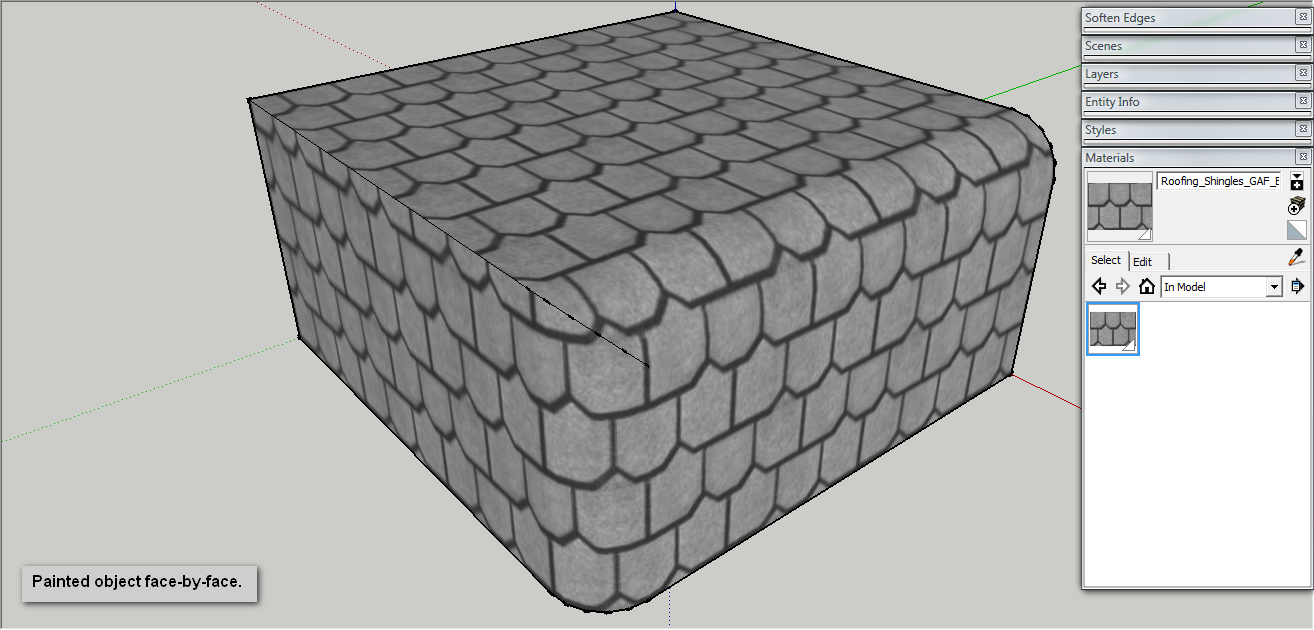
Well, I just figured it how and it very simple. Just follow the steps below:
Enjoy


-
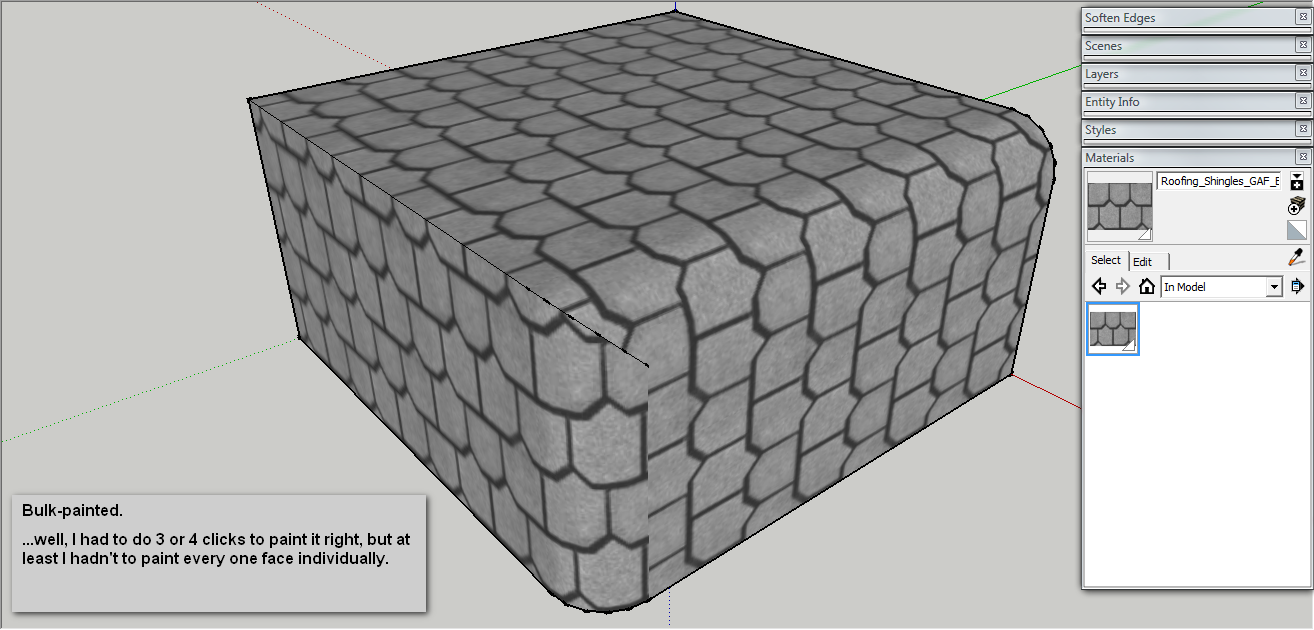
I usually get the same result activating the Bucket (B) and then alt-click on the correct texture. That way when you click with the bucket on other faces, it will apply the material with the collected UVs

-
@broomstick said:
I usually get the same result activating the Bucket (B) and then alt-click on the correct texture. That way when you click with the bucket on other faces, it will apply the material with the collected UVs
Indeed, but the problem is how to set the "correct texture" because if you sample material from a face where was not "mapped" in some way, it will just sample the material. "Positioning" the texture does exactly that: assign UV on that textured face, so when sampling, you get the UV's too.


Hello! It looks like you're interested in this conversation, but you don't have an account yet.
Getting fed up of having to scroll through the same posts each visit? When you register for an account, you'll always come back to exactly where you were before, and choose to be notified of new replies (either via email, or push notification). You'll also be able to save bookmarks and upvote posts to show your appreciation to other community members.
With your input, this post could be even better 💗
Register Login


Advertisement