sketchucation logo sketchucation
    • 登入
    Oops, your profile's looking a bit empty! To help us tailor your experience, please fill in key details like your SketchUp version, skill level, operating system, and more. Update and save your info on your profile page today!
    🔌 Smart Spline | Fluid way to handle splines for furniture design and complex structures. Download

    [Plugin] QuadFaceTools

    已排程 已置頂 已鎖定 已移動 Plugins
    673 貼文 116 Posters 544.8k 瀏覽 116 Watching
    正在載入更多貼文
    • 從舊到新
    • 從新到舊
    • 最多點贊
    回覆
    • 在新貼文中回覆
    登入後回覆
    此主題已被刪除。只有擁有主題管理權限的使用者可以查看。
    • jo-keJ 離線
      jo-ke
      最後由 編輯

      Is also installed the latest version with su2015. I'll post both files here....

      http://www.zz7.de

      1 條回覆 最後回覆 回覆 引用 0
      • jo-keJ 離線
        jo-ke
        最後由 編輯

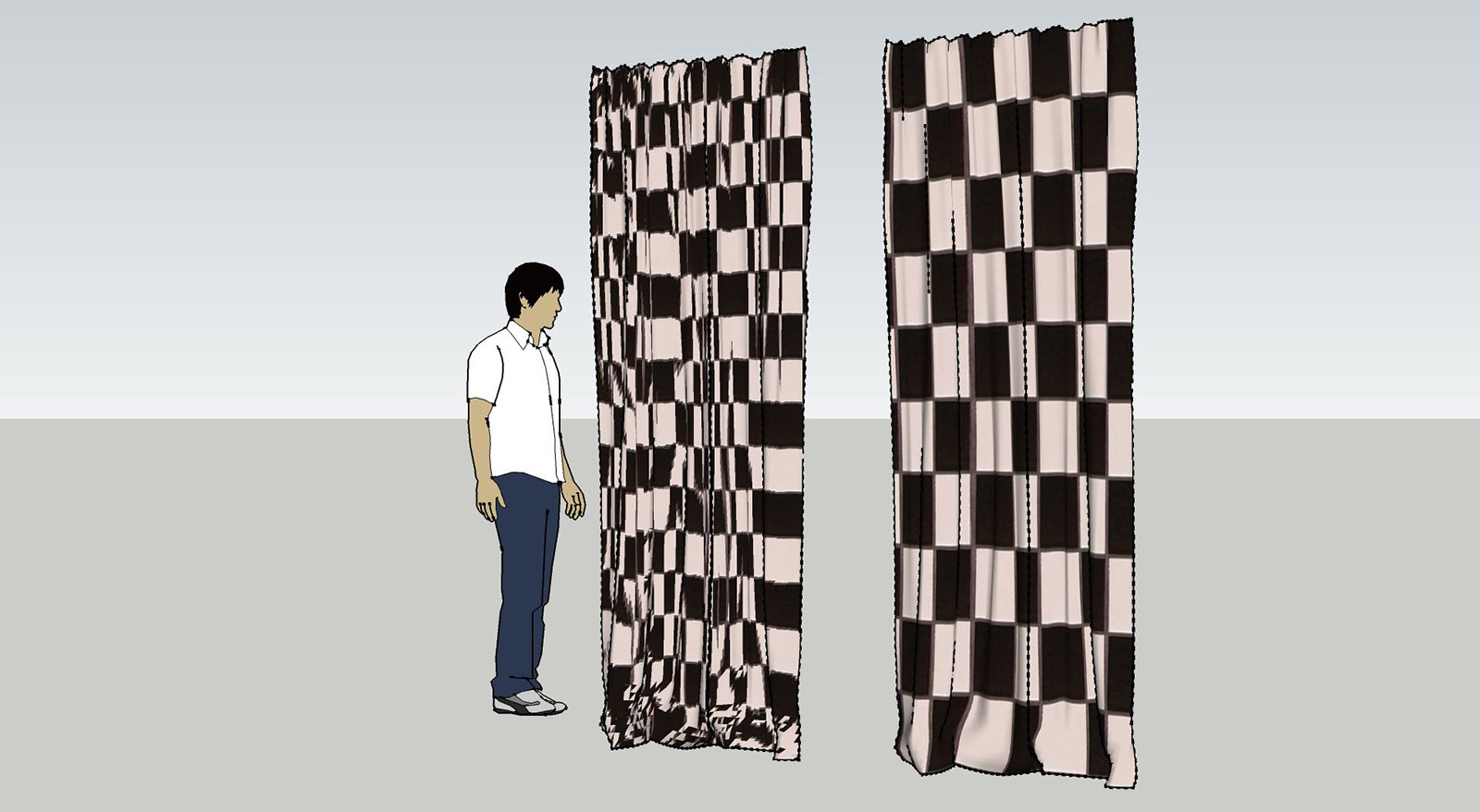
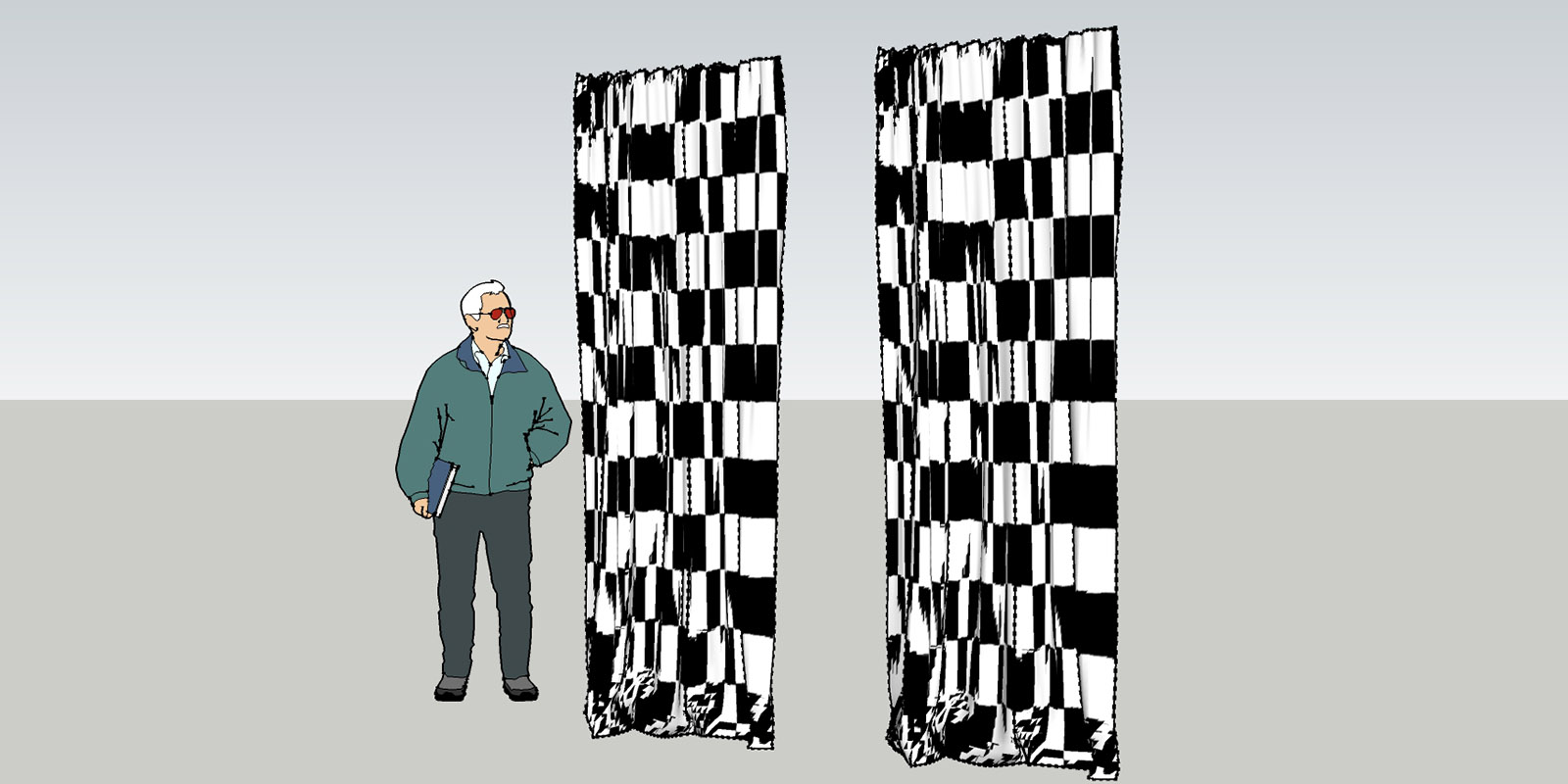
        here is the comparison


        quad-su7.jpg


        quad-su2015.jpg

        http://www.zz7.de

        1 條回覆 最後回覆 回覆 引用 0
        • jo-keJ 離線
          jo-ke
          最後由 編輯

          here are the files

          su7 works
          su2015 doesn't work


          quad-su2015.skp


          quad-su7.zip

          http://www.zz7.de

          1 條回覆 最後回覆 回覆 引用 0
          • thomthomT 離線
            thomthom
            最後由 編輯

            If you open the Ruby Console while you try to use QuadFace Tools - do you see any error message?

            Also, can you describe the steps you perform in more detail?

            Thomas Thomassen — SketchUp Monkey & Coding addict
            List of my plugins and link to the CookieWare fund

            1 條回覆 最後回覆 回覆 引用 0
            • jo-keJ 離線
              jo-ke
              最後由 編輯

              when I start the uv mapper in version 2015 it doesn't show the horizontal and the vertical line to set the direction of the texture. so I can't use it.

              http://www.zz7.de

              1 條回覆 最後回覆 回覆 引用 0
              • jo-keJ 離線
                jo-ke
                最後由 編輯

                it seems to be that the model in version SU7 is quad face and when I import it to SU2015 it is a sandbox mesh.

                I converted it again to quadface and the UV texture mapper worked.

                everything fine!
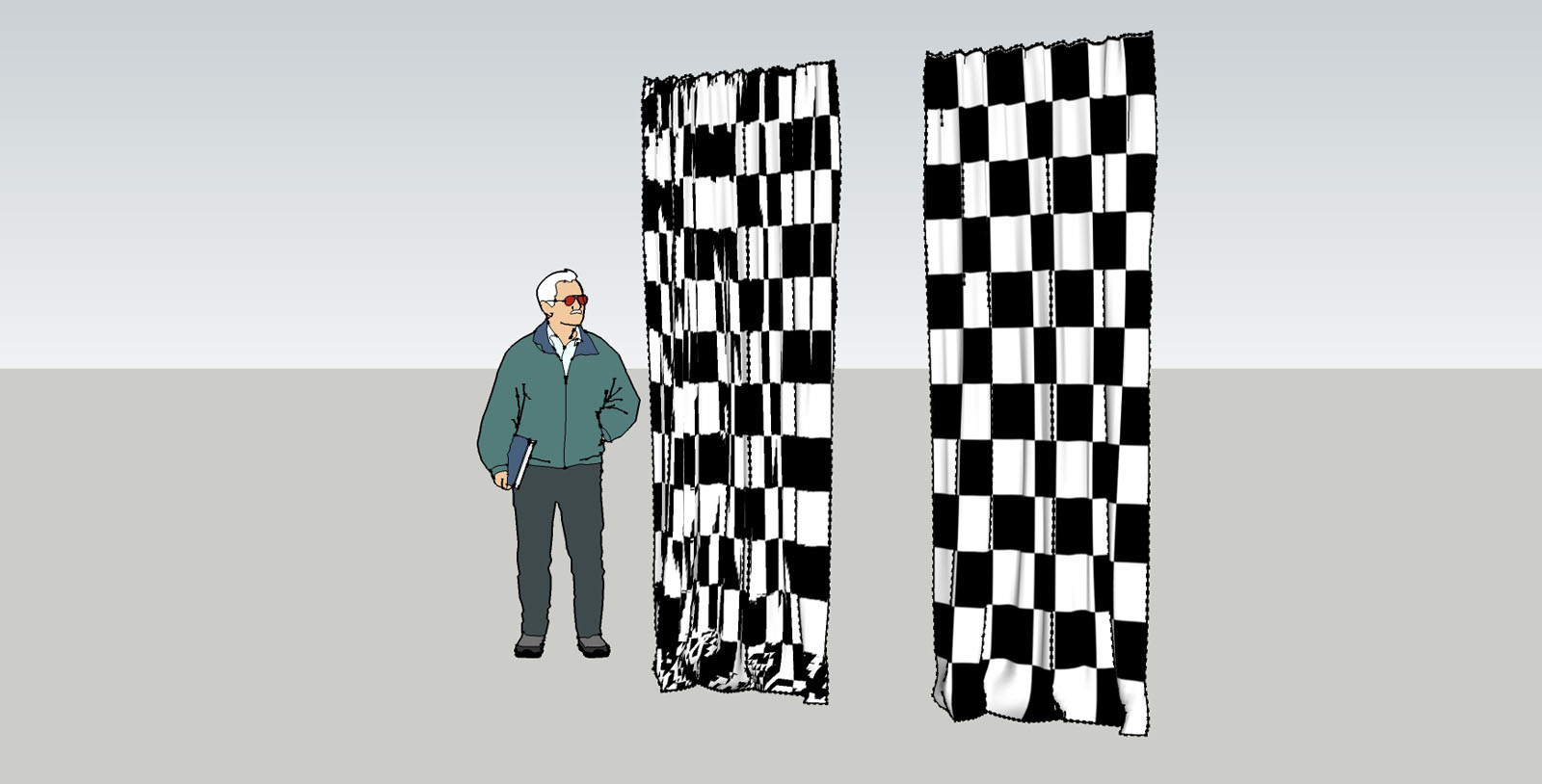

                quad-su2015-2.jpg

                http://www.zz7.de

                1 條回覆 最後回覆 回覆 引用 0
                • thomthomT 離線
                  thomthom
                  最後由 編輯

                  Did you remember to convert the Sandbox Tool mesh into a QuadFace Tools compatible mesh first?
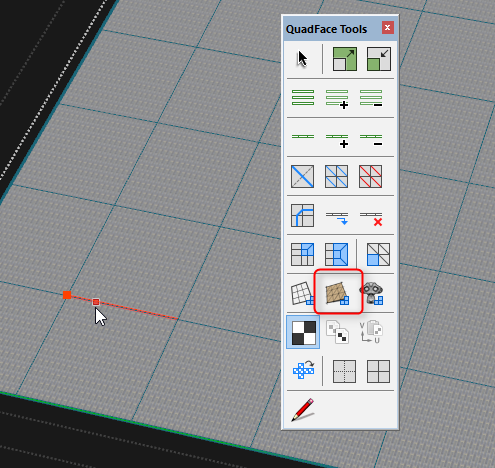

                  uvmapping.png

                  Thomas Thomassen — SketchUp Monkey & Coding addict
                  List of my plugins and link to the CookieWare fund

                  1 條回覆 最後回覆 回覆 引用 0
                  • jo-keJ 離線
                    jo-ke
                    最後由 編輯

                    Yes. I've did it like that and saved the component as SU7 some years ago and used it many times, just using the UV Mapper.

                    But now, when I import the same component to SU2015 it lost the Quadface- Information and I have to reconvert it to quads, as you described above.

                    http://www.zz7.de

                    1 條回覆 最後回覆 回覆 引用 0
                    • thomthomT 離線
                      thomthom
                      最後由 編輯

                      Any chance you can provide a sample model with exact steps (video?) of what you do?

                      Thomas Thomassen — SketchUp Monkey & Coding addict
                      List of my plugins and link to the CookieWare fund

                      1 條回覆 最後回覆 回覆 引用 0
                      • jo-keJ 離線
                        jo-ke
                        最後由 編輯

                        the sample model is attached above.

                        here's the component:

                        If you load it in SU7 it is already converted to quadface
                        If you load it in SU2015 you have to convert it to quadface


                        0-schal-leger-tex.skp

                        http://www.zz7.de

                        1 條回覆 最後回覆 回覆 引用 0
                        • thomthomT 離線
                          thomthom
                          最後由 編輯

                          @jo-ke said:

                          the sample model is attached above.

                          here's the component:

                          If you load it in SU7 it is already converted to quadface
                          If you load it in SU2015 you have to convert it to quadface

                          I do not see a difference in behaviour between the two versions. In both SU7 and SU2015 I had to use SandboxTools Quads to QuadFace Quads for the mapping to work.

                          Thomas Thomassen — SketchUp Monkey & Coding addict
                          List of my plugins and link to the CookieWare fund

                          1 條回覆 最後回覆 回覆 引用 0
                          • jo-keJ 離線
                            jo-ke
                            最後由 編輯

                            On my machines in Version 7 the model is already converted and can be mapped directly.

                            It is not really a problem, I was just a bit surprised of that fact.

                            http://www.zz7.de

                            1 條回覆 最後回覆 回覆 引用 0
                            • thomthomT 離線
                              thomthom
                              最後由 編輯

                              Can you do a screen capture? I might be missing a step or something. There should be no difference between machines.

                              Thomas Thomassen — SketchUp Monkey & Coding addict
                              List of my plugins and link to the CookieWare fund

                              1 條回覆 最後回覆 回覆 引用 0
                              • DareDevilD 離線
                                DareDevil
                                最後由 編輯

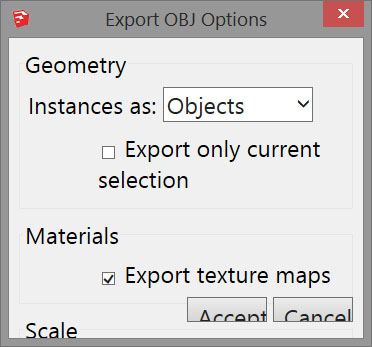
                                I missed this plugin ! I tried it now because I need quad (planar or non planar) for paneling surface. But I have some problems with the OBJ export (SU pro 2015 on Win 8.1 64)
                                First, the export setup windows use an huge typo. So I can't see the Scale setup. I edited the CSS file to change it and it's almost OK...
                                Second and worse, SU suddently close after export. The exported OBJ seems OK but SU dont like do that. Anyone have the same issue ?

                                1 條回覆 最後回覆 回覆 引用 0
                                • thomthomT 離線
                                  thomthom
                                  最後由 編輯

                                  @daredevil said:

                                  First, the export setup windows use an huge typo. So I can't see the Scale setup. I edited the CSS file to change it and it's almost OK...

                                  Screenshot? Do you have a high DPI monitor?

                                  @daredevil said:

                                  Second and worse, SU suddently close after export. The exported OBJ seems OK but SU dont like do that. Anyone have the same issue ?

                                  Hmm... not seen that. Does it happen will all epxorts? Or does it happen with a particular model. If so, can you share it?

                                  Does it simply close? No BugSplat dialog?

                                  Thomas Thomassen — SketchUp Monkey & Coding addict
                                  List of my plugins and link to the CookieWare fund

                                  1 條回覆 最後回覆 回覆 引用 0
                                  • DareDevilD 離線
                                    DareDevil
                                    最後由 編輯

                                    @thomthom said:

                                    @daredevil said:

                                    First, the export setup windows use an huge typo. So I can't see the Scale setup. I edited the CSS file to change it and it's almost OK...

                                    Screenshot? Do you have a high DPI monitor?

                                    I think. It's a HD 1080 screen on a 13" lenovo laptop.

                                    @unknownuser said:

                                    @daredevil said:

                                    Second and worse, SU suddently close after export. The exported OBJ seems OK but SU dont like do that. Anyone have the same issue ?

                                    Hmm... not seen that. Does it happen will all epxorts? Or does it happen with a particular model. If so, can you share it?

                                    Does it simply close? No BugSplat dialog?

                                    No BugSplash. It's a nice "clean" instant shutdown 😉 I will try further with different model tonight and I will tell you more.
                                    I will try too on my second computer on Win 7 64.

                                    I want to "resurect" my old Paracloud Gem that use OBJ quad to panel mesh.

                                    1 條回覆 最後回覆 回覆 引用 0
                                    • thomthomT 離線
                                      thomthom
                                      最後由 編輯

                                      If you can reproduce it, please send me the model. PM it if you don't want to share publicly.

                                      Thomas Thomassen — SketchUp Monkey & Coding addict
                                      List of my plugins and link to the CookieWare fund

                                      1 條回覆 最後回覆 回覆 引用 0
                                      • DareDevilD 離線
                                        DareDevil
                                        最後由 編輯

                                        For the typo, here is the setup window without my CSS modificaton :
                                        QuadExport.jpg
                                        When I comment the line about the font in the base.css, it's better but not perfect...

                                        For the crash, is not depending on the model. A simple square exporte is the same as more complicated model : all seem ok, but after this window SU shut down immediatly. The OBJ (and MTL) exported seems OK.
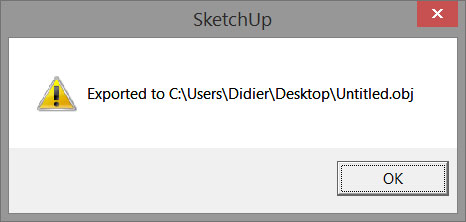
                                        QuadExport2.jpg

                                        If I cancel on the export setup windows, SU close too...
                                        I remove the other two plugins (tt_bitmap2mesh and Artisan demo) but it's the same...

                                        Other detail : it's a french version of SU 2015.


                                        EDIT
                                        With SU 8 pro on the same machine (Win 8 64) all is ok !!!

                                        1 條回覆 最後回覆 回覆 引用 0
                                        • DareDevilD 離線
                                          DareDevil
                                          最後由 編輯

                                          I tried on my other "old" computer, running on Win 7 64 : same crash after the OBJ Format export but I have a BugSplash.
                                          Both computers have 64 bits system (Win 7 and 8), french SU 2015 pro (v 15.3.331), no good openGL graphic card (old nVidia 9600 and Intel HD chip).
                                          BugSlash generate 4 files in the Temp directory. These files can help you ?

                                          1 條回覆 最後回覆 回覆 引用 0
                                          • thomthomT 離線
                                            thomthom
                                            最後由 編輯

                                            I think I have a fix for the crash - try this patched version of TT_Lib:
                                            https://bitbucket.org/thomthom/tt-library-2/downloads/TT_Lib2-2.10.2.rbz

                                            I think I might have a tweak for the font issue as well, but I don't have a patch right now for that one.


                                            Thomas Thomassen — SketchUp Monkey & Coding addict
                                            List of my plugins and link to the CookieWare fund

                                            1 條回覆 最後回覆 回覆 引用 0
                                            • 1
                                            • 2
                                            • 30
                                            • 31
                                            • 32
                                            • 33
                                            • 34
                                            • 33 / 34
                                            • 第一個貼文
                                              最後的貼文
                                            Buy SketchPlus
                                            Buy SUbD
                                            Buy WrapR
                                            Buy eBook
                                            Buy Modelur
                                            Buy Vertex Tools
                                            Buy SketchCuisine
                                            Buy FormFonts

                                            Advertisement