[Plugin] Make Unique Selected Components v0.4 20110803
-
Right click on component and/or group, or selected components and groups, and "Make All Unique". This will make unique all selected components, and their nested components.make_all_unique.rb
-
Thank you so much for sharing. This will be a favorite.

-
Really useful. Thanks
-
Any chance you could make a plugin to make unique all selected components AND groups.
That would be the most useful plug-in ever!!!!! with how I work in sketchup.If I could help you or you could explain how I would do it.
Thanks!!
-
Groups, by definition, are unique. How would this be helpful?
-
Sometimes groups are NOT unique, if the group's copy hasn't been edited since it was made then it can be seen by Sketchup as two instances of the same group definition ! It's really a 'bug' in Sketchup, because, as you say a group should always have just the one instance. However, in the API to move a group so it's inside another container-group requires you to add an instance of its definition [using defn=group.entities.parent !] and then erase the original group so it appears to have moved into the container-group...
-
OK. So for example I draw kitchen cabinets and I have created a library of cabinets that are made up of both components & groups. Sometimes in the design it is easier to just copy over cabinets and then if there is a change I will fredo stretch them. I have found it is very important to go deep into the cabinets layers and make sure everything is unique or else the cabinets will bug splat sketchup or some part wont stretch properly or else it will stretch other cabinets in other places of the kitchen that where a copy of that cabinet at one point. When I use this plug in it does not go deep enough into the layers of my cabinets to make everything unique. Im guessing that it stops and soon as it hits the first group inside the component. So all the other groups and components deeper in still remain "non" unique.
-
This short 'one-liner' will run 'make-unique' on all groups that need it, in the model.entities and also when nested inside other groups or definitions...
Sketchup.definitions.each{|d|d.instances.each{|i|i.make_unique if d.instances[1]}if d.group?}Copy/paste into the Ruby Console +<enter> OR make it into a simple method/menu item...
-
Thanks TIG! I will try this out when I get some spare time.
-
@tig said:
Sometimes groups are NOT unique, [...] It's really a 'bug' in Sketchup,
I don't know if is a bug, but it comes in handy... there is a plugin that selects all group copies (and can convert them into components) and I'm sure that is possible only because that groups are recognized as instances.
But, nevertheless this plugin is a treasure! I often need to make unique a component with nested elements and I had to make unique each "child" until now. -
All components are instances of their definition.
All groups are instances of their definition.
Even all images are an instance of their definition.So a 'definition' can be a '.group?' or '.image?'... or more usually a plain olde 'component'.
Only 'components' appear in the Component Browser...Groups are usually expected to be a single instance of their definition.
Sometimes it's possible to have more than one group referring to the same definition - either by copying a group with no subsequent editing or by 'code'.
So then the group's definition has multiple instances, just like a regular component could.
Any code that makes a group into a component [that then appears in the Component Browser] does so irrespective of how many instances of it there are... this is because e.g. the 'group.to_component' code makes that one group's definition into a plain-component definition, and thereby that group converts into an instance of it [and the definition then appears in the Component Browser]... and therefore if there are any other groups referring to that same definition then these are also made into instances of that plain-component definition too... -
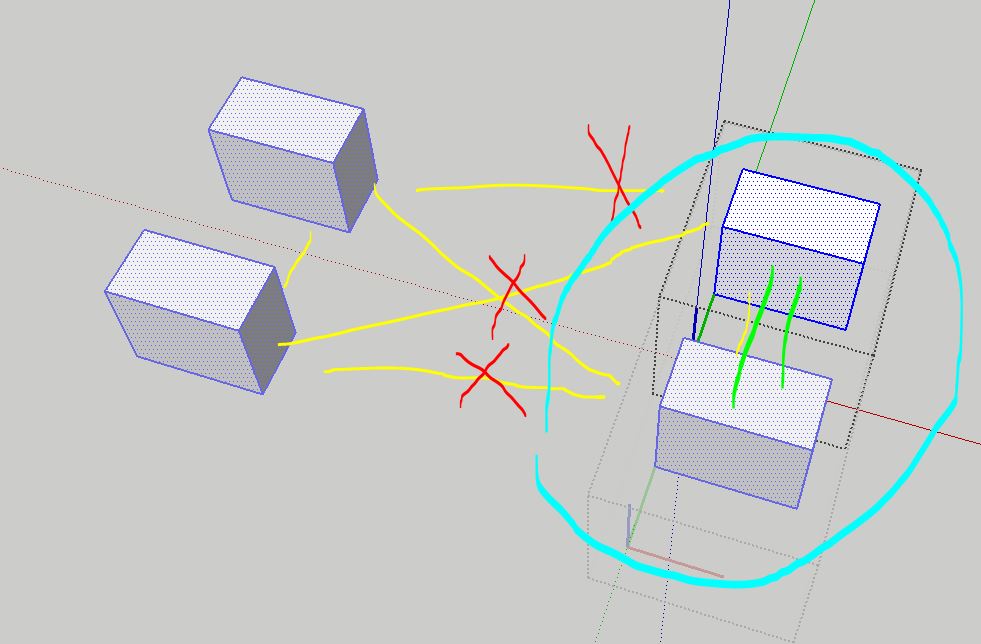
Hello! Is there any possibility to preserve a connection between sub-leveled components inside of selection?
-
@dem Yes, with Eneroth Deep Make Unique, but works only for components, if you want the same thing for groups... there is a much more complicated process...
-
@FlorinAp
Doesn't Dezmo's code do this ?
https://forums.sketchup.com/t/make-unique-separate-groups/160741/14 -
@TIG No, Dezmo's code makes everything unique (one single instance for each object), but this is what I asked him for.
Eneroth extension is the only one that does what logically it is supposed to do in this command - no matter the number of nested levels, no matter the type of objects (groups or components - yes, I made a mistake in the previous reply.!), whatever you select, Eneroth unlinks all of them from the rest of the model, but keeps all the relations between them in your selection, with the same structure of nesting.
I mean the same thing that SU does when you select some non-nested components and make them unique, but it is doing the same thing in whatever nested combination of groups and components. All other extensions that pretend to do this... just create a mess in your nested structure, especially if you mix them up (components inside groups...).I asked to Dezmo for one command that breaks everything (groups) to the last object because I couldn't find anything reliable, I mean the only one reliable is 3DS House extension, but that one requires internet to open its UI, and sometimes I'm in places that for short periods I don't have internet.
I hope Dezmo (or somebody else) can do the Families selection also for groups, because mine works only for components; that one I found it on VBO Facebook page.
-
@FlorinAp
That code leaves a lot to be desired,
Please explain how you want to use the code to select and change groups by matches or layer etc...
I think it's much easier than you expect... -
@TIG Right now it has 4 options (Select all; Select Active; Select Active from same Layer; Select all from same Layer), right now I don't see the need for a fifth option.
I don't know if it can be combined in menus/submenus for groups and components, so it better has a different name (e.g. Families Group instances...) in order to eliminate confusion with the one for components.
Thank you.!
-
@FlorinAp
Sorry, but you are not explaining this at all well.Select All = what ? - e.g. All Groups in the model
Select Active = what ? - e.g. Groups in the active context
Select Active... ? - e.g. Groups in the active context, with the same tag/layer
Select All... ? - e.g. All Groups in the model, with the same tag/layerWhat do you do with the selection etc ?
Changing a selection of entities across will cause crashes etc...The menus and naming are secondary - we need clarity on what it is you hope to achieve.
-
@TIG This ruby has the purpose of recognizing and selecting all the instances of components (even if there are one or more that have been made unique) - it just recognizes all the instances (unique and not unique), that is why it is called "families".
So all the options that appear in its submenu, apply to selected components even if there is at least one that has been made unique.
What I do with the selection... it is up to me after that.
-
Now I understand better.
My main point was that if there are instances of the same component in different contexts they get added to the selection and manipulating a selection spanning contexts can lead to crashes...







Advertisement