[concept] plugin launcher
-
Thank you so much for your efforts! I included it in the code. For me it used to work in my browsers/configurations, so otherwise I couldn't have found these solutions on my own.
I did some search about comments between doctype and <html>, but didn't find anything about issues. I probably leave the comment completely away (or does it work with the comment after <html> ?)
I was a bit hesitant about
%(#000000)[input type="search"]because it's not standard (html4), but since unknown type defaults always to text, it shouldn't be a problem and doesn't break anything in Internet Explorer. -
@jim said:
I put the doctype back in and removed just the comment - it worked.
It IS a bit weird that the comment is outside the <html> block... I would put it inside the <head> block as well.
-
Hi all,
I'm bumping this, because I want to modify it to work with 'on_off' http://forums.sketchucation.com/viewtopic.php?f=180&t=41994#p372262
Using the option to open SU without rubies but with Ruby we have the ability to open individual .rbfiles or folders containing .rb files using Alex's + Jim's methods or load from RC, which is great.
However if you want TIG's 2DTools [for example] you need to change all the 'requires' in all the scripts into 'load' + full the path before it will run with 'rubies' turned 'off'. I've got that working and it will still run as normal with them 'on', but would be a pain to do for each new version for all my rubies. I haven't worked out any of Fredo's yet, but I'm sure there's a way.
So I'm thinking it would be a lot easier to parse the plugins each time you call one to 'load' and leave the originals intact,
if it needs support files they can be added, but also need full path's.Basically, use 'LaunchUp' to select the 'standard' ruby rather then it's individual items,
because you only need to have a few sets on at a time the toolbar count is still low.
when you get to many you start again.I'm stumbling through so any feed back is appreciated.
john -
Hi,
This is very far from a proper plugin. Parsing other ruby files in order to get commands is not an ideal solution and needs always manual editing. I would not publish the current state as a plugin.I've played around with alternatives (should probably make my current version ready and post it here). I tried aliasing the
UI::Commandbefore all plugins load. Problem is that this way I modify core methods, I have to make sure that my plugin loads always first and it can be harmful if another plugin aliases UI::Command.Jim inspired me to get the commands with
Objectspace, which works for all the command's metadata, but I haven't figured out how to call theproc.Third possibility is to continue hoping and begging for SU9 that we will have better access to commands (and maybe removing/modifying toolbars and menus).
-
This idea deserves an award! I spend too much time trying to find certain commands and dealing with grey out issue.
Is it necessary to create another plugin folder or can I just check not load at start up.
Have'nt tried yet but appears to be a winning concept if it can work smoothly. -
Hi Aerilius,
thanks for replying
I may have found a workaround for what I'm after using Fred's '000_AdditionalPluginFolders.rb' with 'on off.rb',
I've made and registered some subfolders in SU, then when I launch with 'rubies OFF' and run '000_AdditionalPluginFolders.rb' I get asked which I want to instal, so I can choose 'Base Set', '2D', 'Fredo' or 'TIG', etc...
This avoids having to look at or modify the rubies content at all and with a simple folder creator/sorter WebDialog this is almost doing what I want [on mac at least] and without any .rbs [but they can be accessed via a full startup].
I'll keep digging
john -
@aerilius said:
but I haven't figured out how to call the proc.
Once you have a reference to a proc, call
callon it.pr = Proc.new { puts "Hi" } pr.call Hi -
But can I get the proc from Objectspace? I didn't get it to work...
-
@aerilius said:
But can I get the proc from Objectspace? I didn't get it to work...
Oh yeah. You can get UI::Command objects from ObjectSpace, but you can't get a handle to a Command's associated Proc.
You can get Proc objects from ObjectSpace
ObjectSpace.each_object(Proc) {|pr| puts pr }
But there is no handy way to know which command a Proc is associated with other than the String representation (which is the filename and line number where the command is created.)
So no "good" solution. I have asked Google for a method to access the Proc of a Command. That would make things sooo much simpler.
-
Your idea of a launcher with a quick search, is something Im looking for. Type a search for any plugin/tool that you want to execute. If the plugin is not yet loaded, it will be loaded instantly.
"The basic purpose is to keep only a small range of standard plugins (=> quicker start of SketchUp and uncluttered interface), but make it easy to load rarely used plugins when you need them. You don't have to bother anymore if a plugin is disabled/archived or not."
You created a prototype. It uses an index file that contains a list of info.
This is your primiss. I did tryed your plugin and its a qood ideal.There are several things your are worrying about:
" 1) It should be at least techinically possible to load any existing plugin that is disabled"2)"But how to get the commands that should be executed, a proper name, icons, eventually keywords?" Well this is to much work for me?. I try to useing SUTool: a new way to manager your RB script but it dosn't load every thing. You have to double buffer everything "(since some plugins contain complex structures of classes and wrapper methods, not to speak of .rbs plugins)"
SUTool:
These were my ini files
01file.txt
02edit.txt
03toolbars.txt
04view.txt
05camera.txt
06draw.txt
07tool.txt
08plugins.txt
09context.txt(Stage 1)
Is there a better solution? yes window/preferences_shortcuts,a dummy key, with a macro.ank, it would give API access to all commands created with UI::Command,(Stage 2)
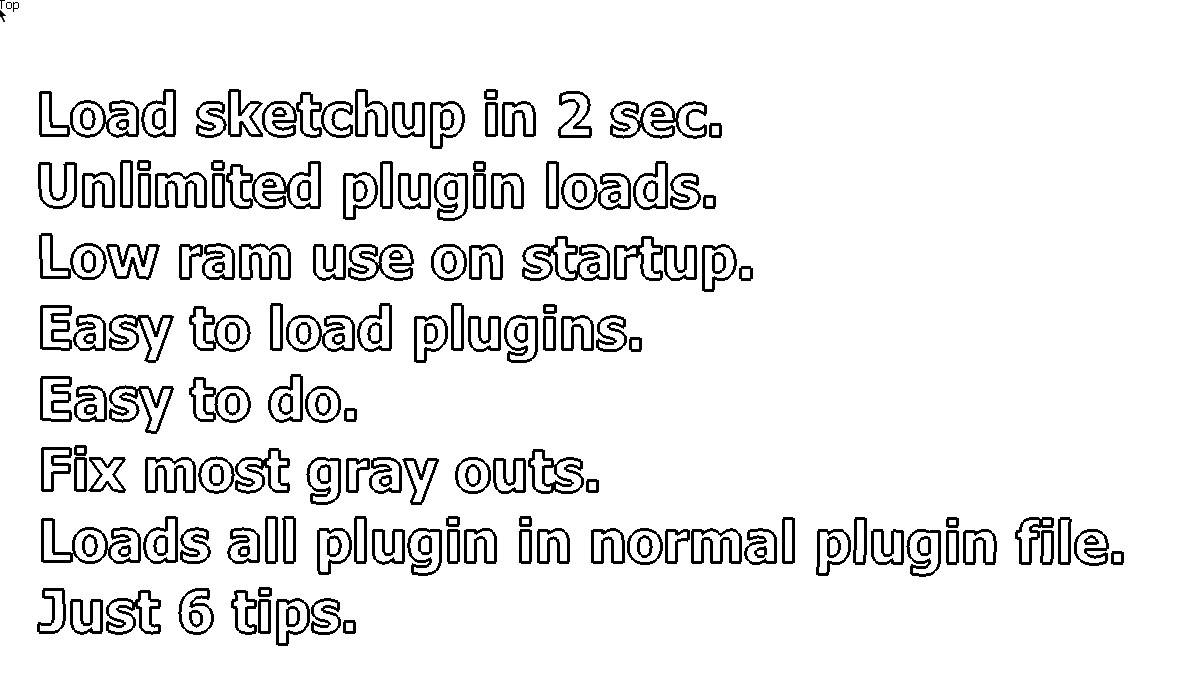
I will tell you how at My tips about running more than one sketchup
http://forums.sketchucation.com/viewtopic.php?f=79&t=40254 -
@jim said:
@aerilius said:
But can I get the proc from Objectspace? I didn't get it to work...
Oh yeah. You can get UI::Command objects from ObjectSpace, but you can't get a handle to a Command's associated Proc.
You can get Proc objects from ObjectSpace
ObjectSpace.each_object(Proc) {|pr| puts pr }
But there is no handy way to know which command a Proc is associated with other than the String representation (which is the filename and line number where the command is created.)
So no "good" solution. I have asked Google for a method to access the Proc of a Command. That would make things sooo much simpler.
I have a proof of concept that intercepts the creation of Command objects and make everything available. Even the procs. I hooked into menu and toolbars as well so I could traverse them in a tree structure. I was able to do a string search of the commands, much like the described concept of OP. But I haven't released it as it would need testing and a robust error handling.
-
I had experimented with intercepting commands, but I found it too risky for me because I don't have enough Ruby experience. When there are two scripts intercepting the same methods, it would crash SketchUp.
Nice to see that this idea is becoming more common, it isn't really special. If only SketchUp made it's commands easierly accessible...
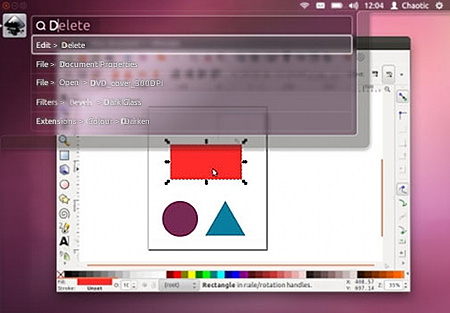
http://www.markshuttleworth.com/archives/939 -
One major problem: the
menu_textis localized (or can be.)We need a
ruby_textattribute that is always English.What I have been doing is attaching singleton methods for
ruby_textto my individual command objects after instantiating them (to avoid changing the base class.)It would be nice if extensions, menus and toolbars has this attribute also.
-
Is this plugin still under development?
The menu works very nicely, finding all the right plugins I'm looking for. But it's not working yet, is it?I've tried launchit plugin v1.4 and it just doesn't find all the plugins I have installed...
eagerly waiting!

-
LaunchUp has never been released as a finished version and it's currently paused until the SketchUp Ruby API adds the required methods (ie. not more than
UI::Command.proc). There hasn't been a SketchUp major release for quite some time (over 2½ years) but is coming soon. I hope it contains finally some advances. -
hi aerilius,
can Win32 get the 'menu items' by name and send 'click on name in menu' events?
I've got that working fully from 'osascript and in part from 'macRuby' in 'Ruby Console' so far, but curious if there's a PC equivalent.
john
-
Should be possible with the Win32 API.
-
here's a 'mac' test in a
Ui.messagebox, but it can work from a Toolbar button or a Webdialog, so LaunchUp can be populated with any/all of the available menu items, I can add a new 'plugin' then auto update the 'list' in use. I can harvest most images files grep-ing the menu name in it's host folder from the 'load paths' array.if this type of 'thing' is possible with win32 API maybe someone wants to combine forces for a duel platform solution?
result = UI.messagebox "Do you want to Weld these edges?", MB_YESNO if result == 6 # Yes runAppleScript=Thread.new{ `osascript <<EOF activate application "Sketchup" tell application "System Events" tell process "SketchUp" click menu item "Weld" of menu "Plugins" of menu bar 1 end tell end tell EOF ` } runAppleScript.kill end -
If your were interested in LaunchUp, don't miss that it is no an official plugin:
→ LaunchUp – A Quick Launcher for SketchUp






Advertisement