[Plugin] Hatchfaces (v1.8 beta) UPDATED 15-Dec-2012
-
Do you now need to erase the uncolored faces or is that done ?
To avoid the 'z-fighting' with the existing face you could move the new group say 1mm in the originally_selected_face.normal so it's avoided...
You have indeed made a 2d-boolean tools... well done

-
Thanks TIG! I have o good Master

Yes it's done TIG! It's supposed to be colored for special hatches or design tool etc..It will be like Vector in
Layout.Move the face 1mm in face normal vector.. Hm Yes that is probably easiest. I was thinking of converting to component and
put on a cutting behavior, to make it more perfect. Maybe overdoing it. Things must be stable first.Thanks for your help in this.
-
When you make it a cutting component remember to set the face to the face it is glued to...
-
Yep! OK! Will probably have to do that. Even at 3mm from face there where still some glitches at certain viewing angles.
Don't want to get to far from the face. Some people might not like that, for aligning and stuff.. -
You are aware of the needs for the axes of a cutting component ? Z/blue is out of the face it glues to... You'll need to transform the group to the origin [flat], make it a component [changing its behavior to 2d/gluing etc]; move the instance back with a inverse transformation, then tell the instance to glue to the originally selected face...
That should avoid the z-fighting ?
-
Heh
So that what it was.Hmm ok, will see if it's worth the effort. I kinda know now why you recommended moving the component a few mm to get rid of the issue. And doing that, it can remain a group. Working on it.
-
Another discovery.
Strange enough exploding the group now, transfers the material onto the face

I wonder if it has to do with the fact that the edges has been trimmed to fit the face. Or rather like before, when exploding a face onto an edge or vice versa had to create a new face=materials lost?
Anyway that is not a bad thing. Maybe cutting behavior is not needed. But then again, the hatch must be merged to the face and might not be so desirable..PS. Could be used as a modeling tool. Starting to look like something that french guy Pilou created...
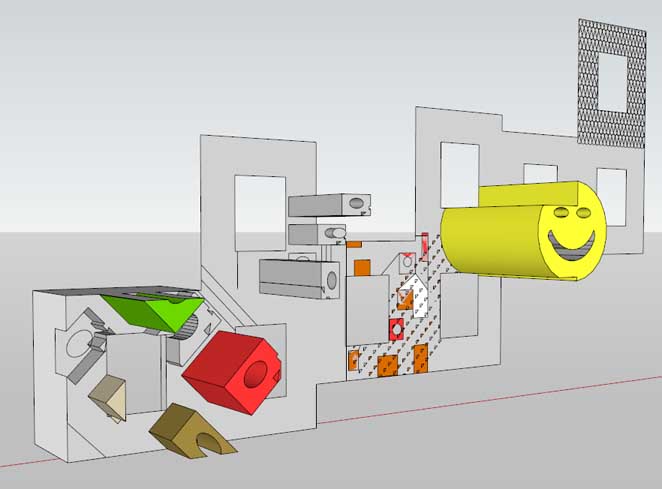
-
Nice work mate! Looking more and more promising. I'm definitely excited about the direction this is taking. Should be great for doing facade work! Keep it up!

-
Earthmover, there sure are some possibilities for this plugin. I'm a bit conserned about the performance ATM. There can be quite a lot of objects that need to be computed, when using sofisticated pattern. And files WILL get bigger.
It's not vector graphics. But if the plugin get stable enough it will probably be useful for some peoples.Having problems transforming the group to ORIGIN. Must be doing something completely wrong..
I'm supposed to transform the group and not the entities therein?
Another read up..@unknownuser said:
changing its behavior to 2d/gluing etc
Is it enough to change the behavior of the component and glue to face to get it cutting. Or do I acctually have to insert
a new instance? Like in Sketchup modeling.. Guess I will figure that out if I get the transformation working. -
One thing it'll do with ease is 'tiling'!
Ages ago I started a tool that never got finished - uni-lecturing intervened...
Cross-hatch at the required centers - paving, wall tiling etc.
For complex tiling - e.g. with wide joints, or different size parts, or interlocking shapes - then use the newer ideas of 'component-hatching'
All it needs now is an extra 'tool' to set the 'origin' of the hatch pattern... -
When you have a group finished use
gtr=group.transformationto use later
Then you need to move the group to the origin, and transform all of its edges' vertices [uniqued] so its 'flattened' in plan. You'll need to trial some code for this
Then useinst=group.to_component.
Then usedefn=inst.definitionand change the defn's behaviors to make it a 2d/gluing/etc thing.
Also set thedefn.name=???? etc
Useinst.erase!.
Transform 'gtr' to suit what you had to do the 'flatten' the group...
inst2=ents.add_instance(defn, gtr)to place an instance on the face back where the group was.
inst2.glued_to=faceto cut the face.
Set theinst2.layer=??? etc etc............ -
@jolran said:
Earthmover, there sure are some possibilities for this plugin. I'm a bit conserned about the performance ATM. There can be quite a lot of objects that need to be computed, when using sofisticated pattern. And files WILL get bigger.
It's not vector graphics. But if the plugin get stable enough it will probably be useful for some peoples.I can see how you have reached a fork in the road, with many paths that this plugin could take from here. I would say pick a direction and stick with it. (Mainly so I can get my hands on it quicker.
 )
)I'm thinking the simpliest, yet most practical path would make the most sense and probably be the most stable and workflow friendly.
I would like to see user defined patterns as I said before, which could be stamped into underlying geometry.
What would be ideal is a way for user to say for example, create a small section of brick pattern, 4 brick by 4 brick wide and accounting for the pattern (half brick on the offset bond).....then save that as "Brick Bond 01" or something. Then using your tool, it would ask the user the size of the stamp / hatch. If the stamp / hatch was set to 3 meters by 3 meters, you would visibly see a 3meter square plane appear on the cursor with the brick pattern tiled across it. I would think perhaps centering on the cursor, similar to the sculpting tool in Artisan or Sculpt Tools and have it conform to the direction of any give face. Then you click and stamp the pattern / hatch into that face. You could use predefined preference settings to set whether you wanted the hatch to intersect or remain a group, instead of bringing up a dialog box for each click of the stamp. Or define it by means of a toggle (Ctrl or Shift key). I'm envisioning taking a simple four sided house and just rotating around and clicking on each face with a brick hatch selected, then switching to a roofing hatch and laying down shingles. Essentially it would be as easy as dropping in a texture, but be ultra beneficial for B&W presentations and interacting with Sketchup's styles. Now that you have materials working as well, that opens up a whole other door of possibilities.
Thanks to TIG as well in this group endeavor.
-
Thanks TIG! I needed a push. Will make it work with your suggestions.
Was very stuck with transformations, wich I imagine is an easy task for you.
There so much information to suck in as a newbie.. Things get forgotten quickly.I was thinking of adding tiling as a separate part of the tools. From a library/file. Maybe that's what you was meaning.
Then one would get 3 icons. Linehatching, stamp(manual stamp), and pattern/hatch(tiling from file).@unknownuser said:
Ages ago I started a tool that never got finished - uni-lecturing intervened...
I imagine you have quite a few scripts lying around
A little side question. How the heck do I turn on comments on the API-site?
I've signed in and everything.. It feel's like there is a lot of information I'm missing.
Searched for info about id 2 days now.Those are some good suggestions Earthmover! I'd be careful using inputpoint's and observers on this plugin. It's computing geometry a lot. But will never know until tested of course! Thanks for the suggestion. If I can get the transformations going + the face-cutting behavior, there might be a test release of the plugin. I bet there will be some issues to deal with.
Also need to rearrange the script quite a lot.Thanks!
And yes, TIG's been very helpful(worth mentioning again)
-
Think I'm trying to make things harder than they should be.
So far I've been comparing face normals, cross products, and vectors vs axis to transform to Origin. And it finally works, exept when the 2dshape is flat on the ground. Then the vector cannot make any comparison cause it has the value 0.
If I recall this is the problem we had before with linehatches, and had to incoperate a comparison to an edge. So I wonder do I have to do it this way to get the 2dshape flat at orgin, or is there some easier standard way? TIG?
Translation was easy. bounds.center.vector_to orginpoint and then set that length and direction.If I call the group.origin I get 0,0,0? Must be local.. SO I'm working on the entities_transform method.
Moving the result in face-normal direction 2mm is looking very tempting at the moment.
-
I don't know. Been far busy just coding and not acctually testing the plugin. After some testing now, I'm accepting the workaround to move the geometry 2 mm from face, more and more(To get rid of the Z-fighting). Not because it's a quick fix. But it bothers me that a new component gets added each time a boolean is made. I guess this behavior cannot be transfered to groups? I know groups can have some ordinary attributes in Sketchup compared to other softs, but behaviors?
Worth exploring.. It's getting quite computable as well. Doing tiling could crave a fast computer if patterns are complex.
And doing this extra group to components and behavior-translation stuff might be over the top.Other peoples opinion regarding this workflow would be of value! Earthmover has already come up with some good points.Remember if result is 2mm from face it cannot be exploded without moving it back, of course..And from a side view, the edge would look thicker. Certainly if one want's to put the hatch on the face that could be an option as well.
-
A group can have gluing properties [as that belongs to a definition], BUT it can't be made to 'cut', because you can't set its 'glue_to' as it's not an instance [at least I think that's right...]
-
Bum

If you know a"simpler" method of getting things to the origin other then how I do it(if you understood my explanation earlier), I woulden't mind continue trying with the cutting behavior. Otherwise, what do you think? Go 2mm? To get thing's going? There is more stuff to add.. I trust you experience with plugin-developpment in this.
Thanks.
-
I think the cutting compo is best.
Let me 'sleep on' the best arbitrary-placed-group>>>cutting-compo idea........... -
Why not create two separate methods to handle the Z fighting based on what the user wants? If the user chooses just a hatch, then doing a 2mm offset would be fine and eliminate the issue with Z fighting. If it's a stamp, then make is flush and the explode/intersect should get rid of it. If the hatch gets put on it's on layer, it can be toggled on and off that way and won't interfere in general modeling operations.
-
@unknownuser said:
I think the cutting compo is best.
Let me 'sleep on' the best arbitrary-placed-group>>>cutting-compo ideaYeah, that sounds very nice, much appreciated. I think we give this cutting thing another go.
Meanwhile, I will work on solving the crashes with nested components. It's irritating business

Have to restart Sketchup everytime, after running the script.Eartmover. Thanks for your suggestions. I'm glad some potential users of this plugin is acctually responding, with requests and solutions. Your ideas will be Plan B. And what do you think about an option that the geometry explode on the face, as well (In case we go for plan B). As a modeling tool.





Advertisement