GHOSTS
-
Sometimes ghosts appear in my model, then I have to close the file and re-open to get rid of them.
Note that thy do not appear in export.
????
The model is about 7MB.
Any ideas about this?I'm working on a Mac Book Pro 2,53GHz intel core 2 duo 4Go 1067MHz DDR3 ,NVIDIA GeForce 9400M
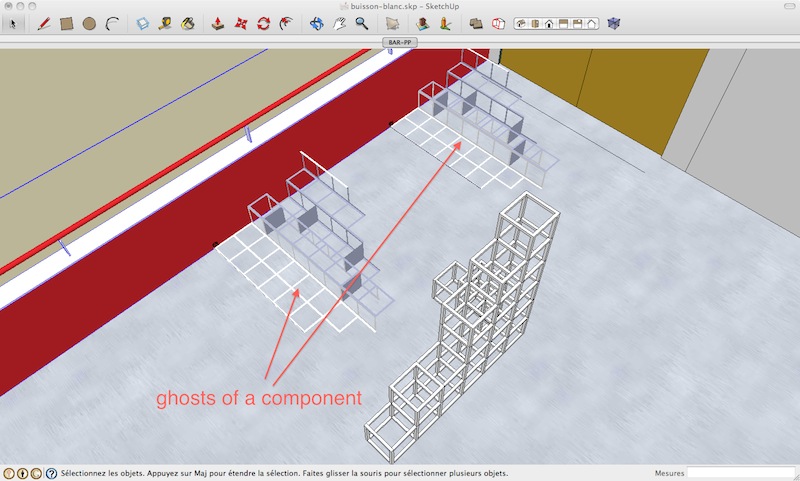
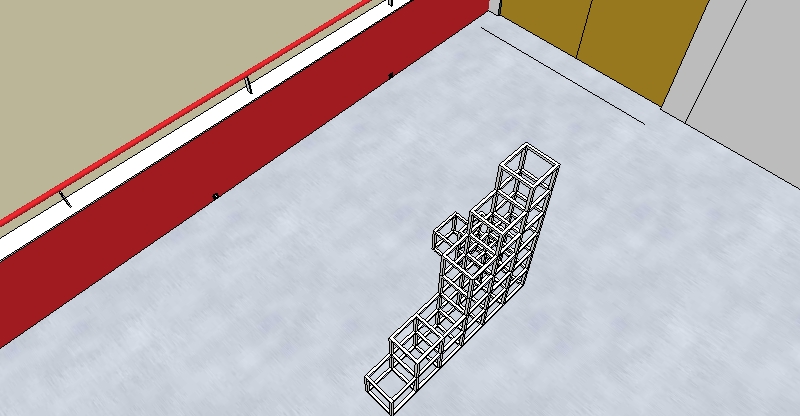
-
Does it happen on any model, or just this one?
Does it happen on other computer you try on?
Does it happen if you temporarily disable hardware acceleration in SketchUp? (If so - have you updated your graphic drivers?) -
Does it help if you copy all (normal) geometry and paste it into a new file? (I have seen such unexplainable ghosts already but then they stayed in the old model).
-
@ Thomthom
@unknownuser said:
Does it happen on any model, or just this one?
it happen when I have a lot of components, for this model 100 definitions of components 1269 copies of components
@unknownuser said:
Does it happen on other computer you try on?
I have'n try
@unknownuser said:
Does it happen if you temporarily disable hardware acceleration in SketchUp? (If so - have you updated your graphic drivers?)
I'll give it a try next time
@Gaieus@unknownuser said:
Does it help if you copy all (normal) geometry and paste it into a new file? (I have seen such unexplainable ghosts already but then they stayed in the old model).
I'll give it a try next time
thanks for replies



Hello! It looks like you're interested in this conversation, but you don't have an account yet.
Getting fed up of having to scroll through the same posts each visit? When you register for an account, you'll always come back to exactly where you were before, and choose to be notified of new replies (either via email, or push notification). You'll also be able to save bookmarks and upvote posts to show your appreciation to other community members.
With your input, this post could be even better 💗
Register Login


Advertisement