Components on Sandbox- From Scratch
-
This is a wild shot. Right click on the component, select unglue to release it from the plane on which it was formed? It should readily move where you place it.
-
I also do not understand what's going on. "Inserting" a component means to pull it from the component browser. Is thatnot working?
-
Hmmm. It's late here. I should have read your post more closely. My apologies.
-
Well, nothing is certain yet (and it's already morning here but I have not had any sleep last night)

-
I was simply acting on a picture of a component not responding and did not notice the "insert" term.

-
To clarify. I am able to insert the same components on flat surfaces and also on grades I have created "From Contours".
-
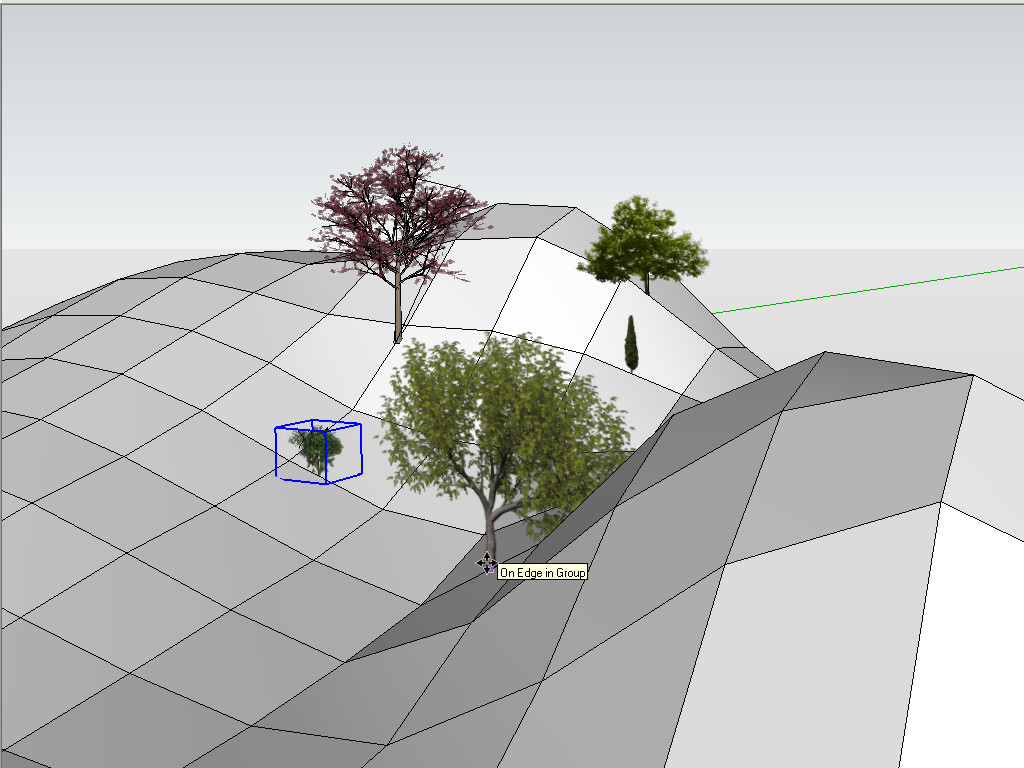
So is this what you are trying to do?
-
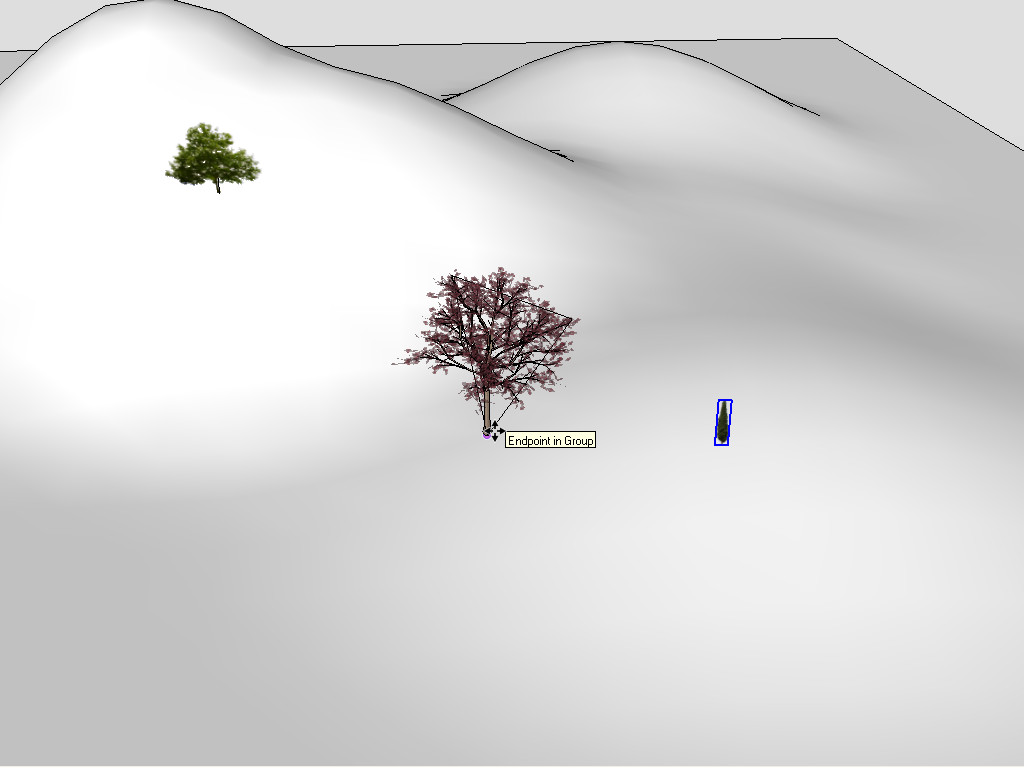
Yes, Gaieus that is what I am trying to do. Did you smooth edges?
-
Not in that screenshot (as you can see) but in this one, yes. It works normally.
-
I am having intermittent success. Trying to see what consistently works. By the way where can I get some more photorealistic trees (preferably free), so I can render in Shaderlight when I am through.
-
3D or 2D (Face me trees)?
I do not have a great collection myself however.
-
I am trying to get some good renderings and am new to the rendering effort. After trying several programs, settled on Shaderlight recently. Seems like good features at a reasonable price. It appears that the 2D face me trees are usually more realistic. But would be interested in both.



Hello! It looks like you're interested in this conversation, but you don't have an account yet.
Getting fed up of having to scroll through the same posts each visit? When you register for an account, you'll always come back to exactly where you were before, and choose to be notified of new replies (either via email, or push notification). You'll also be able to save bookmarks and upvote posts to show your appreciation to other community members.
With your input, this post could be even better 💗
Register Login


Advertisement