[Plugin] Circle from edge (2-pt circle,Updated 15/02/2016)
-
@sahi said:
@boilingsnow said:
Did you test it in Sketchup 8? I'm sorry I still can't get it working.
The archive video
[attachment=0:12b25ek5]<!-- ia0 -->video_krug_4.rar<!-- ia0 -->[/attachment:12b25ek5]Yes I can see it works well in your video. And the anwsers of other Members can also confirm that it works.
I know it's a little annoying now but the krug_11 also does't work by creating the hemispheres with up- and down arrow key. I've tested it in my notebook and in PC of the office, neither can work.I also tested your krug_4, I can only draw the first circle, but none of the arrow key can work. (with krug_11 I can create the second and third circles with left and right keys but not the hemispheres.
I'm using sketchup 8.0.3117 and win XP with a german keyboard. But I don't think it has anything to do with the keyboard, right? What do you mean with your words 'In previous versions it was impossible to move the mouse'? Should I move the mouse to a certain position before I press the up arrow key?
-
For me, it appears that I must press the arrow keys within say 5 seconds to get the results. I can't go back to a circle and use the arrow keys. Is this correct?
-
@mitcorb said:
For me, it appears that I must press the arrow keys within say 5 seconds to get the results.
No. While you are using a script and did not select another tool or until set again the starting point of the circle - you can use the arrow to the left, right, up, and the bottom
@mitcorb said:
I can't go back to a circle and use the arrow keys. Is this correct?
Yes.
@boilingsnow said:
Should I move the mouse to a certain position before I press the up arrow key?
NO
@boilingsnow said:
I'm using sketchup 8.0.3117 and win XP with a german keyboard. But I don't think it has anything to do with the keyboard, right?
I think the problem is the keyboard.
-
@boilingsnow said:
I'm using sketchup 8.0.3117 and win XP with a german keyboard. But I don't think it has anything to do with the keyboard, right?
I think the problem is the keyboard.[/quote]
Yes, you are right.I find out that every plugin that need to use up and down arrow key doesn't work in my notebook. (Such as Artisan uses up and down key to change the displacement vector. and "edge follow me" tool of sdmich uses up+down to change the direction of the curve).
BUT finally I figured out that up and down work in all these plugins if I press ctrl+up or ctrl+down, I don't know why.
Thank you again for your plugin and your help.
-
Great plugin.
Crashes SU8 free on MAC (don't know why yet)
Modifiers don't work on MAC (as expected), working on it.Check PM
Also the "add face circle" context menu doesn't seem to do anything. Is it active? What is it supposed to do?
I can trigger it picking one edge of an arc or circle, but then nothing happens. -
@michaelv said:
Check PM
Yes
@michaelv said:
Also the "add face circle" context menu doesn't seem to do anything. Is it active? What is it supposed to do?
I can trigger it picking one edge of an arc or circle, but then nothing happens.I just forgot to remove it.
But it works, watch the video archive
video_2.zip -
@sahi said:
But it works, watch the video archive
Got it. I didn't try to pick 2 points. In any case I use the "create face" tool from SU or it works by closing the curve or retracing one edge in the core sketchup. It works for all faces regarding of shapes (as long as they are closed and coplanar). I also tried both on your circles and it works fine. So I think it can be discarded.
Michael
-
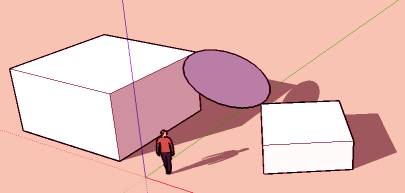
Will be nice : a circle between 2 point different in the 3D Space!

-
Updated the plug-in in the first message



Advertisement