Move to
-
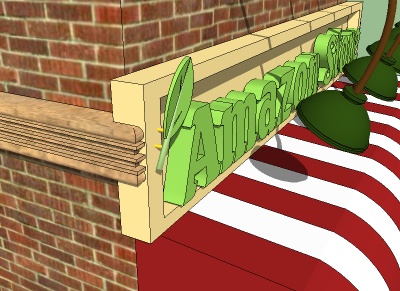
Is there a plugin or some command I've missed to allow clicking a point on one object, then clicking the destination and then run a 'move to' action? I built a decorative leaf to the side of a building, made it a component, and for some reason couldn't get it lined up to snap it to the front of a building for about an hour. I kept dragging it from x,y,z, tried to constrain with the SHIFT key, pushed it through the building - you get the idea.
-
The thing I find easiest for placing components is to first change the component axes to a logical location for the insertion point. Then, if there's not an intersection on the facade that would correspond to the insertion point, set a couple of crossing guidelines there. Then select the leaf component from the In Model library and drop it at the intersection.
See here for more on that.
-
This may not apply, but if it does, be sure to right click on the group/ component to unglue from any surface you may have constructed it on.
-
Ah, thank you both.
Setting the guidelines and pasting from the library did it in about 3 seconds.


Hello! It looks like you're interested in this conversation, but you don't have an account yet.
Getting fed up of having to scroll through the same posts each visit? When you register for an account, you'll always come back to exactly where you were before, and choose to be notified of new replies (either via email, or push notification). You'll also be able to save bookmarks and upvote posts to show your appreciation to other community members.
With your input, this post could be even better 💗
Register Login


Advertisement