sketchucation logo sketchucation
    • Login
    Oops, your profile's looking a bit empty! To help us tailor your experience, please fill in key details like your SketchUp version, skill level, operating system, and more. Update and save your info on your profile page today!
    Mac User? | Join the Rayscaper Beta for Mac Learn More

    Question: Plugins List as Excel File?

    Scheduled Pinned Locked Moved Plugins
    11 Posts 6 Posters 1.7k Views 6 Watching
    Loading More Posts
    • Oldest to Newest
    • Newest to Oldest
    • Most Votes
    Reply
    • Reply as topic
    Log in to reply
    This topic has been deleted. Only users with topic management privileges can see it.
    • thomthomT
      thomthom
      last edited by

      I have a hack lying around to do so. But I'd rather not release it until I've sanitised it first... 😕

      Thomas Thomassen — SketchUp Monkey & Coding addict
      List of my plugins and link to the CookieWare fund

      1 Reply Last reply
      Reply Quote 0
      • charly2008C
        charly2008
        last edited by

        Hi Thomas,

        Thanks for your quick reply. Then I will patiently wait for your solution.

        Charly

        He who makes no mistakes, makes nothing

        1 Reply Last reply
        Reply Quote 0
        • charly2008C
          charly2008
          last edited by

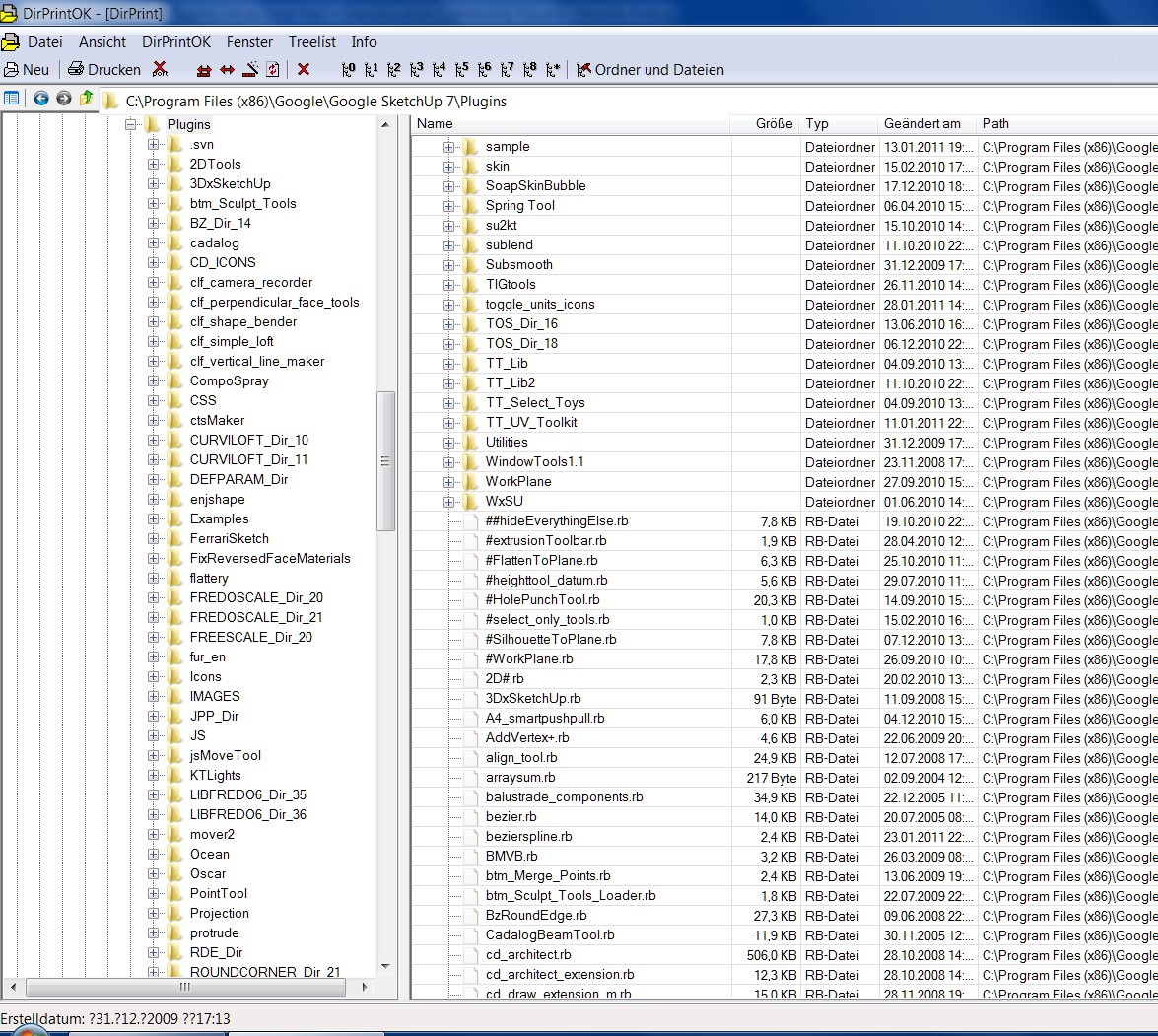
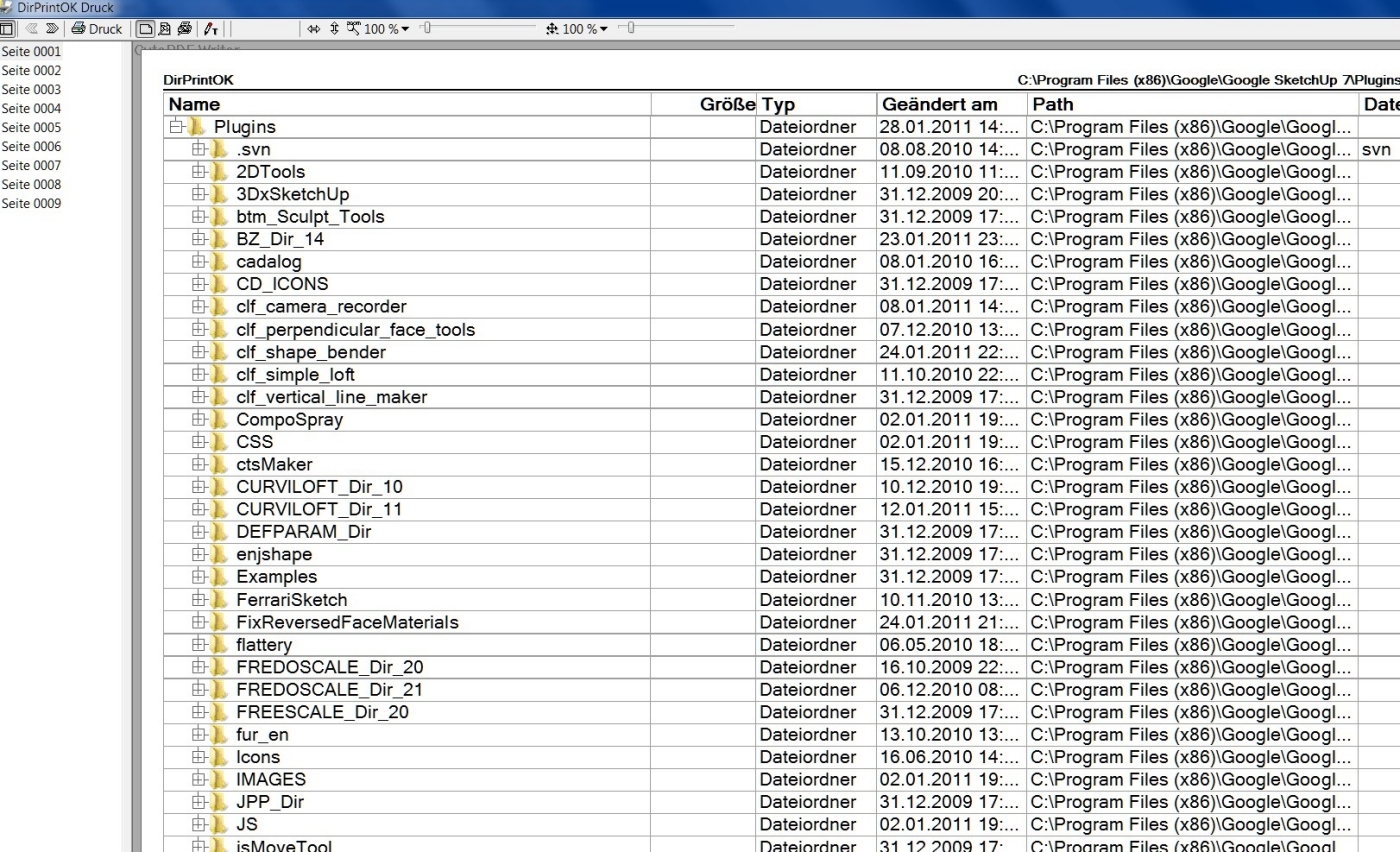
          Here's a tip for those who want to print the content of the plugin folder as a tree structure, or to export it as an Excel file. There is also a program DirPrintOK, unfortunately it is only in German. Sure, there are similar programs in English.

          Link Preview Image
          IIS Windows Server

          favicon

          (www.softwareok.de)

          Charly


          2011-01-28_163022.jpg


          2011-01-28_163113.jpg

          He who makes no mistakes, makes nothing

          1 Reply Last reply
          Reply Quote 0
          • fredo6F
            fredo6
            last edited by

            Charly,

            I noticed that you still have folders for old versions of my plugins (for instance you have FREDOSCALE_Dir_20 and FREDOSCALE_Dir_21, same for LIBFREDO6_Dir, TOS_Dir, ...).

            This is not a major issue (the old folders are ignored anyway), but you can safely delete the older folders, so that you have a leaner Plugins directory.

            Fredo

            1 Reply Last reply
            Reply Quote 0
            • shuraS
              shura
              last edited by

              Thank you Charlie, good find.
              I find it veery difficult with so many plugins to remember menue location, how it works, shortcut et cetera. Wouldn't it be great to have a large index print hanging on the wall in front of your desk?
              I'd like to be looking at a collection of thumbnails, that would help a lot. For example TIG gave for every function of Iso/Axo plugin a small screengrab that explains all.
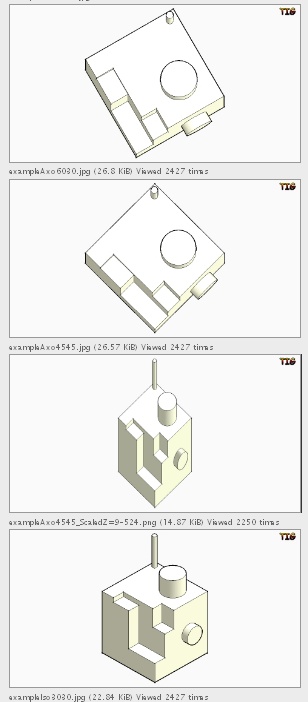

              screenshotTIGsIsoAxo.jpg

              1 Reply Last reply
              Reply Quote 0
              • G
                gavvy
                last edited by

                What about this ?
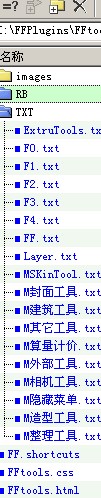
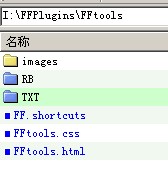
                I manager all the plugins in to a floder ,and i always put the floder in my USBdevice.
                the images files are put to the "img" floder
                the scripts files are put to the "rb" floder
                and the "TXT" file is the menus position and the toolbar asigned
                like this

                Make Faces|Ftools.new.mf|ff|makeFaces|嵌套封面Make Faces
                Face Group|Ftools.new.facegroup|ff|Face Group|面片独立成组Face Group
                Push Group Faces|Ftools.new.ma|ff|Push Group Faces|组件面片挤出Push Group Faces
                Delete Edges|Ftools.new.deletedges|ff|Delete Edges|删除线段
                Clean Unuse Edges|Ftools.ffclean|ff|cleanup_L|清理嵌套场景

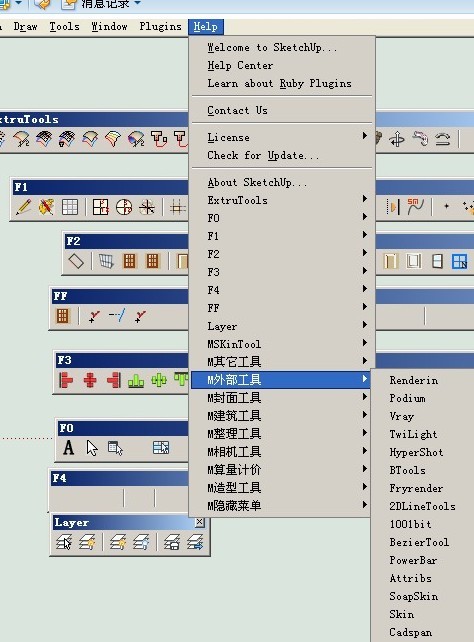
                just like the attachments
                by the way these toolbars i use a hotkey to show and hide. that i can have a large workspace.
                and the commands i asign a hotkey to them throw the "help"menu. and store in a file.

                1

                1 Reply Last reply
                Reply Quote 0
                • G
                  gavvy
                  last edited by

                  2UP2.jpg

                  1 Reply Last reply
                  Reply Quote 0
                  • G
                    gavvy
                    last edited by

                    UP3.jpg

                    1 Reply Last reply
                    Reply Quote 0
                    • Bob JamesB
                      Bob James
                      last edited by

                      @gavvy said:

                      just like the attachments
                      by the way these toolbars i use a hotkey to show and hide. that i can have a large workspace.
                      and the commands i asign a hotkey to them throw the "help"menu. and store in a file.

                      How do you do this?

                      i7-4930K 3.4Ghz, 2x GTX780 6GB, 32GB DDR3-1600 ECC, OCZ Vertex 4 500GB, WD Black 3TB, 32TB NAS, 4x 27" Monitors, SpaceMouse Pro, X-keys XK-60

                      1 Reply Last reply
                      Reply Quote 0
                      • charly2008C
                        charly2008
                        last edited by

                        Hi,

                        @unknownuser said:

                        I noticed that you still have folders for old versions of my plugins (for instance you have FREDOSCALE_Dir_20 and FREDOSCALE_Dir_21, same for LIBFREDO6_Dir, TOS_Dir, ...).

                        Thanks Fredo for the hint. I had overlooked.

                        Charly

                        He who makes no mistakes, makes nothing

                        1 Reply Last reply
                        Reply Quote 0

                        Hello! It looks like you're interested in this conversation, but you don't have an account yet.

                        Getting fed up of having to scroll through the same posts each visit? When you register for an account, you'll always come back to exactly where you were before, and choose to be notified of new replies (either via email, or push notification). You'll also be able to save bookmarks and upvote posts to show your appreciation to other community members.

                        With your input, this post could be even better 💗

                        Register Login
                        • 1 / 1
                        • First post
                          Last post
                        Buy SketchPlus
                        Buy SUbD
                        Buy WrapR
                        Buy eBook
                        Buy Modelur
                        Buy Vertex Tools
                        Buy SketchCuisine
                        Buy FormFonts

                        Advertisement