[Plugin] Normal Map Maker
-
Just browsing through, got interested, and don't understand your reply.
@gaieus said:
You can quite easily create bump maps from (raw) geometry if you project a greyscale image from one side and then export an image from the other side.
project (from what onto to what?) a greyscale image from one side (of what?)
export an image from the other side (of what?)
-
I believe this is the procedure:
-
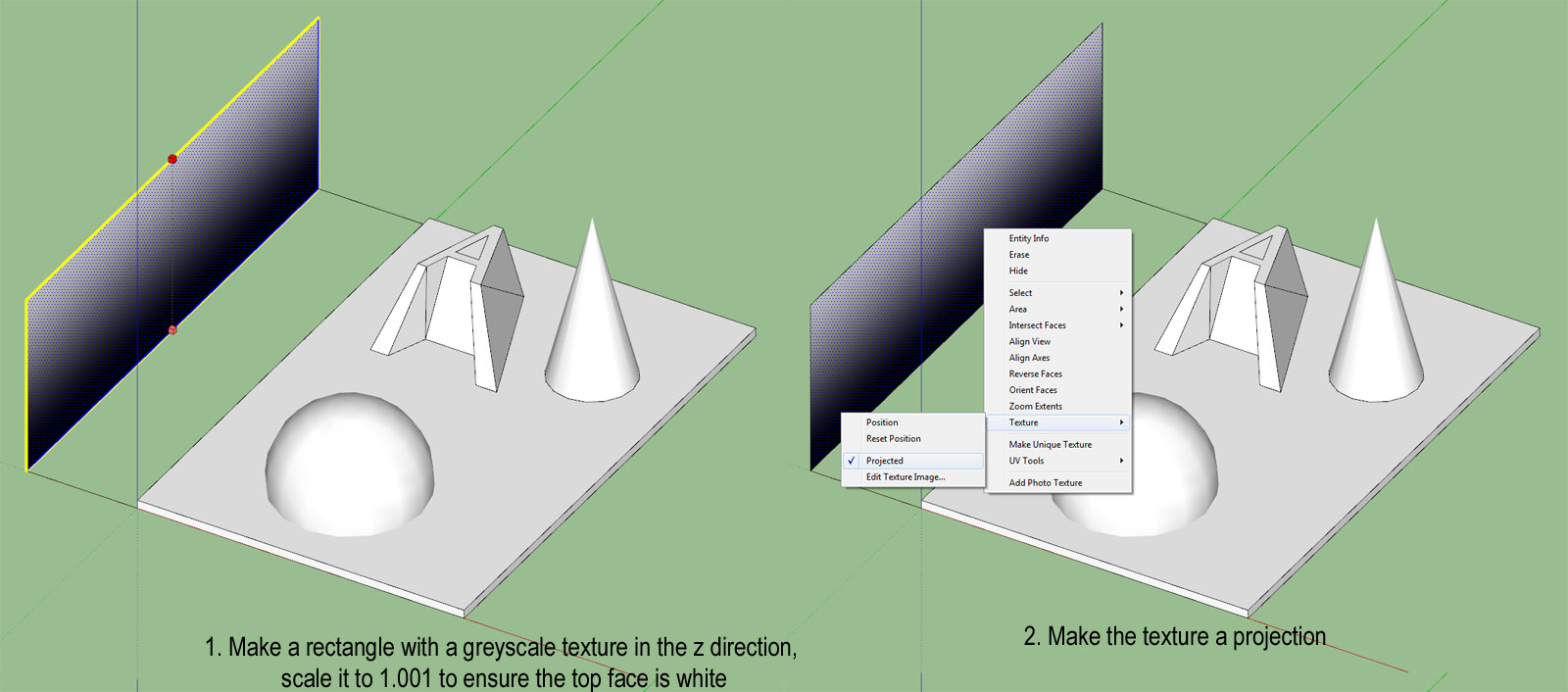
Make a rectangle with a greyscale texture in the z direction, scale it to 1.001 to ensure the top face is white
-
Make the texture a projection
-
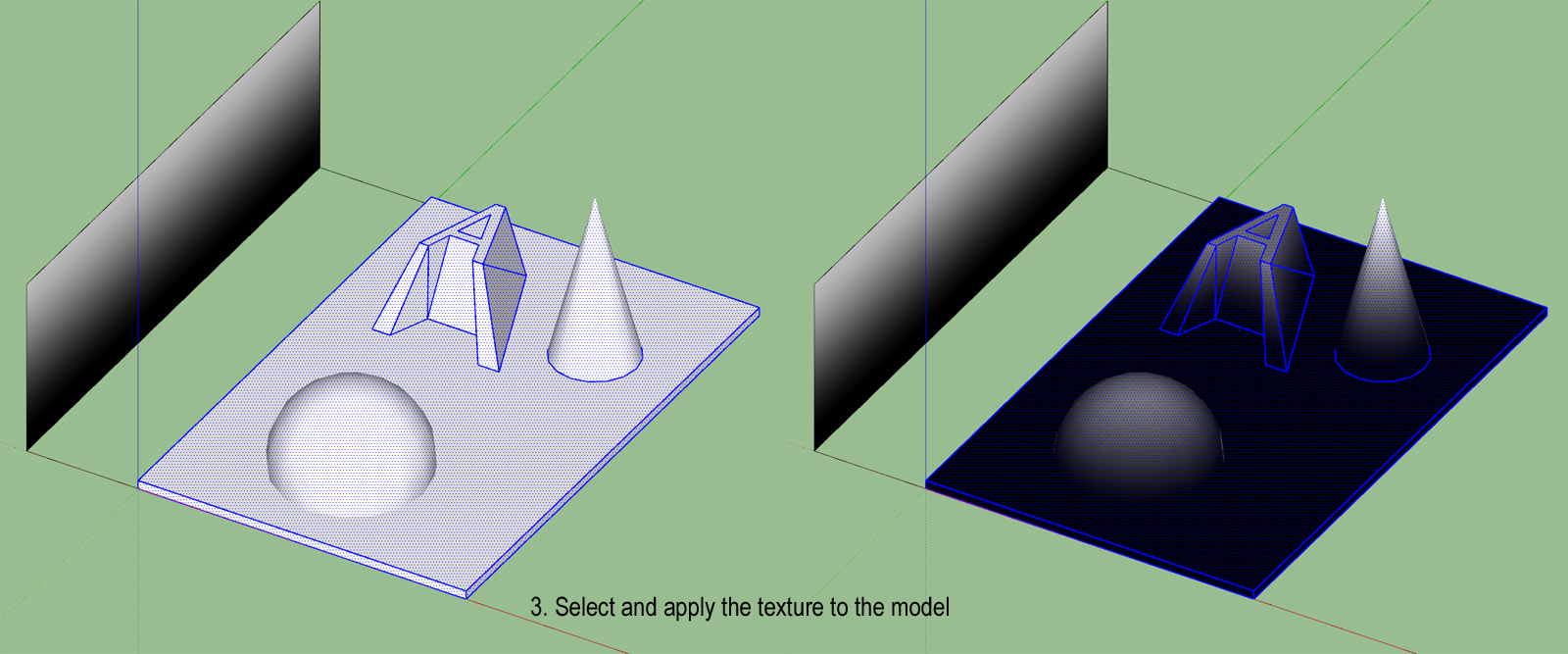
Select and apply the texture to the model
-
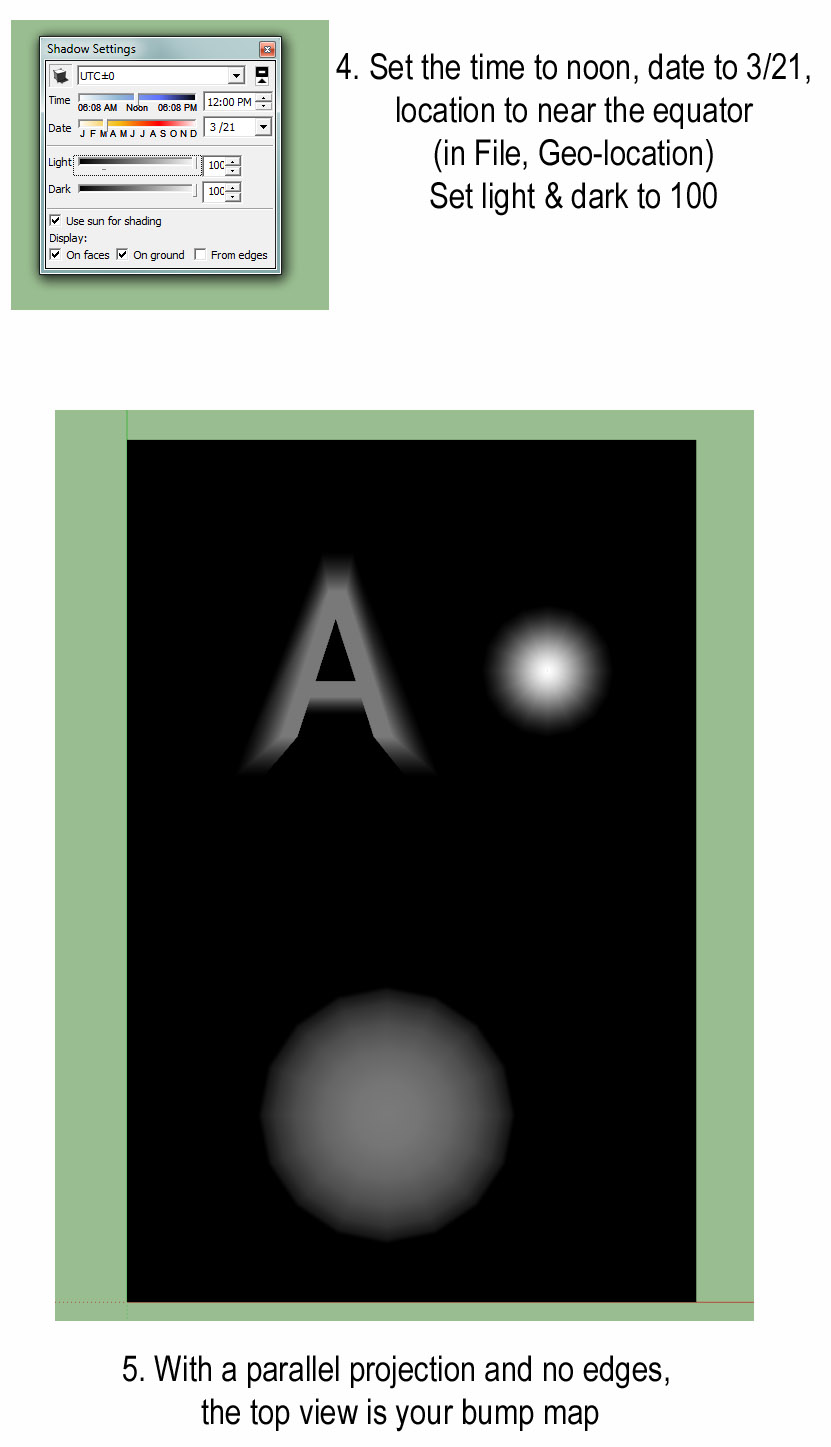
Set the time to noon, date to 3/21, location to near the equator (in File, Geo-location). Set light & dark to 100
-
With a parallel projection and no edges, the top view is your bump map
-
-
You can do the same without a texture, use white Fog on black geometry.
-
@thomthom said:
You can do the same without a texture, use white Fog on black geometry.
Hey, that's even easier. Thanks.
But aren't white areas usually interpreted as higher than black. I seem to get the right result with black fog on white geometry.
-
@tuttlet said:
@thomthom said:
You can do the same without a texture, use white Fog on black geometry.
Hey, that's even easier. Thanks.
But aren't white areas usually interpreted as higher than black. I seem to get the right result with black fog on white geometry.
Ah, yea - my logic is inverted this morning!


-
great plugin and real deserves to update :]
ideas ;]
-read well smoothing groups!
-Z-grab [without the need of the selection of the polygons; works with components and groups]- AO version hehe [dream:p]
-
May i ask if this works on Sketchup 2015(i am using window 10)?
I'm a total noob to sketchup , I've tried putting the rb file into sketchup tool folder, and it shows some error when i start up my sketchup ,so i downloaded the rbz file at extension warehouse.I try to test the plugin with a simple cube.
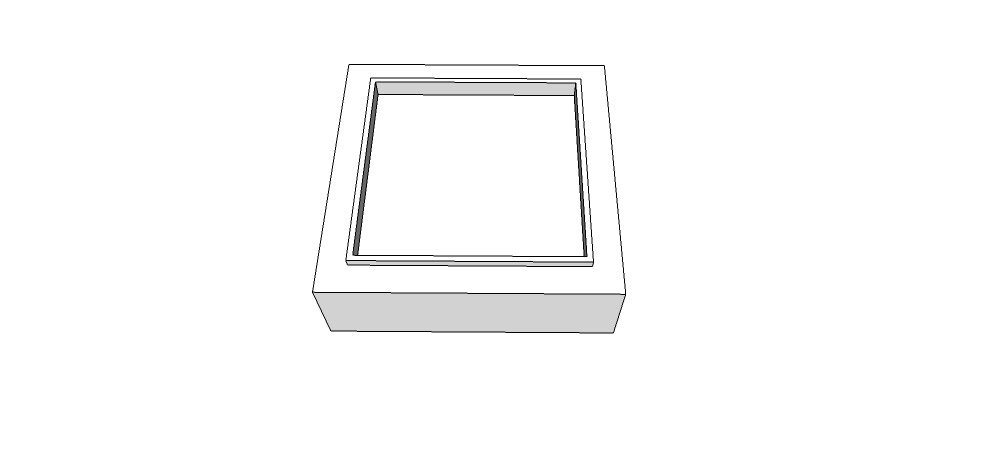
Then i select everything?->extension->Normal map maker-> export
After its done , i went check the file , it only shows a purple square cube without the depths of other colors like the youtube tutorial shown.

I did everything i can , things like : changing to parallel view/ top view first before activiating the normal map maker or applying material and then try again.
It didn't work. did i do anything wrong or ?Please help /_\ ....
Thanks all..
Vic.
-
You need some surfaces visible from above which are NOT perpendicular to the camera view.
-
Yeah, what pbacot said is basically that all surfaces you have there have the same normal, therefore the same color and so you have a flat normal on the map.
You should slitghtly taper your shape into truncated piramidal shapes.
-
Ohh ok ! i got it !
Thank you so much Pbacot and JQL for the help !





Hello! It looks like you're interested in this conversation, but you don't have an account yet.
Getting fed up of having to scroll through the same posts each visit? When you register for an account, you'll always come back to exactly where you were before, and choose to be notified of new replies (either via email, or push notification). You'll also be able to save bookmarks and upvote posts to show your appreciation to other community members.
With your input, this post could be even better 💗
Register Login


Advertisement