(REQ) Brick & Tile Maker
-
Looking for a plugin, similar to lattice maker, but one specific for brick and tile.
Perhaps after choosing a face, it would start with a prompt asking to choose parameters -
1- Tile or Running Bond
2 - Brick / Tile Width
3 - Brick / Tile Height
4 - Joint Width
5 - Joint Depth
Accept
The plugin then divides the face based on bond style and Brick / Tile WxH.
Then offsets each face by 1/2 of the joint width.
Then extrudes each brick / tile by the joint depth.
Ideal plugin would have -
One step undo
Remember settings
Toolbar iconDoable
 I imagine the code already exists....somewhere between Jim's "Protrude" and TIG's many different window and lattice tools. Seems like something that would be valuable to many. (Perhaps one day I'll drink magic tea and wake up a talented Ruby scripter!)
-
oooooooooh.. this would be soooooo cooooool!!! and if its customisable.. it would be great!! just the other day i was wishing there was a 'groove' tool.. to convert some lines to grooves around a building!!!
-
bumpty bump bump!

-
Adam...
I am "sleeping on it" - it shouldn't be too difficult... but I do have some Terrazzo flooring to finish.....

Maybe next week [year!]...

-
@TIG:
Is that terrazzo a Plugin or a Pour in?
And then a new tool: a Grind in. -
I'm with you Jenu. Surprised more people have gotten behind this request.
Anyhow - here is a technique I came up with for making 3D brick and tile the long way around. (compared to a plugin) Benefit is it keeps the file size small as they are almost all components and rendering is a bit quicker than using a displacement map. Unfortunately it doesn't work on non rectangular shapes. There is also a bit of a bug when running ThomThom's Replace Selected script that flips half of the components backward. Other than that, it could be a quick technique for foreground surfaces that are close to the render view.
(Is there a script out there that will divide up non-rectangular surfaces?)
Technique in the video uses Matt666's "Groups and Components Tools" http://forums.sketchucation.com/viewtopic.php?t=17590 & ThomThom's "Selection Toys" http://forums.sketchucation.com/viewtopic.php?t=14975 & ThomThom's "Component Comparison" http://forums.sketchucation.com/viewtopic.php?t=30143 (Also Jim's Divide Faces from the Protrude plugin - can't find the link at the moment)
(EDIT - Similar technique would be to use kyyu's plugin - Group PushPull 2D Faces http://forums.sketchucation.com/viewtopic.php?t=31279 plugin instead of Matt666's, run ThomThom's component comparison to make them all group copies, then use Selection Toys to convert them to components. This seems to keep the component comparison plugin from reversing the faces, so it may be a better option.)
Video - (Obviously in these examples, it would be just as easy to do the tiles by making an array copy of one component, but it's an example based on the premise of being able to divide up any shape into tiles or bricks. Technically you could take a non uniform surface and drape a tile pattern onto it and apply these techniques.
[flash=480,385:40ed41dp]http://www.youtube.com/v/E7sHwU31b9w?fs=1&hl=en_US[/flash:40ed41dp]
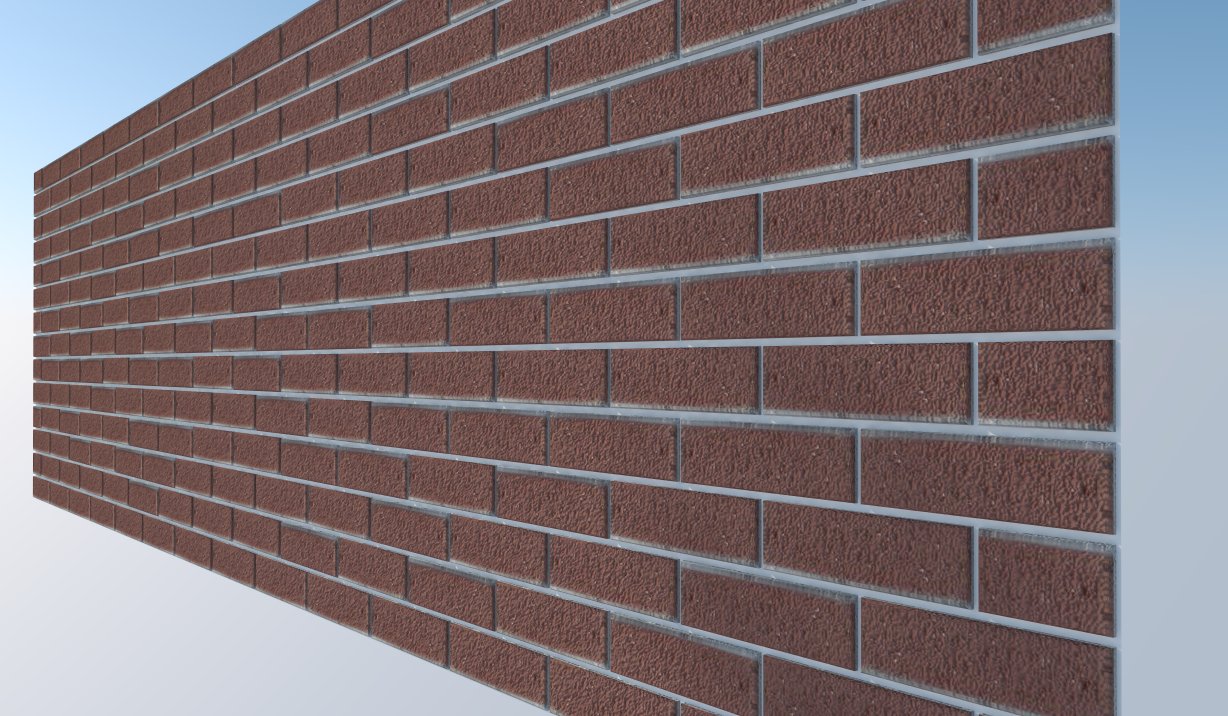
Quick render of the brick with a texture and bump applied -
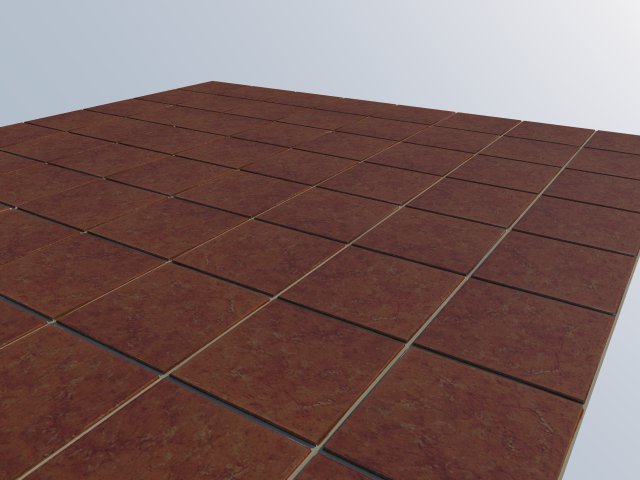
Quick render of the Tile -
And model is attached
-
@mitcorb said:
@TIG:
Is that terrazzo a Plugin or a Pour in?
And then a new tool: a Grind in.It's all 'real' tiles [unfortunately] ! Ironic as that's sort of Adam's request!!
I have already laid a hallway in mahogany-parquet [sanding it level was a bugger] and a bathroom in terrazzo AND its walls too: how much grout do you really need!!
I 'love' grouting [not]
But it has to be done...
Sometimes the 'real' world is just not as 'nice' as the 'virtual' one................
Otherwise I would have selected the floor area and used the material paint-bucket with a suitable texture and then adjusted it a little... then 'save' = it's 'done'! Back to the 'unreal' world here...
PS: My knees are starting to ache! -
Tig, with regard to the mahogany parquet, you have my deepest sympathy. I've done that ONCE. Never,ever,ever,EVER again.

Our next house we are going to build and since I am designing it the floor is going to be stone or ceramic tile. ( my partner won't agree to something simple like epoxy coated cement, even though it would be SO much easier.):lol:
@ EarthMover; Yeah a plugin like this would be handy. BTW nice renders, especially the tile. Which render program do you use?
-
Particularly with reclaimed herringbone pattern tongued and grooved mahogany parquet blocks that have to marry into some existing ones ! I sanded....I sanded....I sanded....
Still... it looks good after all that - even if I say so myself - "you can't see the join"...
The terrazzo is a doddle by comparison - it's just time consuming - the change in the weather means that dusty cutting 'outside' etc is awkward - 'cus inside is almost done and I'll get lynched if I make too much mess [again]... -
@tig said:
@unknownuser said:
Particularly with reclaimed herringbone pattern tongued and grooved mahogany parquet blocks that have to marry into some existing ones ! I sanded....I sanded....I sanded....
Oh the Hororors! The HORROR of it all!! Yeah, that is the worst part about wood flooring is all the joins, especially if you are using reclaimed stuff
@unknownuser said:
the change in the weather means that dusty cutting 'outside' etc is awkward
The UK's infamous equinoctical rains, I presume? I live in the desert, so its sunny and 43c one day, and 25c with monsoonal thunderstorms the next, at least through autumn. The rest of the year it's just in the 40's and sunny...Lovely....
Anyway, best of luck with the flooring.
-
wow! adam, the Force of the Plugins is strong with you! haha!
excellent method! and what a treasure house of plugins we have here on SCF! now i am off to play with the toys u've introduced me to! haha!
and TIG! hope the parquet job goes/went well.... -
The Jenu & TIG. Hopefully we can find an automated solution. Tile I think is easy, but brick patterns, not so much.
Here's another trick I came up with for creating tiles on non uniform shapes, using Soap Skin & Bubble with Protrude plugins. I also used Selection toys to select softened edges and delete them -
[flash=480,385:2m3r65uh]http://www.youtube.com/v/wsciZPM_buQ?fs=1&hl=en_US[/flash:2m3r65uh]
-
You are right... Stacked tiling is working, staggered 'brick' patterns are more difficult just need to sort the algorithm for the even courses' last part-tile/brick...

Maybe tomorrow... -
No herringbone patterns then I guess!
 I'm assuming it would probably be easier to somehow drape repeating vector hatches onto a surface to divide it up, instead of trying to do it parametrically. Perhaps it's an idea though....a "hatch projection" tool with various extruding parameters. If there were an "angled extrude", it would open up a lot of possibilities to create things like roofing tiles and siding material in 3D. Perhaps in Sketchup version 15 when we get high poly support!
 -
Herringbone could be a FUTURE option!
-
-
I've stalled a bit on this... some paid teaching sessions have come up at my local University's School of Architecture [SketchUp+Ruby] so I'm sorry but some other projects have had to go onto the 'back-burner'... perhaps I could get them to finish it as part of their course if they're bright
-
No worries my friend. Always take care of you and your family first. We'll wait as long as it takes. Good luck with the gig!
-
If you were interested in just creating your own texture, there is a program called brick'n'tiles. It will create a 2D texture with the criteria that you set up based on the textures that you give it.http://www.bricksntiles.com/creating-textures/
-
Awesome John, thanks...that will come in handy. There is also this one from Acme Brick - http://www.brick.com/md/index.htm







Advertisement