[Plugin] Export 2d with Alpha
-
-
-
Is there some way to separate shadows pass?
-
-
No - I have no control of how it's generated. As you see from the sample I posted the shadows even comes from the whole model, not just what is visible.
-
@thomthom said:
No - I have no control of how it's generated. As you see from the sample I posted the shadows even comes from the whole model, not just what is visible.
This can help for a shadow pass: http://rhin.crai.archi.fr/RubyLibraryDepot/download.php?file=displaytemplate.rb
And maybe a modification of my Shadow control script (http://www.pixero.com/downloads_sketchup.html) could be made to set everything not selected to: e.casts_shadows = false
-
Congratulations - one of the best for su 2d app
-
Hey, I did not see this, great plugin, thanks Thom!

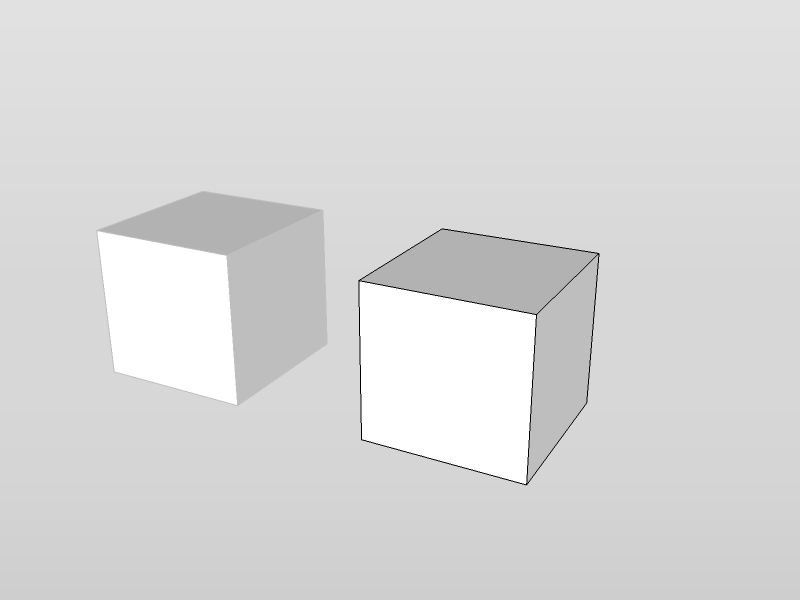
Edit; to me, it does not export with transparent background... Nor does it export only the active context.

-
@gaieus said:
Edit; to me, it does not export with transparent background... Nor does it export only the active context.
What version of SU did you use?
Got a screencapture? -
Have I put something in the wrong spot or something cause when I go to view/export 2D the settings comes up but then it doesn't give me a file type to save it as?
-
@unknownuser said:
Have I put something in the wrong spot or something cause when I go to view/export 2D the settings comes up but then it doesn't give me a file type to save it as?
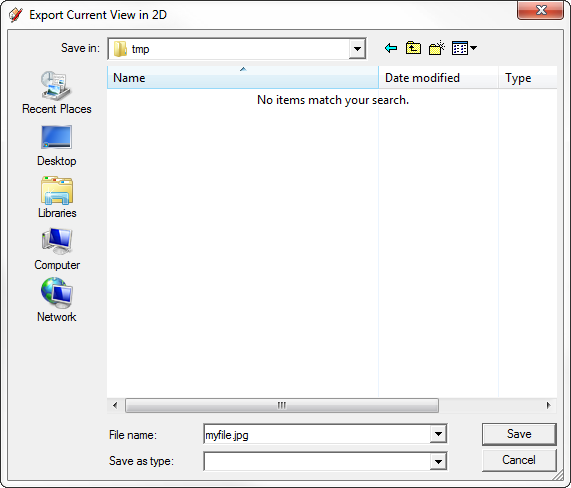
After the Settings window and you click OK you should get a File Dialog asking you what name to give the file. You must specify the file extension yourself.
-
@thomthom said:
After the Settings window and you click OK you should get a File Dialog asking you what name to give the file. You must specify the file extension yourself.
I know and it doesn't give me any file type to save it as at all.
-
You have to type the file type yourself - there is no list of file types because the SketchUp Ruby API doesn't let me provide one.
So if you want to save a jpg file just enter "myfile.jpg" in the file dialog.
-
@thomthom said:
@gaieus said:
Edit; to me, it does not export with transparent background... Nor does it export only the active context.
What version of SU did you use?
Got a screencapture?The most recent one; SU 8.
Here is a screen capture; now with a different codec than the one you could not open the other day if you remember...
-
-
Well, sigh... I can always use LO for exporting png's with transparent background...
Maybe it's an XP thing?
-
I don't know. Haven't got an XP machine at hand right now. Could be an SketchUp bug...
-
Well, you know where to report it (and who has all sorts of machines). I have no clue about the ins and outs of ruby. I could never make a proper bug report on plugins!

-
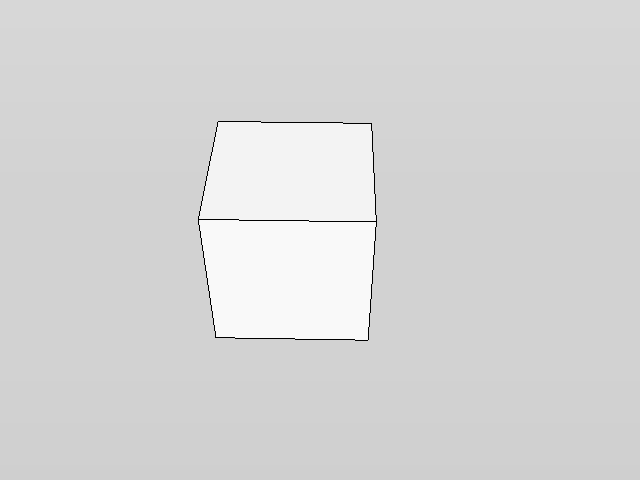
Just to narrow it down to a simple test case - can you try this one-liner?
<span class="syntaxdefault">Sketchup</span><span class="syntaxkeyword">.</span><span class="syntaxdefault">active_model</span><span class="syntaxkeyword">.</span><span class="syntaxdefault">active_view</span><span class="syntaxkeyword">.</span><span class="syntaxdefault">write_image</span><span class="syntaxkeyword">(</span><span class="syntaxdefault"> </span><span class="syntaxkeyword">{</span><span class="syntaxdefault"> </span><span class="syntaxkeyword">;</span><span class="syntaxdefault">filename</span><span class="syntaxkeyword">=></span><span class="syntaxstring">'C;\test.png'</span><span class="syntaxkeyword">,</span><span class="syntaxdefault"> </span><span class="syntaxkeyword">;</span><span class="syntaxdefault">width</span><span class="syntaxkeyword">=></span><span class="syntaxdefault">640</span><span class="syntaxkeyword">,</span><span class="syntaxdefault"> </span><span class="syntaxkeyword">;</span><span class="syntaxdefault">height</span><span class="syntaxkeyword">=></span><span class="syntaxdefault">480</span><span class="syntaxkeyword">,</span><span class="syntaxdefault"> </span><span class="syntaxkeyword">;</span><span class="syntaxdefault">antialias</span><span class="syntaxkeyword">=></span><span class="syntaxdefault">false</span><span class="syntaxkeyword">,</span><span class="syntaxdefault"> </span><span class="syntaxkeyword">;</span><span class="syntaxdefault">transparent</span><span class="syntaxkeyword">=></span><span class="syntaxdefault">true </span><span class="syntaxkeyword">}</span><span class="syntaxdefault"> </span><span class="syntaxkeyword">)</span><span class="syntaxdefault"> </span> -
Try what? Enter the ruby console? I get this:







Hello! It looks like you're interested in this conversation, but you don't have an account yet.
Getting fed up of having to scroll through the same posts each visit? When you register for an account, you'll always come back to exactly where you were before, and choose to be notified of new replies (either via email, or push notification). You'll also be able to save bookmarks and upvote posts to show your appreciation to other community members.
With your input, this post could be even better 💗
Register Login


Advertisement