Section Plane Visability
-
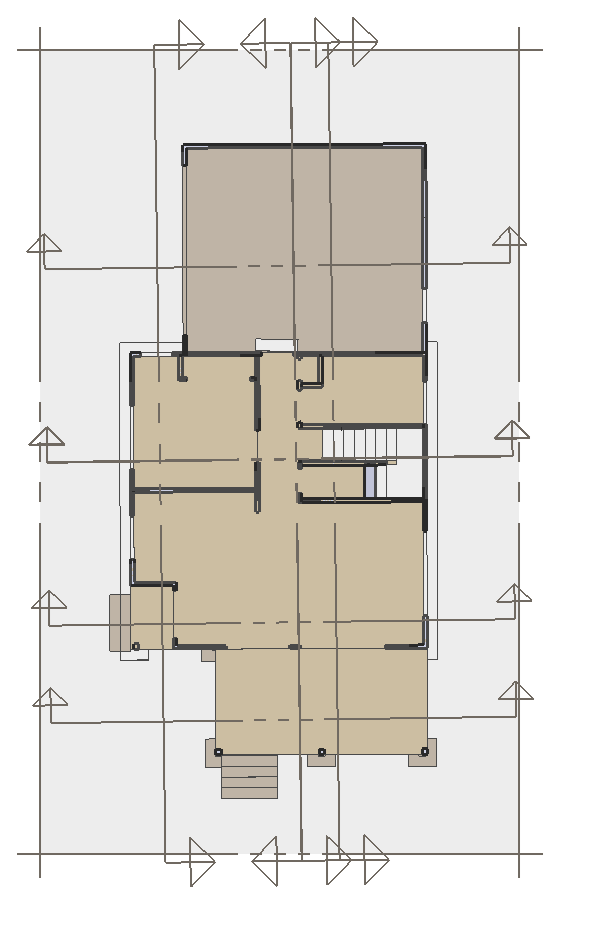
The attachment shows a plan view of a roof, with the active section planes in the model visible.
I need to how the section cut lines of my plan views in LO, I need the plan view section cuts for the scene. So what happens is the plan view section cut lines and "screen" show up in the document. What I can do is make a picture and use that as a reference... more work... or make a separate file that does not have section cut lines for plan view...now more reference models in my LayOut Document...or if I could toggle on or off individual section cuts (though still active and valid within the model) or if I could control the "preset visibility" of the section cuts so that the screen was less obtrusive...
your insights much appreciated.
aloha
red -
nope, that was the floor plan
r
Hello! It looks like you're interested in this conversation, but you don't have an account yet.
Getting fed up of having to scroll through the same posts each visit? When you register for an account, you'll always come back to exactly where you were before, and choose to be notified of new replies (either via email, or push notification). You'll also be able to save bookmarks and upvote posts to show your appreciation to other community members.
With your input, this post could be even better 💗
Register Login


Advertisement