Using Sketchup for comic book illustration...
-
I'm suire it makes sense in your head, but I'm sort of lost for precisely what you want. Do you want it just around the components bounding box? Or a full 3d grid of lines throughout the component? Or is it really a material painted onto the surface of the component only? - that requires UV coordinates which is a totally different problem!, os really just a screenshot of what you have or what you are thining of would really go a long way to help clear up the picture in my mind. Thanks!
Chris
-
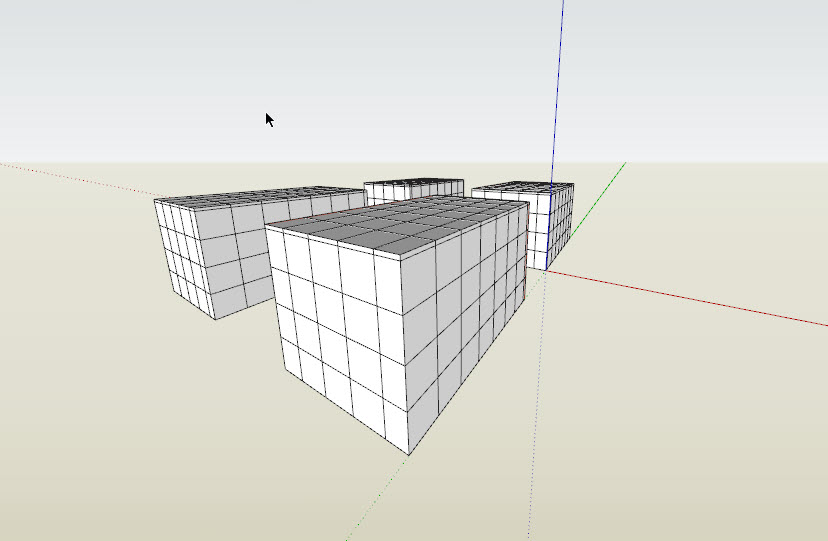
you could try slicer ruby. is this what you want?
-
That is exactly what I am looking for, does that work in hidden line view or does it work as a texture?
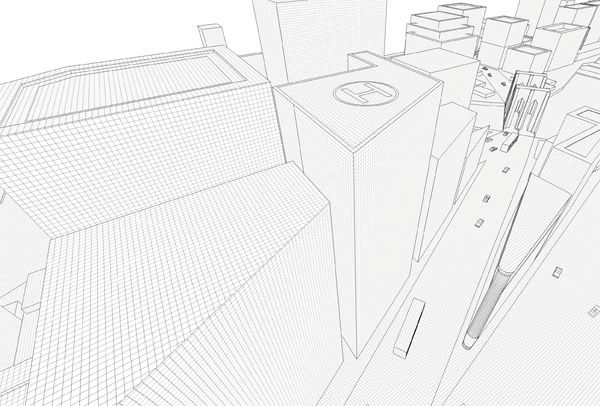
This is an example of what I got using the texture method over a scale model of Manhattan
-
Trying out slicer right now. Thanks!
-
Yeah, slicer! I think that is a good fit for what you are looking for Kris. I hope it works well.
Chris
-
would be nice if someone chris would modify the code for you so that it did x,y,z all at the same time and didn't make internal faces.

-
I agree but it quickly does the trick, I am using both methods for various pages. I'll show an example or 2 when they're done.
-
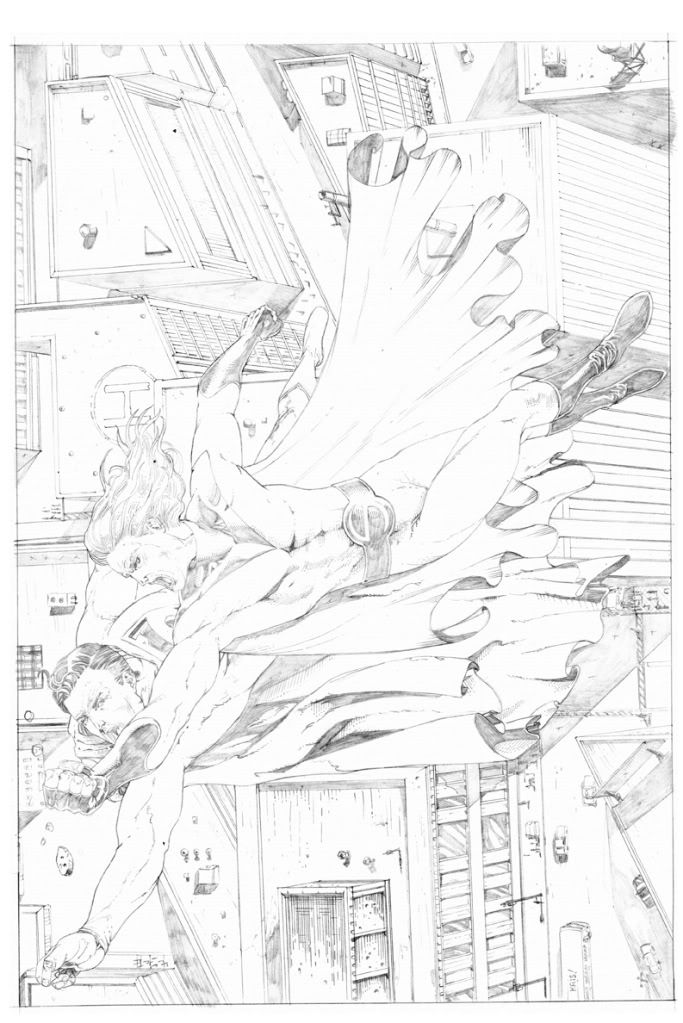
First work done with Slicer.
-
very impressive! so you're drawing over top of the SU model as a guide? very clever.
-
And accurate, and time saving!

Hello! It looks like you're interested in this conversation, but you don't have an account yet.
Getting fed up of having to scroll through the same posts each visit? When you register for an account, you'll always come back to exactly where you were before, and choose to be notified of new replies (either via email, or push notification). You'll also be able to save bookmarks and upvote posts to show your appreciation to other community members.
With your input, this post could be even better 💗
Register Login


Advertisement