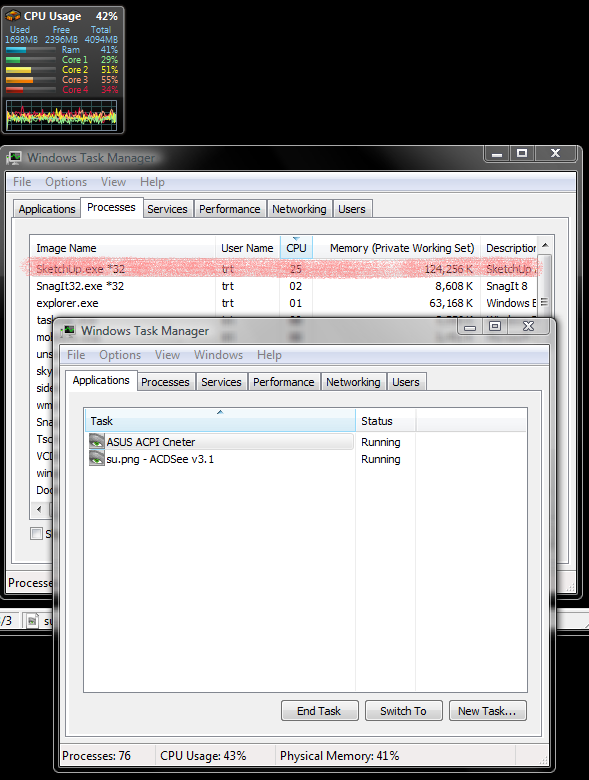
SketchUp is still running in the Taskmanager.....
-
even though I don't have SketchUp v7.1.6860 running on my desktop.
The core activity drops to near Zero when I end the task in the Taskmanager as would be expected. I also have a trial version of Vray installed, I don't know if its responsible for this problem or its a SketchUp problem.
-
What happens if you kill it? Does it always do this?
-
@bjanzen said:
What happens if you kill it? Does it always do this?
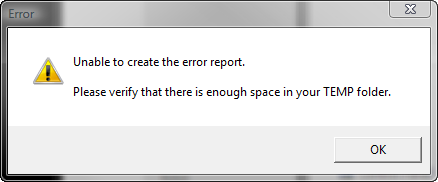
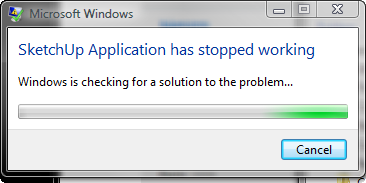
As I tried to explain above, when I kill, (End Process) Sketchup.exe *32 in the taskmanager; the application is indeed terminated. All cores activity drops to near zero. This does not happen everytime I close SU. I have not been able to replicate a consistent pattern. This week it has happened twice, and I have used SU every day this week. However I do get the following error screen each time I close SU. These 2 error screen have only occurred since I installed Vray.
Regardless of where this Illusive TEMP Folder is supposed to reside. I have 34GB of diskspace available on Hdd
 and I have to close "X" both error screens because, Windows can't find a solution to the problem
-
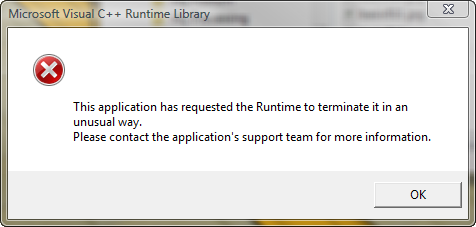
This attached error pic, sometimes but not always occurs when I close SketchUP, such as today. This pic is the first that shows on the desktop, followed by the 2 pics in my post above.
-
In fairness to Google SketchUp staff. I have to report that Vray v1.5.05.30 was the culprit. After I uninstalled it. I have had no more problems, with error messages, when SketchUp is closing.
Hello! It looks like you're interested in this conversation, but you don't have an account yet.
Getting fed up of having to scroll through the same posts each visit? When you register for an account, you'll always come back to exactly where you were before, and choose to be notified of new replies (either via email, or push notification). You'll also be able to save bookmarks and upvote posts to show your appreciation to other community members.
With your input, this post could be even better 💗
Register Login


Advertisement