Random tip: A stack of logs without obvious repetition
-
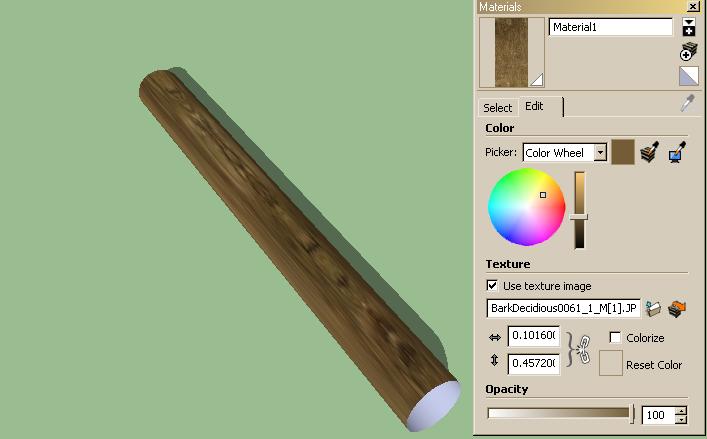
Hmm, that looks like a plan, but I'm lost at step 3. How do I even apply the texture to the cylinder so that it is positioned and sized correctly? (the texture I found on my log was already positioned well on the original...) I used (or tried to use) the texture "BarkDecidious0061_1_M[1].JPG".
Each cylinder has a length of 6m and a radius of .25m. I also beveled the edges by a small amount....
-
-Create a new material and load the bark texture
-Apply the material to the side of your cylinder
-Right click > UVtools > Cylindrical map.All links I placed in the first post lead to the necessary plug-ins. Whaat's UVtools is one of them. I haven't tried it with beveled edges.
UPDATE: A couple more textures and some more "random select > make unique > reload component" iterations later, it starts to look good. This is straight SketchUp output. If you're still having trouble with this, just give us a call.

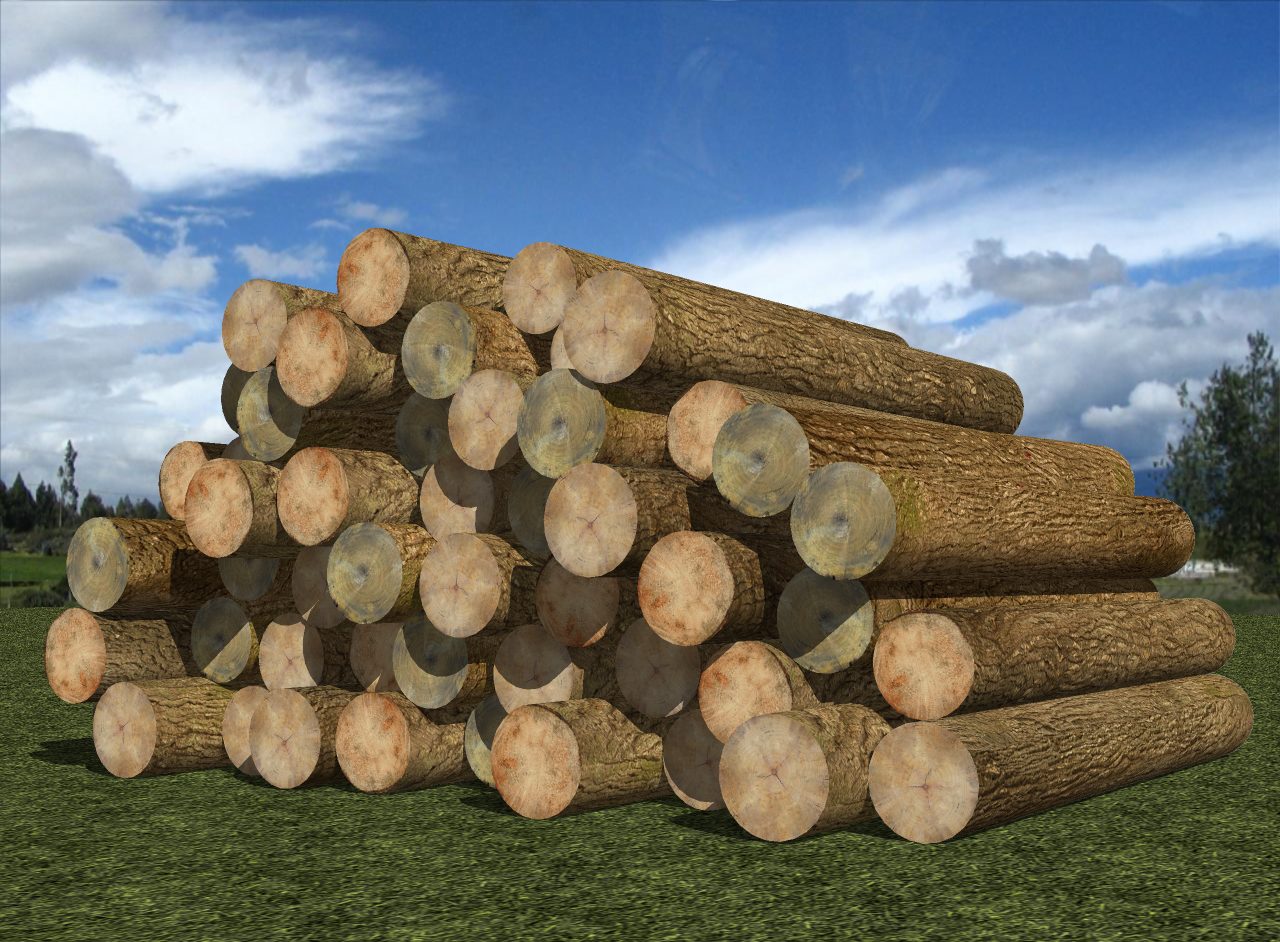
-
Well...

-
Just build and arrange the logs while they are in a vertical position, as I did in the tutorial.

Rotate them only after having assigned cylindrical SketchyPhysics shapes to all of them. -
Wow, I just saw your last update. Beautiful.

I set the cylinder to horizontal and it works now.

BUT... new problem, pictured below. The textures on the bevel just don't align as they did before when it was just a cylinder with a top. I might forgo on the bevel, though; dunno.
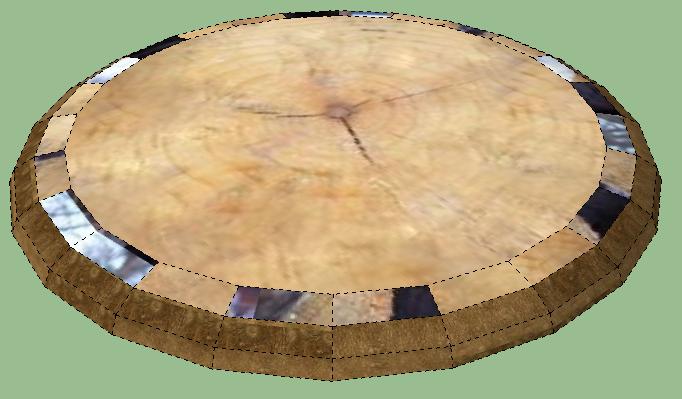
-
-
View Menu > Mark "Hidden geometry".
-
Right click on the face you have on top and mark the option Texture > Projected if it isn't marked already
-
Press B to activate the paint bucket and pick the projected texture with Alt+Click
-
Paint the problematic faces
Then again, I would go with a smaller bevel.
-
-
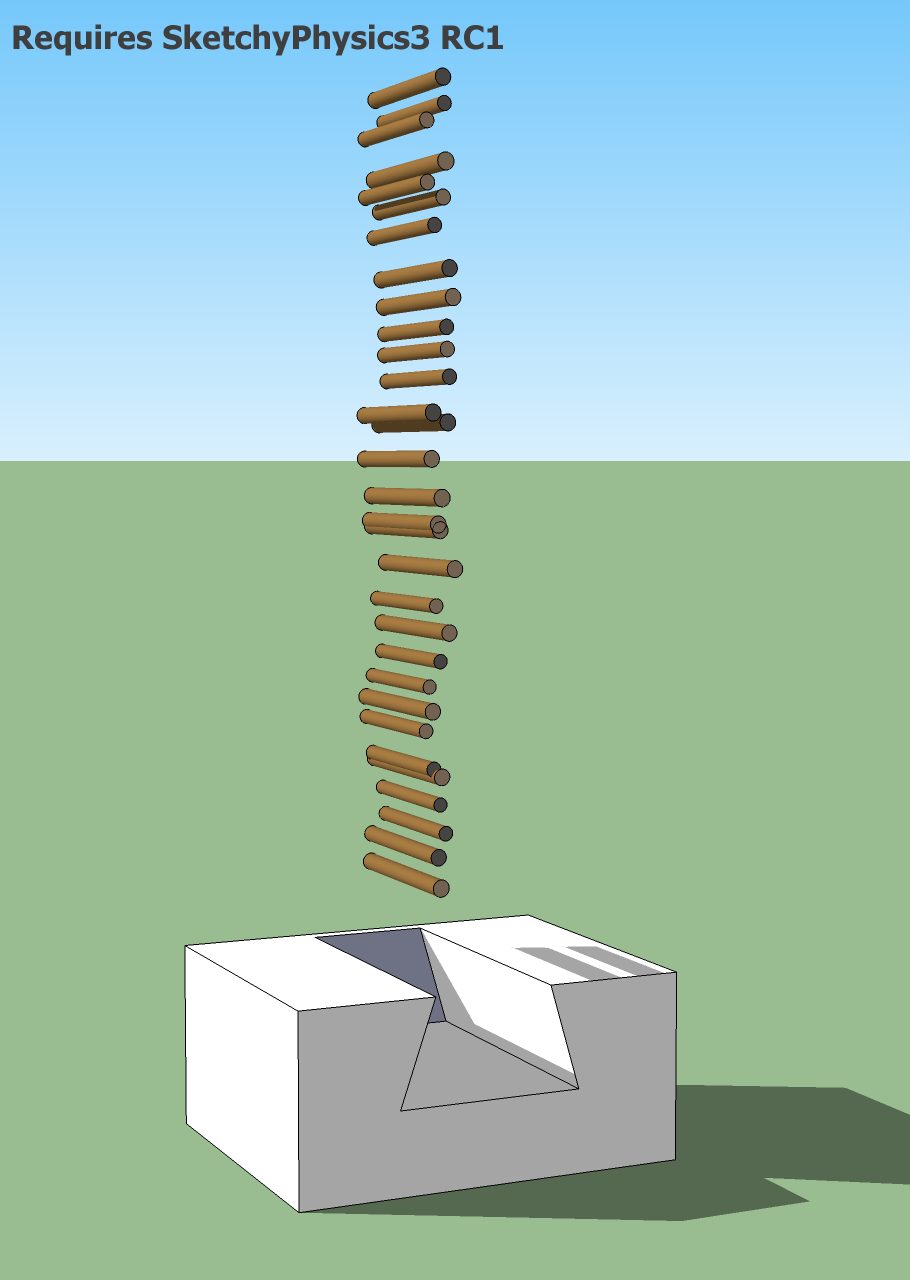
 Man, you're throwing them from a very high altitude! Check my first post again, they were nicely arranged before being dropped just a few centimeters.
For added control over how they stack, you might want to build the other wall. I just left the front side without a wall for illustrative purposes.
-
OK, one more. How on earth did you manage to get the logs to line up so nicely? I get a mess.
-
@ecuadorian said:
[attachment=0:22ga54tc]<!-- ia0 -->logs.jpg<!-- ia0 -->[/attachment:22ga54tc]
Man, you're throwing them from a very high altitude! Check my first post again, they were nicely arranged before being dropped just a few centimeters.Hehe, I'm slow sometimes. I'll try that.
 Did you manually copy/re-position each log in that first batch (before throwing 'em), or did you use a tool to do that?
@unknownuser said:
For added control over how they stack, you might want to build the other wall. I just left the front side without a wall for illustrative purposes.
OK.
Thanks for the tip on the texture projection too. Works great for the top textures, but for the side log textures it looks mismatched (tried texture projection on both a log side and using the top log-- still looks a little mismatched. I just filled the bevel whole thing with the top (log end) texture, and it looks OK...
-
I "arrayed" the logs while they were in a vertical position. SketchUp has the ability to create arrays without any additional tools:
[flash=640,505:2z4ntaeg]http://www.youtube.com/v/Yk6ok7S8goA&fs=1[/flash:2z4ntaeg]Let's say you want to array logs in a triangle with 10 logs on each side.
-
First, copy a log a distance equal to its diameter. Since you need 9 copies for a total of 11, type 9X and hit the Enter key before doing anything else.
-
Now place a construction line at 60º with the protractor tool. Remember, equilateral triangles have 60º on each angle. It doesn't matter where you place the line as long as it forms a 60º angle with the line of logs.
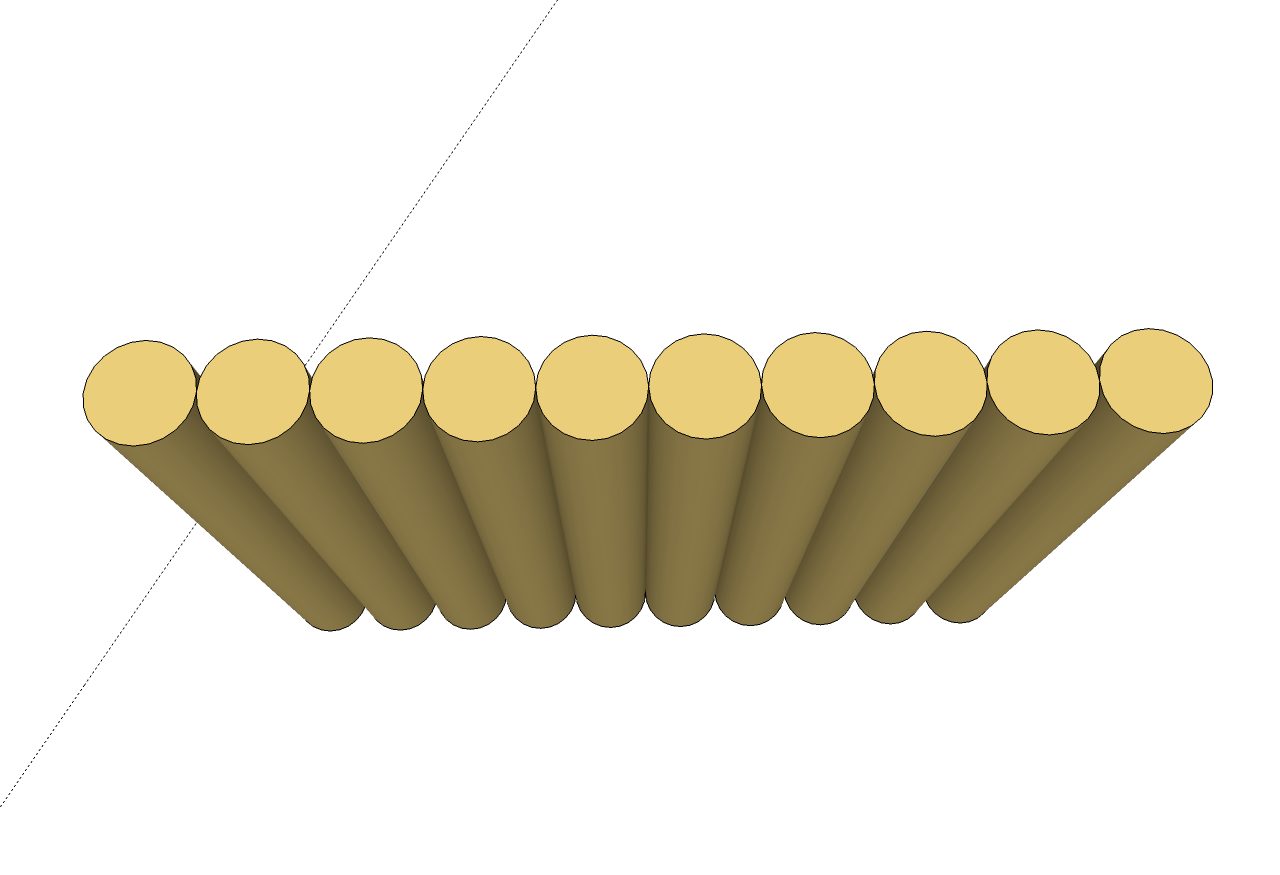
-
Select the first line of logs, select the move tool, and copy them along the construction line, again a distance equal to the log diameter, and type 9x afterwards.
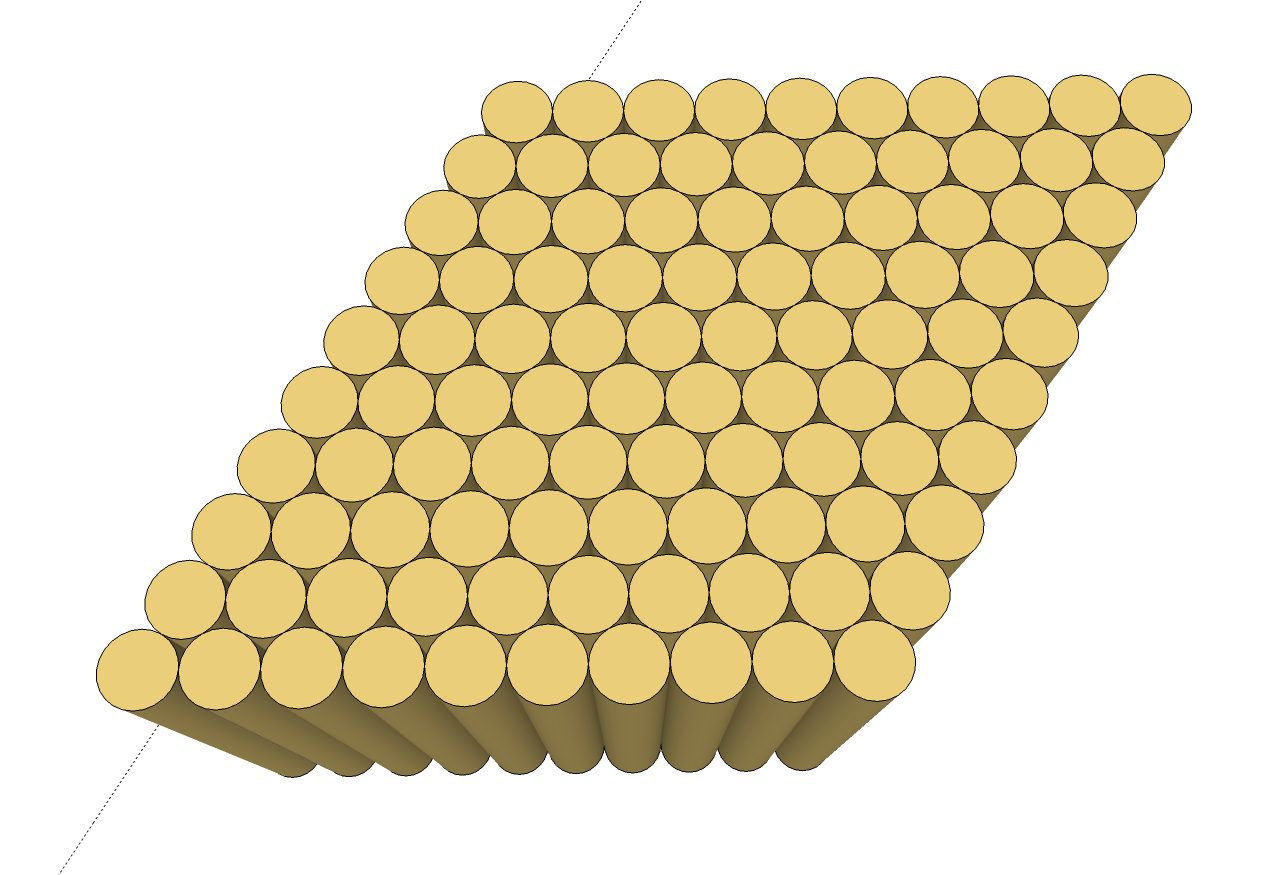
-
Rotate your view so you can do a rectangular selection of the unwanted logs...
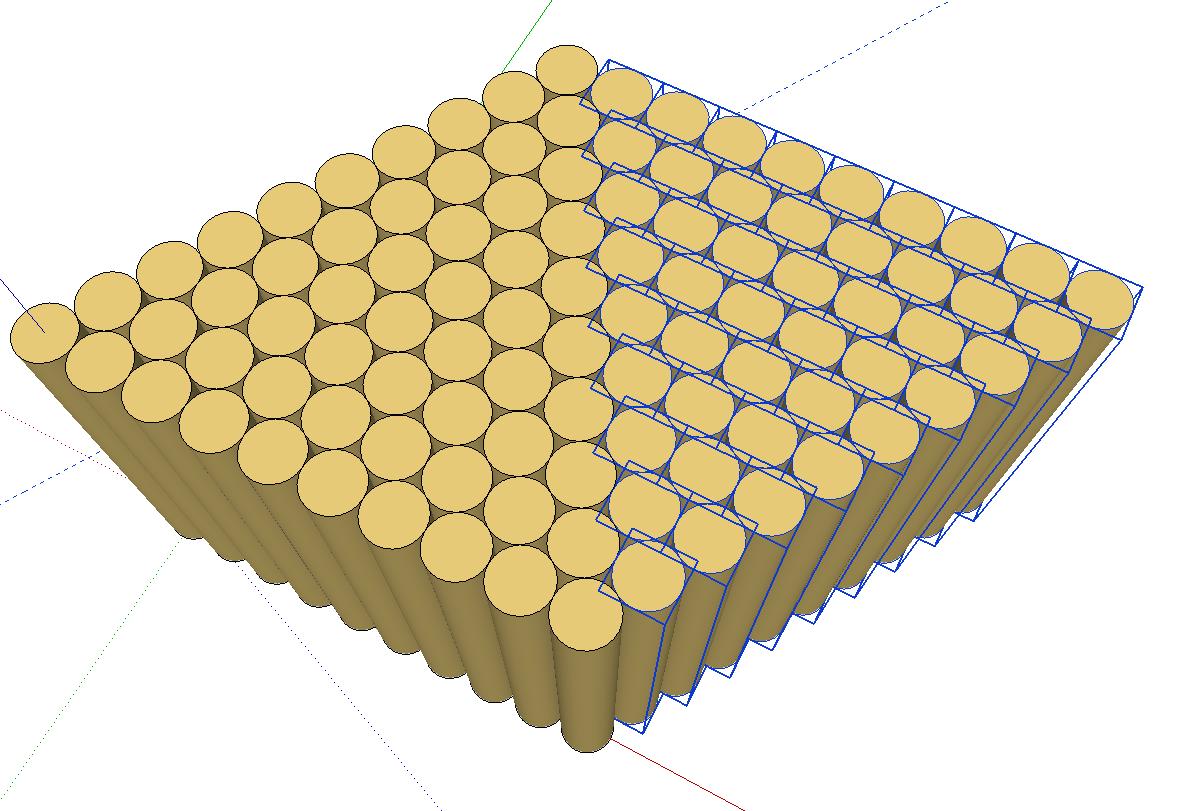
...and delete them. C'est fini.
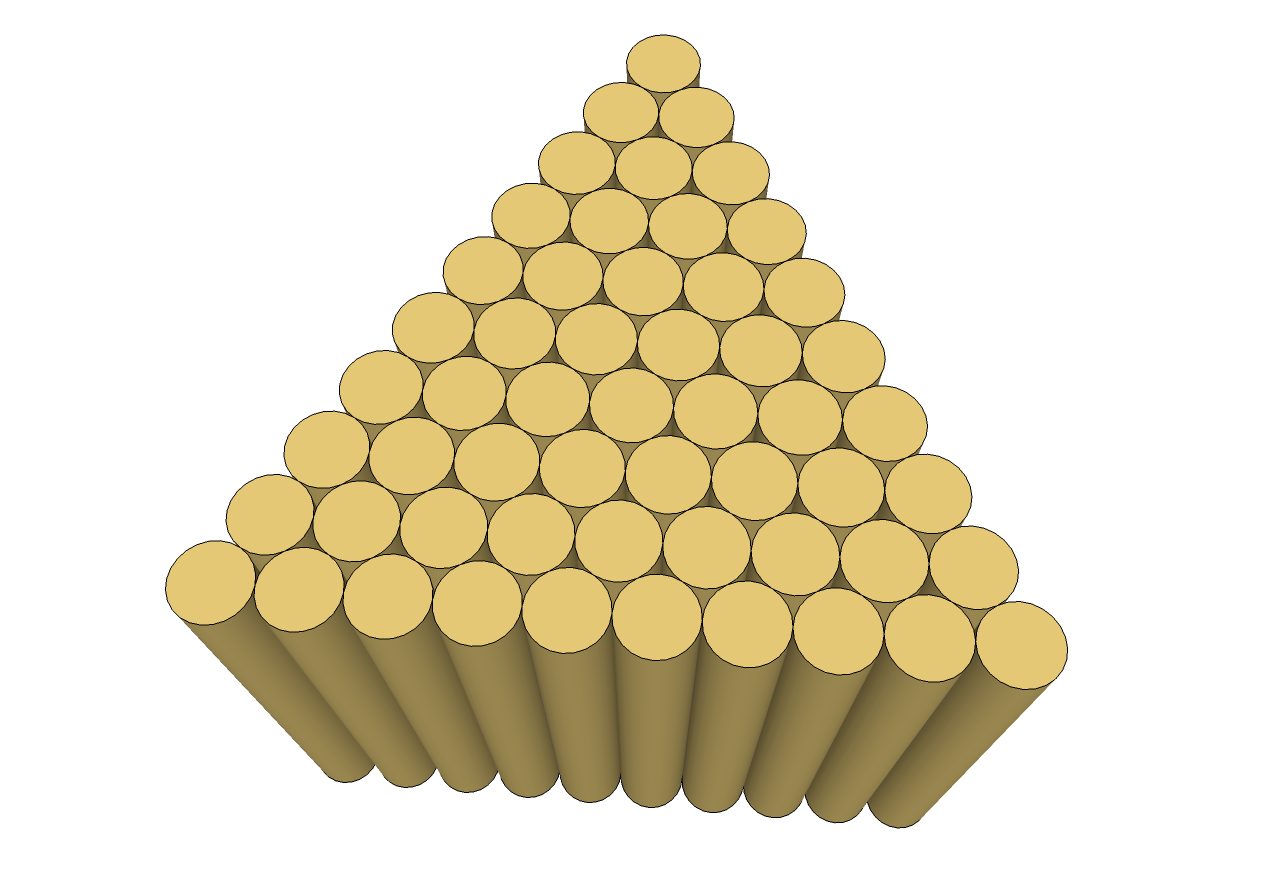
I highly recommend watching all the official SketchUp videos. They have lots of tricks.
http://sketchup.google.com/training/videos.html -
-
@ecuadorian said:
...This is straight SketchUp output...
how did you know I needed this EXACT model right now?!
thanks for sharing! -
Ok, I wanted to add more randomness but I lost interest, I'll let you figure that part out. Here's the file, feel free to play with it and contributing your "random tips".
SketchUp 6.0
EDIT: Scroll down for finished model. -
I'm don't think you saw my edit, Ecuadorian, so I'll ask again -- did you manually copy/re-position each log in that first batch (before throwing 'em gently), or did you use a tool to do that? If so, what tool? I'm having some trouble even doing it manually because of the reference points -- the logs try to position themselves somewhere else... easier with top-down and parallel projection view though. (when copying)
-
...
I have just described the exact process for copying them in an array, and in the first page I gave the instructions to randomly rotate and scale them. You have to do all this while the logs are in a vertical position, before positioning them for SketchyPhysics. -
@ecuadorian said:
:? ...
I have just described the exact process for copying them in an array, and in the first page I gave the instructions to randomly rotate and scale them. You have to do all this while the logs are in a vertical position, before positioning them for SketchyPhysics.I didn't see your last post.

Edit: I see. Your original model looked a little more randomly positioned. I guess all the different sizes make it look that way.
I manually made a few logs (30 or so), but they are jumping up outwards in the first frame (even though they are close to each other) so they end up all displaced towards the end. I'll try an equally-positioned set and see what happens.
Edit 2: Yes, jumping out again. Some falling through the catching mesh. Not sure what to do. Maybe not enough polys per log?
Edit 3: Used the same log model as yours (increased the size a bit), but still jumping.
-
Weird. Could you please repost your model so I can have a look?
-
-
Ok, I see that the logs are intersecting between them and this seems to be causing some kind of explosion effect. Make sure to use Chris Fullmer's plugin as I described in my first post: Min scale 0.9, Max scale 1.0. If you use a higher scale the logs will start to intersect.
-
I also tried that... maybe I am adding the geometric shape wrong.
 I removed everything but 1 log and it still jumped...
Dunno.. I removed all plugins except Sketchyphysics 3RC1 and it still jumped...
Non-intersecting logs attached...
-
My random scale tool seems to be causing jumping issues for some people. I have not yet looked into it
 Sorry if its affecting your workflow. Hopefully I'll get a chance to check it out soon,
Chris



Advertisement