sketchucation logo sketchucation
    • 登入
    Oops, your profile's looking a bit empty! To help us tailor your experience, please fill in key details like your SketchUp version, skill level, operating system, and more. Update and save your info on your profile page today!
    🔌 Smart Spline | Fluid way to handle splines for furniture design and complex structures. Download

    [Plugin] CleanUp

    已排程 已置頂 已鎖定 已移動 Plugins
    974 貼文 217 Posters 865.4k 瀏覽 217 Watching
    正在載入更多貼文
    • 從舊到新
    • 從新到舊
    • 最多點贊
    回覆
    • 在新貼文中回覆
    登入後回覆
    此主題已被刪除。只有擁有主題管理權限的使用者可以查看。
    • utilerU 離線
      utiler
      最後由 編輯

      Thom,
      I love this plugin; like many I am sent DWG/DXF files for me to start modelling from.

      Just wondering if this is possible:
      We know CAD entities are drawn on layer where as SU promotes elements on Layer0 and groups/ components on particular layers....

      Is it possible to import a dwg, group elements on each layer while changing entities to Layer0 and placing groups to a layer of the same name as per the original..?

      In essence, we can manipulate visibility of DWG entities by toggling layers but now the way we do it in SU.

      Thoughts?
      👍

      Just Curious...

      1 條回覆 最後回覆 回覆 引用 0
      • thomthomT 離線
        thomthom
        最後由 編輯

        Yea - good idea. I can add that to Plan Tools. 👍

        Thomas Thomassen — SketchUp Monkey & Coding addict
        List of my plugins and link to the CookieWare fund

        1 條回覆 最後回覆 回覆 引用 0
        • utilerU 離線
          utiler
          最後由 編輯

          LEGEND!!!!!! 😍

          Just Curious...

          1 條回覆 最後回覆 回覆 引用 0
          • thomthomT 離線
            thomthom
            最後由 編輯

            One issue though, how to deal with existing groups and components in the file?
            Imported DWG blocks comes in as Components...

            Thomas Thomassen — SketchUp Monkey & Coding addict
            List of my plugins and link to the CookieWare fund

            1 條回覆 最後回覆 回覆 引用 0
            • utilerU 離線
              utiler
              最後由 編輯

              just a global explode.

              Just Curious...

              1 條回覆 最後回覆 回覆 引用 0
              • thomthomT 離線
                thomthom
                最後由 編輯

                @utiler said:

                just a global explode.

                That ain't a "just"...
                It might cause geometry to merge - which you do not want. Plus, Explode can be dreadfully slow...

                Thomas Thomassen — SketchUp Monkey & Coding addict
                List of my plugins and link to the CookieWare fund

                1 條回覆 最後回覆 回覆 引用 0
                • utilerU 離線
                  utiler
                  最後由 編輯

                  True... pardon my flippancy, Thomas. You know now my knowledge of script language is -1

                  +1
                  👍

                  Just Curious...

                  1 條回覆 最後回覆 回覆 引用 0
                  • S 離線
                    SpookyChick1013
                    最後由 編輯

                    Hi Thom.

                    For the past month or so, I've been getting a funny error from your Cleanup plugin. I have weeded through my plugins since then and so far haven't been able to find any solutions.

                    Anyway, here is the content of the error dialog:

                    undefined method `purge_unused' for [:Array

                    C:/PROGRA~1/Google/GOOGLE~3/Plugins/tt_cleanup.rb:1074:in remove_materials' C:/PROGRA~1/Google/GOOGLE~3/Plugins/tt_cleanup.rb:1037:in merge_similar_materials'
                    C:/PROGRA~1/Google/GOOGLE~3/Plugins/tt_cleanup.rb:548:in cleanup!' C:/PROGRA~1/Google/GOOGLE~3/Plugins/tt_cleanup.rb:488:in show_cleanup_ui'
                    C:/PROGRA~1/Google/GOOGLE~3/Plugins/tt_cleanup.rb:487:in call' C:/PROGRA~1/Google/GOOGLE~3/Plugins/TT_Lib2/inputbox.rb:161:in initialize'
                    C:/PROGRA~1/Google/GOOGLE~3/Plugins/TT_Lib2/inputbox.rb:156:in call' C:/PROGRA~1/Google/GOOGLE~3/Plugins/TT_Lib2/inputbox.rb:144:in close'
                    C:/PROGRA~1/Google/GOOGLE~3/Plugins/TT_Lib2/inputbox.rb:144:in initialize' C:/PROGRA~1/Google/GOOGLE~3/Plugins/TT_Lib2/inputbox.rb:132:in call']

                    I have also checked to make sure I have this installed with the exact footprint you specified, and I do. I'm usually pretty careful about that, but at this point I'm double checking everything.

                    Thanks,
                    Cathryn

                    https://kuromatsudriveyards.com

                    Fo-su to tomo ni aran koto o...

                    1 條回覆 最後回覆 回覆 引用 0
                    • thomthomT 離線
                      thomthom
                      最後由 編輯

                      When do you get the error? When loading SketchUp? Opening the window? When starting the CleanUp?
                      Does it happen in all models? What are the settings you run CleanUp with?

                      Thomas Thomassen — SketchUp Monkey & Coding addict
                      List of my plugins and link to the CookieWare fund

                      1 條回覆 最後回覆 回覆 引用 0
                      • B 離線
                        bitslapped
                        最後由 編輯

                        Hi thomthom I noticed you have a new 'merge identical materials' which seems like you had a crack at my request?! Thanks for that.

                        I have been getting the same errors particularly when I run the cleanup with only 'merge identical materials' checked.
                        The script still works for older functions.

                        I'm running sketchup 8 and your latest libraries.

                        Cheers

                        1 條回覆 最後回覆 回覆 引用 0
                        • thomthomT 離線
                          thomthom
                          最後由 編輯

                          Got a sample model?

                          Thomas Thomassen — SketchUp Monkey & Coding addict
                          List of my plugins and link to the CookieWare fund

                          1 條回覆 最後回覆 回覆 引用 0
                          • S 離線
                            SpookyChick1013
                            最後由 編輯

                            Sorry to take so long getting back here. Was out of town and off grid for a few days.
                            Anyway, the errors only show up when I am actually running the script, after checking settings and clicking "CleanUp". I am using your latest library, and Sketchhup 7.1, as always. The error has occurred with every model to this point.
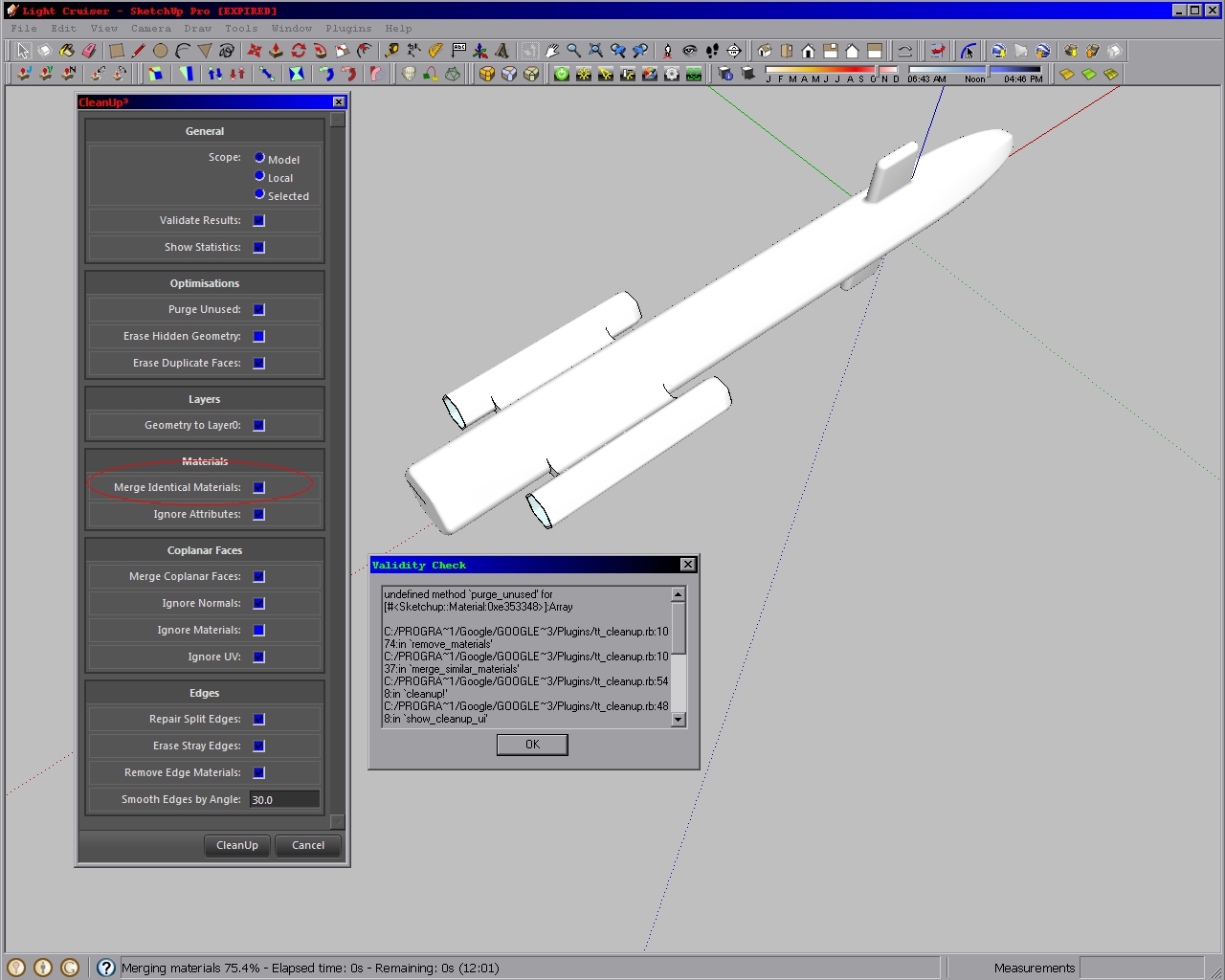
                            The settings that I have observed the problem occurring with.  If I UN-check Merge Identical Materials, Cleanup works fine.
                            Late Edit: Something bitslapped said got me thinking, and so I UNchecked "Merge Identical Materials". When I ran CleanUp with MergeIdenticalMaterials NOT checked, Cleanup ran fine; So I am wondering at this point if the problem is with that part of the plugin.

                            https://kuromatsudriveyards.com

                            Fo-su to tomo ni aran koto o...

                            1 條回覆 最後回覆 回覆 引用 0
                            • D 離線
                              driven
                              最後由 編輯

                              hi Thomas,

                              i'm getting path errors in safari
                              Not allowed to load local resource:file:///Library/Application%20Support/Google%20SketchUp%208/SketchUp/Plugins/TT_Lib2/webdialog/css/ui.css

                              note: I can run selection toy WD with it's path

                              <script type="text/javascript" src="js/base.js"></script>
                              

                              I can't fathom your interface enough to switch paths...

                              has anyone had it [cleanup3] all working on a mac? [I am using the dev version of safari]

                              cheers
                              john

                              learn from the mistakes of others, you may not live long enough to make them all yourself...

                              1 條回覆 最後回覆 回覆 引用 0
                              • thomthomT 離線
                                thomthom
                                最後由 編輯

                                @spookychick1013 said:

                                Late Edit: Something bitslapped said got me thinking, and so I UNchecked "Merge Identical Materials". When I ran CleanUp with MergeIdenticalMaterials NOT checked, Cleanup ran fine; So I am wondering at this point if the problem is with that part of the plugin.

                                I'll have a look next week. But are you sure you have the very latest CleanUp and TT_Lib?

                                Thomas Thomassen — SketchUp Monkey & Coding addict
                                List of my plugins and link to the CookieWare fund

                                1 條回覆 最後回覆 回覆 引用 0
                                • thomthomT 離線
                                  thomthom
                                  最後由 編輯

                                  @driven said:

                                  hi Thomas,

                                  i'm getting path errors in safari
                                  Not allowed to load local resource:file:///Library/Application%20Support/Google%20SketchUp%208/SketchUp/Plugins/TT_Lib2/webdialog/css/ui.css

                                  note: I can run selection toy WD with it's path

                                  <script type="text/javascript" src="js/base.js"></script>
                                  

                                  I can't fathom your interface enough to switch paths...

                                  has anyone had it [cleanup3] all working on a mac? [I am using the dev version of safari]

                                  cheers
                                  john

                                  I got a mac at home I test on - CleanUp should work.
                                  ...what OSX version do you have?

                                  Thomas Thomassen — SketchUp Monkey & Coding addict
                                  List of my plugins and link to the CookieWare fund

                                  1 條回覆 最後回覆 回覆 引用 0
                                  • thomthomT 離線
                                    thomthom
                                    最後由 編輯

                                    @driven said:

                                    i'm getting path errors in safari
                                    Not allowed to load local resource:file:///Library/Application%20Support/Google%20SketchUp%208/SketchUp/Plugins/TT_Lib2/webdialog/css/ui.css

                                    Can you post a screenshot of this error? When does it appear?

                                    Thomas Thomassen — SketchUp Monkey & Coding addict
                                    List of my plugins and link to the CookieWare fund

                                    1 條回覆 最後回覆 回覆 引用 0
                                    • D 離線
                                      driven
                                      最後由 編輯

                                      I'm still on 10.5.8, but safari 5.0.6 is the pre-release for the next safari and it stops Fredo's updater from checking here for updates, but I haven't had any local file errors from anything else, and sellectionToys works...
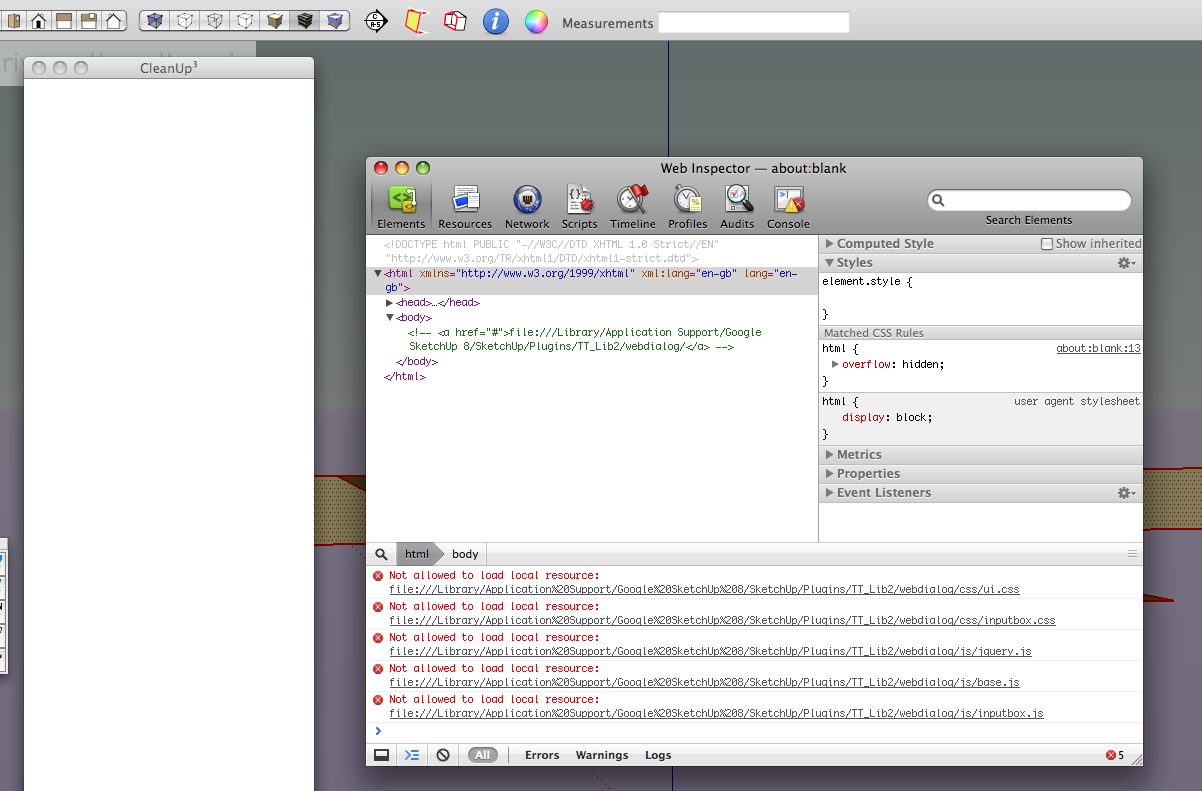
                                      dev version of safari 5.0.6 is stricter

                                      EDIT: checked on my macbook and it's OK for now...
                                      The dev version of safari is a preview for safari 6, so soon everyone will have this issue...
                                      is it possible to use the same paths as selection toys, because they work on both.

                                      BTW... I modded the ui.css for nicer IMHO mac scrollbars
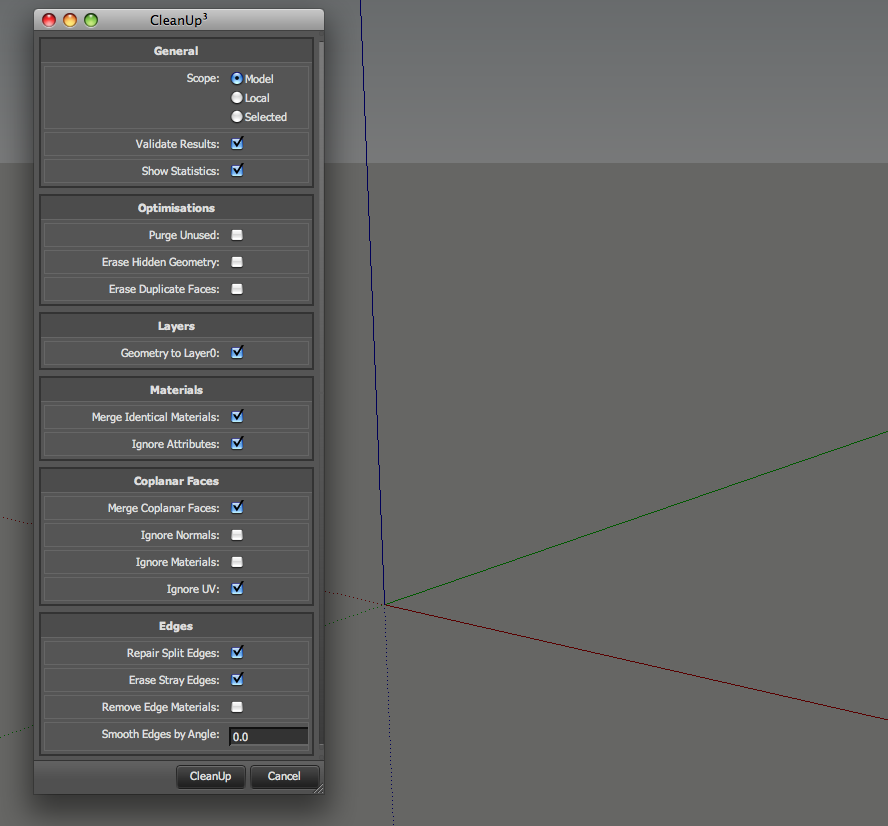
                                      safari 5.0.3 on macbook OSX10.5.8

                                      john

                                      learn from the mistakes of others, you may not live long enough to make them all yourself...

                                      1 條回覆 最後回覆 回覆 引用 0
                                      • S 離線
                                        SpookyChick1013
                                        最後由 編輯

                                        @thomthom said:

                                        I'll have a look next week. But are you sure you have the very latest CleanUp and TT_Lib?

                                        Yeah. I wondered myself if I really had DL'ed and installed it, but I do have it. Freshly downloaded and installed, just to see if that would fix the problem. Seems to have cropped up since I originally updated to this latest version.

                                        https://kuromatsudriveyards.com

                                        Fo-su to tomo ni aran koto o...

                                        1 條回覆 最後回覆 回覆 引用 0
                                        • thomthomT 離線
                                          thomthom
                                          最後由 編輯

                                          Driven: I have no idea why it says it is not allowed to load any local resource... I hope it's a bug in that beta version.
                                          (btw - how did you edit the mac scrollbars? I thought only IE allowed that to be changed...)

                                          Spooky & Driven: I won't be able to look into this until next week - when my vacation is over.

                                          Thomas Thomassen — SketchUp Monkey & Coding addict
                                          List of my plugins and link to the CookieWare fund

                                          1 條回覆 最後回覆 回覆 引用 0
                                          • D 離線
                                            driven
                                            最後由 編輯

                                            @thomthom said:

                                            I hope it's a bug in that beta version.

                                            just did some checking and it's not a bug or a beta,
                                            it's now the current update with new security 'features'...
                                            5.0.6 for Leopard or 5.1 for Snow and Lion,
                                            anyone with auto update will already have this as well, there are no changes since the pre-release...

                                            @thomthom said:

                                            (btw - how did you edit the mac scrollbars? I thought only IE allowed that to be changed...)
                                            Webkit psuedo elements, here's a link with detailshttp://css-tricks.com/9130-custom-scrollbars-in-webkit/
                                            I did a close[ish] match for Selection Toys
                                            by dropping this into ui.css

                                            ;;-webkit-scrollbar
                                            {
                                                width; 12px;
                                            }
                                            
                                             ;;-webkit-scrollbar-thumb
                                            { 
                                                background; rgba(255, 255, 255, .25);
                                                border; solid 1px rgba(0, 0, 0, .25); 
                                            }
                                            ;;-webkit-scrollbar-thumb;vertical,{
                                            }
                                            
                                            ;;-webkit-scrollbar-thumb;hover
                                            {
                                               background-color; rgba(0, 255, 0, .25);
                                               border; solid 1px rgba(0, 0, 0, .25);
                                            }
                                            
                                            ;;-webkit-scrollbar-track-piece
                                            {
                                                background; rgba(0, 0, 0, .05);
                                                border;none;
                                                border-left; solid 1px rgba(255, 255, 255, .1);
                                            }
                                            
                                            ;;-webkit-scrollbar-corner
                                            {
                                                display; none;
                                            }
                                            

                                            for Cleanup I just dropped in the version I use as a Safari alternate CSS,

                                            /* blendin mods */
                                            
                                            ;;-webkit-scrollbar
                                            {
                                                width; .5em;
                                                height; .5em;
                                            }
                                            
                                             ;;-webkit-scrollbar-thumb
                                            {
                                                background;  transparent; 
                                                -webkit-border-radius; 1em;
                                                border; solid 1px rgba(0, 0, 0, .05);
                                                background; -webkit-gradient(linear, left top, left bottom, from(rgba(255, 255, 255, .25)), to(rgba(0, 0, 0, .25))); 
                                               
                                            }
                                            ;;-webkit-scrollbar-thumb;vertical,{
                                            }
                                            
                                            ;;-webkit-scrollbar-thumb;hover
                                            {
                                            background-color; rgba(0, 255, 0, .5);
                                            }
                                            
                                            ;;-webkit-scrollbar-button;start;decrement, ;;-webkit-scrollbar-button;end;increment
                                            {
                                                display; block;
                                                height; .5em;
                                                width; .5em;
                                                -webkit-border-radius; 1em;
                                                background; rgba(0, 0, 0, .05);
                                                border; solid 1px rgba(0, 0, 0, .05);
                                            }
                                            
                                            ;;-webkit-scrollbar-track-piece
                                            {
                                                background; rgba(0, 0, 0, .05);
                                                display; block;
                                                margin; .5em;
                                                -webkit-border-radius; 1em;
                                                border; solid 1px rgba(0, 0, 0, .05);
                                            }
                                            
                                            ;;-webkit-scrollbar-corner
                                            {
                                                display; none;
                                            }
                                            /* end of blendin mods */
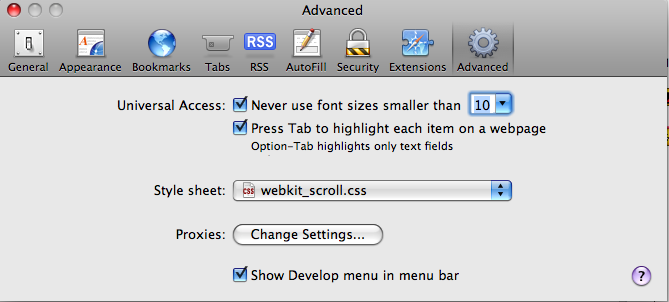
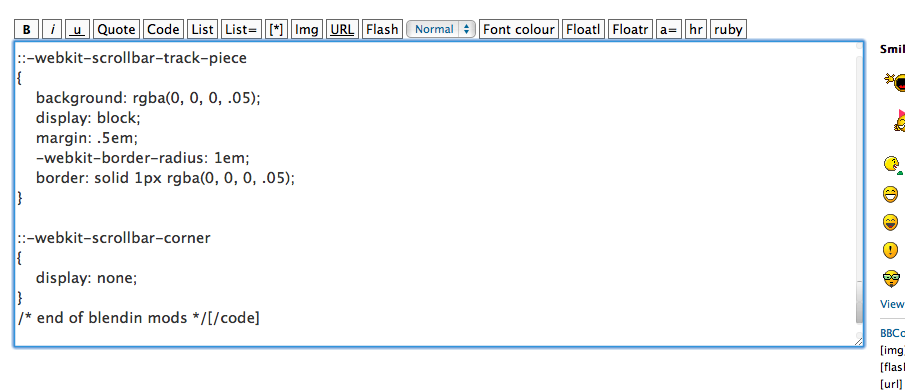
                                            

                                            you can set them here for Safari, WebDialogs need the css includedon all websites, iFrames can be flakey...

                                            have a good vacation

                                            john

                                            learn from the mistakes of others, you may not live long enough to make them all yourself...

                                            1 條回覆 最後回覆 回覆 引用 0
                                            • 1
                                            • 2
                                            • 7
                                            • 8
                                            • 9
                                            • 10
                                            • 11
                                            • 48
                                            • 49
                                            • 9 / 49
                                            • 第一個貼文
                                              最後的貼文
                                            Buy SketchPlus
                                            Buy SUbD
                                            Buy WrapR
                                            Buy eBook
                                            Buy Modelur
                                            Buy Vertex Tools
                                            Buy SketchCuisine
                                            Buy FormFonts

                                            Advertisement

