Fascinating display bug
-
Since SU7.1, I should turn off anti-aliased textures. But this time I forgot it and imported the Google Earth Terrain as normal...
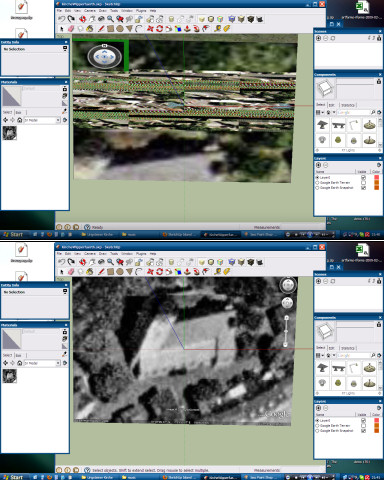
 And I wondered to see it in colors. Note that the colors are not only due to the display problems, but it has 3 different color channels, it is exactly the colored satellite image as it is in Google Earth.
After turning off antialiased textures, it is b&w. After turning them on again, it is colored. After closing the file and opening again, it is still colored
 . After restarting SU, the color has completely disappeared
  .
. -
Would be cool but it's hell distorted as well, isn't it?
(I'll move the topic to the bug reports - leaving a "fascinating" shadow topic here - if you don't mind
 )
)

Hello! It looks like you're interested in this conversation, but you don't have an account yet.
Getting fed up of having to scroll through the same posts each visit? When you register for an account, you'll always come back to exactly where you were before, and choose to be notified of new replies (either via email, or push notification). You'll also be able to save bookmarks and upvote posts to show your appreciation to other community members.
With your input, this post could be even better 💗
Register Login


Advertisement