[Plugin] Blend ver 1.12.
-
Here's the idea.....
See the attached video example and finished result.
Copy an object a given distance, scale it by 0.6 and rotate it 40 degrees AND DIVIDE BY 4.Can't be too hard couldn't it?
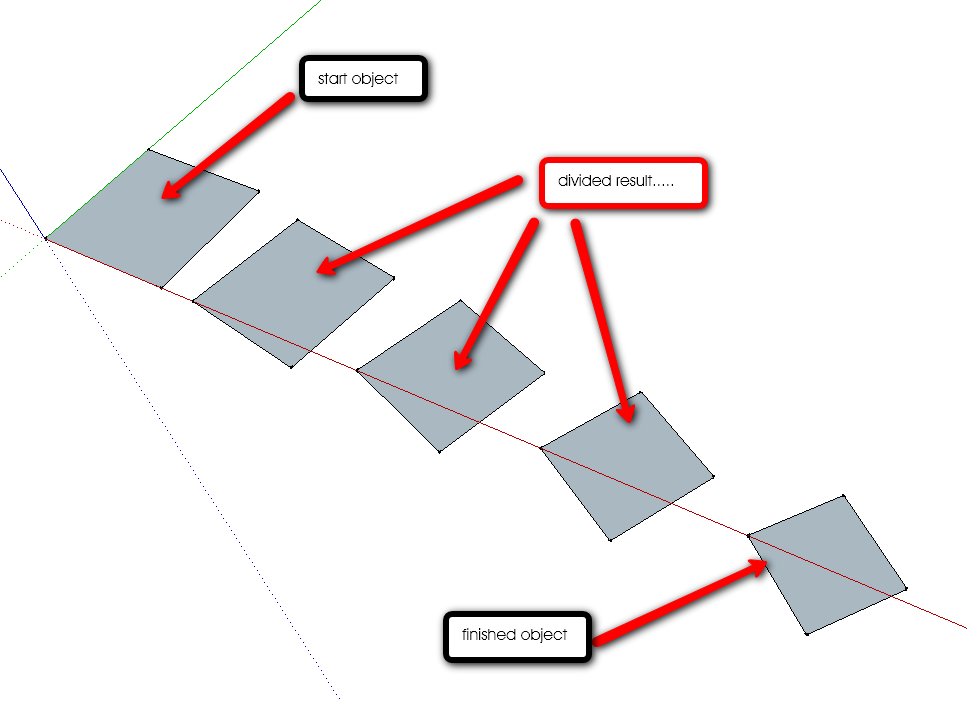
-
@utiler said:
See the attached video example and finished result.
Copy an object a given distance, scale it by 0.6 and rotate it 40 degrees AND DIVIDE BY 4.Can't be too hard couldn't it?
That's cool
 It is a step to complex path+profile modeling tool, I guess. Looks like, the final destination is to set some 'key' positions along the path and apply some transformations (move, rotate, scale) to the profile at each 'key' position. Intermediate steps transformations (between key positions) will be interpolated between 'key' transformations.
Some 3d modelling programms have already implemented similar tools. It would be great to implement such tool for Sketchup too. Don't know how much time it may take. -
Fantastic Plugin, Thanks.
-
Now, let's draw icebergs...or coloured curtains easily....
Colors effects are awsome
Thanks Kirill -
Thanks again.
-
Now the work on path processing feature is in progress. For now it works stable only when the path curve is at XY plane. So I'm going to publish new plugin 'pathface.rb', when it will be possible to follow the path curve regardless of it's orientation (it will take about several days, I think).
[flash=425,344:1244ddom]http://www.youtube.com/v/z-IO3YLPTeY&hl=ru&fs=1" type="application/x-shockwave-flash" allowscriptaccess="always" allowfullscreen="true" width="425" height="344"[/flash:1244ddom] -
Fantastic..
-
incredible plugins, thank you very much
-
even v1.7 and the lower works well, 1.8, 1.9 gives a notice like this "Error Loading File sublend.rb
undefined superclass `EntityObserver'" HELP -
@kirill2008 said:
@utiler said:
See the attached video example and finished result.
Copy an object a given distance, scale it by 0.6 and rotate it 40 degrees AND DIVIDE BY 4.Can't be too hard couldn't it?
That's cool
It is a step to complex path+profile modeling tool, I guess. Looks like, the final destination is to set some 'key' positions along the path and apply some transformations (move, rotate, scale) to the profile at each 'key' position. Intermediate steps transformations (between key positions) will be interpolated between 'key' transformations.
Some 3d modelling programms have already implemented similar tools. It would be great to implement such tool for Sketchup too. Don't know how much time it may take.That's great you like it Kirill, Hope you can find the time to bring it to fruition..... your work here and generosity is appreciated by all!!

-
Hi, Kirill:
Just want to report this observation:
I did a simple blend procedure where I made a rounded corner rectangle on xy plane, copied and raised it up in the z direction, and scaled it then shifted it in the y direction. The blend completed. But when I selected the top plane and attempted to scale it, the intermediate blended geometry disappeared from the file. I did not check the console to see if any error comments came up, as I do not customarily keep the console open.
Any ideas on this? -
“Blend” is awesome plug-in.
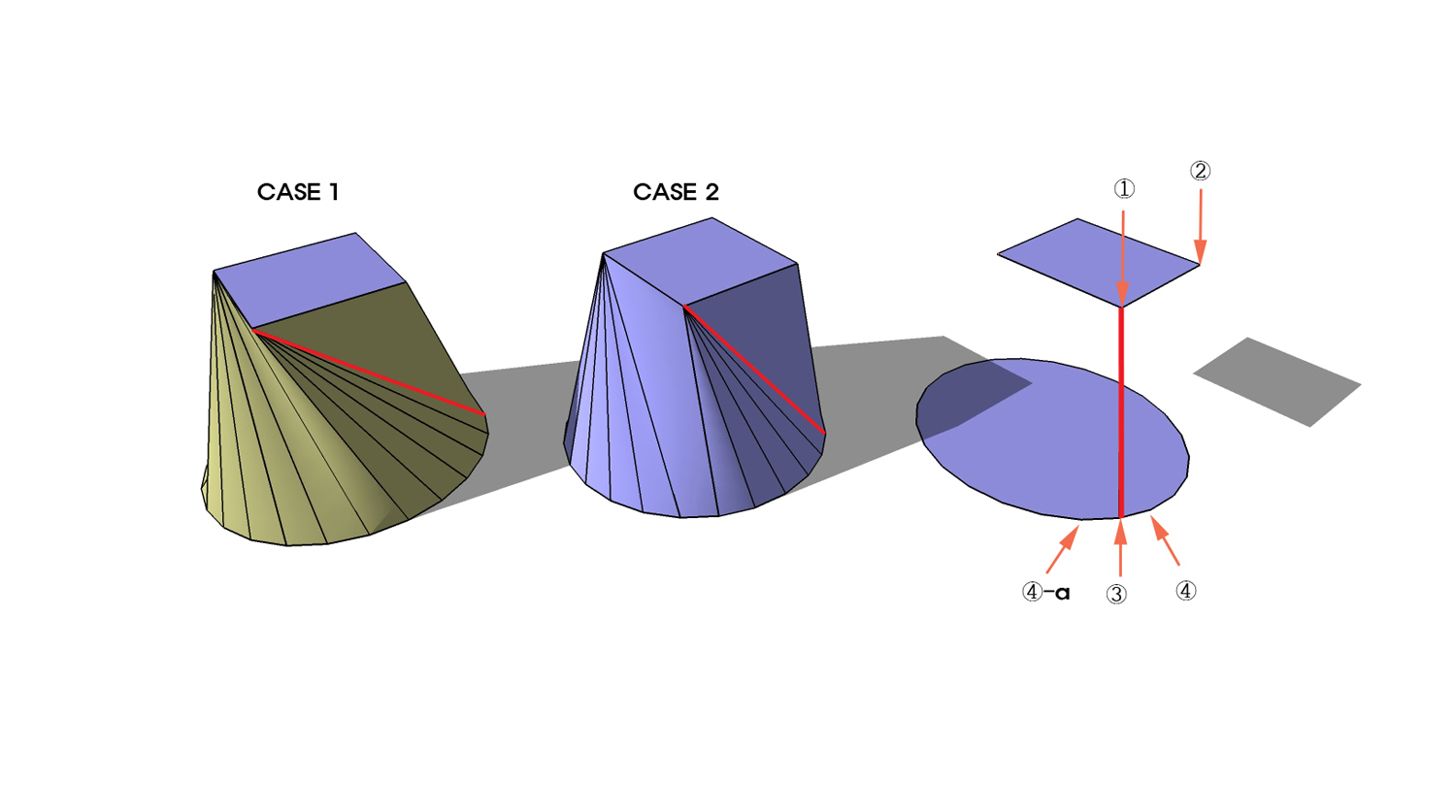
Nevertheless, somewhat, it doesn’t work right way in connecting two different faces and it occurs twisted face unrelated to design-purpose.
It can be fixed with the vector that gives the drawing order, but sometimes, it is difficult to reform the design.
Therefore, as I thought, it can be possible to make it right with adding another vector to this plug-in.
As following down-below example of case 1 and case 2, it shows two different cases made by different start points.
In order to make the blended face right to designer’s intention, each start-point of two figures(①,③) shall be set-up as well as the direction of drawing, that is clockwise(②,④) or counterclockwise.(②,④-a)
For all, it’s just an idea; unfortunately, I’m not good enough to make the plug-in.
I anticipate that someone has intention to make this vector and post it on the blog in near soon.
-
IT is amazing one indeed..
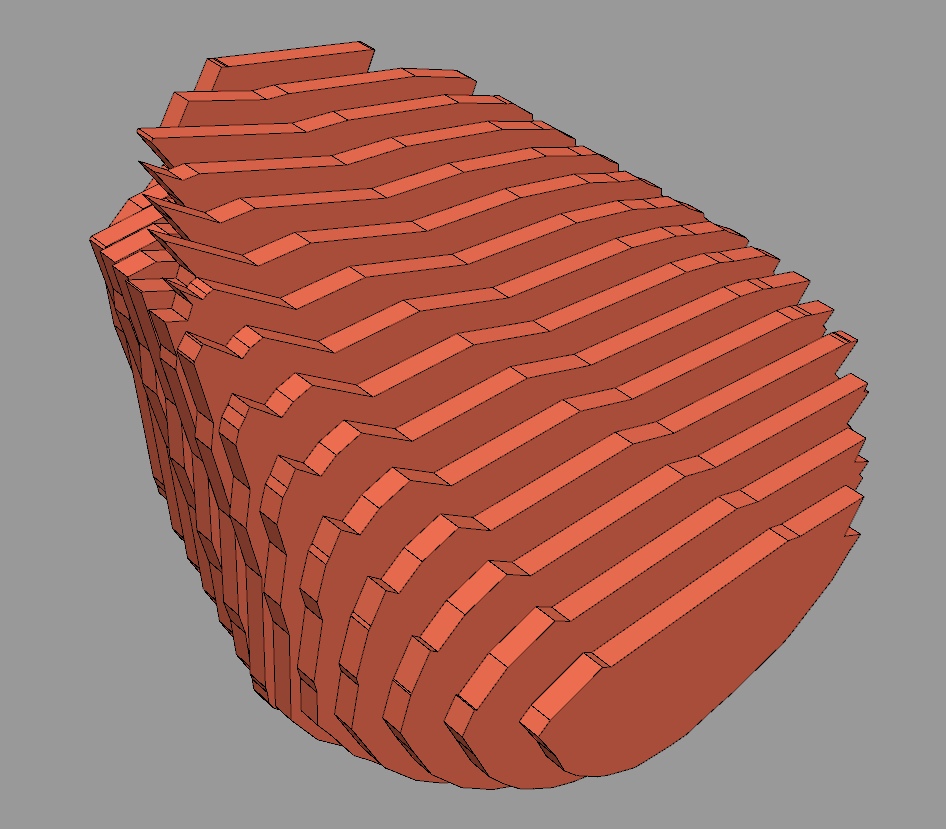
Though, I wonder if u think it possible to make a 'reverse engineering' version of that one.. I mean,many times I need to take a "solid" shape and make it with 2D shapes.. what I do is creating many planes and intersecting it all.. THis plugin is so amazing (really I feel I work with Rhino..), and I guess adding the revearse option would make it perfect.
Thank you for that, kirill.

mmmm.... mow I found the SliceModeler v1.0 that do more or less what i need
 but yet not exactly....
-
@haru said:
In order to make the blended face right to designer’s intention, each start-point of two figures(①,③) shall be set-up as well as the direction of drawing, that is clockwise(②,④) or counterclockwise.(②,④-a)
For all, it’s just an ideaThank's for great idea. I'll try to implement it as soon as possible.
@nankyo said:
Though, I wonder if u think it possible to make a 'reverse engineering' version of that one..
I think it is posible. I'll try to make it too.
@nankyo said:
I mean,many times I need to take a "solid" shape and make it with 2D shapes..
You may try also 'pnts2mesh.rb'. It can slice a group that contains a set of faces with a number of horizontal planes placed with specified offset (horizontal means relatively to selected group transformation).
[flash=425,344:uuqblkor]http://www.youtube.com/v/qetoQvcEoic&hl=ru&fs=1" type="application/x-shockwave-flash" allowscriptaccess="always" allowfullscreen="true" width="425" height="344"[/flash:uuqblkor] -
Just thought i'd say thank you from the southern hemisphere.
-
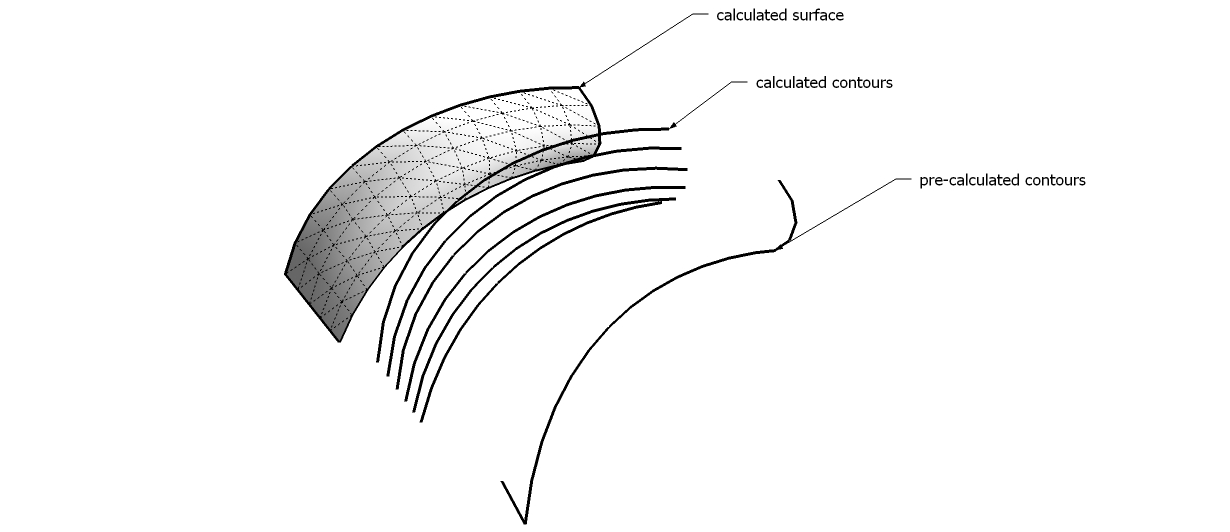
Kiril, i have a question. I really like both your plugins - blend and path to face. I noticed on a thread that you have the ability to blend segments instead of simply geometry for the blend plugin. Is it possible to do the same with the path blend tool - i.e. blend 2 paths along another path?
just for reference, here's an example
-
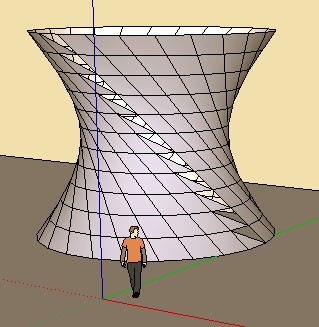
Seems there is a little bug when you Blend 2 closed curves

(here 2 circles)
-
Hi Krill
Is the plugin Windows only
In Mac version the dialog / Input box does not get active -
Where can we download the latest version of sublend.rb
Does it work with SketchUp Pro 7?
I am trying to make Pipe fittings like 3/4" 90 degree Street Elbow. Do you know where to download pipe, hose and tube fittings?Thank you for a reply,
Rick -
Where can we download Blend ver 1.9 and 'pathface.rb'





Advertisement