Ruby download
-
See attached (I don't have it installed at the moment but it should be there)
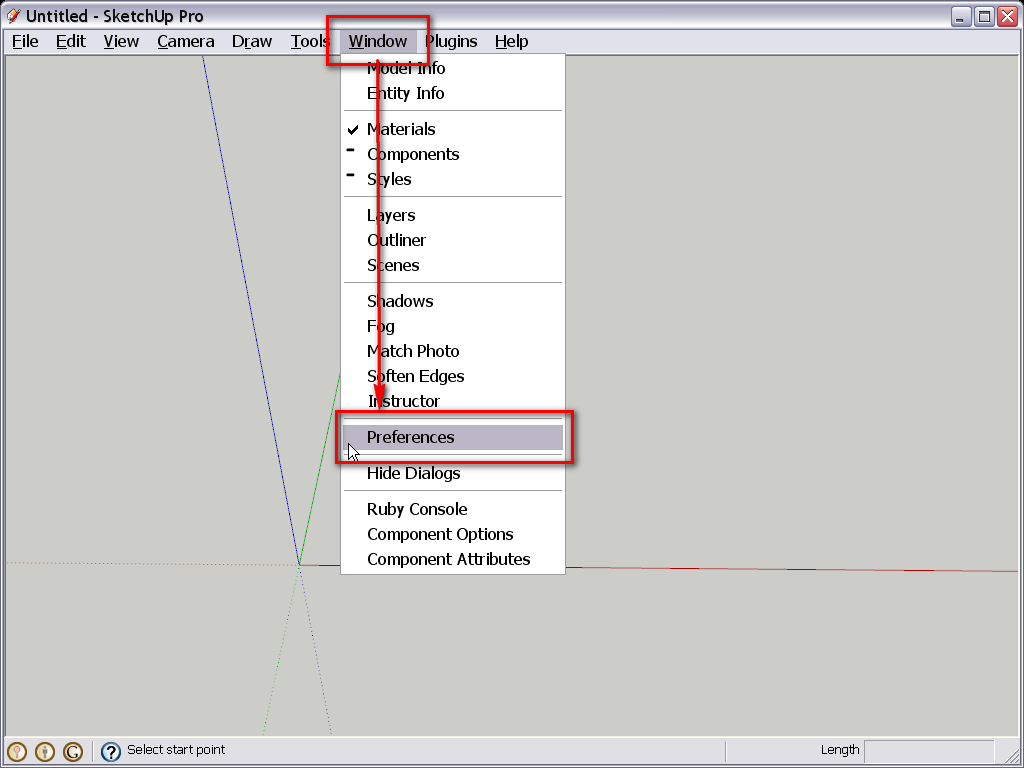
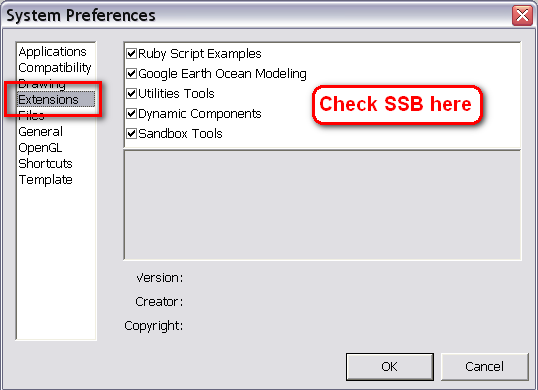
-
ok you was right , both utility tools and sand box were not activated. There are now activated, I have got the sand box icons on the screen but nothing regarding SSB still!! I have redone the whole installation but still get the same message, it cannot create the path...
-
Can you make a screenshot of the file structure in your Tools folder?
-
sure pls see the attachment ..
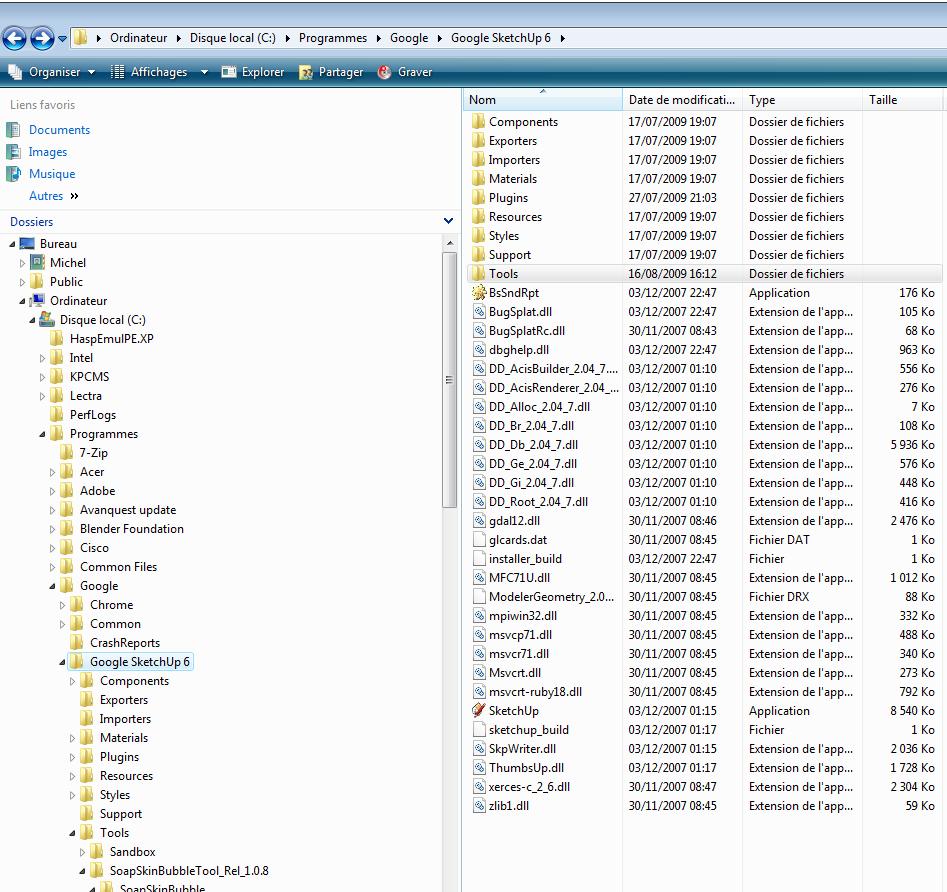
-
That's not your Tools folder but one level up > your SU 6 folder.
Please, double click on the Tools folder and make another snapshot. -
sorry I clicked too early!
I did for info load yesterday two plugin, shape bender and round corner into plugin. I unzip exactly the same way as I did for ssb into tools. It worked perfectly allright with the plugin but does not want to work into tools.
And even now, files are into tools as you can see, it does not work.
thanks again for your help!
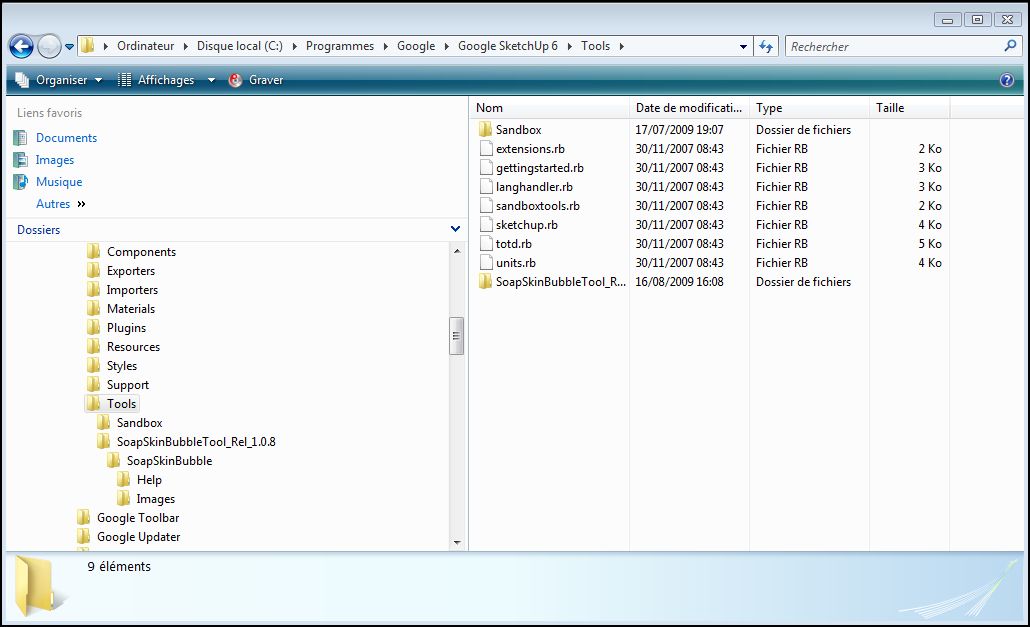
-
What I guess now is that all the files and subfolders were zipped into a folder called "SoapSkinBubbleTool_Rel_1.0.8" and you unzipped this container folder into the Tools folder.
Now move everything from it one level up (straight into the Tools folder). That "wrapping" SoapSkinBubbleTool_Rel_1.0.8 folder is unnecessary.
-
Well I tried that but windows does not want.. I might not do it properly as I am not a technician I must admitt.
Could I ask you to take the hand via Teamviewer as it seems to me you are much more pro than I am in such operation ? -
Look ... I did something different but which is probably what you asked me to do and Bingo it works now !!!
I took everything abt ssb away from tools. I unzipped ssb on the desk top. I explored all folders and copied them into tools. Iopen SU and got a message that there was no file such as SSB to open.. That ment SU got something through at last ! I coied then also the empty folder ssb into tools and tried again and then all icons were there!! The only question left now is that when clicking the first time on one of these ssb tools i got a message saying tools were valid until 30 october 2009 ?? This message never appeared again after.
Well I will try to use ssb now!!
Many thanks again!!
Michel -
OK, finally it seems to work now, great. There wouldn't have been any (real) chance for such a help like you mentioned previously as I can imagine that Vista wouléd've blocked that action for security reasons. Also, not only I haven't ever used Vista but haven't even seen a computer running it.

As for the time limit; Josef, the author keeps doing this. Every version works only until a certain time and you have to download the new version then. Maybe he will even commercialise the plugin one day and from then on, there won't be a free version even with the time limit.
-
I see, well better learn and use SSB fast while it is still free then!!
Anyway, thanks again for your help
have a nice day
Michel


Advertisement