sketchucation logo sketchucation
    • 登入
    Oops, your profile's looking a bit empty! To help us tailor your experience, please fill in key details like your SketchUp version, skill level, operating system, and more. Update and save your info on your profile page today!
    🔌 Easy Offset | Offset selected faces in SketchUp in positive and negative offsets. Download

    Sketchup to modo

    已排程 已置頂 已鎖定 已移動 Extensions & Applications Discussions
    extensions
    43 貼文 12 Posters 8.9k 瀏覽 12 Watching
    正在載入更多貼文
    • 從舊到新
    • 從新到舊
    • 最多點贊
    回覆
    • 在新貼文中回覆
    登入後回覆
    此主題已被刪除。只有擁有主題管理權限的使用者可以查看。
    • G 離線
      gaganraj
      最後由 編輯

      Is anyone interested in seeing/creating a sketchup to modo workflow tutorial?

      edit: sorry, posted in the wrong forum. apologies.

      1 條回覆 最後回覆 回覆 引用 0
      • StinkieS 離線
        Stinkie
        最後由 編輯

        Yeah, sure, bring it on. I'd love to see how others go about it. While you are at it, throw some uv-ing in as well! (One can ask. 😳 😉 )

        1 條回覆 最後回覆 回覆 引用 0
        • jeff hammondJ 離線
          jeff hammond
          最後由 編輯

          i'm interested too..
          i don't know much about modo as i just have the trial version installed so let's see what you got.
          (and hurry up! i only have 28 days left 😄)

          dotdotdot

          1 條回覆 最後回覆 回覆 引用 0
          • boofredlayB 離線
            boofredlay
            最後由 編輯

            I am interested as well.

            http://www.coroflot.com/boofredlay

            1 條回覆 最後回覆 回覆 引用 0
            • X 離線
              xrok1
              最後由 編輯

              well if you have modo you should also have the sketchup importer for it? 😉
              http://www.luxology.com/whatismodo/plugins/plugin_sketchup_importer.aspx

              “There are three classes of people: those who see. Those who see when they are shown. Those who do not see.”

              http://www.Twilightrender.com try it!

              1 條回覆 最後回覆 回覆 引用 0
              • G 離線
                gaganraj
                最後由 編輯

                Hey there,

                this is a very basic tutorial going from SU to Luxology Modo. I would love for other poeple to contribute anything they have discovered in their process of using these two pieces of software together.

                1. Build initial shape in SU. This is getting easier and more and more sophisticated with all the great plugins!
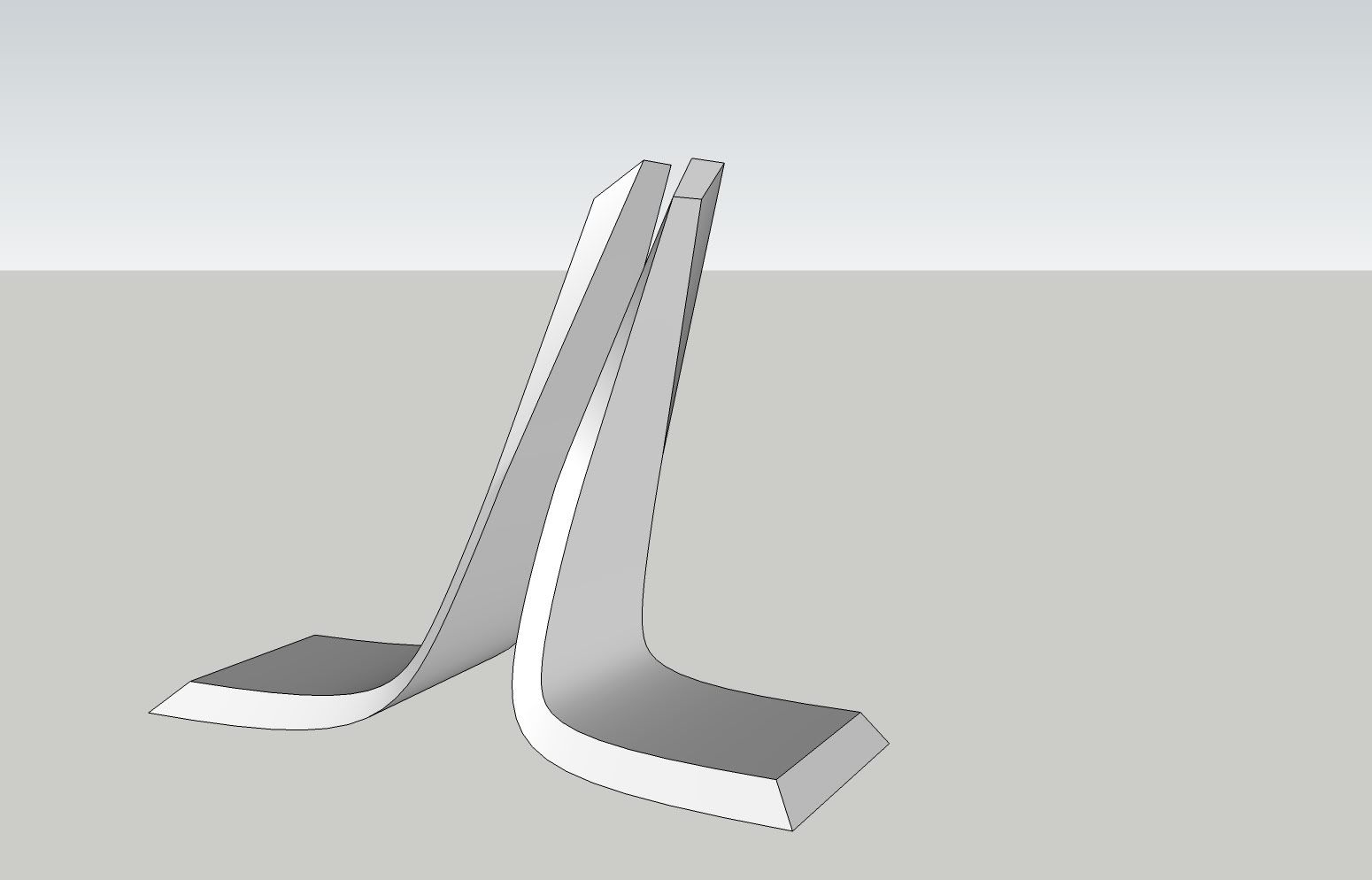
                http://i11.photobucket.com/albums/a155/santsephai/structure_1.jpg

                1. Export image as an .obj. Use the settings on the screen cap.
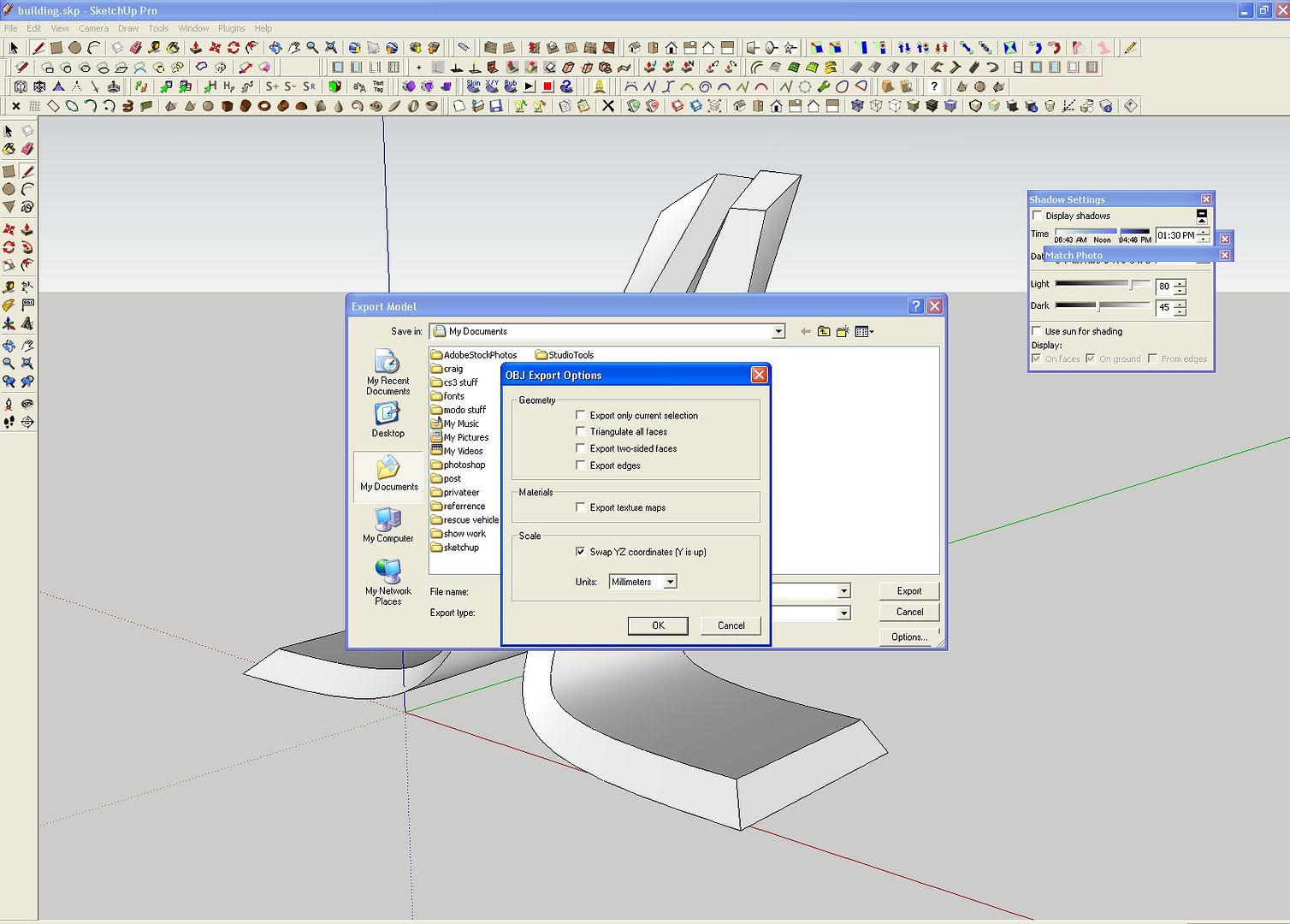
                http://i11.photobucket.com/albums/a155/santsephai/structure_1b.jpg

                1. In Edge mode in modo (you can scroll thru the selection modes by hitting space bar) select the triangulated edges and delete them using the 'backspace' button.
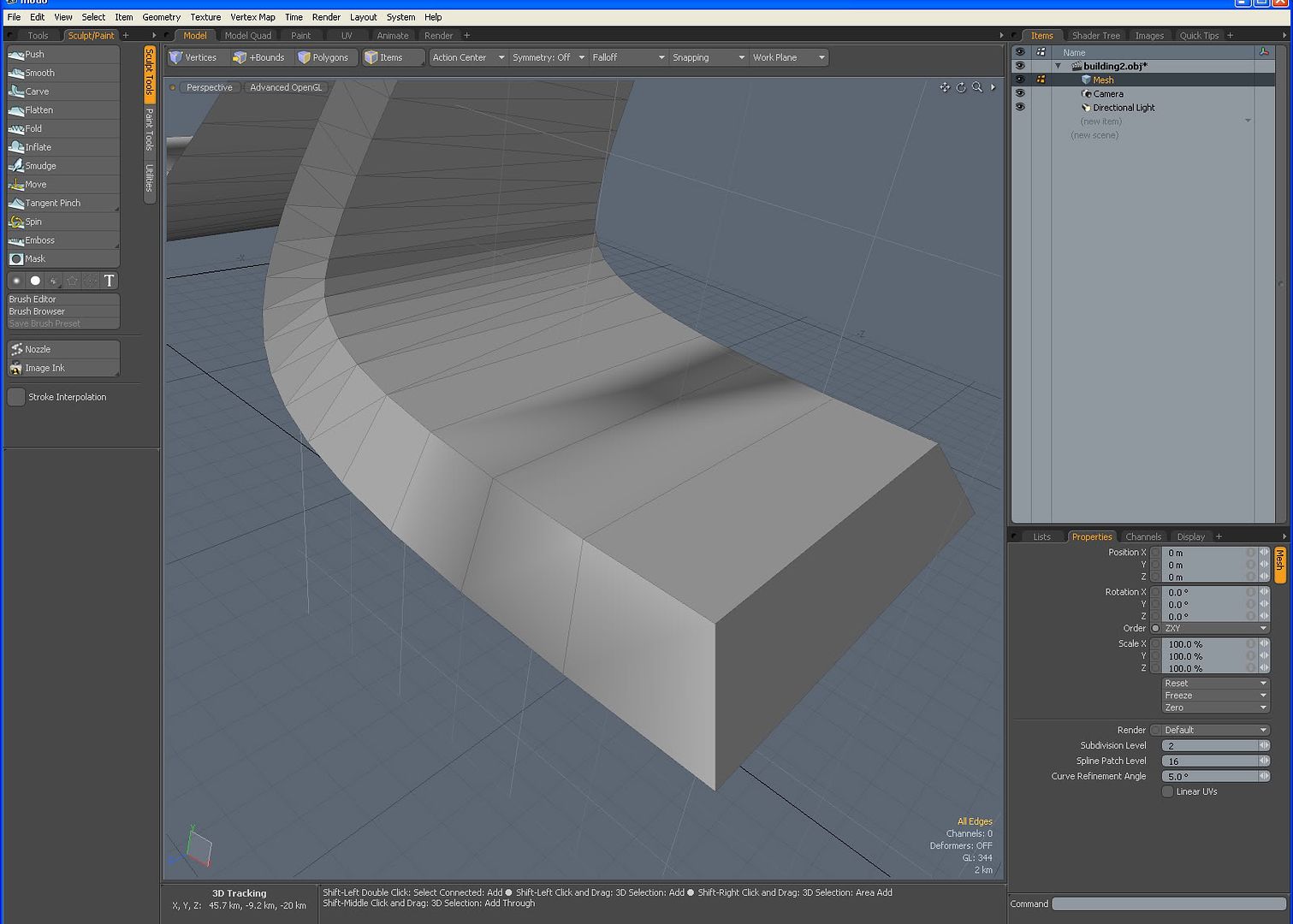
                http://i11.photobucket.com/albums/a155/santsephai/structure_3.jpg

                1. In polygon mode start to select adjacent polys and hit 'L'. this will select the looped polys. then run loop slice. Have it set to any number of edges you desire inorder to tighten up the edges when you subdivide. In this picture i've already cleaned up the triangles, added a few loops and subdivided by hitting the 'tab' key. In order for the shape you've designed in SU to keep its form, there need to be enough 4 sides polygons equally spaced throughout the form. To add more use loop slice, slice, and axis slice amoung others.
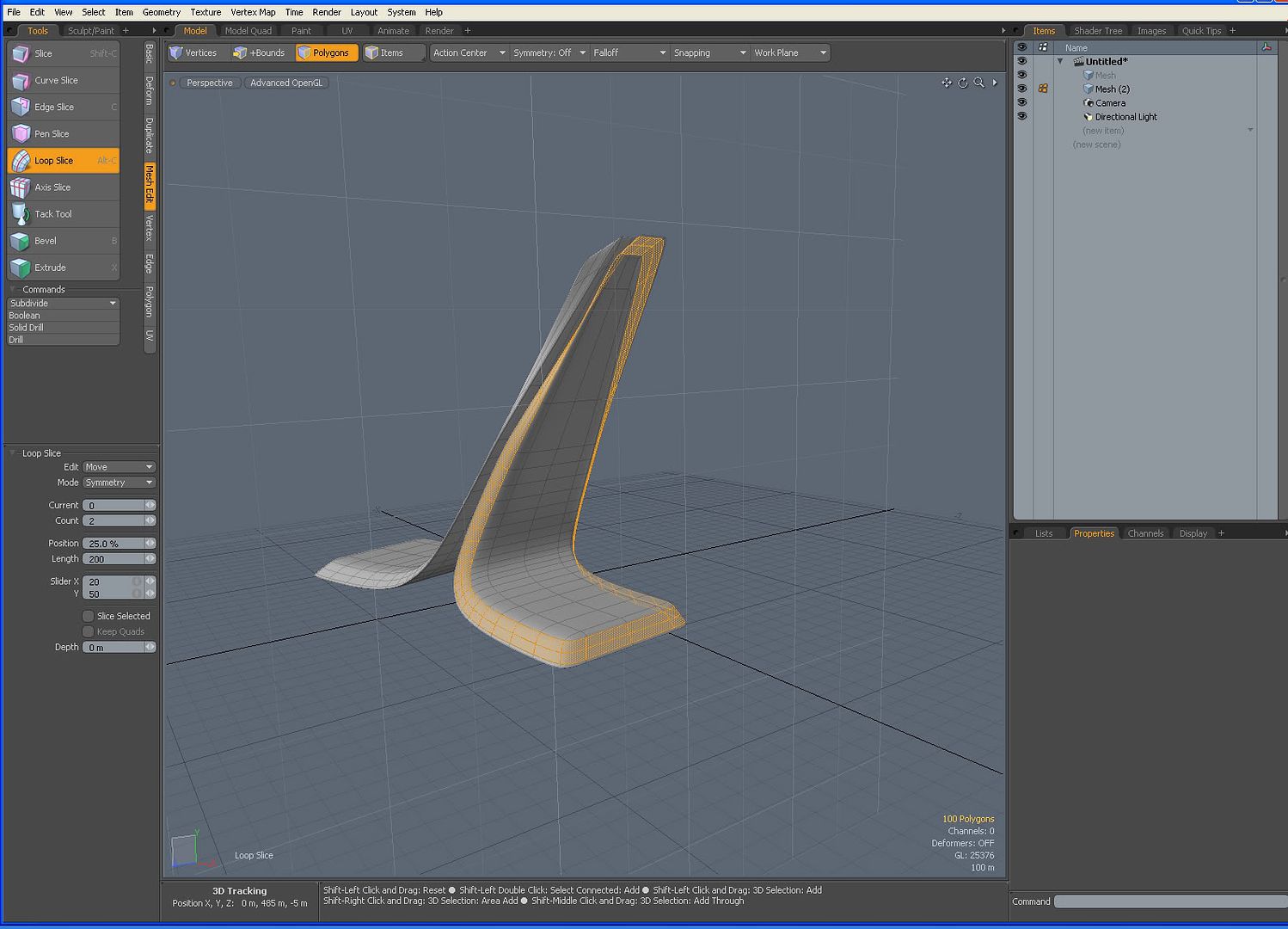
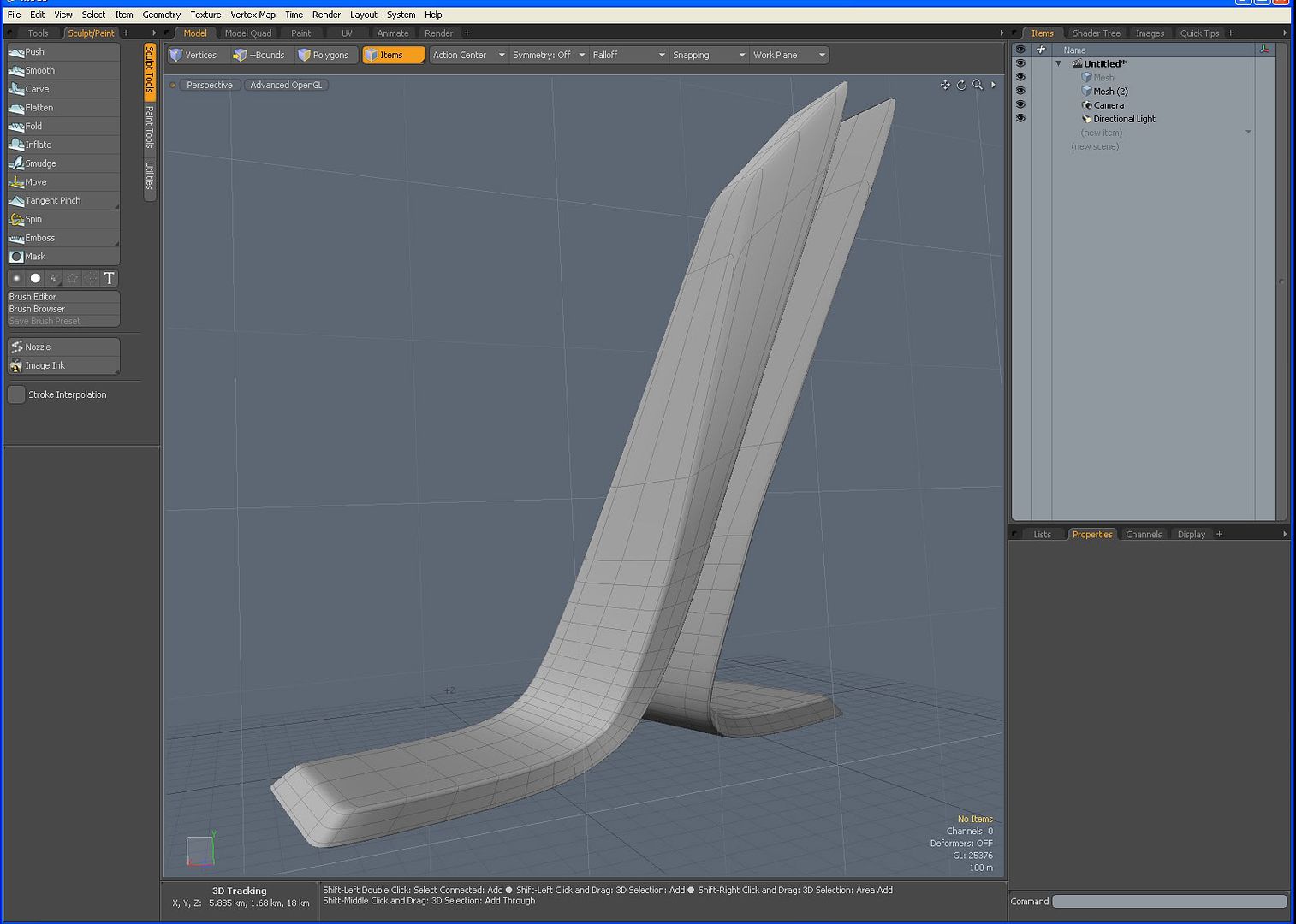
                http://i11.photobucket.com/albums/a155/santsephai/structure_4a.jpg

                1. final form - then on to texturing it and rendering!
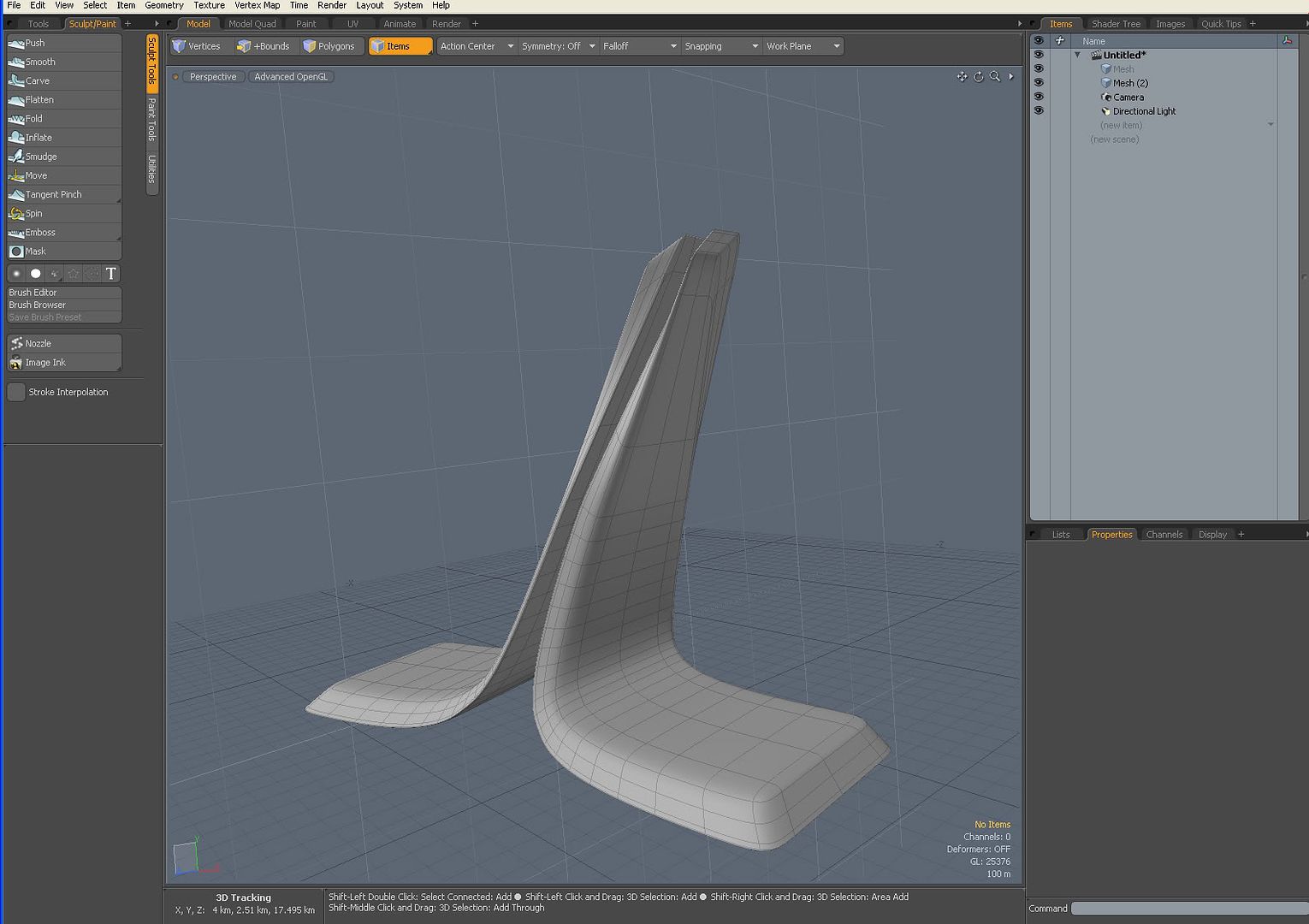
                http://i11.photobucket.com/albums/a155/santsephai/structure_4.jpg

                http://i11.photobucket.com/albums/a155/santsephai/structure_5.jpg

                1 條回覆 最後回覆 回覆 引用 0
                • G 離線
                  gaganraj
                  最後由 編輯

                  I tend to only use the SU importer if i don't plan on changing the model once its in Modo. If all i need to do is add a few procedural textures and render than i'll use it. If i plan to work on the model in SubD's in Modo, use the Obj method. that way you can sketch the basic form in SU and detail the model in modo.

                  1 條回覆 最後回覆 回覆 引用 0
                  • X 離線
                    xrok1
                    最後由 編輯

                    you can do the exact same edits with a model imported through the importer though? at least i can.

                    “There are three classes of people: those who see. Those who see when they are shown. Those who do not see.”

                    http://www.Twilightrender.com try it!

                    1 條回覆 最後回覆 回覆 引用 0
                    • G 離線
                      gaganraj
                      最後由 編輯

                      really? i find everything to be double sided and triangulated. i'm unable to subdivide anything. can you show me a quick example? it would be cool to get a thread going on techniques utilizing both these programs together.

                      1 條回覆 最後回覆 回覆 引用 0
                      • X 離線
                        xrok1
                        最後由 編輯

                        yes it does seem detached. try this, lasso select your object then go to vertex tab and choose merge tool. 😉

                        “There are three classes of people: those who see. Those who see when they are shown. Those who do not see.”

                        http://www.Twilightrender.com try it!

                        1 條回覆 最後回覆 回覆 引用 0
                        • G 離線
                          gaganraj
                          最後由 編輯

                          ahh nice! i'll try that. still learning subdivision modelling, so all these new tools take a while to get a handle on.

                          thanks!

                          1 條回覆 最後回覆 回覆 引用 0
                          • StinkieS 離線
                            Stinkie
                            最後由 編輯

                            The importer does indeed triangulate everything. Also, it splits every SU face up into a front and a back face.

                            Gaganraj, after importing an .obj, you may experience odd-looking shading on your meshes. To get rid of it, you have to remove the vertex maps your obj's come in with. In item mode, select a mesh > Lists > Other Maps > delete the vertex map.

                            1 條回覆 最後回覆 回覆 引用 0
                            • X 離線
                              xrok1
                              最後由 編輯

                              sorry 😳 , i played around some more and it appears you're right. the double faces thing is a show stopper. i hadn't really tried sud-d with SU imports before. that kinda sucks, hopefully luxology works that issue out!

                              “There are three classes of people: those who see. Those who see when they are shown. Those who do not see.”

                              http://www.Twilightrender.com try it!

                              1 條回覆 最後回覆 回覆 引用 0
                              • G 離線
                                gaganraj
                                最後由 編輯

                                stinkie: very cool. i've been wondering what that is. thanks.

                                xrok1: ya, I just double checked, the obj. method is pretty much the only way to get basic shapes out of SU and into sub-d mode in modo. but it is working pretty well so far....

                                working on UVing right now. when i get a better handle on it i'll throw some up pics of what i've learned.

                                1 條回覆 最後回覆 回覆 引用 0
                                • StinkieS 離線
                                  Stinkie
                                  最後由 編輯

                                  Bit of a guess: I suppose you can remove all of the back faces by selecting them by their mat, as they're all assigned a 'default backface material' (or something along those lines. Try this: under 'Statistics', choose 'Polygons', then 'by material', then click in the column on the far left hand side of 'default backface material'. Hit delete.

                                  1 條回覆 最後回覆 回覆 引用 0
                                  • X 離線
                                    xrok1
                                    最後由 編輯

                                    that does seem to work to an extent, if a person was careful to not paint both sides on anything in your madel; this coupled with the merge vertex trick could work quite well. 😄

                                    “There are three classes of people: those who see. Those who see when they are shown. Those who do not see.”

                                    http://www.Twilightrender.com try it!

                                    1 條回覆 最後回覆 回覆 引用 0
                                    • A 離線
                                      ark
                                      最後由 編輯

                                      Is it possible to update the model once it's imported to Modo?

                                      I've seen a tutorial about Modo's reference features, but don't know if it can be used as a workaround? It would be nice to use Modo's renderfeatures!

                                      1 條回覆 最後回覆 回覆 引用 0
                                      • G 離線
                                        gaganraj
                                        最後由 編輯

                                        not sure what you mean by 'update' model and modo's 'referrence' features? if you could clarify i'm sure someone would know...

                                        1 條回覆 最後回覆 回覆 引用 0
                                        • A 離線
                                          ark
                                          最後由 編輯

                                          Well, hope this is more cleare!

                                          If a model is imported to Modo, and textures is applied. Then the model is changed in Sketchup and it would be nice to "update" (merge) the model allready imported to Modo, so you don't have to make a total retexturing.
                                          For archviz it's a greath feature because the model always gets adjusted during the renderprocess.

                                          I don't know the Modo reference feature in details, but maybe it could be used as described above!

                                          1 條回覆 最後回覆 回覆 引用 0
                                          • soloS 離線
                                            solo
                                            最後由 編輯

                                            That is possible with SU and Vue, you export your model and open up in Vue, then if you need to add, remove or edit geometry or texture something in SU all you do is save the model with the changes and the version open in Vue will ask you if you want to update the model. You can choose no and it becomes unique or you can opt for the update, when it changes it does it mesh for mesh so you can say yes to all changes or select the ones you want


                                            http://www.solos-art.com

                                            If you see a toilet in your dreams do not use it.

                                            1 條回覆 最後回覆 回覆 引用 0
                                            • 1
                                            • 2
                                            • 3
                                            • 1 / 3
                                            • 第一個貼文
                                              最後的貼文
                                            Buy SketchPlus
                                            Buy SUbD
                                            Buy WrapR
                                            Buy eBook
                                            Buy Modelur
                                            Buy Vertex Tools
                                            Buy SketchCuisine
                                            Buy FormFonts

                                            Advertisement