[Plugin] Greeble 2 released! (Updated August 31st, 2009)
-
Make just a test from a cube!
Select the top face and launch the plug...
here i call it twice with thes same entries
SU 6, last version of greeble
Not sure of the units used "inside" the Plugin (maybe royal units )
My unit "outside" the plug is meter with 2 decimals
I input in the box dialog number without unit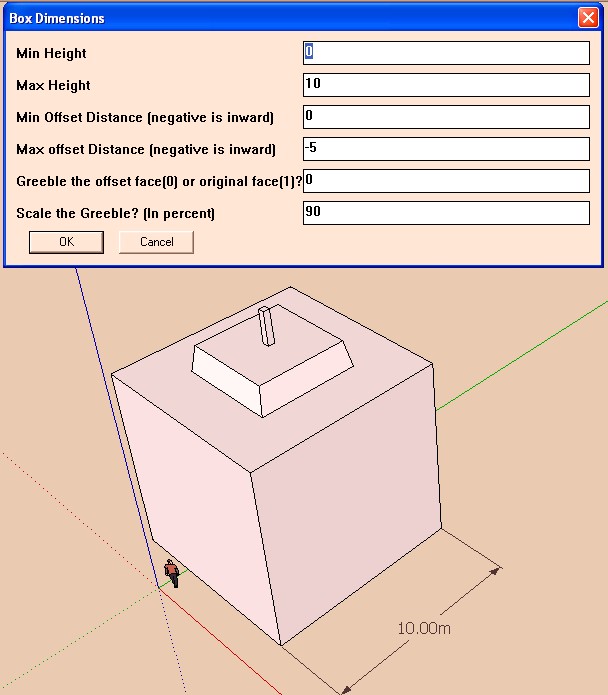
-
I am getting the same error that was posted by El_Sexto on Thu Oct 06, 2011 6:59 am. I have downloaded and re-downloaded the files from smustard with no effect. It doesn't matter what I try to do it on, it never works. I'm running on win 7 64 bit, and the only important thing i have installed is vray for sketchup. Everything else is normal.
-
-
Hmm, I'll re-download the files and install from scratch when I get some time. Currently that is not looking like any time soon though. Its been about 2 weeks of near all-nighters
 I've not got much capacity to look into it at the moment.
 -
Right, so I got the protrude plugin as you recommended. It works ecpt for the offset function. for some reason offset.rb is not offsetting the faces, so it isn't so much a problem with either Greeble or protrude, but with offset.rb. I will do more debugging on offset.rb to see if I can narrow it down...
~Corgano
-
Found the problem!
Removing the begin....rescue -> end statement in offset.rb and trying again led me to line 61,
61: vecs << vec
It said that vec did not exist, and I noticed the cde before it was checking if vec3 was valid. I changed it to
61: vecs << vec3
and it worked!Note: This is for the Failed to create offset error. Other errors may not be related to this
-
Thanks corgano. I thought that this offset.rb bug had been fixed months ago, but maybe not. I've pinged Rick about it.
-
I had reworked that whole section of Offset.rb, but must have not gotten it uploaded (which I have now done). Please try downloading the latest version.
-
Yes Yes Yes YEEEEES ! It Works ! Thanx - Just replace by the new Offset.rb.
-
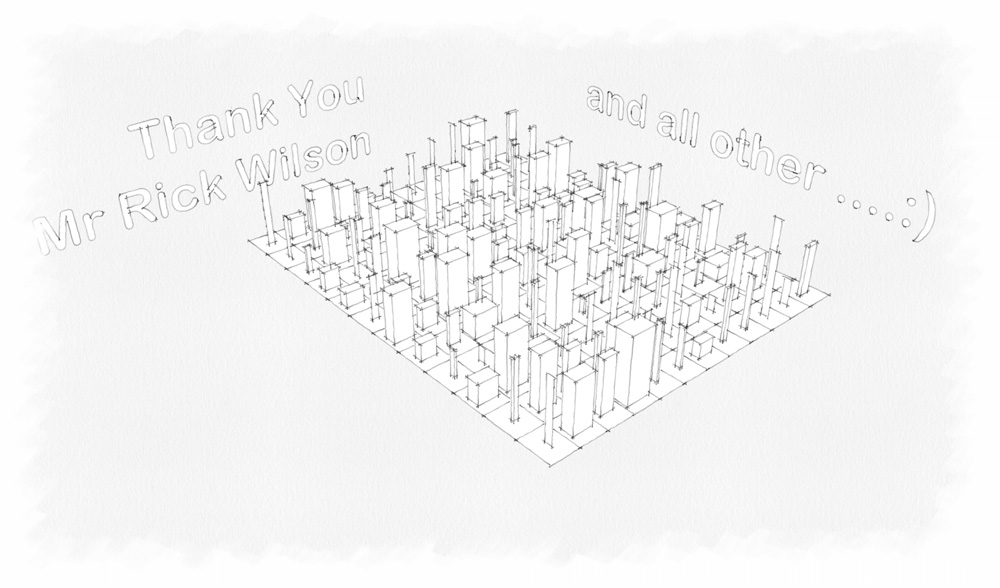
So more fun for you in perspective!

-
Newbie question: I have very recent downloads of both Greeble2 and Offset from Smustard, and the plugin mostly works fine on my Windows 7 64-bit machine running SU8 Pro. Greeble2, in addition to being loads of random fun, is extremely useful to tile or 'panelize' complex meshes. For giving that nice grout or reveal detail in renderings, this plugin is excellent. Simply set the min and max height settings to the same dimension, and set the min and max offset to the same (negative) dimension, offset face (0), and leave the scale at 100 for quick tiling.
However, whenever I use an offset dimension of less than 1", the offset doesn't happen at all. FWIW, setting height dimensions less that 1" works fine. A minimum of 2" wide grout (when offsets combine for adjacent tiles) ain't an option for interior renders! Help?!
Anybody else experiencing this? Any known fixes to either Greeble2 or offset?
Thanks loads. Brilliant plugin for both kicks and productivity, if I could just get offsetting to cooperate.
-
The way the values are set is a little unhelpful - they are strings made into lengths
values = ["1'", "5'", "-1'", "-2'", "0", "100"]
The first four are set to 'string-feet'...
So in the dialog numbers without suffixes are assumed to be inches.
Perhaps it's failing to parse smaller sizes.
Try entering0.5"rather than0.5and see if that helps...
Or12.7mm
-
Did indeed try all manner of entering half an inch, even entering it in terms of feet (0.04167'), but still no offset whatsoever at dimensions less than 1". It's odd given that the height dimensions can handle less than 1" just fine...
Thinking it might be something to do with offset.rb, I tried Jim's protrude.rb which also uses offset.rb, but protrude works as it should. (Protrude is great for random subdividing, but Chris's Greeble2's ability to automatically put extruded faces on a separate group is fantastic for quick material assignments-- color the original mesh some grout color, then on the separate faces group use Chris's live-saver ExtrapolateColors to apply random variations of similar stone jpgs and you are ready for nice subtle detail renderings!)
Anyway. So what works in the end? Entering offsets in mm, wouldn't you know.

I shoulda thought to try that, having been trained as a luthier in the UK, where the unit back-and-forth is a way of life!Thanks TIG for the absurd/spot-on solution.
-
Yeah, this is an old plugin known for not being being unit-smart. Maybe that would be a good thing for me to tackle in it. I do no think it is offset that is the problem. I'll try to look into it and see if I can't redo it a little, thanks!
Chris



Hello! It looks like you're interested in this conversation, but you don't have an account yet.
Getting fed up of having to scroll through the same posts each visit? When you register for an account, you'll always come back to exactly where you were before, and choose to be notified of new replies (either via email, or push notification). You'll also be able to save bookmarks and upvote posts to show your appreciation to other community members.
With your input, this post could be even better 💗
Register Login


Advertisement