sketchucation logo sketchucation
    • Login
    Oops, your profile's looking a bit empty! To help us tailor your experience, please fill in key details like your SketchUp version, skill level, operating system, and more. Update and save your info on your profile page today!
    Mac User? | Join the Rayscaper Beta for Mac Learn More

    Overly dark renders, and etcetera

    Scheduled Pinned Locked Moved Gallery
    36 Posts 13 Posters 5.8k Views 13 Watching
    Loading More Posts
    • Oldest to Newest
    • Newest to Oldest
    • Most Votes
    Reply
    • Reply as topic
    Log in to reply
    This topic has been deleted. Only users with topic management privileges can see it.
    • B
      BTM
      last edited by

      Thanks for the advice πŸ‘
      I was going for a bit of a nighttime look in the first 2 renders, and although they aren't too dark for me, I did intend them to be a bit dark. My 3rd one looks more like someone just turned the lights on.

      Frederick: πŸ‘ . Also, how do I use volume lighting to create god's fingers without slowing my render down to 1% for 10 minutes?
      (I use KT)

      1 Reply Last reply
      Reply Quote 0
      • boofredlayB
        boofredlay
        last edited by

        Great renders.
        However, let me quote a line from those pesky Competition rules πŸ˜„

        @unknownuser said:

        -Sketchup output only (and as much as i know you love rendering your models, it would be appreciated if you could hold of posting them in the gallery until after the comp.)

        http://www.coroflot.com/boofredlay

        1 Reply Last reply
        Reply Quote 0
        • B
          BTM
          last edited by

          Oh, I didn't notice that... but it's not in the comp section... so we can't even post them in the gallery?

          1 Reply Last reply
          Reply Quote 0
          • FrederikF
            Frederik
            last edited by

            @unknownuser said:

            Frederick: πŸ‘ . Also, how do I use volume lighting to create god's fingers without slowing my render down to 1% for 10 minutes?
            (I use KT)

            Volume lightning and soft shadows is a bad mix... πŸ˜‰
            Which also makes sence, since KT is a GI render application... πŸ˜‰
            Only use one of them at a time... Never together... πŸ˜‰

            click Settings > Scene...
            You'll now see a window with 3 tabs... (Lights, Cameras and Global Settings)
            Select the Global Settings tab...
            In the Ambient & Volume Lightning field, you need to check that Volume Lightning is ticked...
            In the Global Fog field you just need to adjust the Scatter settings... (you may start with .05 or .1)

            You can find a small scene here, which you can use to play with... πŸ˜‰

            Please note! ❗ Volume lightning will increase your render time significantly... 😐

            If you don't like longer render times, you can make Gods Ray in post pro...

            Cheers
            Kim Frederik

            1 Reply Last reply
            Reply Quote 0
            • boofredlayB
              boofredlay
              last edited by

              @unknownuser said:

              Oh, I didn't notice that... but it's not in the comp section... so we can't even post them in the gallery?

              Correct.

              http://www.coroflot.com/boofredlay

              1 Reply Last reply
              Reply Quote 0
              • B
                BTM
                last edited by

                so...do I remove them untill after the comp???

                1 Reply Last reply
                Reply Quote 0
                • boofredlayB
                  boofredlay
                  last edited by

                  That is up to remus.

                  http://www.coroflot.com/boofredlay

                  1 Reply Last reply
                  Reply Quote 0
                  • R
                    remus
                    last edited by

                    I think leave them in place this time. I'm too lazy to copy them all and put them back in after the comp πŸ˜‰

                    Please dont do it again, though. If i'm in a bad mood theres a good chance i'll just delete the offending posts.

                    http://remusrendering.wordpress.com/

                    1 Reply Last reply
                    Reply Quote 0
                    • T
                      teofas
                      last edited by

                      i like the dark style but think its maybe a little too much, maybe some more lites too add more life to the renders, but good job!! i like them πŸ‘

                      http://www.spazioarquitectura.com

                      1 Reply Last reply
                      Reply Quote 0
                      • B
                        BTM
                        last edited by

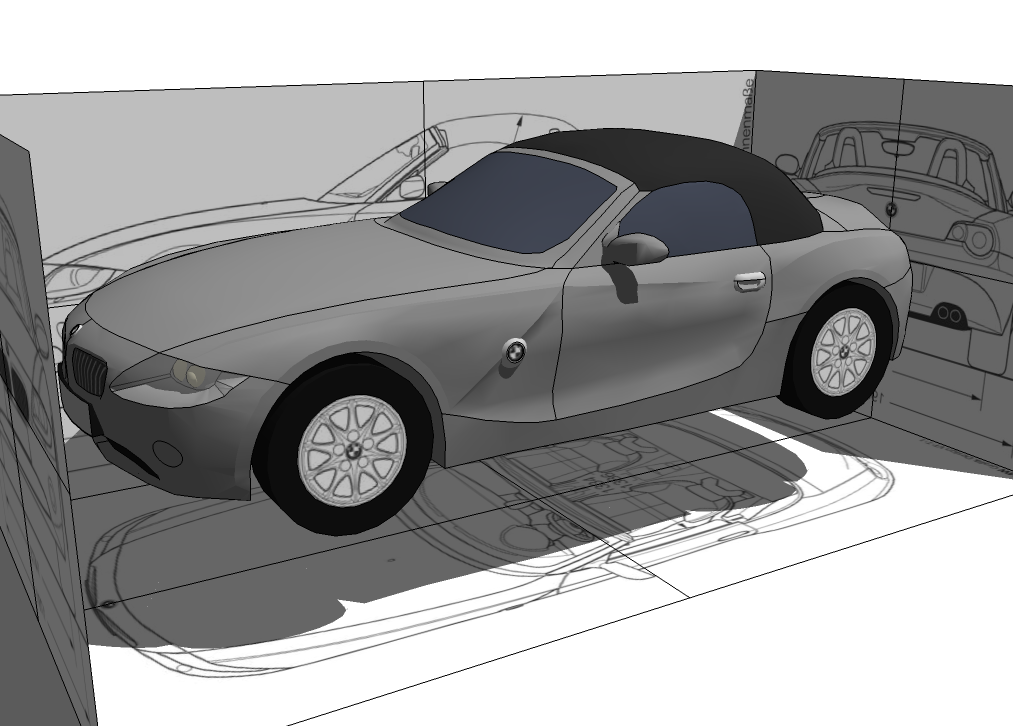
                        BMW Z4
                        BMW_Z4.png
                        making a car in sketchup is one of those things I've always wanted to try, and this would be the first decent attempt I've had at it. Decently far into the model, still lacks a lot of details, and interior, but I'm posting it here none-the-less. πŸ˜‰


                        BMW.Z4.6.skp

                        1 Reply Last reply
                        Reply Quote 0
                        • B
                          BTM
                          last edited by

                          Some in-SU pics of one of my latest models.

                          Everything but textures were made by me. If you're wondering why the turrets are so bad, the file size is huge, and I want to be able to upload it to the 3D warehouse, so i have to take away a LOT of detail 😞
                          (Images removed, different ones will most likely be re-posted.)

                          1 Reply Last reply
                          Reply Quote 0
                          • B
                            BTM
                            last edited by

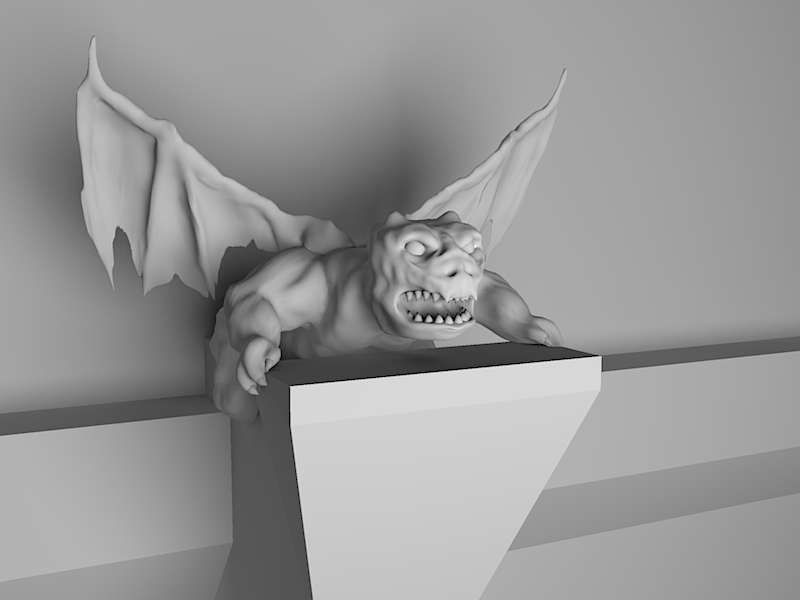
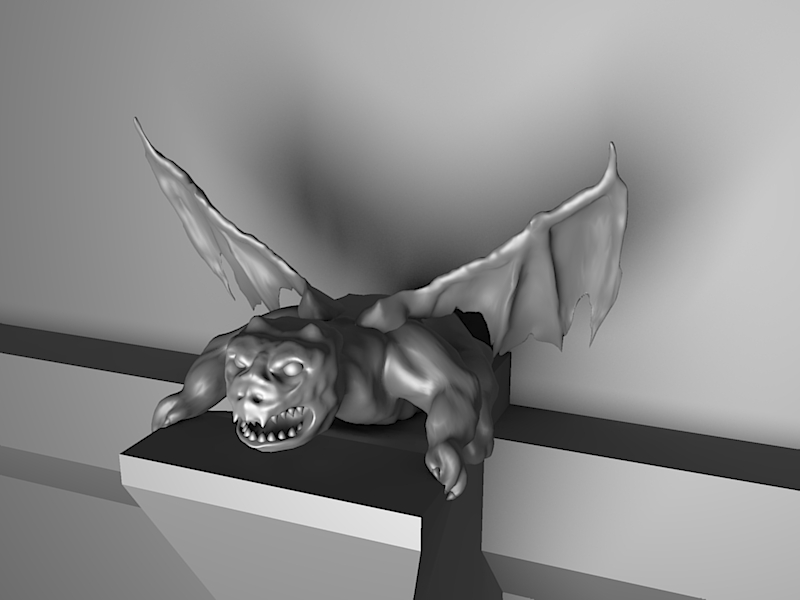
                            Sculpture! πŸ˜„


                            50748 faces, 77242 edges
                            β€”β€”β€”β€”β€”β€”β€”β€”β€”β€”β€”β€”β€”β€”β€”β€”β€”β€”β€”β€”β€”
                            Gargoyle2.jpg
                            Gargoyle1.jpg

                            1 Reply Last reply
                            Reply Quote 0
                            • soloS
                              solo
                              last edited by

                              Is this done with your under development sculpt tools?

                              Looking really good, if so, I cannot wait to get my hands on the final product.

                              http://www.solos-art.com

                              If you see a toilet in your dreams do not use it.

                              1 Reply Last reply
                              Reply Quote 0
                              • B
                                BTM
                                last edited by

                                @solo said:

                                Is this done with your under development sculpt tools?
                                Looking really good, if so, I cannot wait to get my hands on the final product.

                                Yes, this was done with Sculpt Tools. πŸ˜‰

                                I've been fairly busy lately, and haven't gotten much more done on them, but I don't have too much more to do anyways. I mostly made this model just to see if I could, and to see what would make it easier to sculpt, as in visuals.

                                1 Reply Last reply
                                Reply Quote 0
                                • S
                                  Sir
                                  last edited by

                                  looks pretty awsome... do these compare to the 'sculpt' tools as integrated into modo?

                                  1 Reply Last reply
                                  Reply Quote 0
                                  • M
                                    Mr S
                                    last edited by

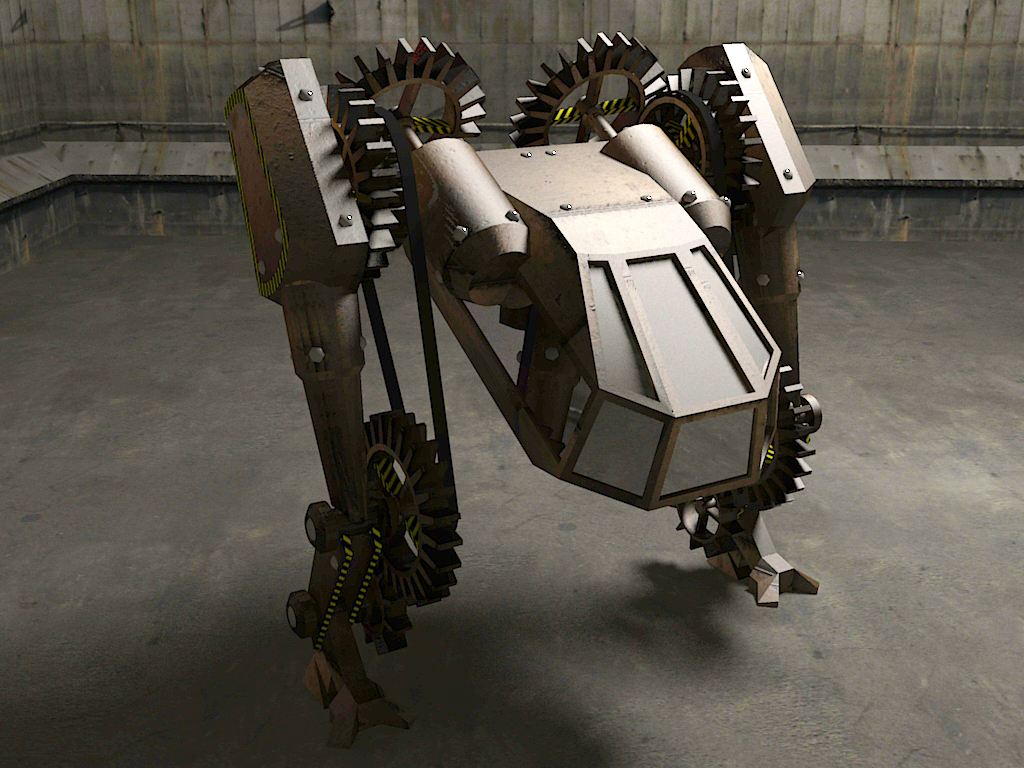
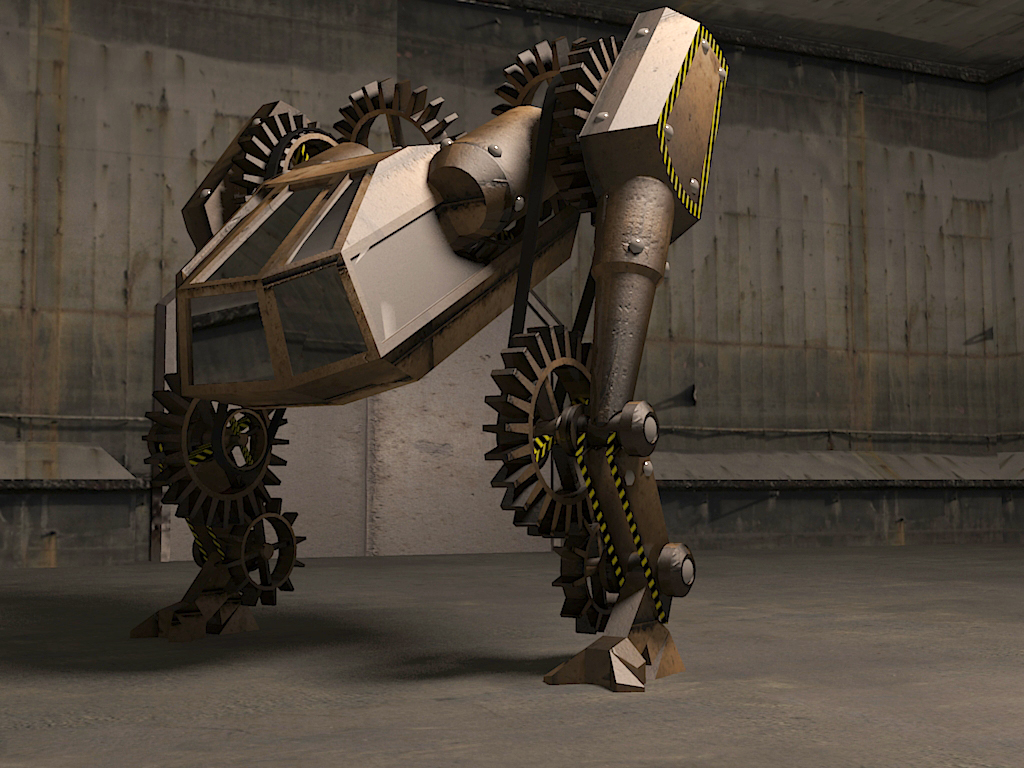
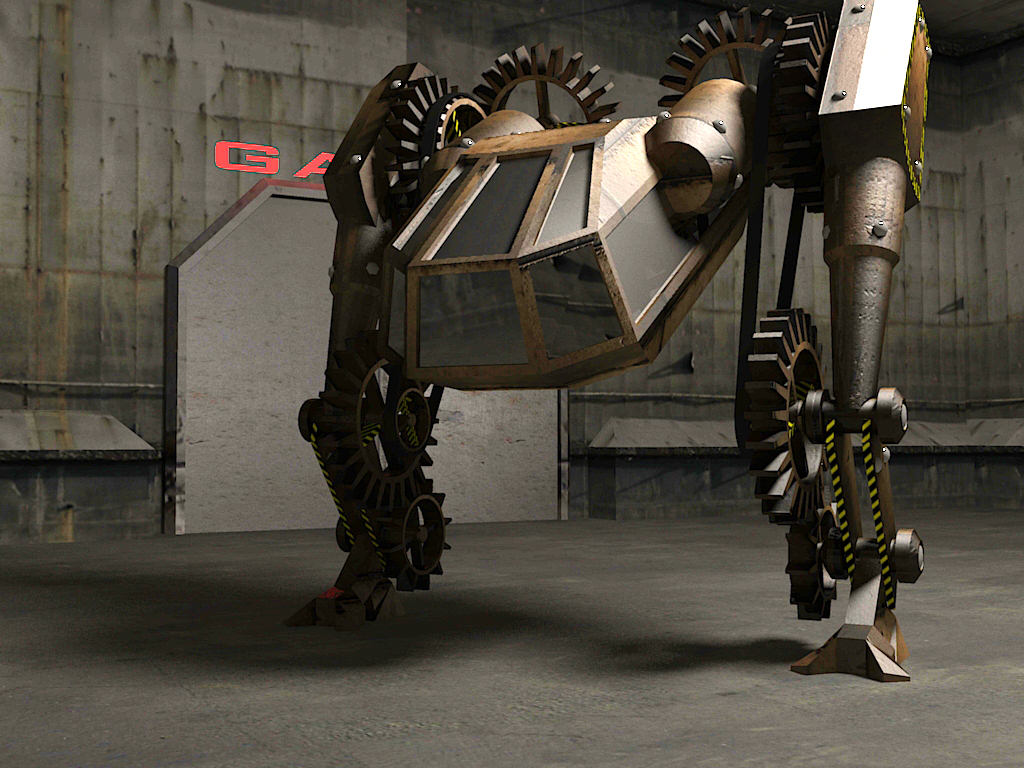
                                    Here are your last renders after a bit of tweaking in Photoshop using levels and contrast adjustment. If these look too bright on your monitor you really need to make some adjustments or get a new monitor.

                                    Regards
                                    Mr S

                                    Steampunk1.jpg


                                    steampunk2.jpg


                                    steampunk3.jpg

                                    1 Reply Last reply
                                    Reply Quote 0
                                    • B
                                      BTM
                                      last edited by

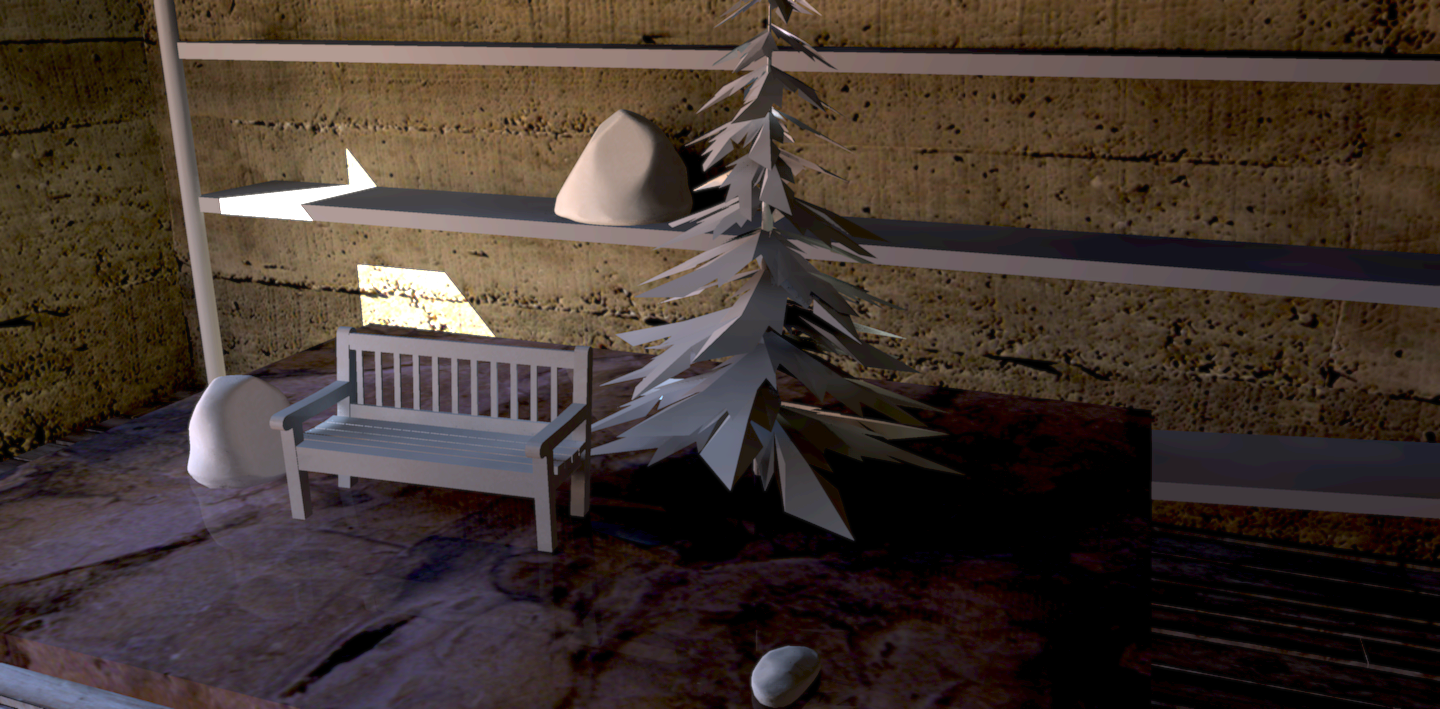
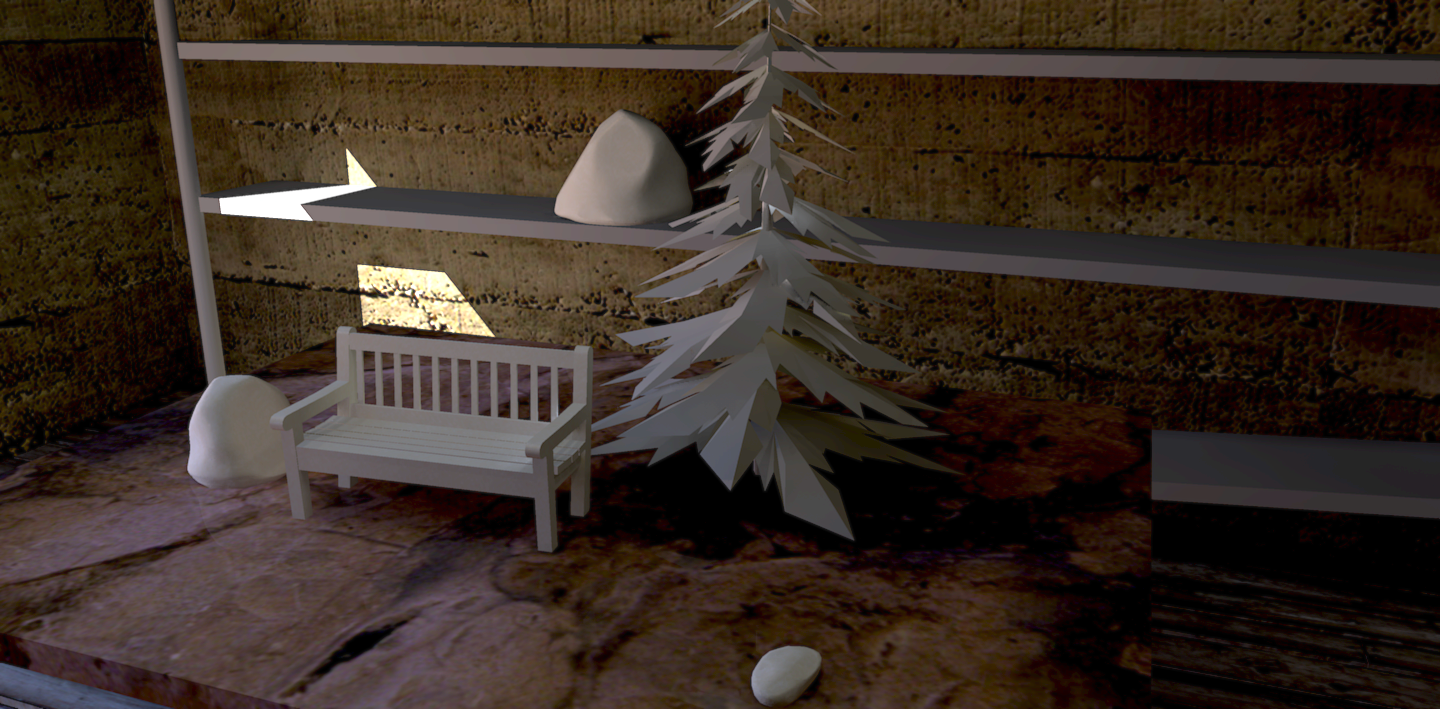
                                      'Clay' renders. Well, sorta. Going for a more realistic look than usually.
                                      clay setup finnished 6.png
                                      clay setup finnished 5.png

                                      1 Reply Last reply
                                      Reply Quote 0

                                      Hello! It looks like you're interested in this conversation, but you don't have an account yet.

                                      Getting fed up of having to scroll through the same posts each visit? When you register for an account, you'll always come back to exactly where you were before, and choose to be notified of new replies (either via email, or push notification). You'll also be able to save bookmarks and upvote posts to show your appreciation to other community members.

                                      With your input, this post could be even better πŸ’—

                                      Register Login
                                      • 1
                                      • 2
                                      • 1 / 2
                                      • First post
                                        Last post
                                      Buy SketchPlus
                                      Buy SUbD
                                      Buy WrapR
                                      Buy eBook
                                      Buy Modelur
                                      Buy Vertex Tools
                                      Buy SketchCuisine
                                      Buy FormFonts

                                      Advertisement