Why is this happening?
-
Hi all,
Thought I'd ask this here to benefit everybody.
I have been given a model from another office and its a mess. I'll have a rant in the corner bar soon.
Any way here is the issue.
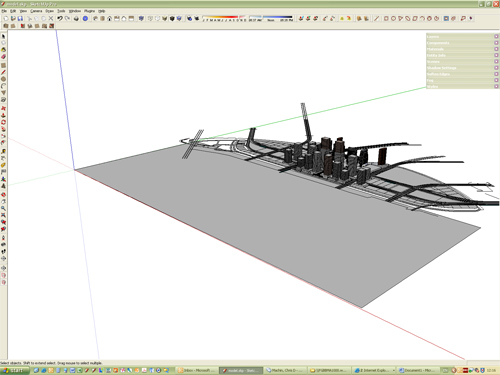
In the image below you can see the axis as it should be (solid as positive and broken as negative) but when I use the standard views it sets the model upside down. I have changed the axis a few times but it still sets the view upside down. I can't post the model as its 20Mb.
Thanks in advance
-
Cold you try to right click on the axis and select "Reset" to see what the original axis system would be?
-
If the reset doesn't do it, I once had a similar problem in an old version of SketchUp. At some point the axis turned upside down and there was nothing I could do to fix it. If you can't reset, copy the entire model to the clipboard, open a new instance of sketchup and paste it where you like it.
-
Thanks Gai i think thats sorted it
Edit: and Susan


Hello! It looks like you're interested in this conversation, but you don't have an account yet.
Getting fed up of having to scroll through the same posts each visit? When you register for an account, you'll always come back to exactly where you were before, and choose to be notified of new replies (either via email, or push notification). You'll also be able to save bookmarks and upvote posts to show your appreciation to other community members.
With your input, this post could be even better 💗
Register Login


Advertisement