[Plugin] MatrixProximity Update v1.9 20110708
-
MatrixProximity Update
GreyHead has pointed out a glitch in the MatrixProximity 'swapping similar components' method.
This fixes the problem with it finding the right directory - caused by changes to the way Ruby 'now' returns the FindFile path with/without a / at the end of a directory... [actually it changed ages ago, but I never caught it...]
This version and some further improvements and fixes...
AND the missing menu issue fixed! -
Superbly useful tool! Thanks so much!

-
how does that work ?
-
-
Thanks Pilou... I was just getting a link

-
You can find the doc here
-
No pdf attached to the download...
I have it from a previous download.
-
Here it is for 'ease'...MatrixProximityGuide.pdf
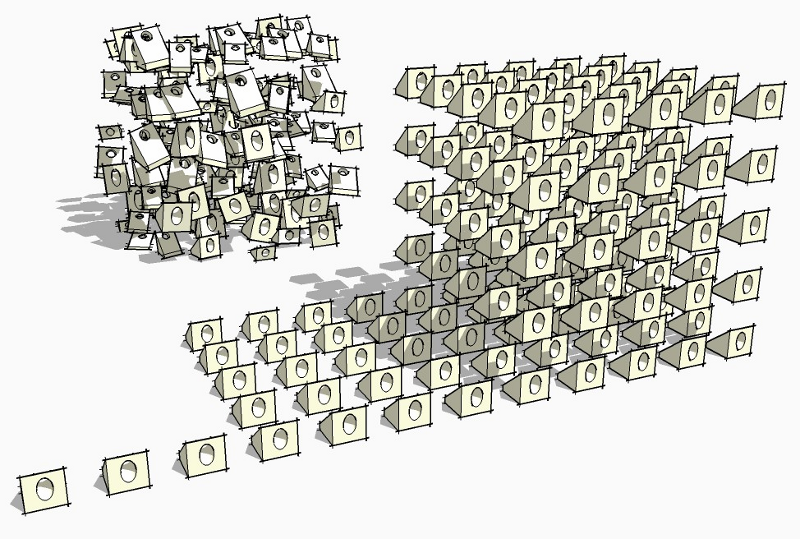
-
thank you
-
I don't get it...
Pilou tu peux m'aider... ?
-
sorry TIG
I really don't understand how to use your plugin....
I have the same statue in 3 LOD
name is :statue-001+
statue-001~
statue-001-run the plugin
see the boxes
nothing happens on screen !
-
Are those +/~/- components loaded into the SKP, or at least available in the '../Proximity Components' folder that you need to add inside the '../Components' folder?
The script is pretty old and also quite ropey!
I can fix it if you really want!!
What is it you want to do exactly ?? -
Sorry TIG I missed that part : create a proximity folder....
I'll try that now
I'am trying to draw a perspective 300 m long with a statue evry 10 m
the one in the far don't need high res
I want to create scenes and not re-load manually every component ...
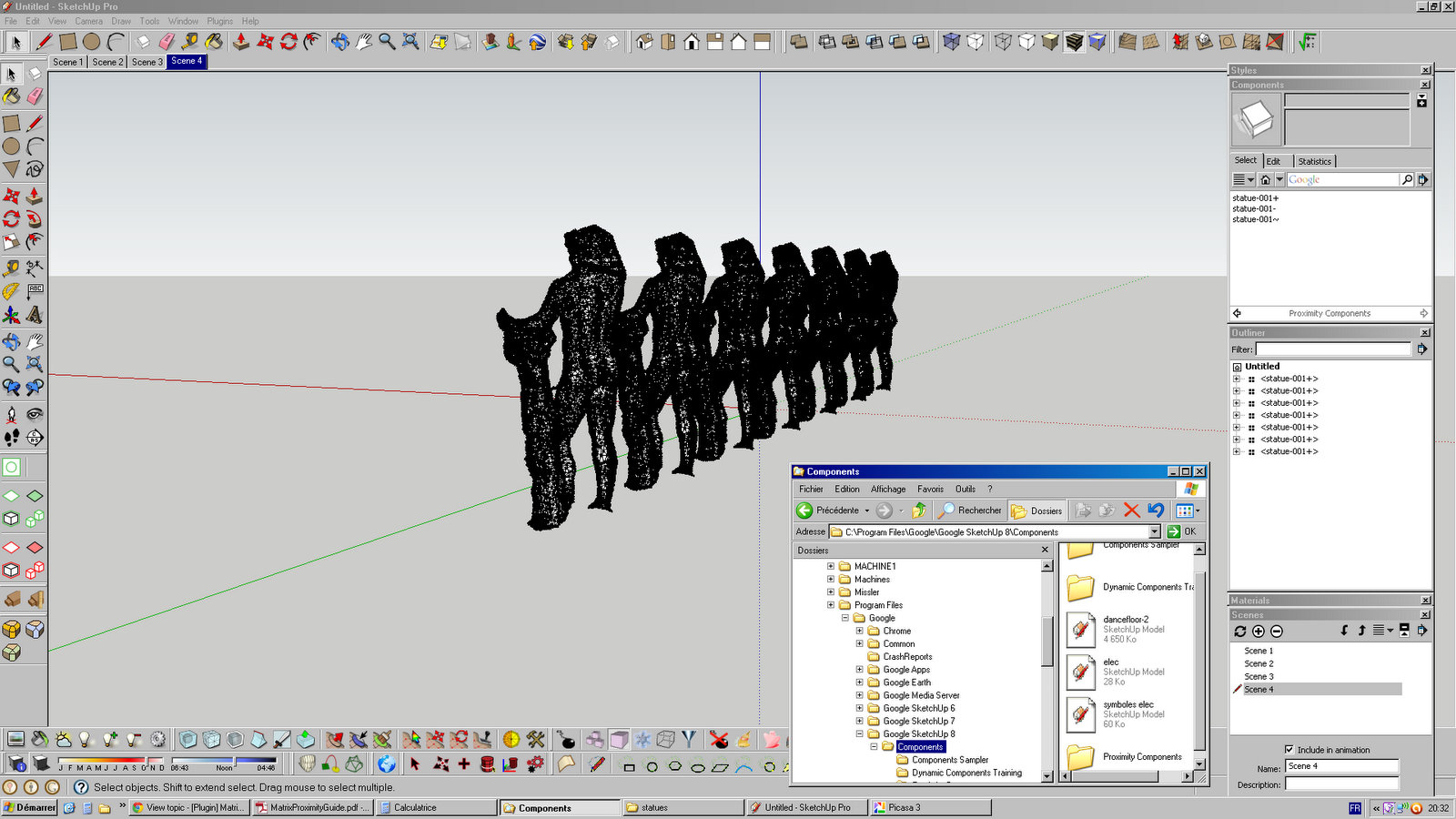
-
can't mak work

-
You need to set a range in the dialog so that some statues fall outside the limit and are thereby made the '-' type. I assume that the three types are made with the same origin and overall dimensions BUT the farther ones are less complex forms ?
Do you want to PM me the three types and I'll see what's what...
-
thank you TIG...
I how [owe?] you some pints. -
@Bertier
You can use the Random Replacement of a Composant by Sdmitch
Just take one composant as source for avoid the random if neeedingAnd despite of that in case of Big Size component (polys) use the Ghost component by fredo 6
-
Here's v1.8 http://forums.sketchucation.com/viewtopic.php?p=46802#p46802
I've made some additional fixes to the code to bring it up to date... -
thank you I'll try tonight
-
Where can I find the original .zip file for this? I've never used this before so I think I'm lacking a few things to make it work. I tried to just drop in the .rb file and create the subfolder in my components folder, but I can't get it to show up in the plugins list. Perhaps it would be helpful to repackage it with everything needed to make it work.
Thanks TIG, this looks useful.



Hello! It looks like you're interested in this conversation, but you don't have an account yet.
Getting fed up of having to scroll through the same posts each visit? When you register for an account, you'll always come back to exactly where you were before, and choose to be notified of new replies (either via email, or push notification). You'll also be able to save bookmarks and upvote posts to show your appreciation to other community members.
With your input, this post could be even better 💗
Register Login


Advertisement