sketchucation logo sketchucation
    • 登入
    Oops, your profile's looking a bit empty! To help us tailor your experience, please fill in key details like your SketchUp version, skill level, operating system, and more. Update and save your info on your profile page today!
    🔌 Smart Spline | Fluid way to handle splines for furniture design and complex structures. Download

    Useful MAC Apps and Hardware [Ongoing Updates]

    已排程 已置頂 已鎖定 已移動 Hardware, Software & Gadgets
    288 貼文 34 Posters 190.7k 瀏覽 34 Watching
    正在載入更多貼文
    • 從舊到新
    • 從新到舊
    • 最多點贊
    回覆
    • 在新貼文中回覆
    登入後回覆
    此主題已被刪除。只有擁有主題管理權限的使用者可以查看。
    • EdsonE 離線
      Edson
      最後由 編輯

      @mike lucey said:

      Guys,

      I think you will like this one! Its a clever little search app called FOUND and the best part is that its free. You can locate it in the App Store here http://itunes.apple.com/us/app/found/id527134927?mt=12 and while downloading, be sure to watch the well executed Demo / Tutorial Video!

      Mike

      mike,

      is the video available only while downloading? I looked for it in their site and found nothing.

      edson mahfuz, architect| porto alegre • brasil
      http://www.mahfuz.arq.br

      1 條回覆 最後回覆 回覆 引用 0
      • Mike LuceyM 離線
        Mike Lucey
        最後由 編輯

        Edson,

        This might give you a better overview,
        http://techcrunch.com/2012/04/02/found-file-searching-app/

        I am wondering if these guys will add some extra 'pay for' features over time. I imagine they will. The other thing that is being mentioned is that its memory hungry! I think it probably is but everything as a cost at the end of the day.

        Let me know how you get on with it?

        Mike

        Support us so we can support you! Upgrade to Premium Membership!

        1 條回覆 最後回覆 回覆 引用 0
        • Mike LuceyM 離線
          Mike Lucey
          最後由 編輯

          SHUSH could be a useful little app for anyone that makes a lot of Skype calls! http://mizage.com/shush/
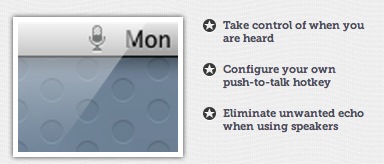

          SHUSH.jpg

          Support us so we can support you! Upgrade to Premium Membership!

          1 條回覆 最後回覆 回覆 引用 0
          • M 離線
            mwm5053
            最後由 編輯

            I saw this on OSX Daily kinda cool specially if you like the old typewriter.

            Link Preview Image
            Noisy Typer – a typewriter for your laptop.

            Noisy Typer is a free piece of software which plays typewriter sounds as you type. It runs in the background and works with all applications ( email, web, word

            favicon

            F.A.T. (fffff.at)

            2011 iMac
            SU 2015 Pro, 2017 Make
            V2 Twilight
            macOS Sierra 10.12.5

            1 條回覆 最後回覆 回覆 引用 0
            • Mike LuceyM 離線
              Mike Lucey
              最後由 編輯

              Thanks Walt. Noisy Typer is cool! Bring back memories of pre computer times. Oh! and don't forget the qaz123 code to quit to go back to silent mode 😄

              Support us so we can support you! Upgrade to Premium Membership!

              1 條回覆 最後回覆 回覆 引用 0
              • Mike LuceyM 離線
                Mike Lucey
                最後由 編輯

                Guys,

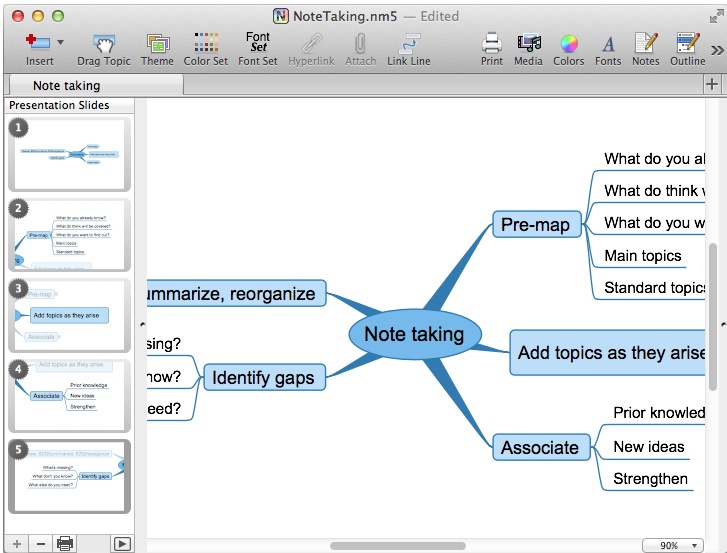
                I don't know how many of you ever use mindmaps. I use them occasionally and find the process useful for getting thought connections organised, even initial building room / area layouts requirements sorted.

                The problem to date has been how to present the mindmap to a client / associate etc. Giving them a huge mindmap can be daunting and off putting but I've just learned of NovaMind's latest Beta with Presenter. It looks like it could be a nice solution.

                The d/l link is here,
                http://www.novamind.com/blog/2012/announcements-novamind-5-for-mac/novamind-5-4-for-mac-with-presenter-enters-beta-testing/

                Mike


                NovaMind .jpg

                Support us so we can support you! Upgrade to Premium Membership!

                1 條回覆 最後回覆 回覆 引用 0
                • Mike LuceyM 離線
                  Mike Lucey
                  最後由 編輯

                  Hi All,

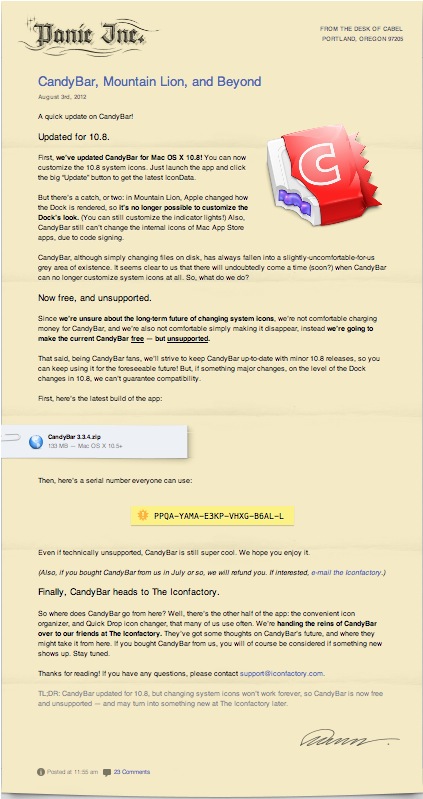
                  Just learned that Panic the CandyBar developers are now giving the app away for free. I won't go into the reason, you can read that for yourself.

                  301 Moved Permanently

                  favicon

                  (www.panic.com)

                  Mike


                  Candybar free.jpg

                  Support us so we can support you! Upgrade to Premium Membership!

                  1 條回覆 最後回覆 回覆 引用 0
                  • M 離線
                    mwm5053
                    最後由 編輯

                    Here's one I found recently if it's been mentioned here sorry.
                    The Unarchiver, it opens zip, rar and a whole slew of other extensions I've never even heard of before, the great thing is if you download a plugin you can unzip it directly to the plugins folder no more copy and paste.

                    favicon

                    (itunes.apple.com)

                    2011 iMac
                    SU 2015 Pro, 2017 Make
                    V2 Twilight
                    macOS Sierra 10.12.5

                    1 條回覆 最後回覆 回覆 引用 0
                    • A 離線
                      Aerilius
                      最後由 編輯

                      For those who have always been interested to use both OS X/Windows variants of SketchUp in combination (they have both pros/cons in their UI), still today you can get Codeweaver's CrossOver for free (they only ask you to promiss to vote...)
                      http://flock.codeweavers.com

                      http://www.codeweavers.com/images/themes/cw6/cw_logo_top.png

                      CrossOver is a program to run any Windows application directly without virtualization/emulation.

                      1 條回覆 最後回覆 回覆 引用 0
                      • D 離線
                        driven
                        最後由 編輯

                        Hi Aerillius,

                        have you managed to run SketchUp under crossover on linux?

                        I've tried on mac in the past and just reinstalled to try anew, but get a Bugsplat on startup, and cant locate openGL error, etc...

                        a working bottle may help
                        john

                        learn from the mistakes of others, you may not live long enough to make them all yourself...

                        1 條回覆 最後回覆 回覆 引用 0
                        • A 離線
                          Aerilius
                          最後由 編輯

                          I am using it (for years), but until now with Wine, I will try CrossOver now.
                          The Bugsplat on the first start is usually because SketchUp first tries software rendering, but after setting it to hardware acceleration in the registry it usually works (not sure if CrossOver is different, but in your bottle you should find a Windows directory with regedit.exe).

                          1 條回覆 最後回覆 回覆 引用 0
                          • D 離線
                            driven
                            最後由 編輯

                            Cheers,
                            I'll have a look tomorrow night
                            john

                            learn from the mistakes of others, you may not live long enough to make them all yourself...

                            1 條回覆 最後回覆 回覆 引用 0
                            • Mike LuceyM 離線
                              Mike Lucey
                              最後由 編輯

                              Hi Guys,

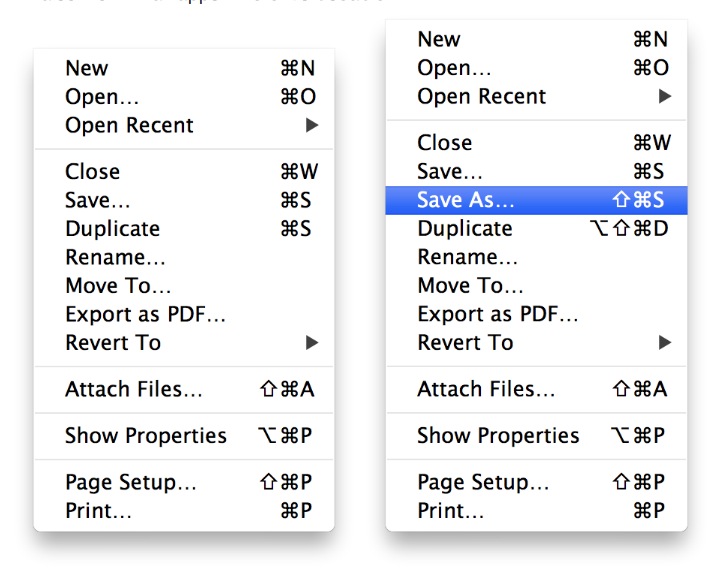
                              Are any of you missing the 'Save As' function after upgrading to Mountain Lion? If so the problems can be solved in seven easy to follow steps.

                              How to Restore 'Save As' Functionality to OS X Mountain Lion
                              favicon

                              (www.iclarified.com)


                              Restore 'Save As' in Mountain Lion.jpg

                              Support us so we can support you! Upgrade to Premium Membership!

                              1 條回覆 最後回覆 回覆 引用 0
                              • Mike LuceyM 離線
                                Mike Lucey
                                最後由 編輯

                                Clean Memory App is good and free on the App Store.
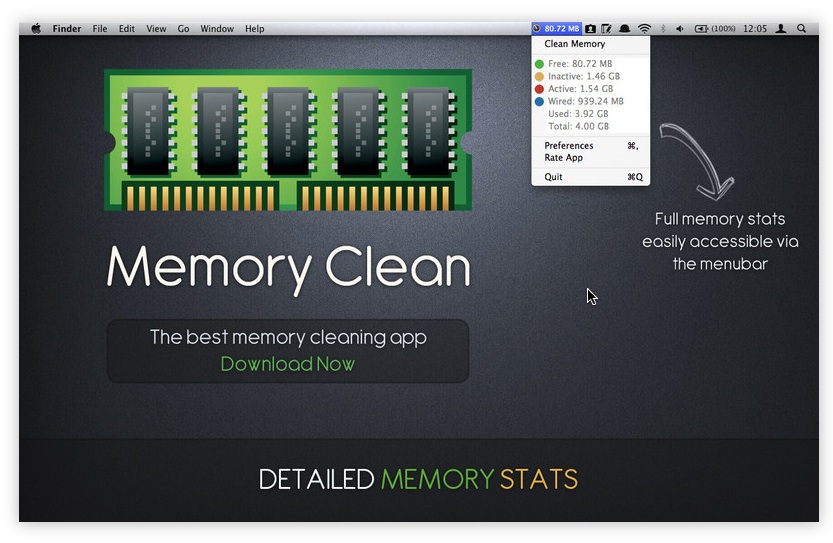

                                Clean Memory App.jpg

                                Support us so we can support you! Upgrade to Premium Membership!

                                1 條回覆 最後回覆 回覆 引用 0
                                • Mike LuceyM 離線
                                  Mike Lucey
                                  最後由 編輯

                                  Guys,

                                  Productive Macs are doing a good deal on a bundle, here, http://www.productivemacs.com/f/847429

                                  There is a total of 9 apps in the package for $29.99.

                                  I have purchased and find Task Paper and Disk Aid and Desktop Shelves very useful.

                                  Mike


                                  Productive Macs.jpg

                                  Support us so we can support you! Upgrade to Premium Membership!

                                  1 條回覆 最後回覆 回覆 引用 0
                                  • Mike LuceyM 離線
                                    Mike Lucey
                                    最後由 編輯

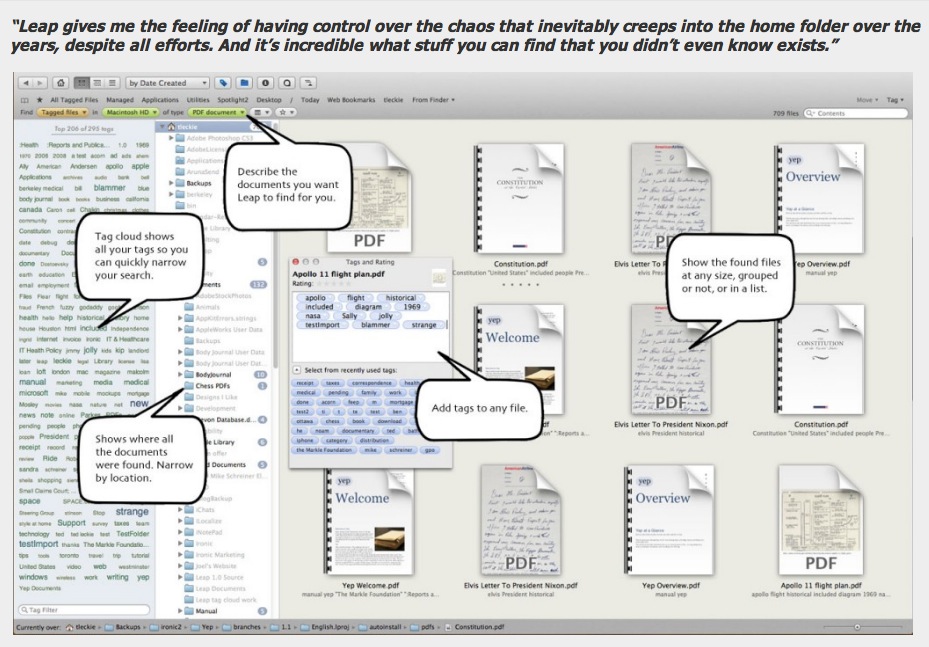
                                    I did a try and buy for LEAP by Iconic Software. http://www.ironicsoftware.com/leap/ I find it a huge time-saver 👍

                                    Leap.jpg

                                    For those that like a video review, check this out, http://www.youtube.com/watch?v=-FgWjLTYexo&hd=1

                                    Support us so we can support you! Upgrade to Premium Membership!

                                    1 條回覆 最後回覆 回覆 引用 0
                                    • M 離線
                                      mwm5053
                                      最後由 編輯

                                      If you use a Mac you know they love shortcuts for about everything this is a dashboard app that has lot of Mac apps only (wish the made one for SU) for you to look up from Finder to Mail and third part apps like Apature, Keynote and lots more.

                                      Link Preview Image
                                      dashkards

                                      Dashboard keyboard shortcuts cheat sheets for your favorite Mac apps

                                      favicon

                                      (dashkards.com)

                                      Enjoy

                                      2011 iMac
                                      SU 2015 Pro, 2017 Make
                                      V2 Twilight
                                      macOS Sierra 10.12.5

                                      1 條回覆 最後回覆 回覆 引用 0
                                      • wind-borneW 離線
                                        wind-borne
                                        最後由 編輯

                                        @mwm5053 said:

                                        If you use a Mac you know they love shortcuts for about everything this is a dashboard app that has lot of Mac apps only (wish the made one for SU) for you to look up from Finder to Mail and third part apps like Apature, Keynote and lots more.

                                        Link Preview Image
                                        dashkards

                                        Dashboard keyboard shortcuts cheat sheets for your favorite Mac apps

                                        favicon

                                        (dashkards.com)

                                        Enjoy

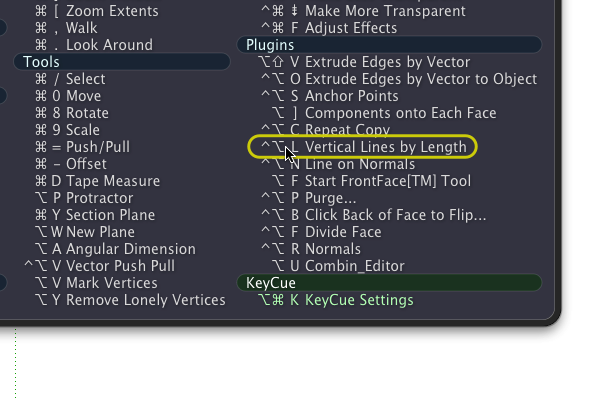
                                        a couple that show Mac's hardwired SU shortcuts (different than those entered within SU) and the ones you make in System Preferences.
                                        Neither allow editing as far as I could tell which limits their usefulness in my eyes.
                                        You can click from items on both.

                                        Free
                                        http://www.grandtotal.biz/CheatSheet/

                                        $
                                        http://www.ergonis.com/products/keycue/

                                        I have an older version of KeyCue, a little easier on the eyes than CheatSheet 😉


                                        SketchUp.png

                                        "To read between the lines was easier than to follow the text."OSX 10.11.6

                                        %(#BF80BF)[SU 8 pro

                                        1 條回覆 最後回覆 回覆 引用 0
                                        • wind-borneW 離線
                                          wind-borne
                                          最後由 編輯

                                          take control

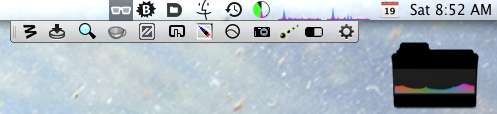
                                          I purchased this app immediately when it emerged from Beta, better price back then ❗

                                          Link Preview Image
                                          Bartender 6 - Take control of your Menu bar

                                          favicon

                                          (www.macbartender.com)


                                          Screen Shot 2013-01-19 at 8.52.20 AM.png


                                          Screen Shot 2013-01-19 at 8.52.34 AM.png

                                          "To read between the lines was easier than to follow the text."OSX 10.11.6

                                          %(#BF80BF)[SU 8 pro

                                          1 條回覆 最後回覆 回覆 引用 0
                                          • Mike LuceyM 離線
                                            Mike Lucey
                                            最後由 編輯

                                            WB, thanks for the heads-up on Bartender, I'm now using it ...... it makes things a lot tidier looking 👍

                                            I have had a Mac Mighty Mouse wireless for some time but only recently started using it due to the death of my MobilityLab mouse. While the Mighty Mouse took a little getting used to, I now quite like it as the ball scrolling is easy on the finger!

                                            I was having a few problems with 'right clicking' on SU but since installing SteerMouse http://plentycom.jp/en/steermouse/ my problems have been cured.
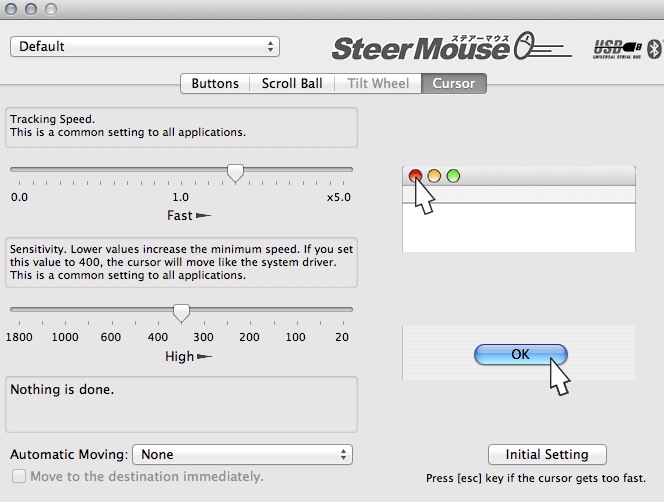
                                            SteerMouse.jpg

                                            SteerMouse is a mouse driver that lets you freely customise buttons, wheels and cursor speed. The app is not cheap at $20 but worth it I think as it really enhances the functionality of the MM 😄

                                            Support us so we can support you! Upgrade to Premium Membership!

                                            1 條回覆 最後回覆 回覆 引用 0
                                            • 1
                                            • 2
                                            • 11
                                            • 12
                                            • 13
                                            • 14
                                            • 15
                                            • 15 / 15
                                            • 第一個貼文
                                              最後的貼文
                                            Buy SketchPlus
                                            Buy SUbD
                                            Buy WrapR
                                            Buy eBook
                                            Buy Modelur
                                            Buy Vertex Tools
                                            Buy SketchCuisine
                                            Buy FormFonts

                                            Advertisement