sketchucation logo sketchucation
    • 登入
    Oops, your profile's looking a bit empty! To help us tailor your experience, please fill in key details like your SketchUp version, skill level, operating system, and more. Update and save your info on your profile page today!
    🔌 Smart Spline | Fluid way to handle splines for furniture design and complex structures. Download

    Useful MAC Apps and Hardware [Ongoing Updates]

    已排程 已置頂 已鎖定 已移動 Hardware, Software & Gadgets
    288 貼文 34 Posters 190.7k 瀏覽 34 Watching
    正在載入更多貼文
    • 從舊到新
    • 從新到舊
    • 最多點贊
    回覆
    • 在新貼文中回覆
    登入後回覆
    此主題已被刪除。只有擁有主題管理權限的使用者可以查看。
    • M 離線
      mptak
      最後由 編輯

      I can see great potential in this one especially for making transparent "flipbooks" in PNG format for overlaying on a sketchup model.

      403 Forbidden

      favicon

      (www.pencil-animation.org)

      1 條回覆 最後回覆 回覆 引用 0
      • Mike LuceyM 離線
        Mike Lucey
        最後由 編輯

        Hi Guys,

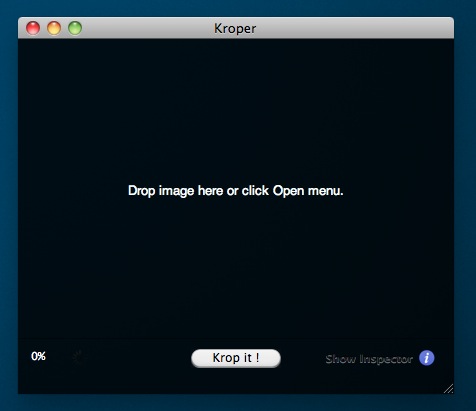
        While looking for a simple 'one trick pony' app to simply crop pics I came across Kroper. It does just that and no more. Just drop the image in and 'krop it'. It can be downloaded here, http://www.macupdate.com/app/mac/35241/kroper Oh, and its free!

        Mike

        Kroper 01.jpg

        Support us so we can support you! Upgrade to Premium Membership!

        1 條回覆 最後回覆 回覆 引用 0
        • jeff hammondJ 離線
          jeff hammond
          最後由 編輯

          definitely the best 3rd party utility app i own: Keyboard Maestro

          Link Preview Image
          Keyboard Maestro 11.0.4: Work Faster with Macros for macOS

          Keyboard Maestro is the leading software for macOS automation. It will increase business productivity by using macros (or short cuts) with simple keystrokes.

          favicon

          (www.keyboardmaestro.com)

          it's a macro editor/creator which works very well with sketchup..
          [for instance, i have a macro which will (open component, select all, explode, explode again, generate faces(tos),exit component edit) all with one keystroke]

          i have it set up to do a few more things as well and hope to incorporate it more in the future (im just a little hesitant to set up 50 macros at once as i'll probably forget them.. i generally try one or two new ones a week)

          worth checking out though..
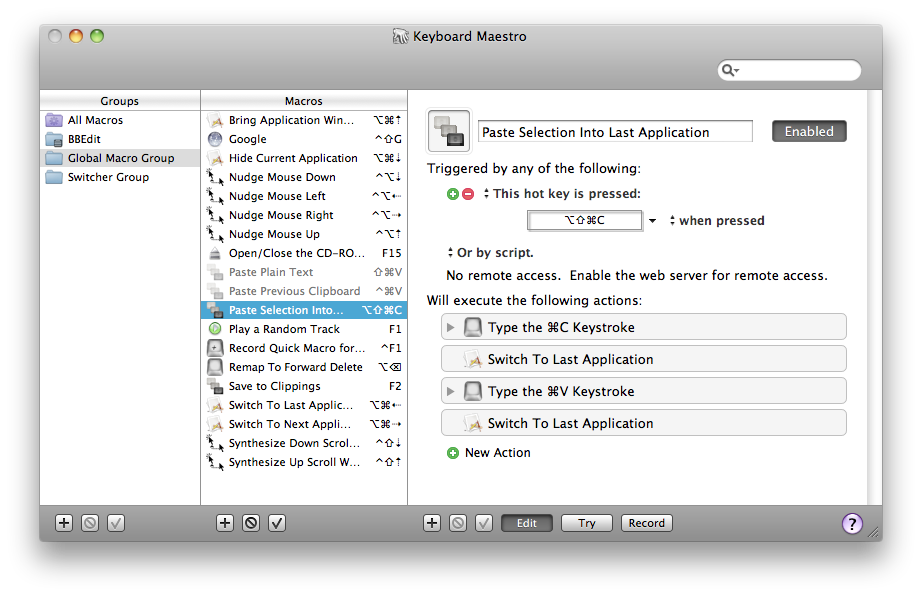

          kmscreenshot.png

          dotdotdot

          1 條回覆 最後回覆 回覆 引用 0
          • Mike LuceyM 離線
            Mike Lucey
            最後由 編輯

            Hi Guys,

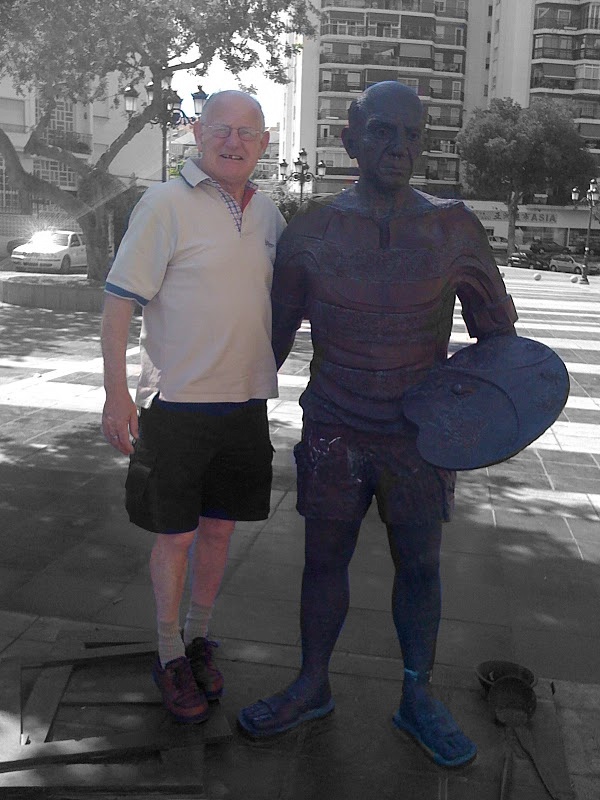
            I came across this useful little 'stand alone' app called iSplash. What it does? 'Choose any image and iSplash will turn it to grayscale. Then, choose any part of the image to restore the original color.'

            Its on sale at the moment for 99cent, normal price is $4.99.

            Attached is an image of my mate Val standing beside a statue of Mr Picasso in Torremolinos ..... notice the strong resemblance .... Val now think they must be related 😄

            Mike

            PS: Val woke up that morning missing a tooth! He couldn't remember how it happened 😒


            iSplash V&P.jpg

            Support us so we can support you! Upgrade to Premium Membership!

            1 條回覆 最後回覆 回覆 引用 0
            • jeff hammondJ 離線
              jeff hammond
              最後由 編輯

              re: the keyboard maestro app i mentioned a few posts back..

              here's an example of it being used to divide a single group into 110 individual groups (via a thread here at scf)

              http://forums.sketchucation.com/viewtopic.php?p=336059#p336059

              dotdotdot

              1 條回覆 最後回覆 回覆 引用 0
              • Mike LuceyM 離線
                Mike Lucey
                最後由 編輯

                Hi Guys,

                The more of those useful little apps I accumulate the more difficult it is becoming to locate them in Applications! I often find that I know what the application I am looking for actually does BUT for the live of me I often can't remember its name! I did a search around for an answer and found Tab Launcher for 99cent! http://tablauncher.com/index.html

                I've installed it and sorted out 8 tabs that cover the various types of apps I use. It was just a case of then dropping in the various apps. No more searching around or trying to remember the apps name!

                Mike


                Tab Launcehr.jpg

                Support us so we can support you! Upgrade to Premium Membership!

                1 條回覆 最後回覆 回覆 引用 0
                • jeff hammondJ 離線
                  jeff hammond
                  最後由 編輯

                  @mike
                  That's how lion is goingto be setup. Apple is taking some of their iOS stuff and putting it in osx.
                  Namely, the way you can organize your apps on an iPhone will now be possible on the computers (supposedly with a better way to launch said apps as well via launchpad)

                  I guess we'll find out soon enough.

                  dotdotdot

                  1 條回覆 最後回覆 回覆 引用 0
                  • Mike LuceyM 離線
                    Mike Lucey
                    最後由 編輯

                    I won't try Lion for at least a couple of months after launch 😉

                    Support us so we can support you! Upgrade to Premium Membership!

                    1 條回覆 最後回覆 回覆 引用 0
                    • jeff hammondJ 離線
                      jeff hammond
                      最後由 編輯

                      yeah, i hear you.
                      i've always done that in the past (didn't go to snow leopard until 1.6.5 for instance) but i have 3 computers now and i'm looking forward to a few of the new lion features so i'm going to be an early adopter this time around.. at least on one of the computers 😉

                      dotdotdot

                      1 條回覆 最後回覆 回覆 引用 0
                      • Mike LuceyM 離線
                        Mike Lucey
                        最後由 編輯

                        This app is very like PhotoSketcher the free app for Windows. Initially I thought it was by the same company. However I now believe its
                        not.

                        On the Sketcher site the app is priced at €11.40 plus tax. But, its available at €5.49 on an intro offer at the App Store! I've been a bit envious of the nice output from the Win users with PhotoSketcher but not any longer as I think Sketcher has more bells and whistles even if it cost €5.49. http://neatberry.com/products/sketcher/

                        Mike


                        Sketcher Sample.jpg

                        Support us so we can support you! Upgrade to Premium Membership!

                        1 條回覆 最後回覆 回覆 引用 0
                        • soloS 離線
                          solo
                          最後由 編輯

                          And it's also available for Windows. 😉

                          http://www.solos-art.com

                          If you see a toilet in your dreams do not use it.

                          1 條回覆 最後回覆 回覆 引用 0
                          • Mike LuceyM 離線
                            Mike Lucey
                            最後由 編輯

                            You're right Pete ... I was trying to keep it to the Mac users 😉

                            Support us so we can support you! Upgrade to Premium Membership!

                            1 條回覆 最後回覆 回覆 引用 0
                            • pbacotP 離線
                              pbacot
                              最後由 編輯

                              Thank you Mike for this great find. I have been wanting to get my Windows HD working again on my Mac, mostly just for a few programs like Photosketcher. Now I can procrastinate on that some more. The image that you posted is the chapel in Yosemite Valley California. It's a great part of the Valley (well it's all great parts really).

                              MacOSX MojaveSketchUp Pro v19 Twilight v2 Thea v3 PowerCADD

                              1 條回覆 最後回覆 回覆 引用 0
                              • Mike LuceyM 離線
                                Mike Lucey
                                最後由 編輯

                                ..... like you Peter, I'm procrastinating about getting Windows operating on the Mac again BUT I just hate working with Windows. Running PhotoSketcher was one of the main reason also! Now like you I can put it on the 'long finger' 😉 But I feel I will have to in time!

                                Support us so we can support you! Upgrade to Premium Membership!

                                1 條回覆 最後回覆 回覆 引用 0
                                • Mike LuceyM 離線
                                  Mike Lucey
                                  最後由 編輯

                                  Hi Guys,

                                  I watched the Lion presentation this evening and came to the conclusion that its too bloody perfect 😒 Joking aside there are some nice new features coming along with all the 'pinching' and 'swiping'!

                                  The presenter said there were 250 new features but just went through the 10 main features!

                                  It will be a bargain at $30 or so, the usual price I think! Check it out here if you have not already
                                  http://www.apple.com/macosx/

                                  Mike

                                  Support us so we can support you! Upgrade to Premium Membership!

                                  1 條回覆 最後回覆 回覆 引用 0
                                  • Mike LuceyM 離線
                                    Mike Lucey
                                    最後由 編輯

                                    Hi Guys,

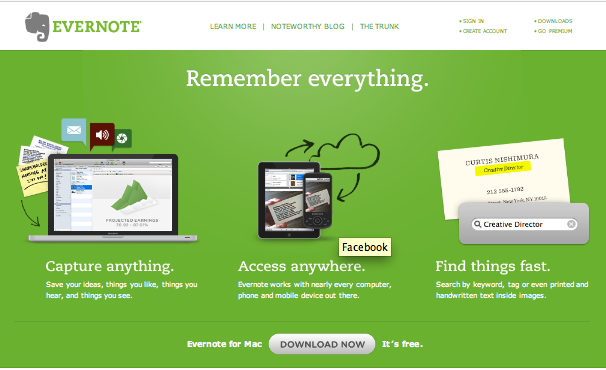
                                    I loaded up EverNote today on the Mac and iPhone and think it works pretty well. Its free provided you stay under a certain limit (?) over a month. I imagine if you go over the limit you would have to delete some notes or go Premium at $50 a year.

                                    Still, I found it simple to use and up to speed after a few minutes. I have been using the incorporated 'Notes' feature in Opera up until now note quick note taking but this did not allow pic grabs so not ideal. I've also played with Circus Ponies and Together both worked okay but not as handy as EverNote.

                                    It also syncs with my iPhone which should be useful also.

                                    Link to EverNote,
                                    http://www.evernote.com/

                                    Mike


                                    EverNote.png

                                    Support us so we can support you! Upgrade to Premium Membership!

                                    1 條回覆 最後回覆 回覆 引用 0
                                    • EdsonE 離線
                                      Edson
                                      最後由 編輯

                                      mike,

                                      I have been using evernote for some weeks and it is proving to be quite useful.

                                      some other small apps that I have been using:
                                      MsgFiler: very good to help you file messages in Mail.
                                      JABMenu: to give you acess to the Address Book without having to open it.
                                      Moom: to control the size of your app windows.
                                      TextExpander: as the name says, it expands text in ALL applications
                                      DesktopCurtain: to hide the apps behind the one you are using.

                                      edson mahfuz, architect| porto alegre • brasil
                                      http://www.mahfuz.arq.br

                                      1 條回覆 最後回覆 回覆 引用 0
                                      • Mike LuceyM 離線
                                        Mike Lucey
                                        最後由 編輯

                                        Thanks Edson. I've adopted Moom a few weeks ago and find it very handy. Must look at the others.

                                        Support us so we can support you! Upgrade to Premium Membership!

                                        1 條回覆 最後回覆 回覆 引用 0
                                        • Mike LuceyM 離線
                                          Mike Lucey
                                          最後由 編輯

                                          Hi Guys,

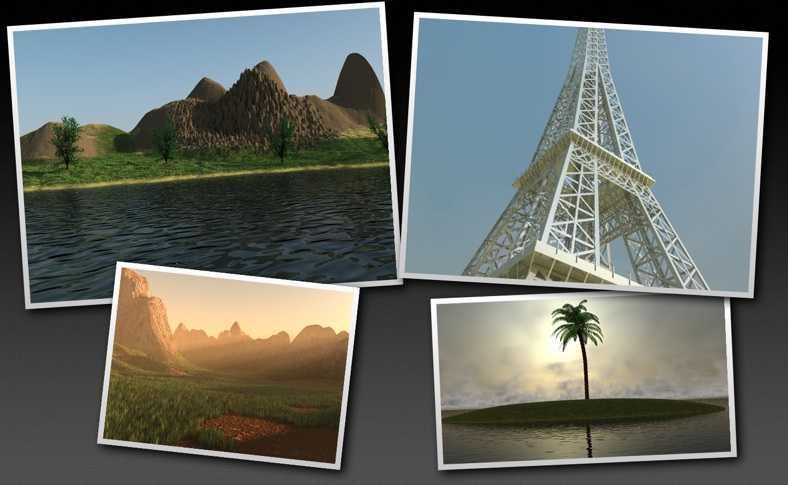
                                          I came across TerraRay http://www.avisnocturna.com/site/TerraRay.html in the App Store and played with the demo and liked it. I think the app is a great way of dipping your big toe into the waters of terrain generation painlessly both from a learning curve and pocket point of view.

                                          After I played with the demo and discovered that I needed the full version to import a 3DS model I stumped up the $14.99. I think it is something that I will experiment with and enjoy at the same time and maybe even learn a little over time 😉

                                          Mike


                                          TerraRay.jpg

                                          Support us so we can support you! Upgrade to Premium Membership!

                                          1 條回覆 最後回覆 回覆 引用 0
                                          • EdsonE 離線
                                            Edson
                                            最後由 編輯

                                            a very useful and free task manager: Wunderlist. it is easy to operate and is multi-platform to boot. there is a good explanatory video at http://www.youtube.com/watch?v=zrdDUPpGV4U
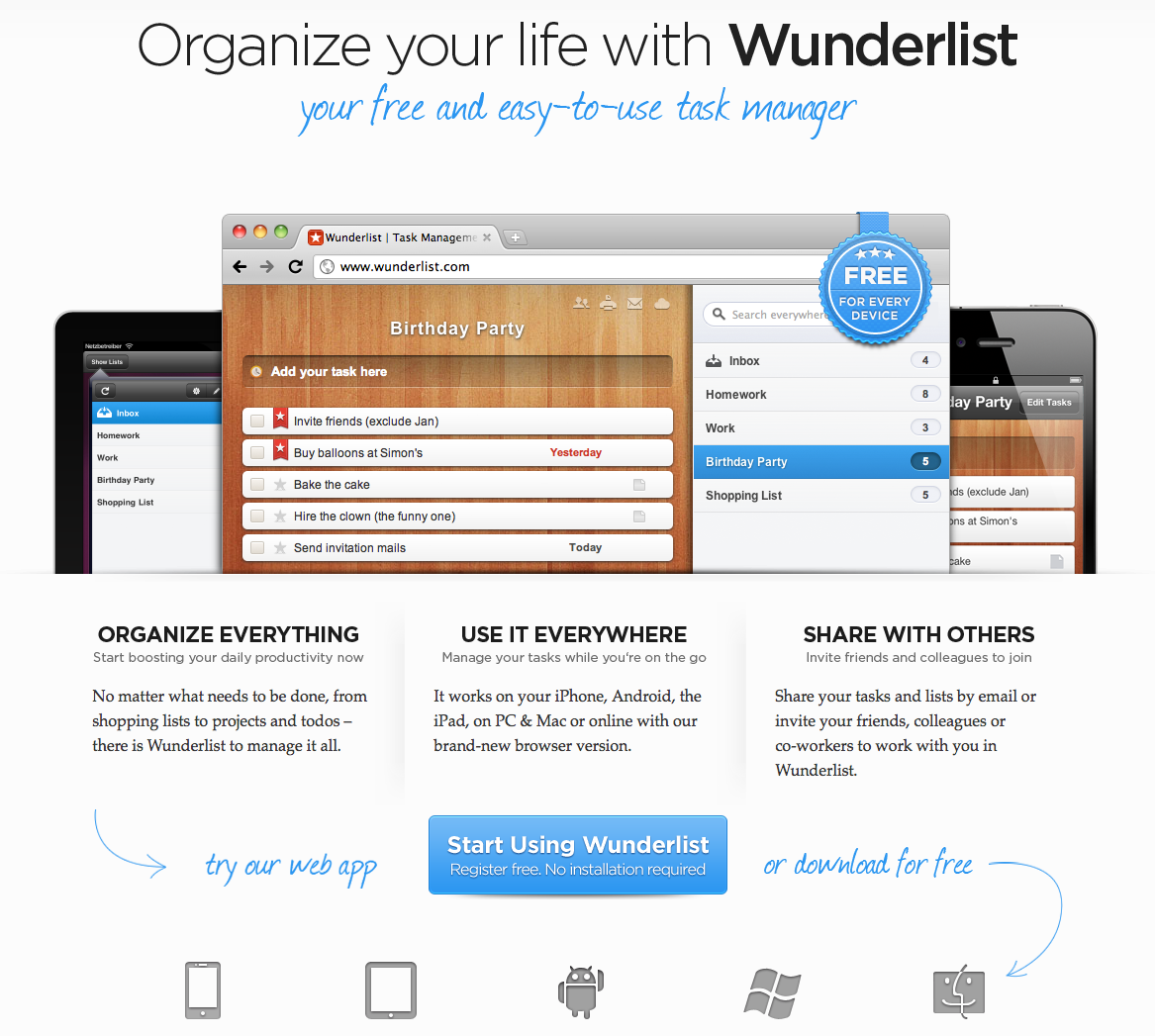
                                            Screen shot 2011-07-27 at 1.43.28 PM.png

                                            edson mahfuz, architect| porto alegre • brasil
                                            http://www.mahfuz.arq.br

                                            1 條回覆 最後回覆 回覆 引用 0
                                            • 1
                                            • 2
                                            • 11
                                            • 12
                                            • 13
                                            • 14
                                            • 15
                                            • 15 / 15
                                            • 第一個貼文
                                              最後的貼文
                                            Buy SketchPlus
                                            Buy SUbD
                                            Buy WrapR
                                            Buy eBook
                                            Buy Modelur
                                            Buy Vertex Tools
                                            Buy SketchCuisine
                                            Buy FormFonts

                                            Advertisement