sketchucation logo sketchucation
    • 登入
    Oops, your profile's looking a bit empty! To help us tailor your experience, please fill in key details like your SketchUp version, skill level, operating system, and more. Update and save your info on your profile page today!
    ⚠️ Important | Libfredo 15.6b introduces important bugfixes for Fredo's Extensions Update

    [Plugin] Plugins help script

    已排程 已置頂 已鎖定 已移動 Plugins
    33 貼文 9 Posters 28.1k 瀏覽 9 Watching
    正在載入更多貼文
    • 從舊到新
    • 從新到舊
    • 最多點贊
    回覆
    • 在新貼文中回覆
    登入後回覆
    此主題已被刪除。只有擁有主題管理權限的使用者可以查看。
    • EdsonE 離線
      Edson
      最後由 編輯

      @tig said:

      So Edson, you are saying that my version works OK ?

      yes, it seemed to work fine but i was unsure of it since i did not know whether the result i obtained was the one to be expected from the script or not. is it what you expected?

      edson mahfuz, architect| porto alegre • brasil
      http://www.mahfuz.arq.br

      1 條回覆 最後回覆 回覆 引用 0
      • W 離線
        watkins
        最後由 編輯

        Dear TIG,

        Its me again (bad penny and all that).

        Okay, adding .txt works fine, except that for long text files I can only see what will fit on the screen (no vertical scroll bars). I note that .pdf files open with scroll bars and so viewing them is just fine. I also have a lot of .txt files in my plugin folder and so when I try to select a file I can only view/select those that are visible in the text window. It would be useful if your script could be made to work like the Plugin drop-down menu, viz. the window opens and stays open with a single click and then items on the list are accessed (if required) using up/down arrows. This might be a useful feature anyway as users are likely to accumulate lots of .pdf help files with time.

        Kind regards,
        Bob

        1 條回覆 最後回覆 回覆 引用 0
        • TIGT 離線
          TIG Moderator
          最後由 編輯

          @edson said:

          @tig said:

          So Edson, you are saying that my version works OK ?

          yes, it seemed to work fine but i was unsure of it since i did not know whether the result i obtained was the one to be expected from the script or not. is it what you expected?

          Yes - all is OK.

          TIG

          1 條回覆 最後回覆 回覆 引用 0
          • TIGT 離線
            TIG Moderator
            最後由 編輯

            @watkins said:

            Dear TIG,

            Its me again (bad penny and all that).

            Okay, adding .txt works fine, except that for long text files I can only see what will fit on the screen (no vertical scroll bars). I note that .pdf files open with scroll bars and so viewing them is just fine. I also have a lot of .txt files in my plugin folder and so when I try to select a file I can only view/select those that are visible in the text window. It would be useful if your script could be made to work like the Plugin drop-down menu, viz. the window opens and stays open with a single click and then items on the list are accessed (if required) using up/down arrows. This might be a useful feature anyway as users are likely to accumulate lots of .pdf help files with time.

            Kind regards,
            Bob

            Making the top bar menu list is what takes the time and slows down any model opening - and it's what we are trying to avoid... It's a limitation of the current Ruby dialogs that long lists go off the screen. However if you type the first character of the likely file's name e.g. W for Windowizer_help then the list will jump to that (or at least near that) and scrolling down is then possible... This applies to lots of Ruby dialogs like ones listing layers or colours. It could be done better with a web-dialog... but others have that expertise (and time) - perhaps someone can clobber 'my' getting the list of files into 'their' web-dialog and make it run as a superior form of dialog... before the Ruby dialogs themselves get improved (if ever)...

            TIG

            1 條回覆 最後回覆 回覆 引用 0
            • W 離線
              watkins
              最後由 編輯

              Dear TIG,

              Once again, thanks for giving my enquiries your consideration.

              Kind regards,
              Bob

              1 條回覆 最後回覆 回覆 引用 0
              • OxerO 離線
                Oxer
                最後由 編輯

                Hi, I installed the plugin (TIG version), the plugin appears in Help Menu and you can select a help file but there is a problem, the popup windows of the helps are empty, they don't show the content of the help files, I tried with all extension types (txt, pdf, html...), see the image.
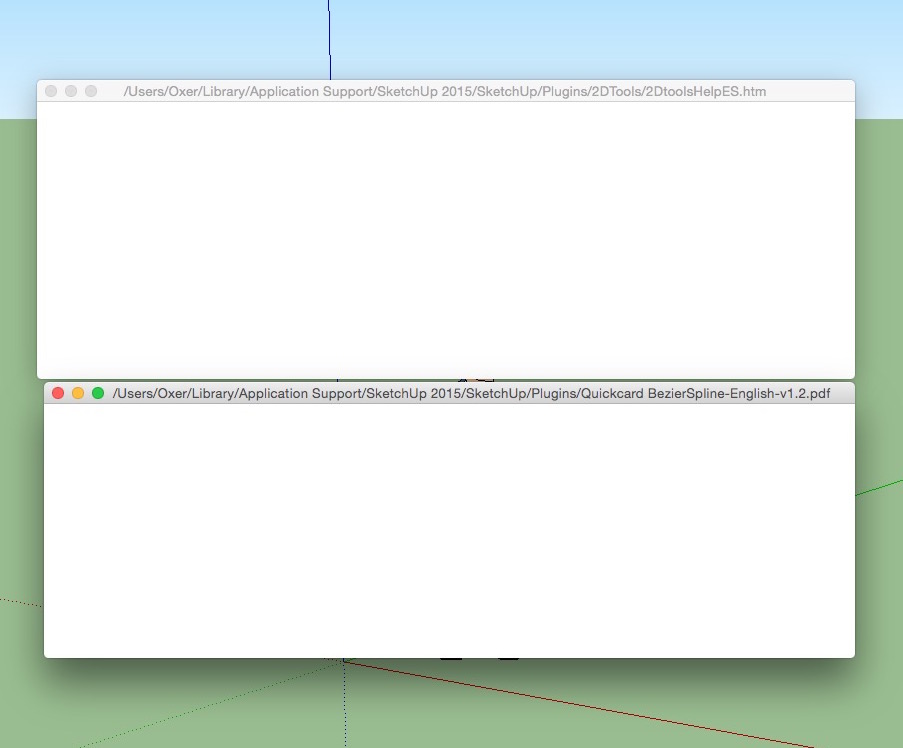
                Empty help windows help.jpg

                My intention is create a subfolder into Sketchup plugin folder with all help files of the plugins.

                Somebody can help me.

                Thanks !!

                OSX 10.10.5
                SU 2015

                "The result is the end what is important is the process" by Oxer
                [http://www.oxervision.blogspot.com/(http://www.oxervision.blogspot.com/)]

                1 條回覆 最後回覆 回覆 引用 0
                • TIGT 離線
                  TIG Moderator
                  最後由 編輯

                  This is a VERY old script.
                  You are on MAC so I suspect an issue there...
                  Wait a while as I look into it...

                  TIG

                  1 條回覆 最後回覆 回覆 引用 0
                  • OxerO 離線
                    Oxer
                    最後由 編輯

                    Waiting your help TIG. 👍

                    "The result is the end what is important is the process" by Oxer
                    [http://www.oxervision.blogspot.com/(http://www.oxervision.blogspot.com/)]

                    1 條回覆 最後回覆 回覆 引用 0
                    • D 離線
                      driven
                      最後由 編輯

                      oxer

                      do they show if you Right Click >> Reload?

                      learn from the mistakes of others, you may not live long enough to make them all yourself...

                      1 條回覆 最後回覆 回覆 引用 0
                      • TIGT 離線
                        TIG Moderator
                        最後由 編輯

                        Try this version.
                        It should work on PC and MAC.
                        Read the file to see how it traps out certain 'htm' files that are NOT Help files...


                        plugins_help_TIG.rb

                        TIG

                        1 條回覆 最後回覆 回覆 引用 0
                        • OxerO 離線
                          Oxer
                          最後由 編輯

                          @driven said:

                          oxer

                          do they show if you Right Click >> Reload?

                          No, I probed this, but they weren't shown.

                          Thanks you very much TIG!! 👍
                          The content of the plugins' help files is shown now on Mac, in the list appears 'htm' and html' files that are NOT Help files, see the image.
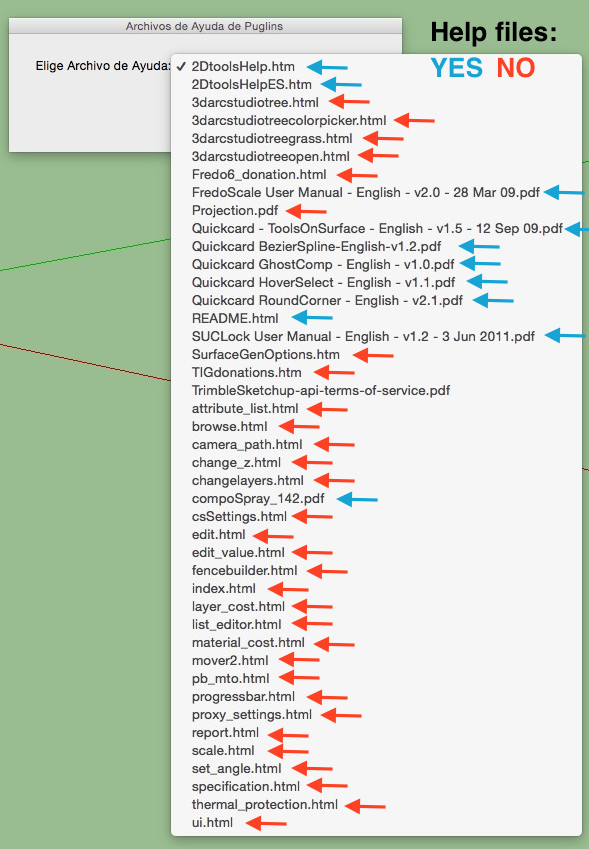
                          Help Files List.jpg

                          "The result is the end what is important is the process" by Oxer
                          [http://www.oxervision.blogspot.com/(http://www.oxervision.blogspot.com/)]

                          1 條回覆 最後回覆 回覆 引用 0
                          • TIGT 離線
                            TIG Moderator
                            最後由 編輯

                            @Oxer

                            I realize that some html files will be listed that are not help files.
                            You can of course tweak the code to exclude htm & html files as types***, but then some genuine html based help files will be missed out.
                            It already traps for some such issues, but it's really impossible to trap for all...
                            ***You can edit line #6 to read say:
                            ext=["pdf","chm","doc","hlp","mht"]
                            Or to include/exclude whatever file-types you prefer...

                            TIG

                            1 條回覆 最後回覆 回覆 引用 0
                            • OxerO 離線
                              Oxer
                              最後由 編輯

                              Thanks for the info!!
                              I'll try to delete html, htm so they'll appear my pdf help files only, because generally you can access to the help files with html or htm extension through the plugins' menus.
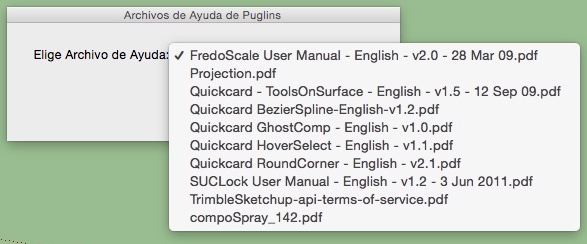


                              Pdf help files.jpg

                              "The result is the end what is important is the process" by Oxer
                              [http://www.oxervision.blogspot.com/(http://www.oxervision.blogspot.com/)]

                              1 條回覆 最後回覆 回覆 引用 0
                              • 1
                              • 2
                              • 2 / 2
                              • 第一個貼文
                                最後的貼文
                              Buy SketchPlus
                              Buy SUbD
                              Buy WrapR
                              Buy eBook
                              Buy Modelur
                              Buy Vertex Tools
                              Buy SketchCuisine
                              Buy FormFonts

                              Advertisement
