MUZWalls 4.0.0 — timber framing, timber floors and railings join the wall engine
-
MUZWalls 4.0.0 is live — and it is no longer just a wall plugin
When MUZWalls launched, we made one promise: this would never be "one more wall tool."
MUZWalls is built by a dedicated, full-time team, on a roadmap, in deliberate steps and shaped by what you run into on real projects. That promise has not changed.
Yesterday, version 4.0.0 went live. It is the biggest step we have taken so far.
Foundations. Timber floors. Timber framing. Columns. Beams. Stairs. Railings. Roofs. All in one place, all inside SketchUp.
MUZWalls has grown from a wall plugin into a tool for modelling the building.
Here is what changes for you.
1. Timber-frame walls are now real construction
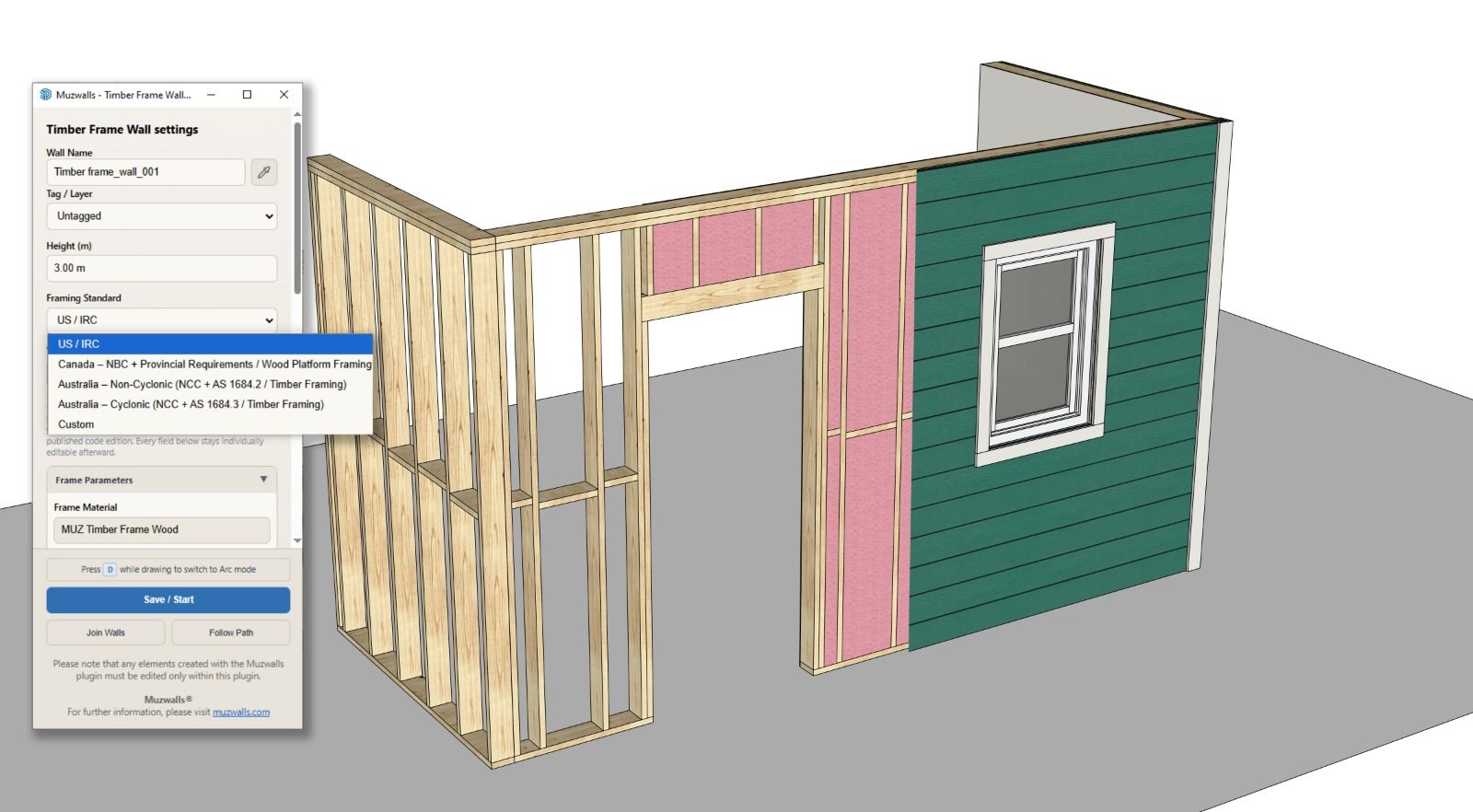
You draw the wall. The framing comes with it.
- Studs at your spacing
- Bottom plate and double top plate
- Headers with king and jack studs over every opening
- Blocking between bays
- Sheathing, insulation, and cladding inside and out
Presets for US/IRC, Canadian and Australian practice give you a sensible start. Every value stays editable. Metric and imperial both work.
Edit the wall later, and the framing stays correct.
2. Double walls with a timber leaf
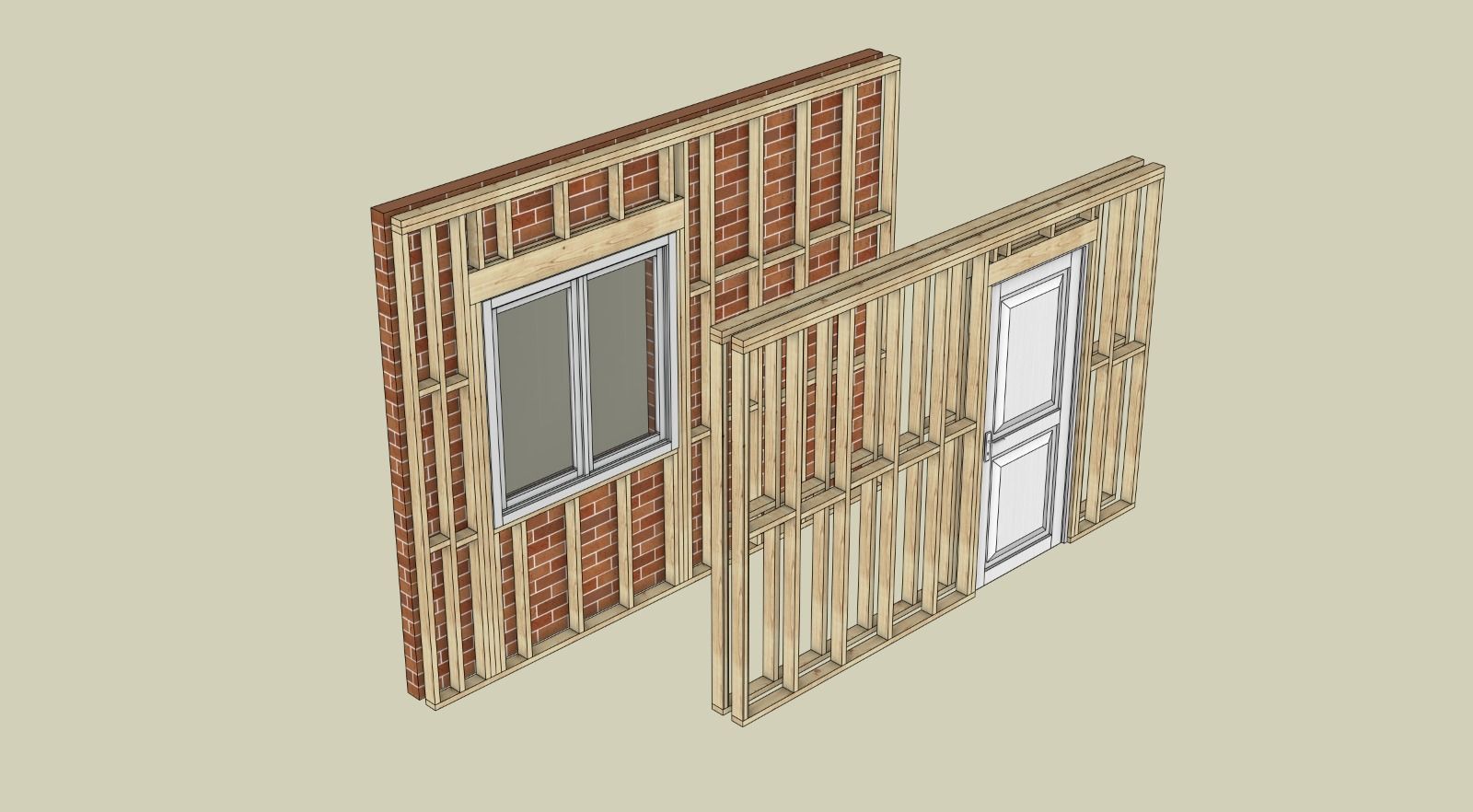
This is how most buildings are actually built:
- a timber-framed inner leaf behind a brick outer skin
- a service wall framed against structural masonry
- a fully timber twin-stud wall
A double wall can now be framed on both leaves, or pair a timber leaf with masonry, blockwork or concrete. Cavity, heights and finishes work exactly as on any other MUZWalls double wall. Both leaves are modelled as real construction — and both are reported separately in the takeoff.
3. Timber floors
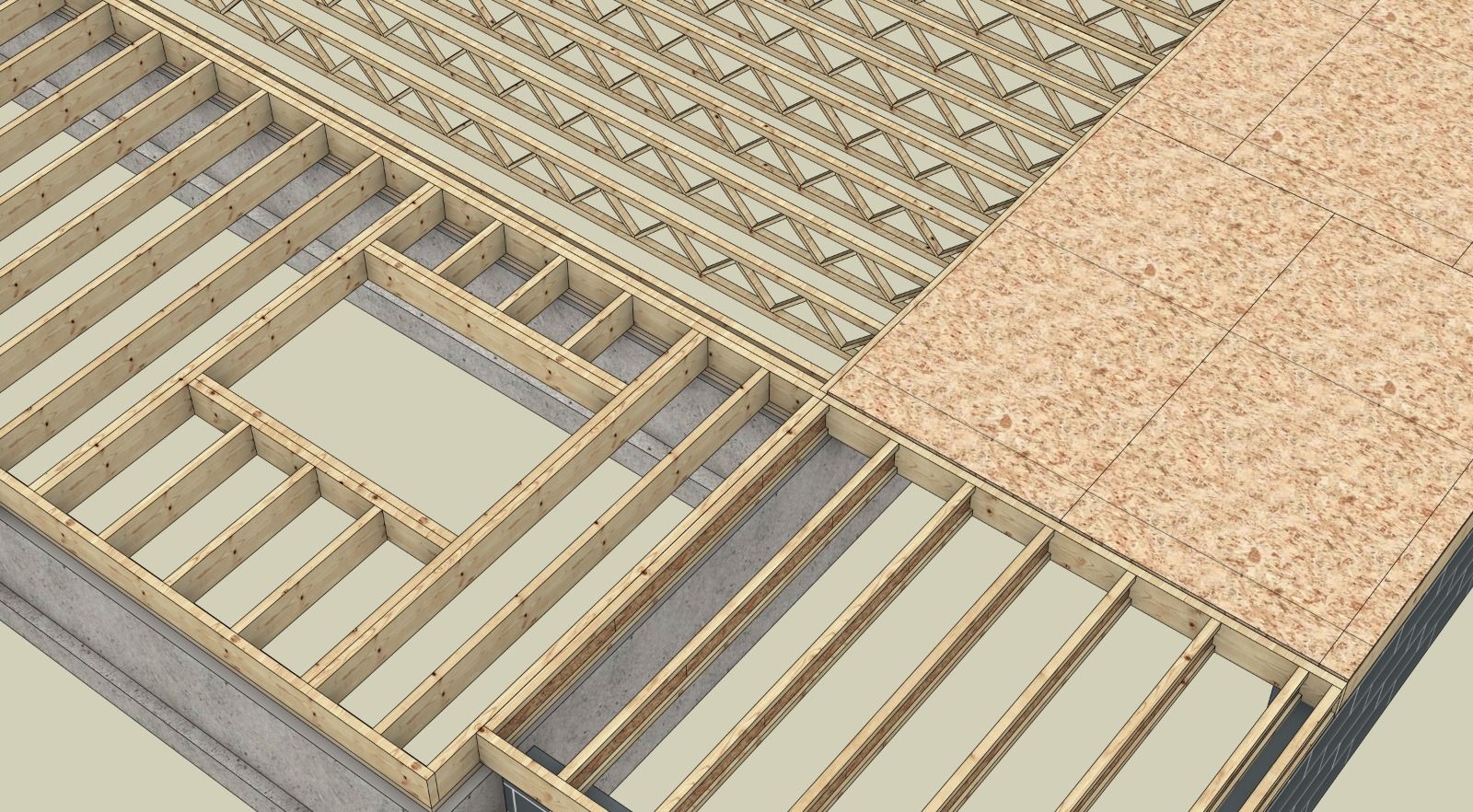
A new floor tool covers solid sawn joists, I-joists, LVL and floor trusses. Set joist spacing, rim and band joists, blocking rows and sheathing. Cut openings for stairs and service voids. Regional presets included.
4. Railings
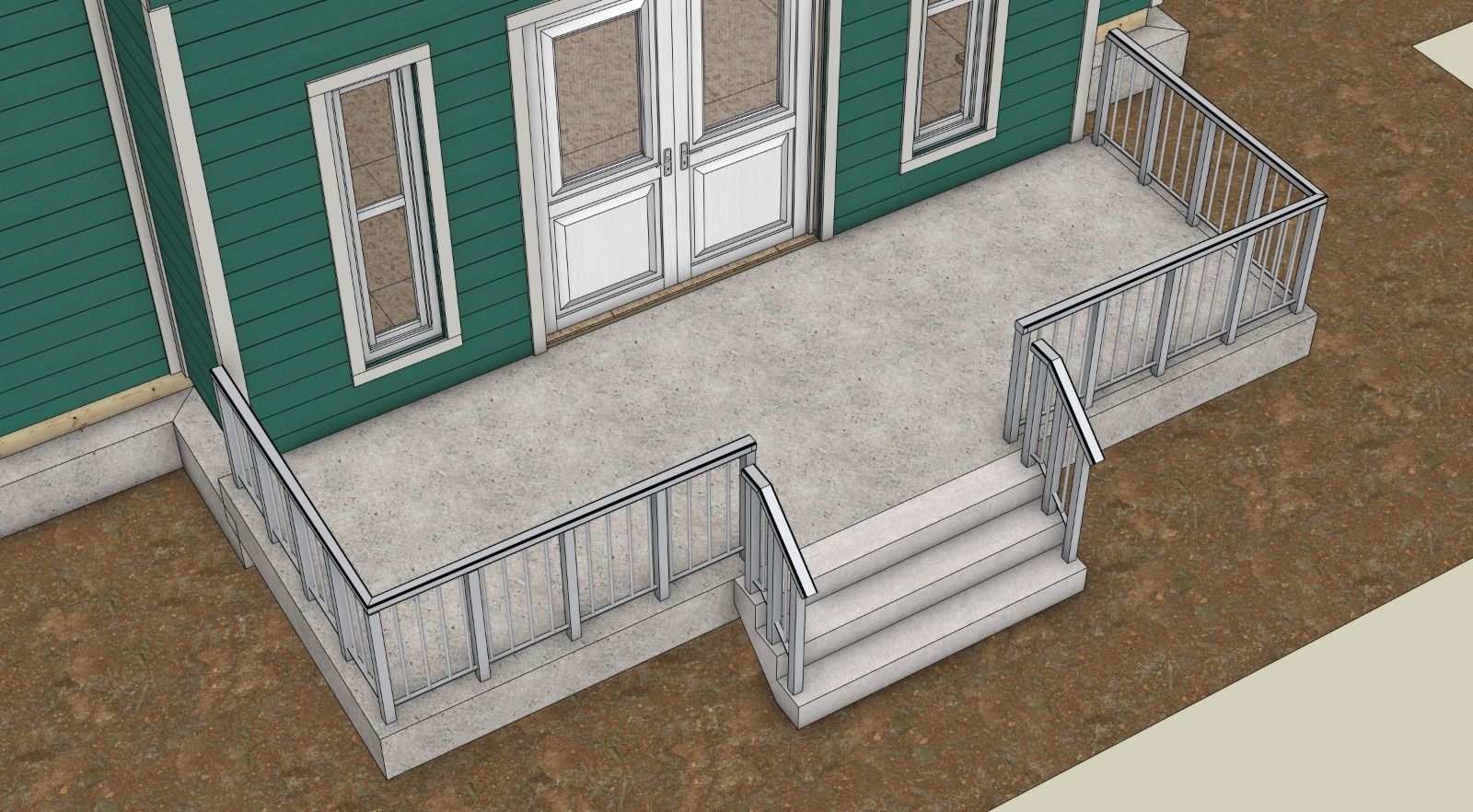
Draw a railing along any path. Toggle posts and infill panels independently. Choose square, rectangular or round posts.
5. Roofs over real footprints
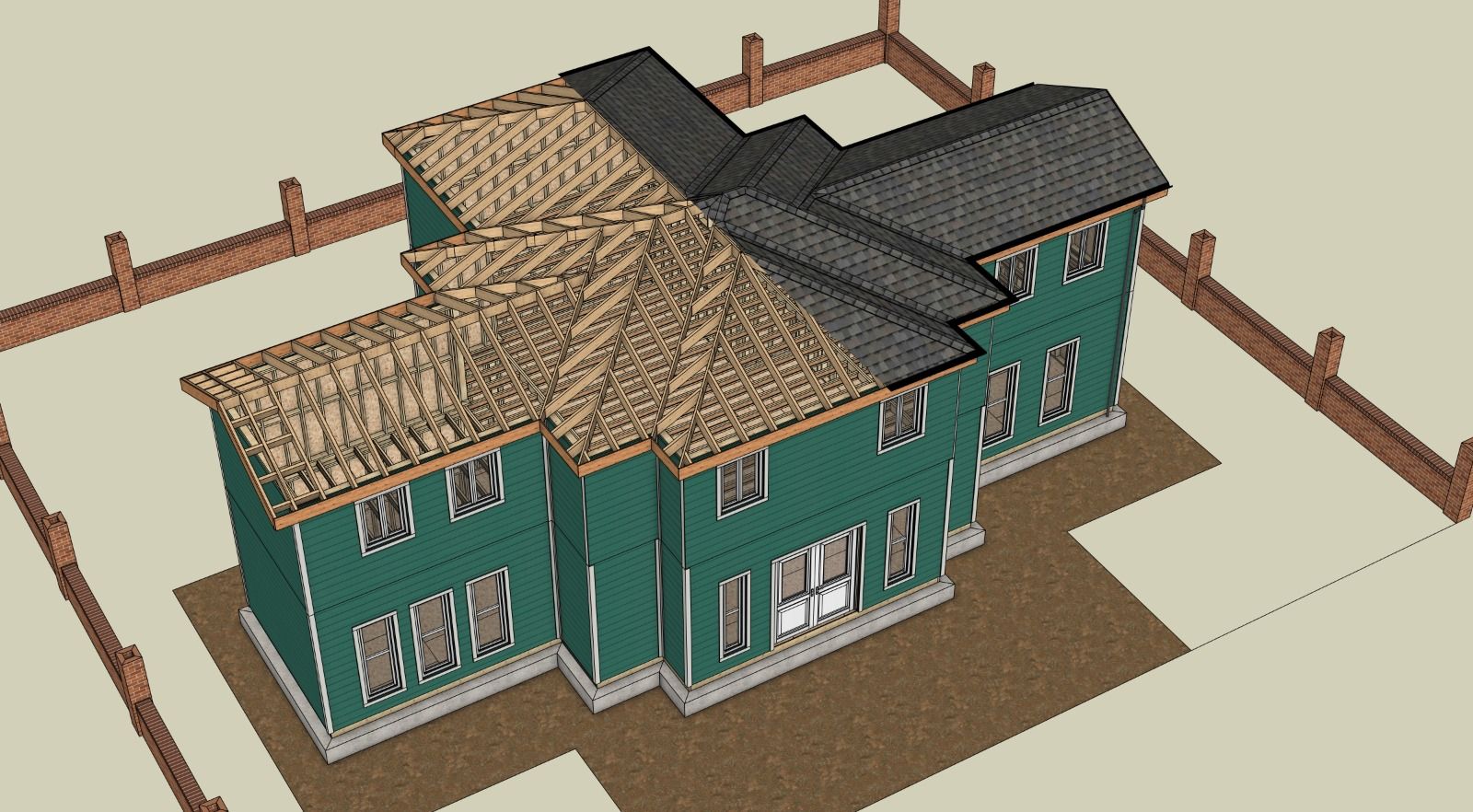
Gable and hip roofs now frame correctly over L-shapes, T-shapes and stepped plans — not just rectangles. Rafters, ridges, hips and valleys are resolved for you. Pick a truss or cut-rafter roof, and set your own member sizes and spacing.
6. Walls keep joining
Walls now auto-join to elements drawn after them. Keep building forward instead of going back to fix connections.
7. Quantities: 26 sheets → 40
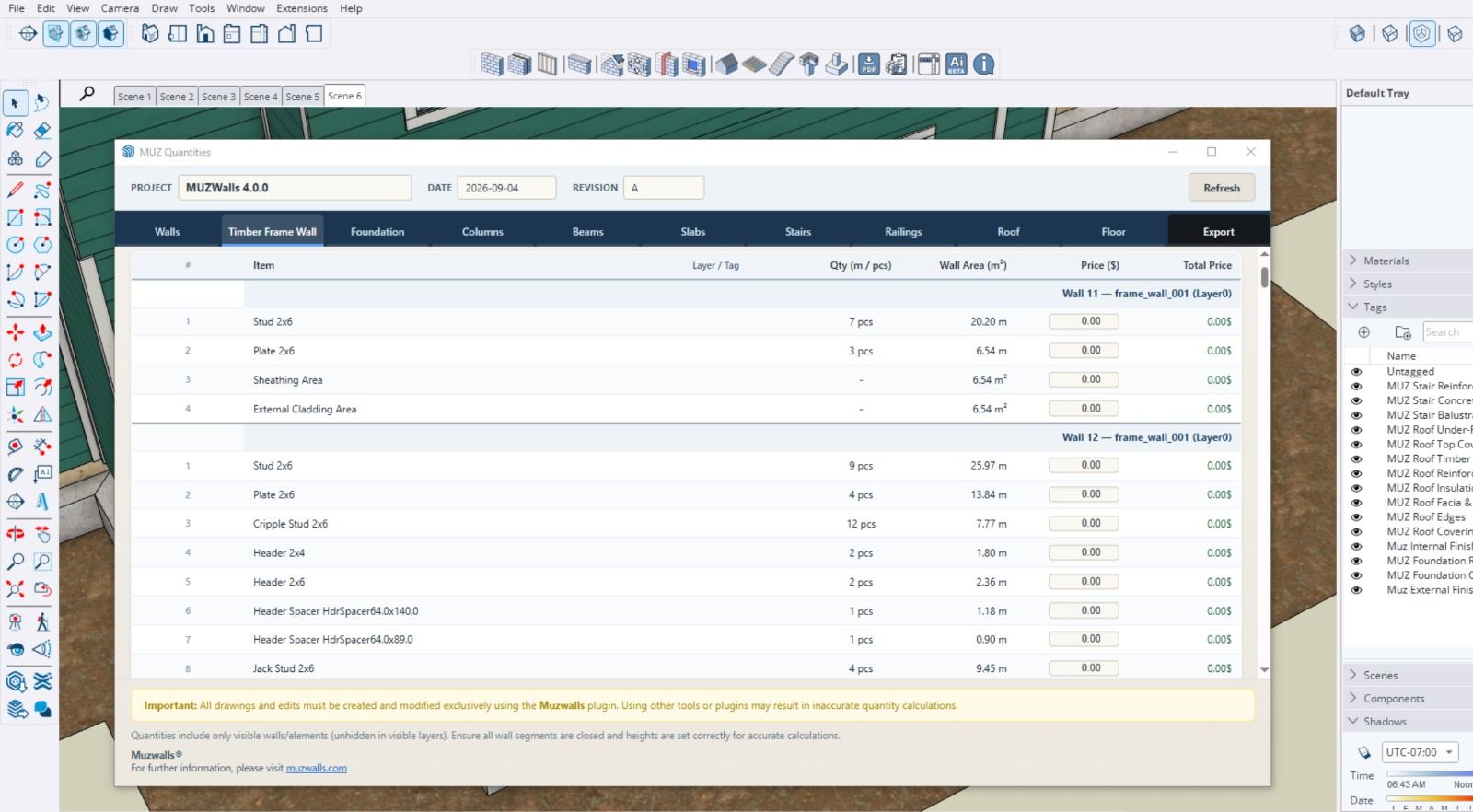
The takeoff now covers frame walls, floors and railings. Timber and steel calculations sit on their own sheets, kept separate from concrete.
8. Three new languages
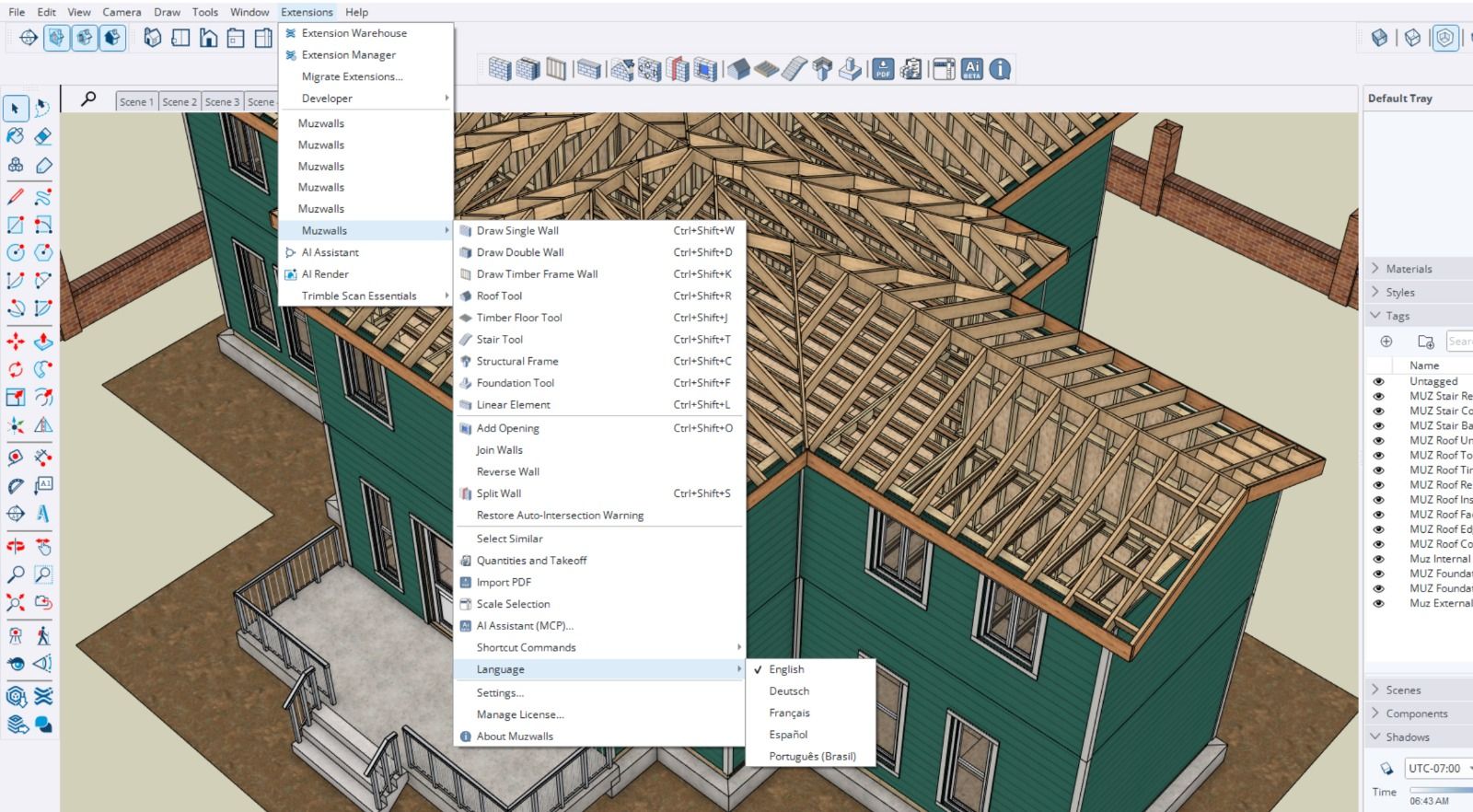
French, Spanish and Portuguese, alongside English and German.
The full toolset today
Parametric single and cavity walls with auto-mitred chains. Arc walls as real geometry. Self-healing openings. Reinforced foundations — strip, pad, combined and raft. Reinforced columns and beams. Concrete slabs. Stairs. Timber-framed walls and floors. Railings. Timber roofs. PDF plan import with calibration. One-click quantity export.
All inside SketchUp. All on your own machine.
An honest note
The timber framing, floor, railing and roof tools are first-generation. They are solid enough to model and quantify real buildings today — but they are the starting point of these systems, not the finished form.
Every tool in MUZWalls started this way. Walls, openings, foundations, the takeoff: each began as a first release and was refined over many versions with input from people using them on live projects.
That work does not stop. The 4.0.0 tools will keep being deepened, corrected and extended, release after release — as will everything already in the plugin.
We want your feedback
The fastest way this gets better is you putting it against real drawings. If you model timber framing, floors or railings in SketchUp, tell us:
- What does your framing standard need that the presets do not cover?
- Where do the floor and railing tools fall short on your typical details?
- What in the 40-sheet takeoff does not match how you price work?
- What breaks?
Reply here or send it to us directly. It goes straight to the developers — and every report from this forum in the past year has ended up in a release.
You draw it. MUZWalls builds it, and counts it.
Thanks for reading.
Morteza
on behalf of the MUZWalls team -
This video covers all of it, feature by feature, so you can see exactly what's changed and how to use it inside SketchUp.
TIMESTAMPS
00:00 Intro
00:20 Foundations & Stem Walls
03:18 Timber Floors
05:06 Timber-Frame Walls
08:17 Columns
09:43 Beams
10:51 Stairs
12:41 Railings
13:41 Roofs
16:53 Settings
17:34 Quantities Takeoff
17:57 OutroFull deep-dive videos on Foundations and Quantities Takeoff are coming soon subscribe to our youtube so you don't miss them.

Hello! It looks like you're interested in this conversation, but you don't have an account yet.
Getting fed up of having to scroll through the same posts each visit? When you register for an account, you'll always come back to exactly where you were before, and choose to be notified of new replies (either via email, or push notification). You'll also be able to save bookmarks and upvote posts to show your appreciation to other community members.
With your input, this post could be even better 💗
Register Login


Advertisement