HTML3D Exporter – Free SketchUp extension
-
Hi,
I've been working on a small SketchUp extension for exporting a model as a single interactive HTML 3D file.
The idea is simple: export the model, send the HTML file to someone, and they can open it directly in a web browser. No SketchUp, no viewer to install, no server and no Internet connection required.
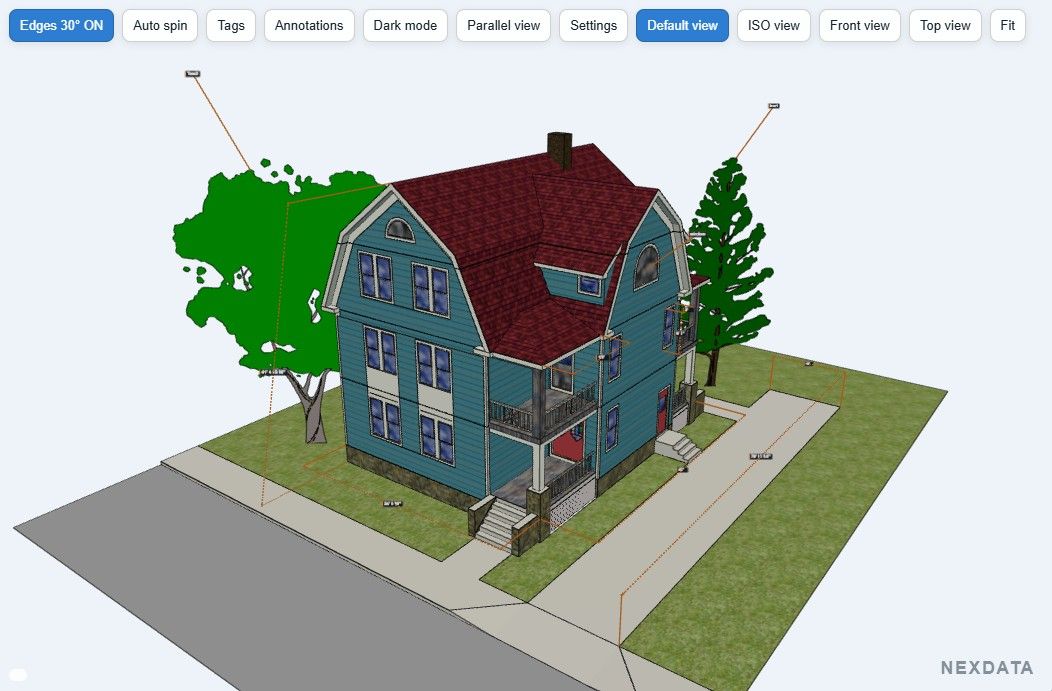
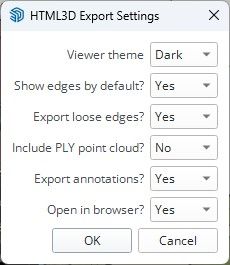
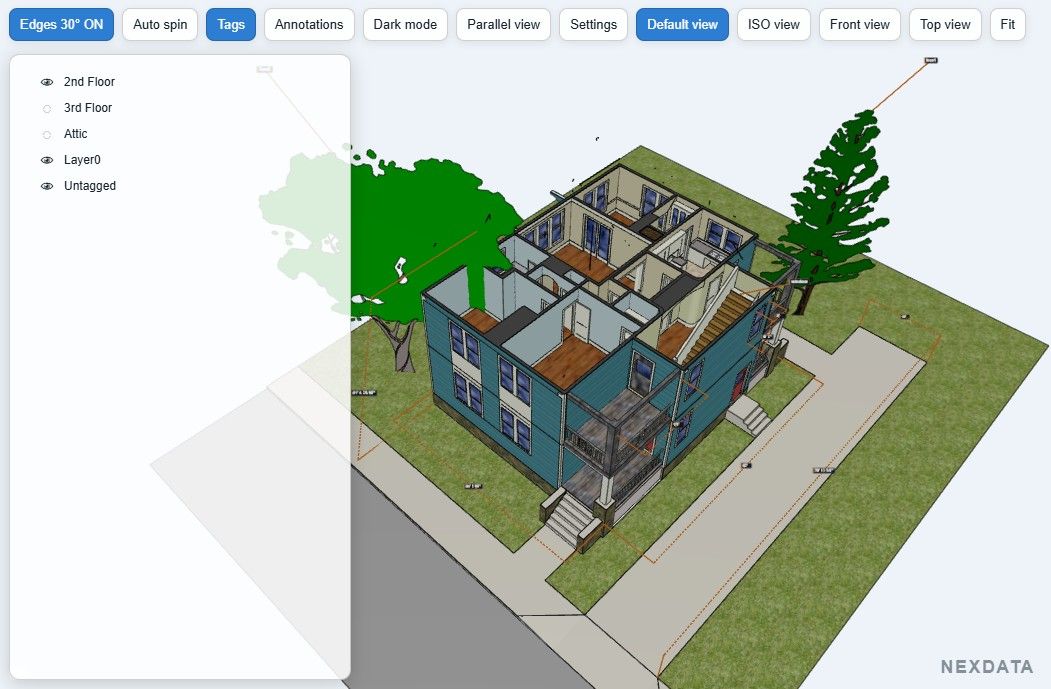
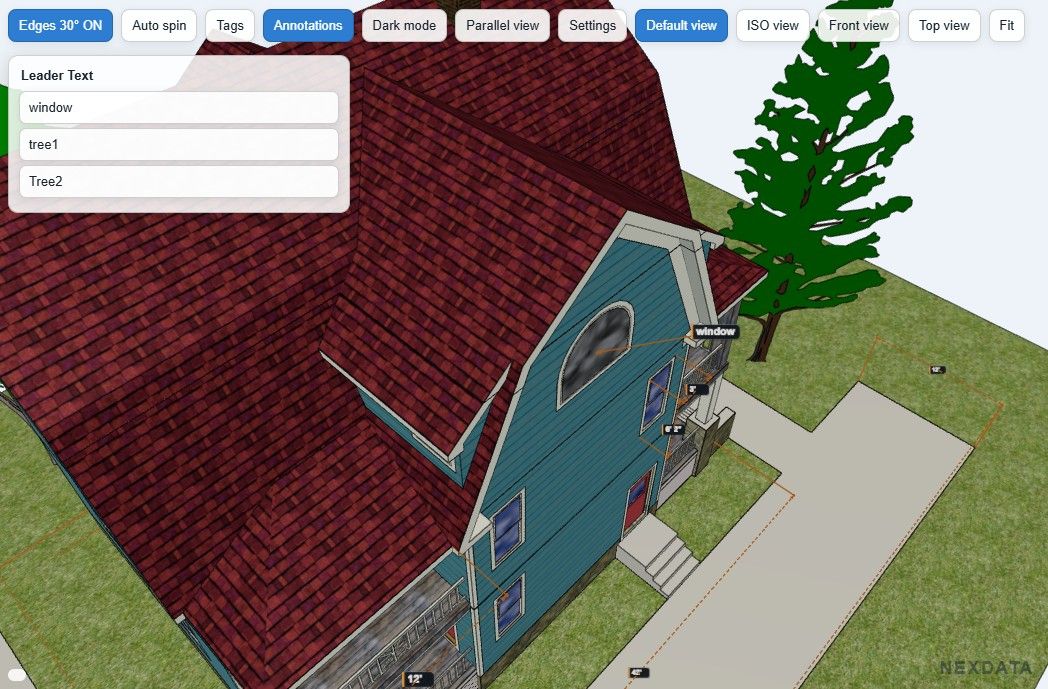
The current version exports SketchUp materials and textures and includes a few tools in the HTML viewer: Tags with Visible / Transparent / Hidden states, Light/Dark mode, edges, standard views and parallel/perspective viewing.
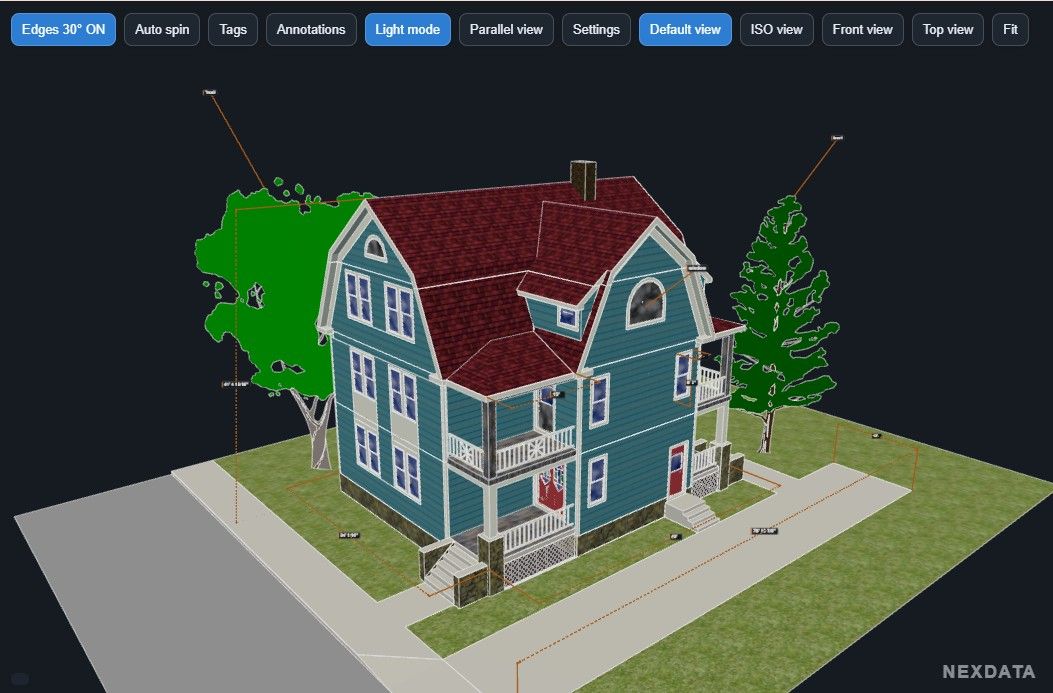
I've also added support for native SketchUp Dimensions and Leader Text. Leader Text annotations appear in an Annotations panel and clicking one takes you directly to that area of the model.
An optional colored PLY point cloud can also be embedded in the same HTML file. This was particularly useful for my own work with scan data (like iPhone Lidar) and SketchUp models.
Everything needed by the viewer, including Three.js, is embedded in the generated HTML, so the exported file is completely standalone and works offline.
This is the first Free release, so I'm interested in seeing how it behaves with other SketchUp models and hardware. If you try it and find something that doesn't export or display correctly, let me know.
Download, more information and demo:
Version 1.2.0 – Free
juan974 (Réunion island)
website : http://sketchucation.com/click.php?url=http://www.tarn.us -
@juan974 I am not using SketchUp anymore, but I took a look at the example on your website and think this will wind up being a big hit. It has features that go beyond the SketchUp viewer. I wanted to give you a "hearts up" but did not see that option.
Is there a way you could also include the ability to view cuts so that I could see the interior of the house in your model?
I can tell you that in the past I did work for a company that built car washes and I think this would have been a hit with them.
Keep up the good work. I think there are going to be a lot of people/users who will like this. I can also see it being used with something like PowerPoint.
I would suggest that you also try to get a link to this on the SketchUp forum. I think you would find more people over there that would also like/be interested in this extension.
-
OK, I just went back and took a second look. I finally saw how to view the floor plans. Pretty neat once you figure it out. Might think about a little modification to make it a little easier but it is sure headed in the right direction.
Yes, there are some bugs with a few lines showing up kind of randomly but again, this is going to be a hit IMO. Definitely keep up the development and/or clean up you model just a little for the demo.
Again, this is looking great!.
-
There is a thread in the SketchUp forum where they are looking for something like this extension.
Here is a link to the thread: Alternative Viewer for Desktop
I think your extension might be a good one for this.
-
I tried the extension.
The feature I miss is the possibility to export scenes from sketchup model.
Perspective in Trimble connect seems to be better rendered than in a HTML file.
Still, it is a functional extension that can be useful when don't have internet connection -
Offline
glro
about 4 hours agoI tried the extension.
The feature I miss is the possibility to export scenes from sketchup model.
Perspective in Trimble connect seems to be better rendered than in a HTML file.
Still, it is a functional extension that can be useful when don't have internet connectionThanks for testing it and for the feedback!
The current version is actually a very small plugin, only a few KB, and it relies mainly on SketchUp’s native GLB exporter. So it naturally inherits some of its limitations, including scenes and some aspects of the rendering.
I’m working on my own exporter to get more control over the model, scenes and rendering, but that’s a much bigger job and requires quite a bit more development.
For now, the goal of this Free version is to keep it as simple and lightweight as possible.



Hello! It looks like you're interested in this conversation, but you don't have an account yet.
Getting fed up of having to scroll through the same posts each visit? When you register for an account, you'll always come back to exactly where you were before, and choose to be notified of new replies (either via email, or push notification). You'll also be able to save bookmarks and upvote posts to show your appreciation to other community members.
With your input, this post could be even better 💗
Register Login


Advertisement