Medeek Wall Plugin
-
Version 4.3.4 - 02.13.2026
- Fixed a bug with bypass, bifold, pocket and sliding glass doors as related to the sidelite and transom options.
- Fixed a bug with the kick plate option for doors.
-
Version 4.3.5 - 02.15.2026
- Added the ability to create custom "Beveled T&G" wall cladding materials within the Material Library.
- Enabled "3D" Beveled T&G wall cladding for all wall types: Rectangular, Gable, Shed and Hip.
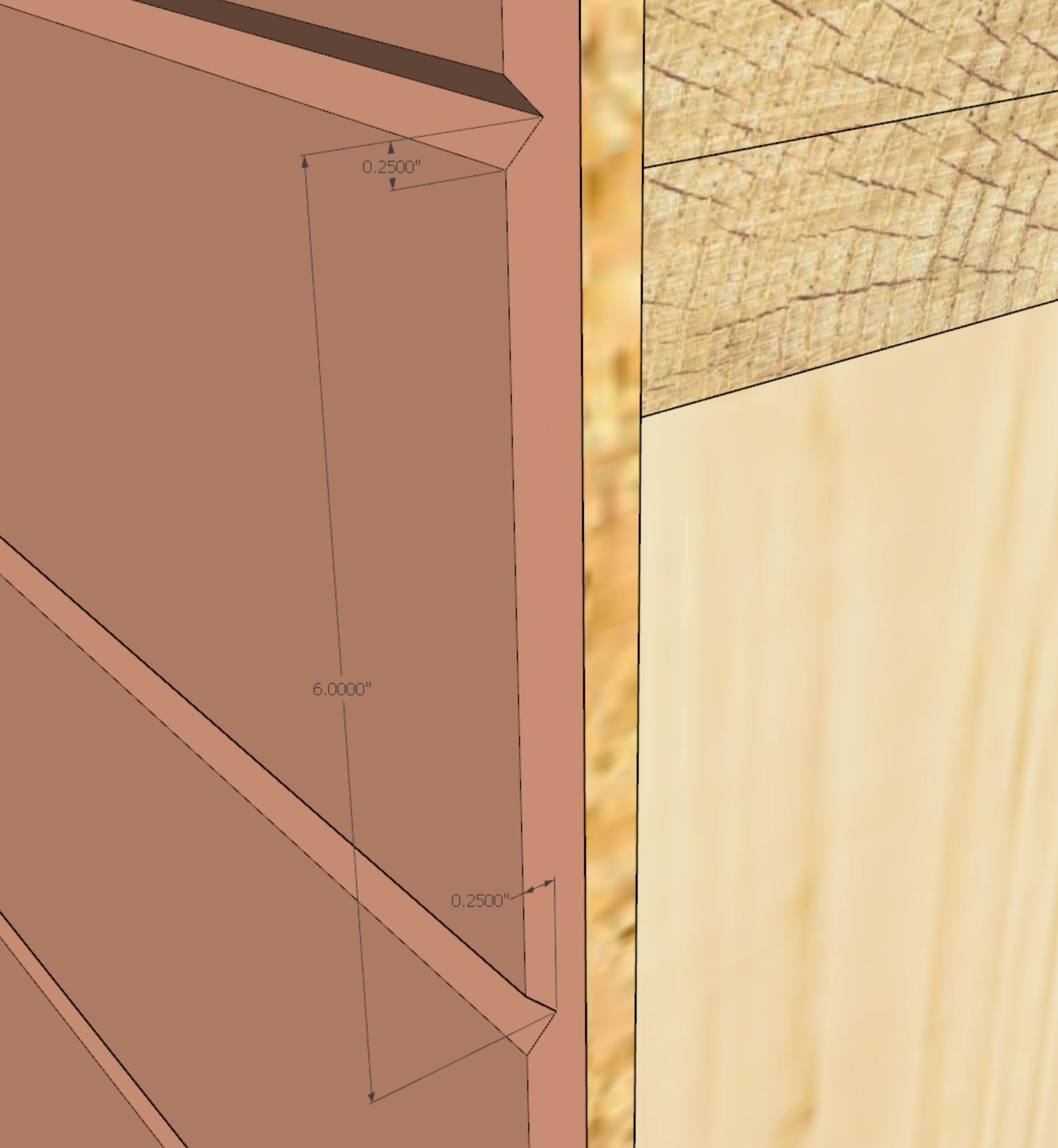
This 3D material by customer request.
The three numeric parameters in order are: board spacing, bevel height and bevel depth
An example of this 3D material might be:
beveltg_6.0_0.25_0.25 -
I've recently had the request to add an annotation to the wall panels that displays the cladding area (net and/or total). See example below:
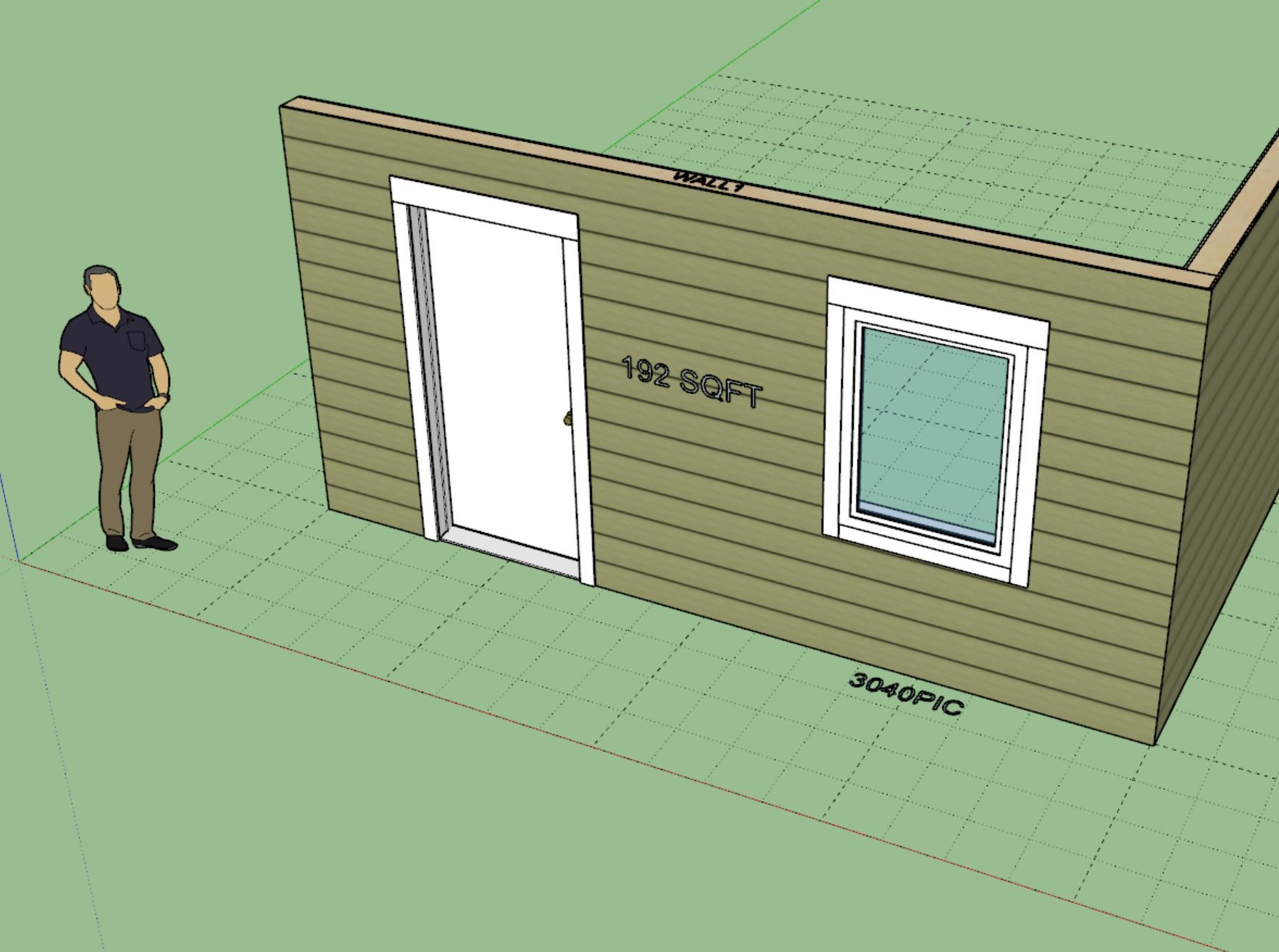
Obviously I would add this to a separate dimension layer/tag so one could easily toggle it on and off. One can already get this information from the estimating module but this would simply provide a quick and easy way to pull the sqft (area) of a wall panel. By default this extra annotation would be turned off but if desired one could enable it in the global settings (Sheathing tab).
It would not be too much trouble to add something like this in but I just want to roll this in front of a larger audience and see if it is even something that would be useful or beneficial to the majority of the user base.
-
Version 4.3.7 - 02.28.2026
- Added a "Garage Door Extent" option to the Garage Door tab of the Global Settings.
- The garage door extent symbol/outline can now be removed or toggled between a dashed (construction line) or solid line.
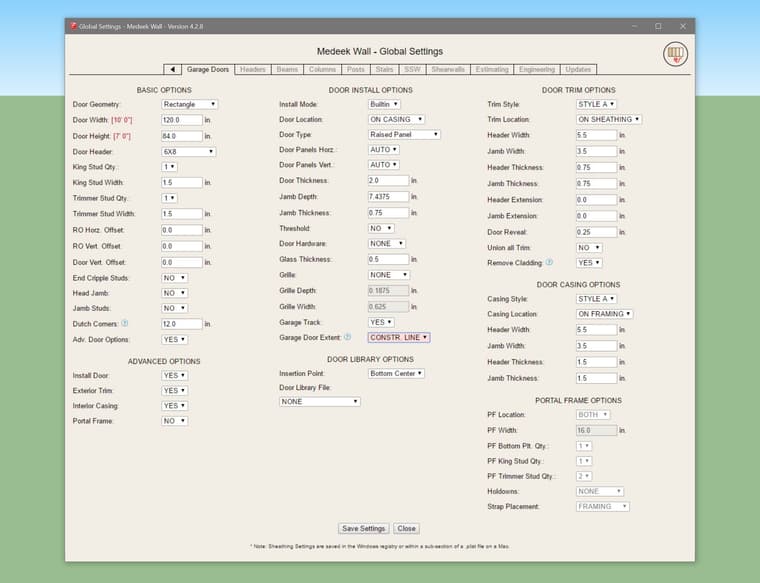
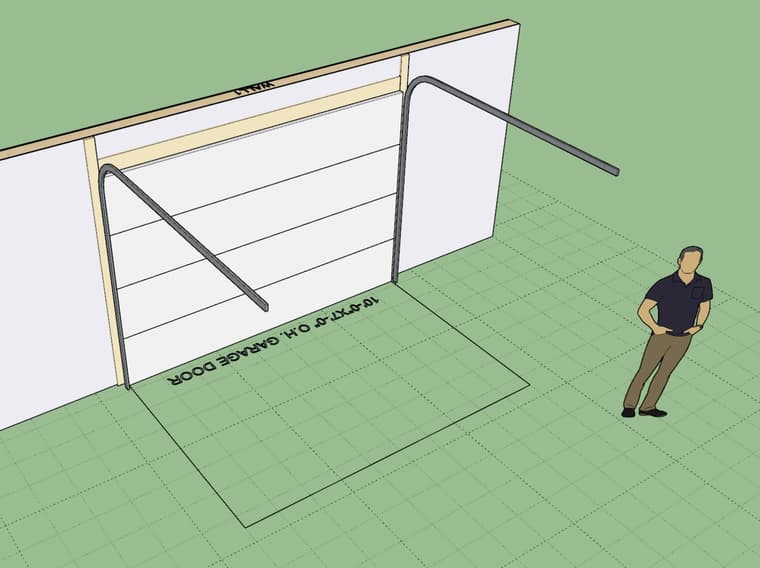
This update per customer request.
-
Version 4.3.8 - 03.01.2026
- Updated the draw wall perimeter tool with a more robust "face" draw option.
-
I would highly recommend that new users of my extensions watch this intro video as well as those who are contemplating purchasing any of the extensions.
-
Version 4.4.0 - 03.12.2026
- Enabled the following method within the Medeek Wall API: wall_draw
- Added the Medeek Wall API Documentation page to the website.
-
Version 4.4.0b - 03.13.2026
- Enabled the following methods within the Medeek Wall API: wall_read_attributes, wall_read_attribute, wall_set_attribute
- Added the Medeek Wall API - Wall Attribute Library Index page to the website.
The Wall Attribute Library Index exposes all of the attributes that are stored with wall assemblies. This is the first time I have publicly exposed all of these parameters.
-
Tutorial 82 - Medeek Wall API (18:43 min.)
I think with all the rapid developments in AI there will begin to be an increase in AI assisted workflows. We are only seeing the beginning of this. Honestly, If I don't develop this API I will simply get left behind. I will need to add in many more methods (ie. draw_door, draw_window, draw_column etc...) I also need to do this for each plugin.
-
Version 4.4.1 - 03.18.2026
- Enabled the following methods within the Medeek Wall API: wall_win_draw, wall_win_read_attributes
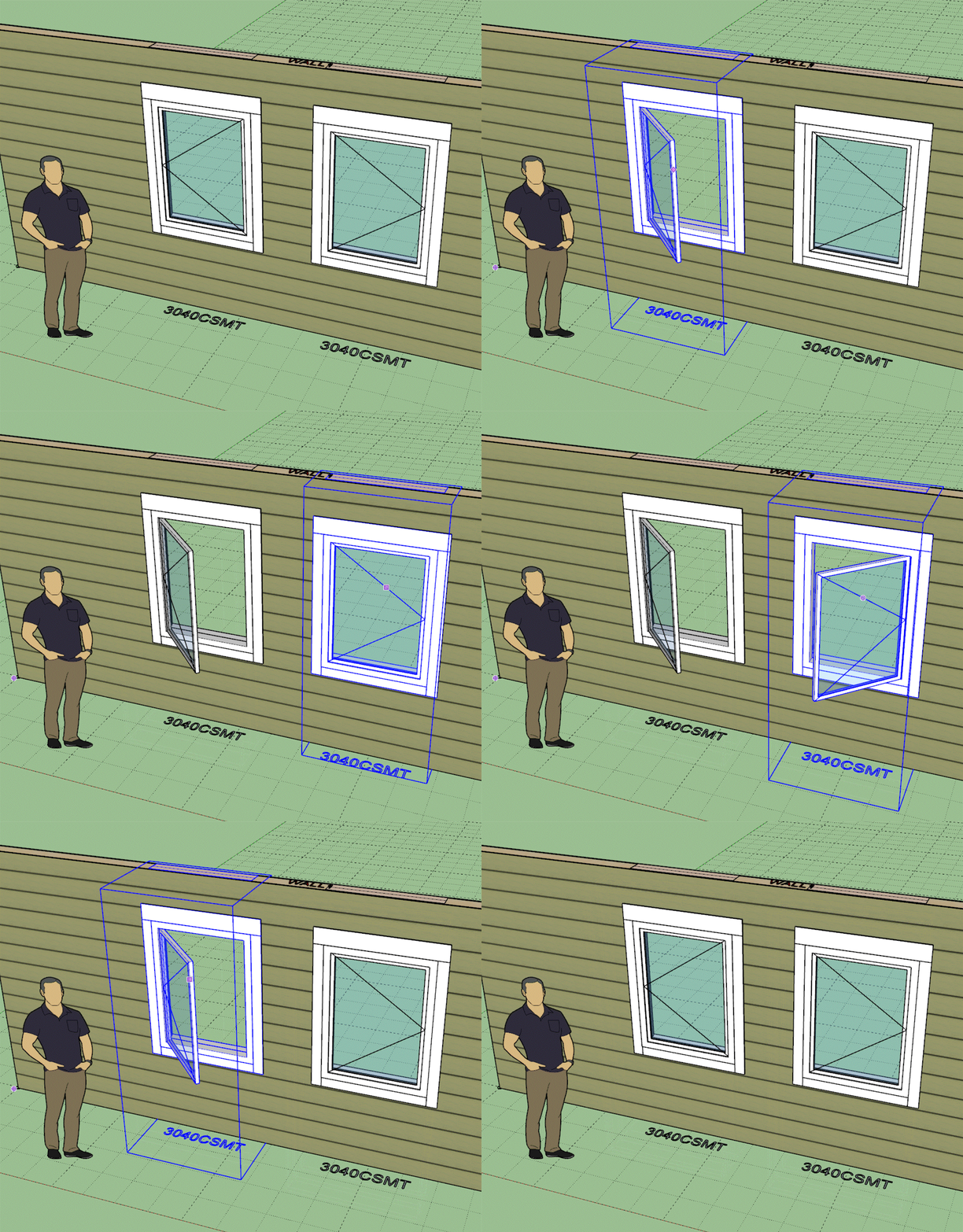
- Added a "right" hand casement window and updated the existing casement name to be a "left" hand casement window.
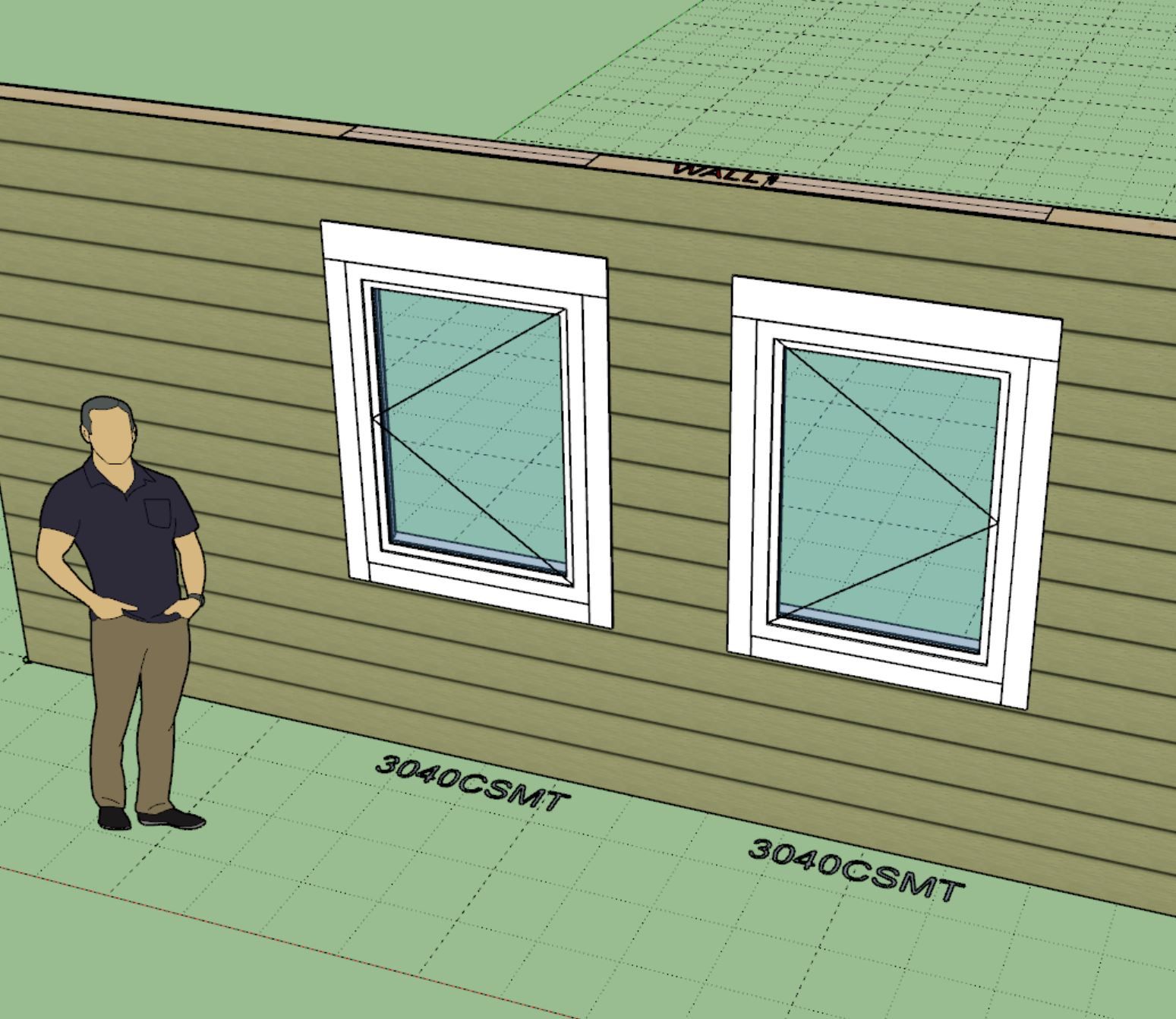
The casement window update per customer request.
I've added the first two methods for windows in the API. I still need to add the following methods:
- wall_win_read_attribute
- wall_win_set_attribute
- wall_win_move
- wall_win_open
- wall_win_delete
I will then need to create similar methods for doors, garage doors and in-wall columns. My plate is full right now.
-
Version 4.4.2 - 03.21.2026
- Enabled the following methods within the Medeek Wall API: wall_door_draw, wall_door_read_attributes
- Enabled the following methods within the Medeek Wall API: wall_garage_draw, wall_garage_read_attributes
Tomorrow I will try to add the in-wall columns to the API and then after that I will need to finish adding all the other methods, for opening, moving and deleting these sub-elements.
-
Version 4.4.2b - 03.21.2026
- Enabled the following methods within the Medeek Wall API: wall_column_draw, wall_column_read_attributes
-
Version 4.4.3 - 03.23.2026
- Enabled the following methods within the Medeek Wall API: wall_win_get_attribute, wall_win_set_attribute
- Enabled the following methods within the Medeek Wall API: wall_door_get_attribute, wall_door_set_attribute
- Enabled the following methods within the Medeek Wall API: wall_garage_get_attribute, wall_garage_set_attribute
- Enabled the following methods within the Medeek Wall API: wall_column_get_attribute, wall_column_set_attribute
This completes most of the required methods for the Medeek Wall API.
There are other assembly types that I can possibly add in API calls for but I may wait and see what is requested by the userbase before spending too much more time on this. The other assembly types are:
- stairs
- beams
- free standing posts
- moldings (crown, baseboard, chair rail)
-
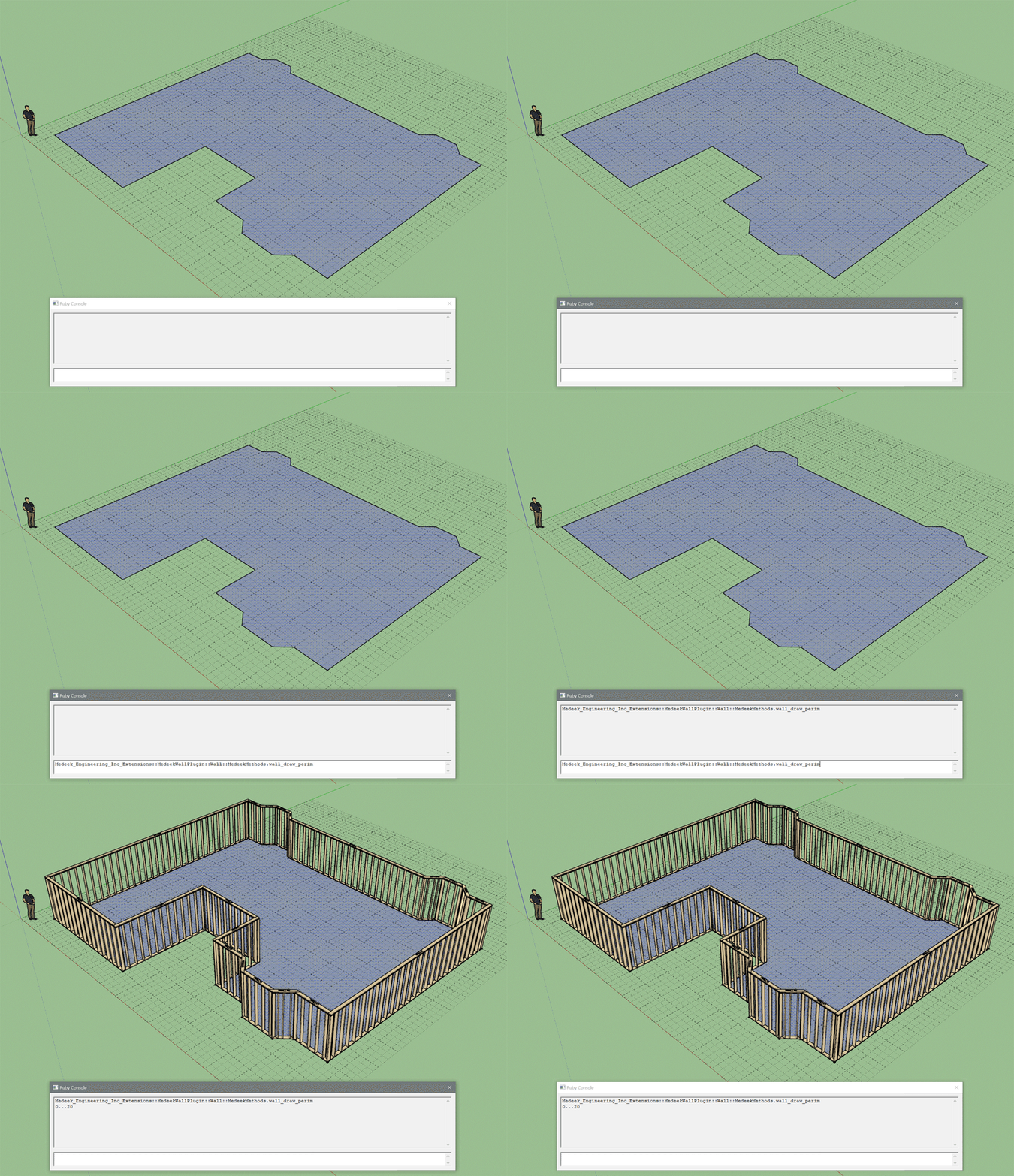
Similar to the Wall Draw Perimeter tool Larry Belk requested that I add this method to the API:
- wall_draw_perim
This new method accepts either a face or an array of points:
-
I've finally started to tackle the manual for the Wall plugin. There is so much content that needs to be added to these pages that this one will probably take me a few months to complete even if I were to work at it full time. The current organization of this page is probably only temporary as additional items are added it will continue to evolve and probably branch into many separate pages/documents:
-
one future evolution - create a separate plugin for doors and windows, etc so your plugins are focused - wall does walls, floor does floors, trusses do trusses, etc -- then doors and windows CRUD doors and windows in walls or ceilings etc, stairs probably should get their own as well given the complexities. same way you broke out electrical, hvac, plumbing... that would simplify both the wall plugin and not require as many updates, whereas doors and windows would likely get more frequent ones as you add models and options for them.
Glenn
-
Here is what I prompted ChatGPT with:
Okay, now that you have helped me actually program most of the Medeek APIs (wall, truss, foundation and floor). I would like for you to attempt to use the API to generate some ruby code I can dump into the console in order to create a simple garage (four exterior walls) with a simple fink truss roof.
I also forgot to add that this should have a slab on grade foundation that measures 24' x 36'. The walls align with the edges of the foundation (outside of framing) and the truss roof will also be 24' x 36'. On the one gable end will be a 16' garage door 84" in height (default, so don't worry about the height. On one of the long walls there should be a regular 36" x 80" door, centered 6' from the corner. On the other long wall a 36" x 48" window (centered on wall) and on the other short wall opposite the garage door wall should also be a 36" x 48" window (centered on the wall). The fink truss roof should be a 6:12 pitch, leave everything else as default.
After one mistake (it put the roof assembly on the ground initially, not sure why it missed that but it did), it produced this piece of code, which I then copied and pasted into the console and hit enter:
model = Sketchup.active_model
ents  = model.active_entities

wall_mod  = Medeek_Engineering_Inc_Extensions::MedeekWallPlugin::Wall::MedeekMethods
truss_mod = Medeek_Engineering_Inc_Extensions::MedeekTrussPlugin::MedeekMethods
sog_mod   = Medeek_Engineering_Inc_Extensions::MedeekFoundationPlugin::Sog::MedeekMethods

# --- helper: run an API call and return the new top-level group it created ---
def capture_new_group(ents)
  before = ents.grep(Sketchup::Group)
  yield
  after  = ents.grep(Sketchup::Group)
  new_groups = after - before
  return new_groups.first
end

model.start_operation('Create Medeek Garage', true)

begin
  # ---------------------------------------------------------------------------
  # GEOMETRY
  # 24' x 36' slab/wall/truss footprint
  # Coordinates in inches
  #
  # Layout:
  #   SW = (0,0,0)
  #   SE = (432,0,0)
  #   NE = (432,288,0)
  #   NW = (0,288,0)
  #
  # Walls are drawn counterclockwise around the exterior perimeter so the
  # outside of framing aligns with the slab perimeter.
  # ---------------------------------------------------------------------------

  p0 = [0.0,   0.0,   0.0]   # SW
  p1 = [432.0, 0.0,   0.0]   # SE
  p2 = [432.0, 288.0, 0.0]   # NE
  p3 = [0.0,   288.0, 0.0]   # NW

  footprint = [p0, p1, p2, p3]

  # ---------------------------------------------------------------------------
  # 1. Slab-on-grade foundation
  # ---------------------------------------------------------------------------
  sog_group = capture_new_group(ents) do
    sog_mod.sog_draw(footprint)
  end

  # ---------------------------------------------------------------------------
  # 2. Exterior walls
  #    South wall: p0 -> p1  (36')
  #    East wall:  p1 -> p2  (24')
  #    North wall: p2 -> p3  (36')
  #    West wall:  p3 -> p0  (24')  <-- garage door wall
  # ---------------------------------------------------------------------------
  south_wall = capture_new_group(ents) do
    wall_mod.wall_draw(p0, p1, 'Rectangular', 'Int-Ext')
  end

  east_wall = capture_new_group(ents) do
    wall_mod.wall_draw(p1, p2, 'Rectangular', 'Int-Ext')
  end

  north_wall = capture_new_group(ents) do
    wall_mod.wall_draw(p2, p3, 'Rectangular', 'Int-Ext')
  end

  west_wall = capture_new_group(ents) do
    wall_mod.wall_draw(p3, p0, 'Rectangular', 'Int-Ext')
  end

  # ---------------------------------------------------------------------------
  # 3. Openings
  #
  # WEST gable wall (24' wall): centered 16' garage door
  # wall length = 288", centered opening location = 144"
  #
  # SOUTH long wall (36' wall): 36" x 80" door
  # center placed 72" from SW corner
  #
  # NORTH long wall (36' wall): centered 36" x 48" window
  # wall length = 432", centered opening location = 216"
  #
  # EAST short wall (24' wall): centered 36" x 48" window
  # wall length = 288", centered opening location = 144"
  # ---------------------------------------------------------------------------

  # 16' garage door on west wall, centered
  wall_mod.wall_garage_draw(144.0, 192.0, 84.0, 'Rectangle', west_wall)

  # 3' x 6'-8" man door on south wall, center 6' from SW corner
  wall_mod.wall_door_draw(72.0, 36.0, 80.0, 'Rectangle', south_wall)

  # Centered window on north wall
  wall_mod.wall_win_draw(216.0, 36.0, 48.0, 'Rectangle', north_wall)

  # Centered window on east wall
  wall_mod.wall_win_draw(144.0, 36.0, 48.0, 'Rectangle', east_wall)

  # ---------------------------------------------------------------------------
  # 4. Fink truss roof over same 24' x 36' footprint, 6:12 pitch
  #    FIX 1: raise roof to top of walls
  #    FIX 2: reorder points so gable orientation is rotated 90 degrees
  # ---------------------------------------------------------------------------
  wall_height = 97.125

  tp0 = [0.0,   0.0,   wall_height]   # SW
  tp1 = [0.0,   288.0, wall_height]   # NW
  tp2 = [432.0, 288.0, wall_height]   # NE
  tp3 = [432.0, 0.0,   wall_height]   # SE

  truss_footprint = [tp0, tp1, tp2, tp3]

  truss_group = capture_new_group(ents) do
    truss_mod.common_truss_draw(6.0, 'Fink', truss_footprint)
  end

  model.commit_operation

  puts 'Medeek garage created successfully.'
  puts "SOG group:   #{sog_group ? sog_group.name : 'not captured'}"
  puts "South wall:  #{south_wall ? south_wall.name : 'not captured'}"
  puts "East wall:   #{east_wall ? east_wall.name : 'not captured'}"
  puts "North wall:  #{north_wall ? north_wall.name : 'not captured'}"
  puts "West wall:   #{west_wall ? west_wall.name : 'not captured'}"
  puts "Truss group: #{truss_group ? truss_group.name : 'not captured'}"

rescue => e
  model.abort_operation
  puts "ERROR: #{e.class} - #{e.message}"
  puts e.backtrace.join("\n")
end
The result was this:
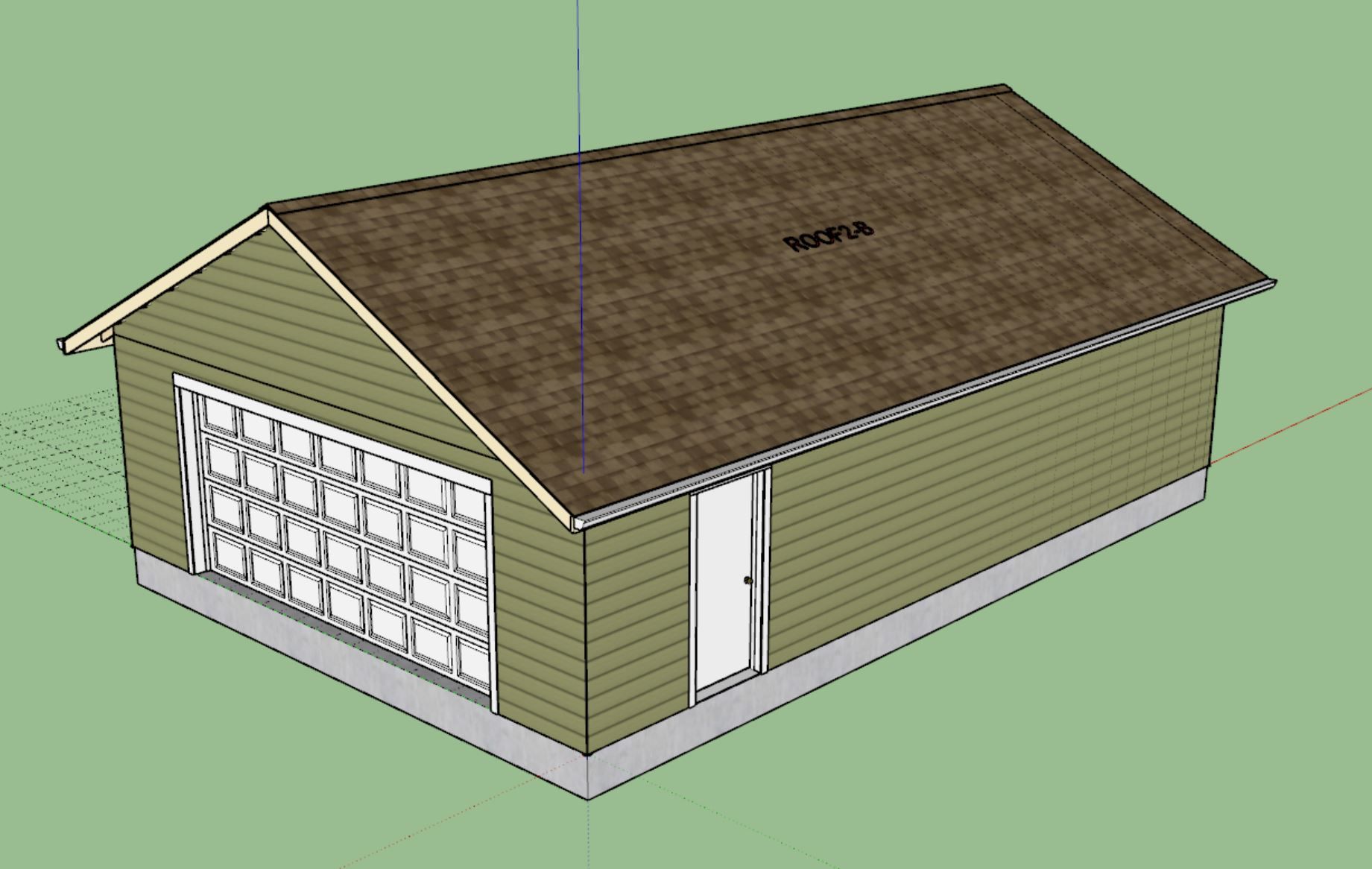
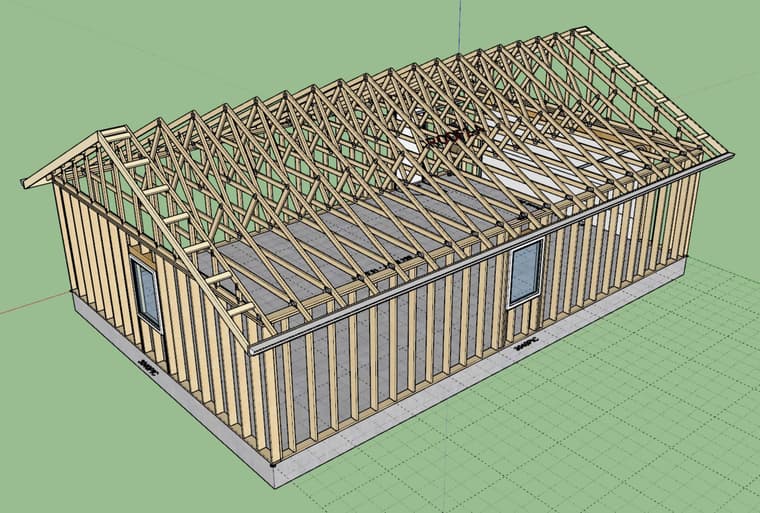
ChatGPT just built (in SketchUp) my new detached garage in under five minutes. It was even offering to modify the windows to sliders and other modifications if I needed to stray from the defaults that I had used.
These AI engines will continue to improve and eventually they may be able to do much more than design a simple four wall structure like this. Things are going to get really interesting in the next couple of years.
-
nice! how did it know to use your API?
Glenn
-
@gullfo I gave it the links to the API web pages and told it to study them and from that it was able to use the API fully.
Here are the links I provided ChatGPT:
-
very cool! thanks!




Hello! It looks like you're interested in this conversation, but you don't have an account yet.
Getting fed up of having to scroll through the same posts each visit? When you register for an account, you'll always come back to exactly where you were before, and choose to be notified of new replies (either via email, or push notification). You'll also be able to save bookmarks and upvote posts to show your appreciation to other community members.
With your input, this post could be even better 💗
Register Login


Advertisement