sketchucation logo sketchucation
    • Login
    Oops, your profile's looking a bit empty! To help us tailor your experience, please fill in key details like your SketchUp version, skill level, operating system, and more. Update and save your info on your profile page today!
    Mac User? | Join the Rayscaper Beta for Mac Learn More

    Subdived test panel

    Scheduled Pinned Locked Moved WIP
    22 Posts 6 Posters 8.1k Views 6 Watching
    Loading More Posts
    • Oldest to Newest
    • Newest to Oldest
    • Most Votes
    Reply
    • Reply as topic
    Log in to reply
    This topic has been deleted. Only users with topic management privileges can see it.
    • Bryan KB
      Bryan K
      last edited by

      @pilou said:

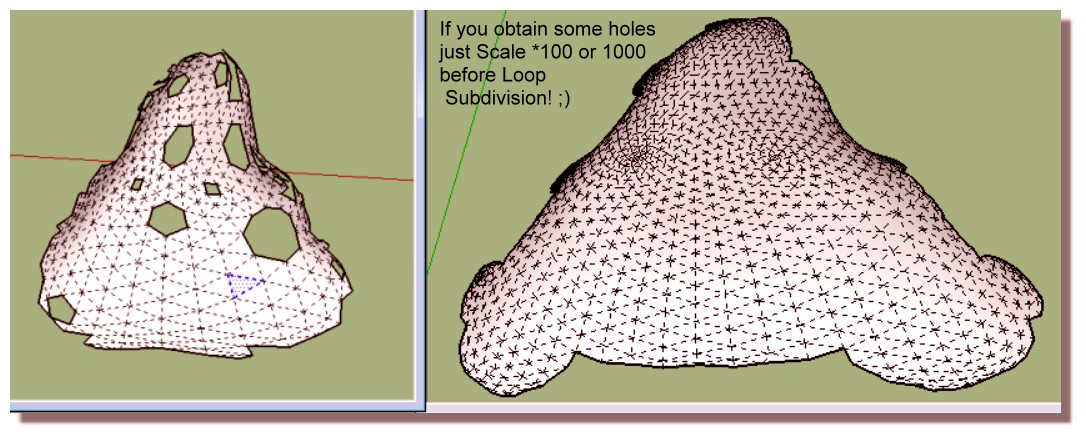
      You have also this free Loop subdivision more rustic but maybe give another drawing of faces subdivided...
      If problem : just * 100 or more scale before subdivision!

      Thanks.

      After reading the comments there, it looks like it may have issues. Can you confirm if it works properly?

      See my portfolio at https://delphiscousin.blogspot.com/

      1 Reply Last reply
      Reply Quote 0
      • S
        shawb
        last edited by

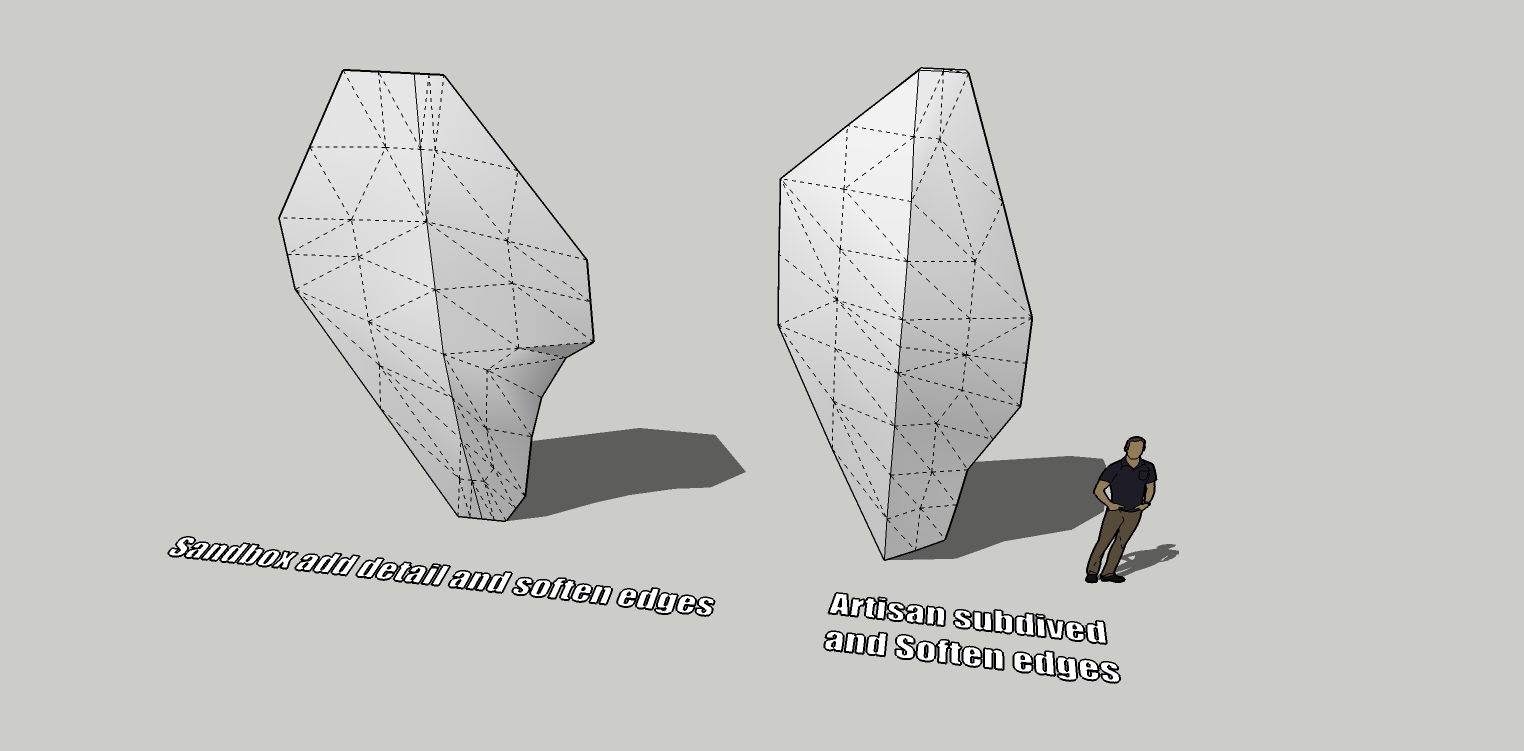
        Did you try this with just native tools? Add Detail in the Sandbox tools will sub-divide the faces and Flip Edge (same tools) can be used to get a smoother division if needed.

        1 Reply Last reply
        Reply Quote 0
        • Bryan KB
          Bryan K
          last edited by

          @shawb said:

          Did you try this with just native tools? Add Detail in the Sandbox tools will sub-divide the faces and Flip Edge (same tools) can be used to get a smoother division if needed.

          Interesting suggestion. I had not thought of that.

          So I tried it. It seems to also work well.

          Thanks! 👍


          gundam test panel 4.jpg

          See my portfolio at https://delphiscousin.blogspot.com/

          1 Reply Last reply
          Reply Quote 0
          • pilouP
            pilou
            last edited by

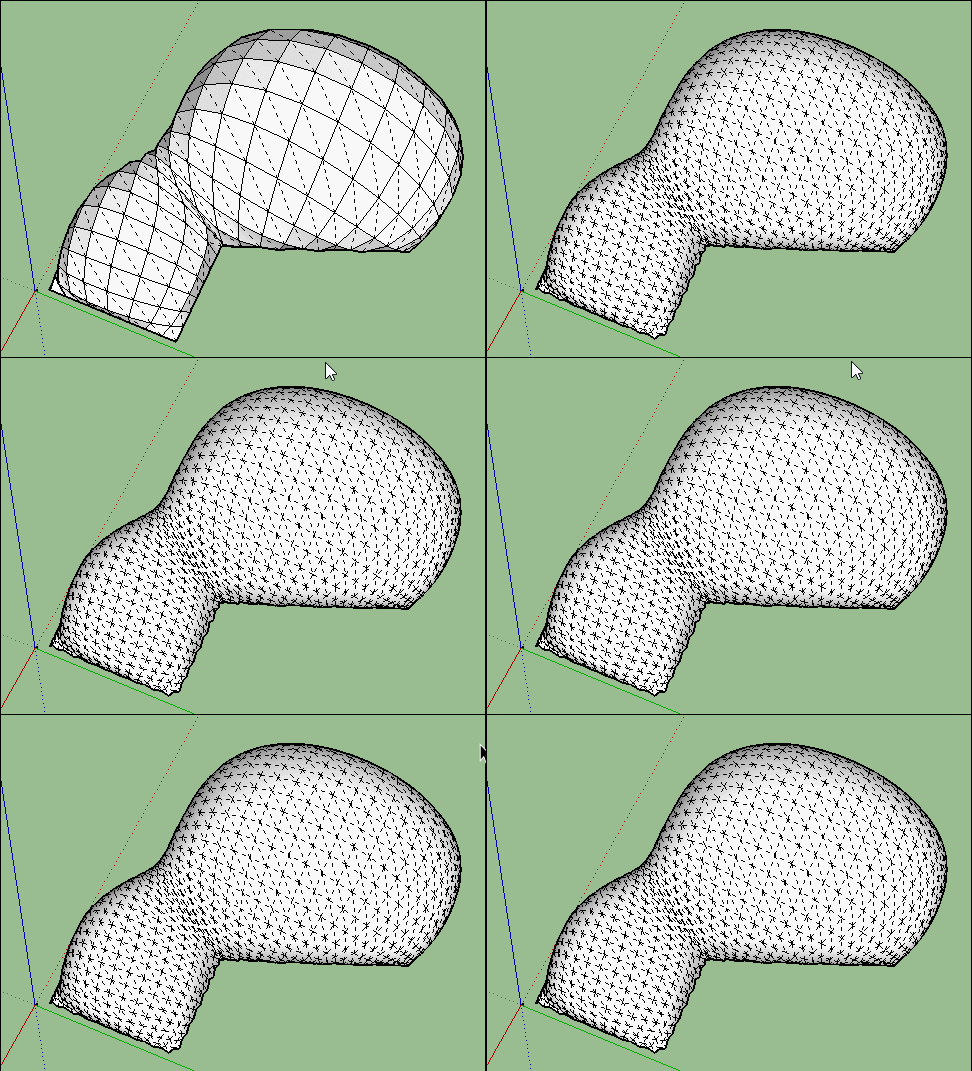
            Yes perfectly! 😄
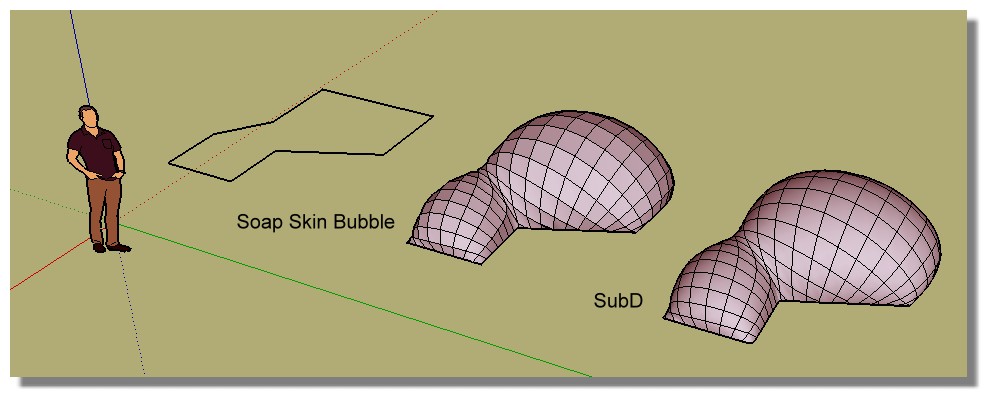
            And you can of course subdivide many time if wanted...
            https://images2.imgbox.com/19/99/MVbNghZW_o.jpg

            Here with Loop subdivision (*1000)

            https://images2.imgbox.com/16/59/xy5xlKTa_o.gif

            Frenchy Pilou
            Is beautiful that please without concept!
            My Little site :)

            1 Reply Last reply
            Reply Quote 0
            • Bryan KB
              Bryan K
              last edited by

              Thanks pilou!

              Speaking of soap skin, my plug in stopped working. Any suggestions?

              See my portfolio at https://delphiscousin.blogspot.com/

              1 Reply Last reply
              Reply Quote 0
              • pilouP
                pilou
                last edited by

                https://images2.imgbox.com/89/c5/guYzIqUb_o.jpg

                Frenchy Pilou
                Is beautiful that please without concept!
                My Little site :)

                1 Reply Last reply
                Reply Quote 0
                • pilouP
                  pilou
                  last edited by

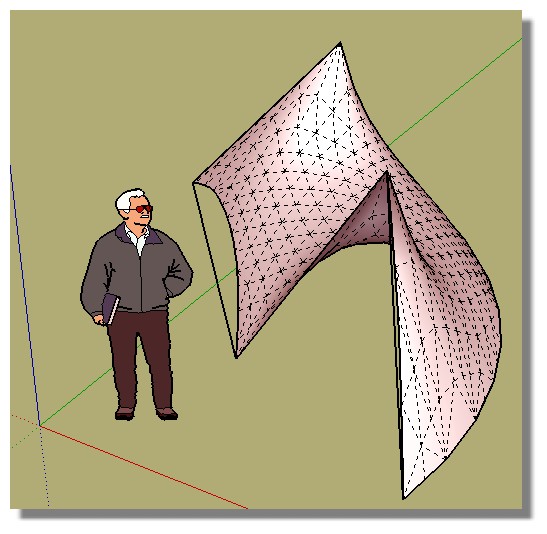
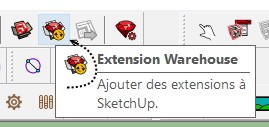
                  About Soap : i have yet downloaded directly from SKetchup for have the last version few month ago...
                  Normally that is now a version without renew...and that works perfectly fine like a charm! 😄
                  soop.jpg

                  You have also Ferrari who give better results following start perimeters...

                  http://sketchucation.com/forums/download/file.php?id=58250

                  Frenchy Pilou
                  Is beautiful that please without concept!
                  My Little site :)

                  1 Reply Last reply
                  Reply Quote 0
                  • Bryan KB
                    Bryan K
                    last edited by

                    Thanks. Ferrari downloaded it but it would not install.

                    No problem! The tools I have will work for me. 👍

                    I was able to reinstall Soap Bubble successfully.

                    See my portfolio at https://delphiscousin.blogspot.com/

                    1 Reply Last reply
                    Reply Quote 0
                    • hellnbakH
                      hellnbak
                      last edited by

                      I'm going to assume you guys are speaking in some foreign, possibly alien, language 😕

                      "Politicians are just like diapers -- they need to be changed often, and for the same reason"

                      1 Reply Last reply
                      Reply Quote 0
                      • pilouP
                        pilou
                        last edited by

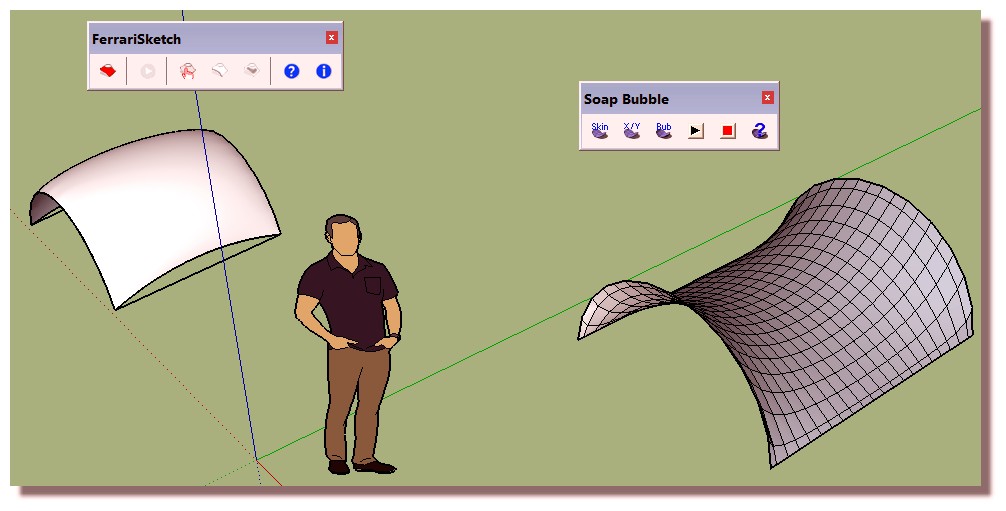
                        I am sure it is working for me for 2015, 2016, 2017 make ☀

                        I don't remember if there was a special install...

                        As you see slighty different...
                        It's a plugin of 2010 ! 😉 But works very fine! 😎
                        But maybe Ruby language has changed for new versions of SU......
                        i_am_sure.jpg

                        Frenchy Pilou
                        Is beautiful that please without concept!
                        My Little site :)

                        1 Reply Last reply
                        Reply Quote 0
                        • Bryan KB
                          Bryan K
                          last edited by

                          @pilou said:

                          I am sure it is working for me for 2015, 2016, 2017 make ☀

                          I don't remember if there was a special install...

                          As you see slighty different...
                          It's a plugin of 2010 ! 😉 But works very fine! 😎
                          But maybe Ruby language has changed for new versions of SU......
                          [attachment=0:1a45chm9]<!-- ia0 -->i_am_sure.jpg<!-- ia0 -->[/attachment:1a45chm9]

                          Any tips for installing Ferrari?

                          See my portfolio at https://delphiscousin.blogspot.com/

                          1 Reply Last reply
                          Reply Quote 0
                          • pilouP
                            pilou
                            last edited by

                            Not more than that 😉

                            @unknownuser said:

                            Version 1.1 (July 2010).

                            1. First verify that Google SketchUp is installed on the computer. If not, go to “http://sketchup.google.com”.

                            2. Once this archive is extrated:

                            • copy the file “FerrariSketch.rb” and the folder “FerrariSketch” in the directory “C:\Program Files\Google\Google SketchUp 7\Plugins” *;
                            • copy the folder “FerrariColors” in the directory “C:\Program Files\Google\Google SketchUp 7\Materials” *.
                            1. Launch Google SketchUp and open the FerrariSketch tool box by selecting the option “FerrariSketch” in the menu “View -> Tollbars”.
                              Other information are available in the program website using the tool box button “Help (?)”.
                            • These pathnames depend on the Google SketchUp version (7 or superior) and/or the operating system (XP/Vista/7).
                              You must have administrative rights on these folders.

                            Frenchy Pilou
                            Is beautiful that please without concept!
                            My Little site :)

                            1 Reply Last reply
                            Reply Quote 0
                            • pilouP
                              pilou
                              last edited by

                              For the doc under the help button "?" and you will know how to use this terrific plugin! 😉

                              And before i Refound in the Mess of window's folders the SU Ferrari Material folder (not sure i put it somewhere) 💚
                              you can yet access to the Ferrari Sketch colors by the folder Material itself inside the SU Material panel from your Donwloads' folder!!! 😉 (where you have downloaded the Ferrari plugin)
                              But it's just a library of colors! 😉 so not indispensable but you can have all the cake...
                              Edit : After intense research no i never copied the Ferrari colors folder on a SU folder! 😉
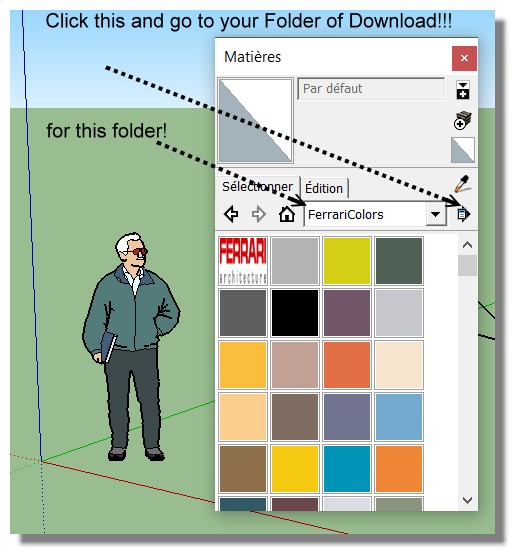
                              color_ferrari.jpg
                              terrific.jpg

                              Frenchy Pilou
                              Is beautiful that please without concept!
                              My Little site :)

                              1 Reply Last reply
                              Reply Quote 0
                              • Bryan KB
                                Bryan K
                                last edited by

                                @pilou said:

                                Not more than that 😉

                                @unknownuser said:

                                Version 1.1 (July 2010).

                                1. First verify that Google SketchUp is installed on the computer. If not, go to “http://sketchup.google.com”.

                                2. Once this archive is extrated:

                                • copy the file “FerrariSketch.rb” and the folder “FerrariSketch” in the directory “C:\Program Files\Google\Google SketchUp 7\Plugins” *;
                                • copy the folder “FerrariColors” in the directory “C:\Program Files\Google\Google SketchUp 7\Materials” *.
                                1. Launch Google SketchUp and open the FerrariSketch tool box by selecting the option “FerrariSketch” in the menu “View -> Tollbars”.
                                  Other information are available in the program website using the tool box button “Help (?)”.
                                • These pathnames depend on the Google SketchUp version (7 or superior) and/or the operating system (XP/Vista/7).
                                  You must have administrative rights on these folders.

                                These folders no longer exist for 2017. I have ifcplugins folder and no materiel folder. Which is weird. I wonder if it's using my 2015 folders.

                                See my portfolio at https://delphiscousin.blogspot.com/

                                1 Reply Last reply
                                Reply Quote 0
                                • pilouP
                                  pilou
                                  last edited by

                                  I see that you have Windows system so...for windows 10
                                  copy the file “FerrariSketch.rb” and the folder “FerrariSketch” in the directories
                                  (Change of course the name user if existing or erase it if not existing...)

                                  "C:\Users\your name user\AppData\Roaming\SketchUp\SketchUp 2017\SketchUp\Plugins\FerrariSketch"

                                  "C:\Users\your name user\AppData\Roaming\SketchUp\SketchUp 2016\SketchUp\Plugins\FerrariSketch"

                                  "C:\Users\your name user\AppData\Roaming\SketchUp\SketchUp 2015\SketchUp\Plugins\FerrariSketch"

                                  I have not copied the folder "FerrariColors" so use the trick shown above! 😄

                                  Frenchy Pilou
                                  Is beautiful that please without concept!
                                  My Little site :)

                                  1 Reply Last reply
                                  Reply Quote 0
                                  • Bryan KB
                                    Bryan K
                                    last edited by

                                    Thanks. I'll try that. 👍

                                    See my portfolio at https://delphiscousin.blogspot.com/

                                    1 Reply Last reply
                                    Reply Quote 0
                                    • majidM
                                      majid
                                      last edited by

                                      I am having problem finding the Ferrari sketch plugin....

                                      My inspiring A, B, Sketches book: https://sketchucation.com/shop/books/intermediate/2612-alphabet-inspired-sketches--inspiring-drills-for-architects--3d-artists-and-designers-

                                      1 Reply Last reply
                                      Reply Quote 0
                                      • pilouP
                                        pilou
                                        last edited by

                                        It's only on the Menu Display / Tools Barre so only as Icons! 😉
                                        Frenchy Pilou
                                        Is beautiful that please without concept!
                                        My Little site :)

                                        1 Reply Last reply
                                        Reply Quote 0

                                        Hello! It looks like you're interested in this conversation, but you don't have an account yet.

                                        Getting fed up of having to scroll through the same posts each visit? When you register for an account, you'll always come back to exactly where you were before, and choose to be notified of new replies (either via email, or push notification). You'll also be able to save bookmarks and upvote posts to show your appreciation to other community members.

                                        With your input, this post could be even better 💗

                                        Register Login
                                        • 1
                                        • 2
                                        • 1 / 2
                                        • First post
                                          Last post
                                        Buy SketchPlus
                                        Buy SUbD
                                        Buy WrapR
                                        Buy eBook
                                        Buy Modelur
                                        Buy Vertex Tools
                                        Buy SketchCuisine
                                        Buy FormFonts

                                        Advertisement