Section Fill Line Weight
-
When using section fill (with a colour other than black), Layout quite nicely shows a thicker line weight for the walls that have been sliced, and a thinner line weight for any objects within each room that haven't been sliced.
Is there a control for this somewhere? Or is this purely automatic?
Also, when I set the layout line weight to say .25pt, is this affecting the thinnest geometry, or is this the geometry for the sliced geometry?
-
Section line thickness is a style setting in SketchUp, not in LayOut. The default for most of the native styles is 3 but you can change it.
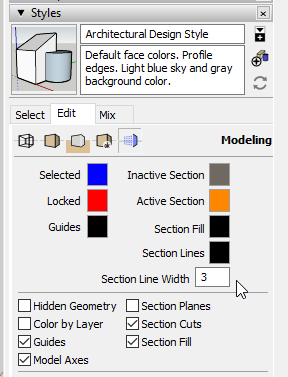
As for the Line Scale setting in LayOut, it's probably better to think of it as a multiplier. If you have it set to 0.25 pt, that's going to show normal non-profile edges at 0.25 pt since they are 1 pt normally. If you have Profile edges set to some thickness greater than 1, they will show as that thickness times 0.25.
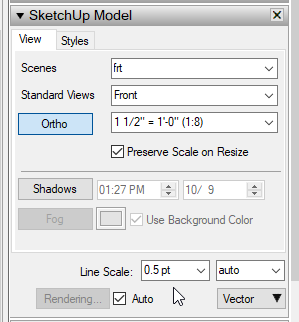
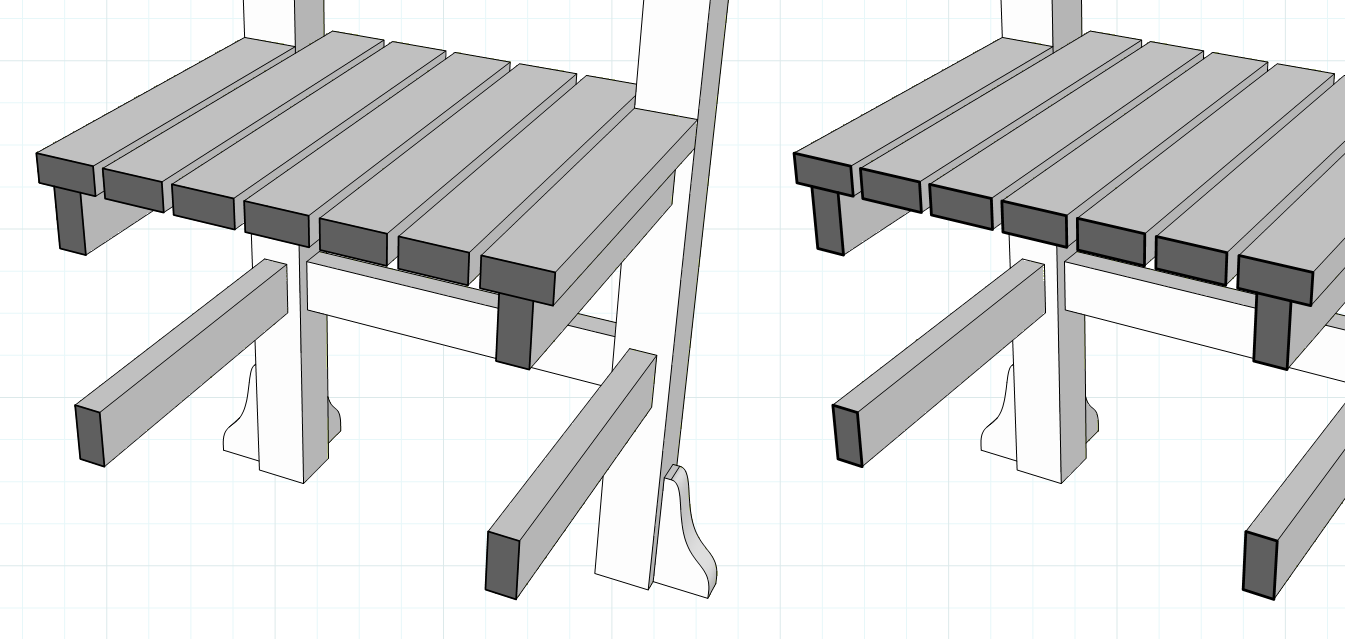
This setting affects all geometry as well as the section lines (which are not geometry) in the viewport with the same multiplier. The viewport on the left has the line scale set to 0.25 while the one on the left is set to 0.40.
-
Thanks for the speedy and detailed reply! It’s great I can have control over these lineweights - it adds so much depth to the drawings
-
You're welcome and you are right. If you use layers and scenes correctly in SketchUp you can easily employ stacked viewports to give you even more control.

Hello! It looks like you're interested in this conversation, but you don't have an account yet.
Getting fed up of having to scroll through the same posts each visit? When you register for an account, you'll always come back to exactly where you were before, and choose to be notified of new replies (either via email, or push notification). You'll also be able to save bookmarks and upvote posts to show your appreciation to other community members.
With your input, this post could be even better 💗
Register Login


Advertisement