Vray rectangle light does not match in model and in render
-
I'm doing some vray lights analysis to clarify some things for myself. I placed a Vray plane light to a window (on the inside) however in render the position of the plane does not match the placement. Seems that the plane has gone to the left and I can see the black outside (turned off the Sun Light and Environment). What am I doing wrong?
SU 2017 pro
Vray 3.4

-
The rectangular light and the wall are not in the same plane. With the drawing again, the problem improved.
-
Thanks for the reply ecati however I think in my drawing both are on the same plane and positioned exactly the same like in yours. When I redraw it the problem is gone, however I'd like to know the cause of the problem in order not to happen in the future. I scaled the plane using scale tool. Could that be the reason?
-
There are differences in the coordinates of rectangular light corners.
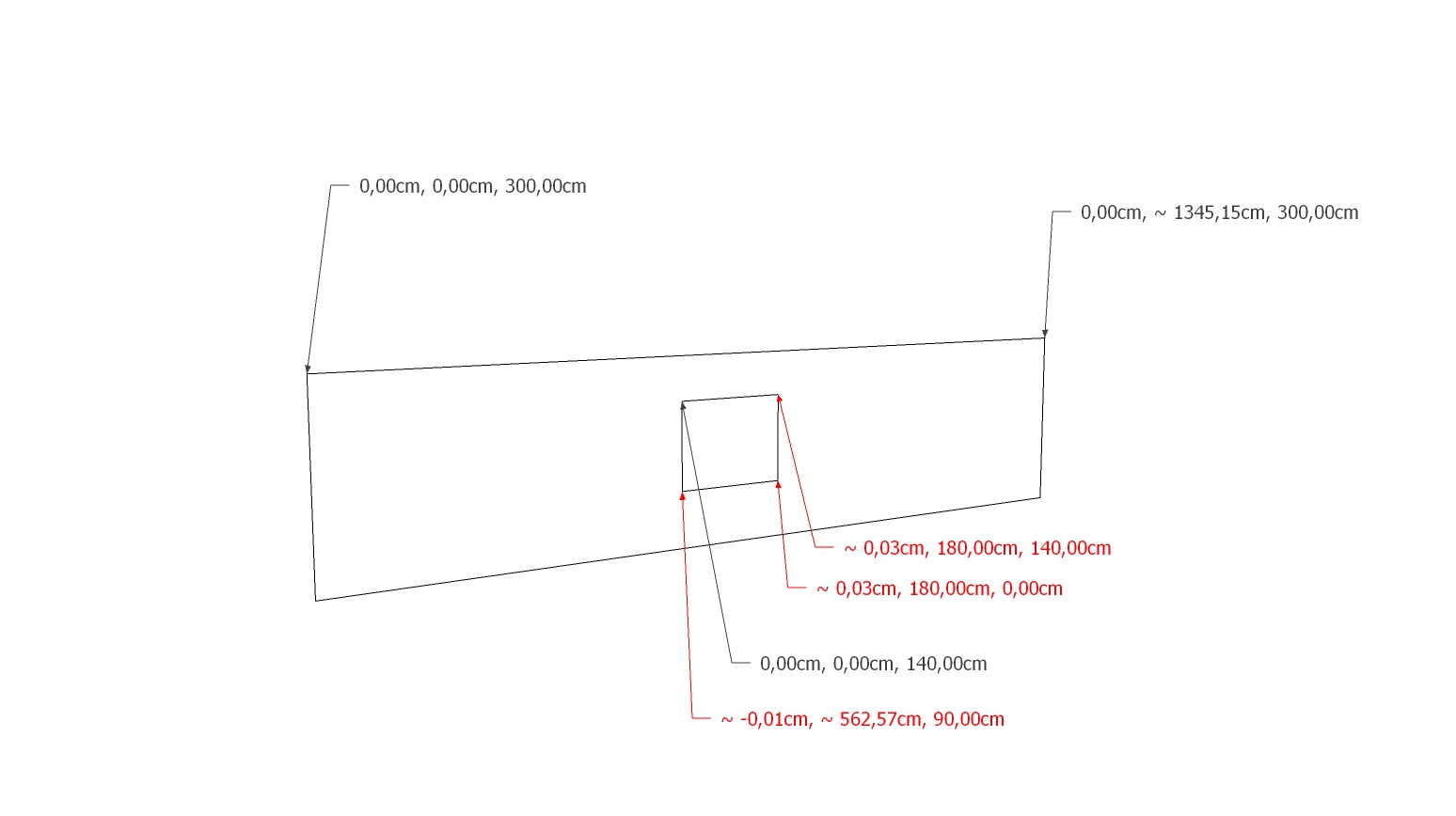
-
Thanks for pointing that out! However Differences appear to be much smaller, almost negligible than what it appears when rendered. I fixed it but the result seems the same. I wonder if something can be wrong with Vray light plane geometry. Did I do something wrong scaling it? I'd like not to repeat the same thing in complex scenes.
-
You need to be careful when drawing. I don't know another solution.

Hello! It looks like you're interested in this conversation, but you don't have an account yet.
Getting fed up of having to scroll through the same posts each visit? When you register for an account, you'll always come back to exactly where you were before, and choose to be notified of new replies (either via email, or push notification). You'll also be able to save bookmarks and upvote posts to show your appreciation to other community members.
With your input, this post could be even better 💗
Register Login


Advertisement