Using 2 separate points to snap a component in place
-
Hello!
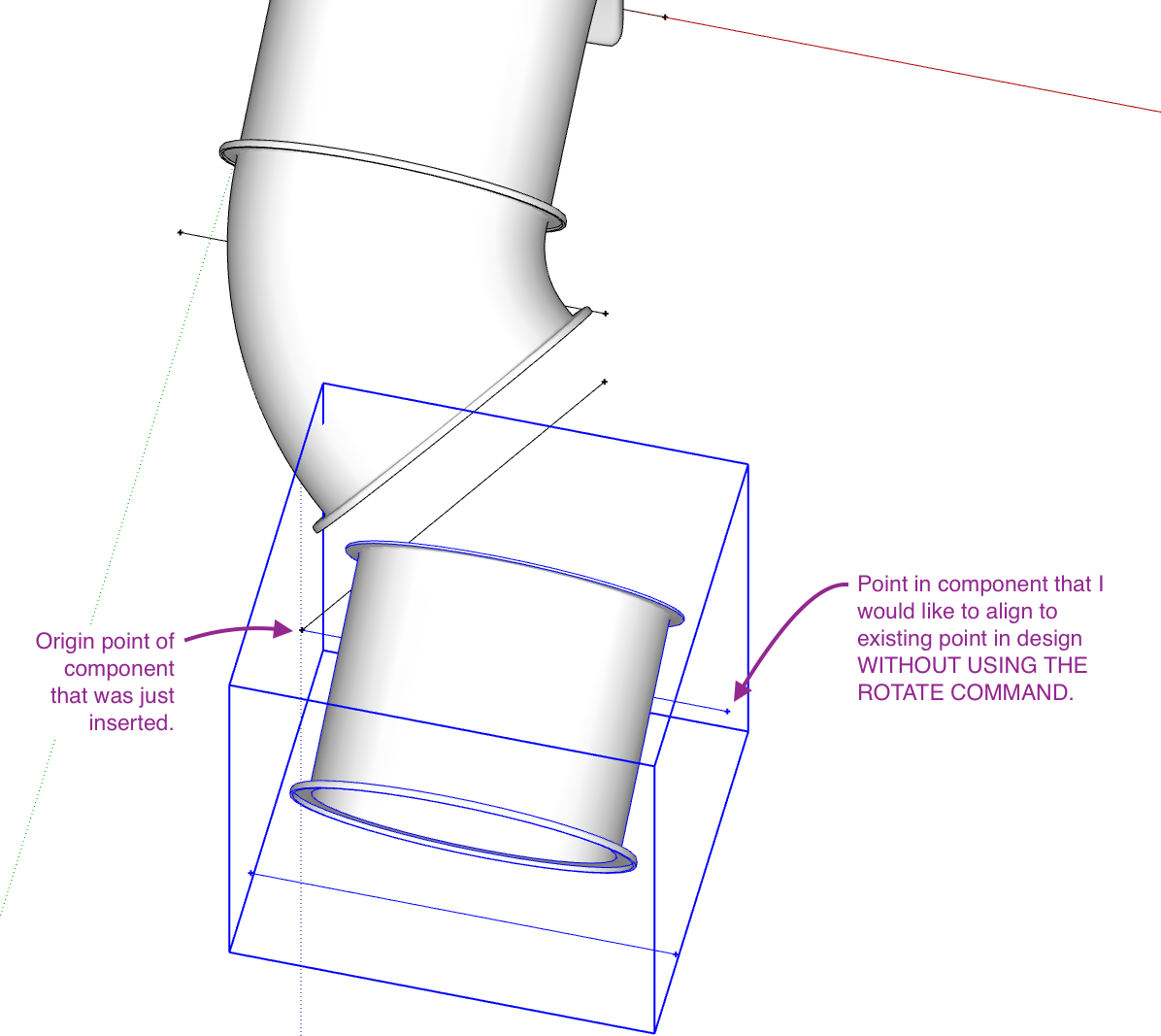
Is it possible to use 2 different points to snap a component into place? I have my first point in the correct spot and it snaps my component in the correct spot. Then I would like that point to stay where it is and then select another point and rotate the component (about the first point) to snap the second point to place. I do know this can be accomplished with placing the component and then using the rotate command to snap the component into it's proper place. I am trying to avoid using the rotate command and hopefully just placing components using 1 command and 2 snap points. Is this even possible?!?!?!!!
-
Seems 2 points are not sufficient for place a 3D object in the 3D space following its own 3D axis!...
It's different if you have yet a surface existing!Maybe this can help you ?
-
Thank you pilou! I would like to explore that plugin. What is the plugin in the video called?
-
Before i find it you have PomPi for make many Pipes!
-
Thanks. I don't need a pipe plugin. What's in my screenshot I attached to my original post is actually sections of a tube slide. They are all modeled per the manufacturer.
-
Ok I refound it! PutsCompOnFace.RBZ by CPlassais!

Click Blue Button "Telecharger"!
-
I'd just set the component up with gluing properties and appropriate insertion point but I'm guessing you've already explored and rejected that.
-
@pilou said:
Ok I refound it! PutsCompOnFace.RBZ by CPlassais!
Click Blue Button "Telecharger"!This ChrisP_PutsCompOnFace destroys Profile Builder 2 and 3 (they don't generate geometry anymore). Wasted time to figure it out. Don't download!


Hello! It looks like you're interested in this conversation, but you don't have an account yet.
Getting fed up of having to scroll through the same posts each visit? When you register for an account, you'll always come back to exactly where you were before, and choose to be notified of new replies (either via email, or push notification). You'll also be able to save bookmarks and upvote posts to show your appreciation to other community members.
With your input, this post could be even better 💗
Register Login


Advertisement